

















Skygen AI
Verified Blue CheckMark
Verified Blue CheckMark products are featured above free or unverified listings.
This badge indicates authenticity and builds trust, giving your product higher visibility across the platform.
Upgrade to get verified
Verified Blue CheckMark products are featured above free or unverified listings. This badge indicates authenticity and builds trust, giving your product higher visibility across the platform.
Upgrade to get verified
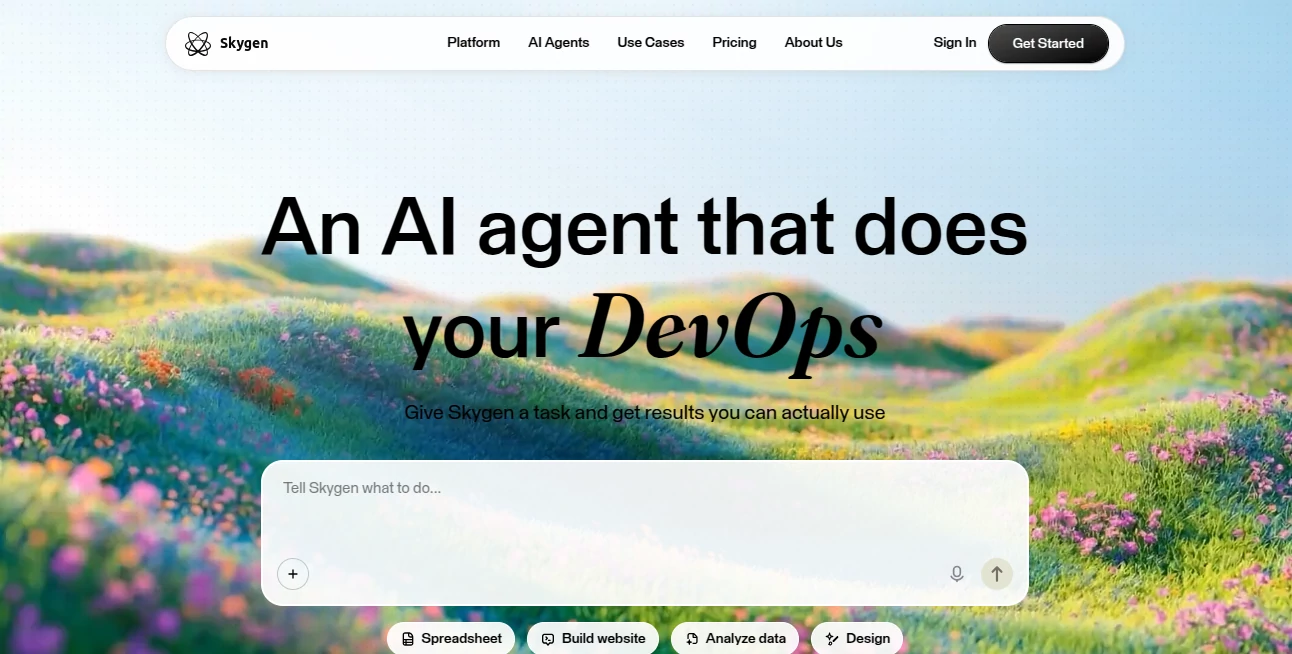
What is Skygen AI?
I’ve tried several AI tools that promise the world but end up giving me half-finished results or require constant hand-holding. Then I started using this one, and it felt different. You describe what you need in plain English — like “audit my subscriptions and cancel the ones I don’t use” or “plan a 5-day trip to Lisbon under €1200” — and it quietly goes to work, opening browsers, filling forms, comparing options, and delivering something you can actually use. The first time it saved me nearly €400 on forgotten subscriptions, I was genuinely impressed. It doesn’t just chat; it executes.
Introduction
Most AI assistants stop at giving advice. This one crosses the line into action. It runs on its own secure cloud computers, can interact with websites and apps just like a human would, and handles long, multi-step tasks from start to finish while you watch or step away. Whether you’re a busy professional, freelancer, or small team lead, it feels like having an extra pair of highly capable hands that never sleeps and doesn’t ask for coffee breaks. The transparency is refreshing too — you can literally see every click and decision it makes in real time.
Key Features
User Interface
The interface is refreshingly straightforward. You type or speak your task in normal language, and everything unfolds in a clean workspace where you can follow the agent’s progress step by step. No complicated commands or rigid templates — just natural conversation. The desktop app (available for Mac and Windows) gives it access to local files when needed, while the whole experience stays light and focused. Even non-technical users I’ve shown it to picked it up in minutes.
Accuracy & Performance
It stands out because it doesn’t just attempt tasks — it usually completes them properly. From finding and canceling subscriptions to building simple websites or researching people before meetings, the success rate feels noticeably higher than most agents I’ve tested. It works across thousands of websites and apps without needing custom APIs, and you can run multiple agents in parallel when you have several things to handle at once.
Capabilities
The range is impressive: it can audit subscriptions and cancel unused ones, plan full trips with bookings, research people or companies before meetings, apply to jobs overnight, find the best deals across stores, turn messy notes into polished presentations, clean up your inbox, analyze spending, build landing pages from a single sentence, and organize events end-to-end. Each agent runs in its own isolated cloud environment, so nothing touches your personal computer unless you want it to.
Security & Privacy
Security is taken seriously. Every agent operates in its own isolated cloud computer with enterprise-grade encryption. Your local files stay safe, and you maintain full visibility and control. For teams handling sensitive data, this separation provides real peace of mind compared to tools that run directly on your machine.
Use Cases
A freelancer uses it to research prospects before sales calls and automatically logs everything in their CRM. A busy parent asks it to find and cancel unused subscriptions, saving hundreds of euros a year. A startup founder has it build a basic landing page and run initial job applications while they focus on product work. Another user relies on it weekly to organize family trips or analyze monthly expenses. The common theme is simple: give it a clear goal, and it handles the tedious parts so you don’t have to.
Pros and Cons
Pros:
- Handles complete multi-step tasks end-to-end, not just research.
- Works with thousands of websites and apps without complex setup.
- Full visibility — you can watch and intervene anytime.
- Strong privacy through isolated cloud environments.
- Generous free tier to test real tasks before committing.
Cons:
- Very complex or highly creative tasks still benefit from human oversight.
- Some niche websites may require occasional guidance.
- Advanced team features are on higher plans.
Pricing Plans
It starts free so you can try real tasks without risk. Paid plans are straightforward and scale with usage, offering more agents running in parallel, higher limits, and priority support. Many users find that even the entry-level paid plan pays for itself quickly through time saved and opportunities captured.
How to Use Skygen
Download the desktop app or use the web version, sign up (no credit card needed to start), and simply describe what you want done in plain language. For example: “Go through my email, unsubscribe from promotional newsletters, and summarize the important ones.” Watch the agent work in real time, pause or guide it if needed, and review the final result. For recurring tasks, set them to run on a schedule. The whole process feels natural and surprisingly empowering.
Comparison with Similar Tools
Many AI assistants are great at chatting or researching but fall short when actual execution is needed. This one bridges that gap by combining natural language understanding with real browser and app interaction. It offers better visibility and control than fully autonomous agents while being more capable than simple chat-based tools. The combination of transparency, reliability, and broad compatibility makes it stand out in a crowded space.
Conclusion
In a world full of AI hype, this tool delivers something genuinely useful: an agent that doesn’t just talk — it does. It takes the repetitive, time-consuming parts of work and life off your plate while keeping you in control. Whether you use it for personal organization, business growth, or creative projects, it consistently turns vague intentions into completed tasks. For anyone who values their time, it’s quickly becoming an indispensable daily companion.
Frequently Asked Questions (FAQ)
Do I need to install software?
The desktop app is recommended for full power (especially with local files), but it also works well in the browser.
Is my data safe?
Yes — agents run in isolated cloud environments with strong encryption and privacy controls.
Can it work while I sleep?
Absolutely. Many users set tasks to run overnight or on schedule.
How accurate is it on complex tasks?
It performs very well on structured, repeatable tasks. More open-ended creative work benefits from occasional guidance.
What if it gets stuck?
You can watch every step in real time and step in to help or adjust the direction.