
















FirstCut Studio

What is FirstCut Studio?
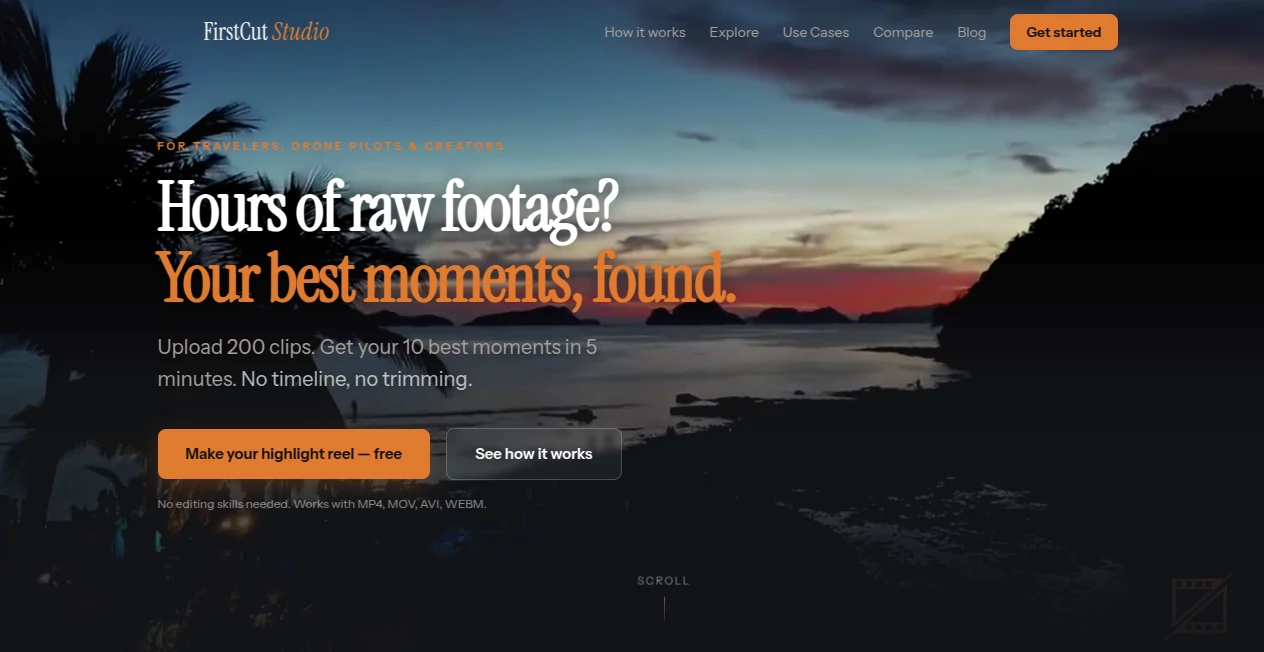
Hours of drone footage, GoPro clips, or phone videos sitting on your hard drive collecting dust. Sound familiar? You come back from an epic trip excited to make something, open your editor, stare at the timeline, and… close it again. This tool quietly solves that exact frustration. Upload your raw chaos and it intelligently finds the standout moments, rates them, and hands you back organized clips or even a ready-to-share highlight reel. No scrubbing through hours of footage. No complex timeline. Just your best stuff, surfaced fast.
Introduction
Most creators film a lot but edit very little. The gap between “I have footage” and “I have a video” is huge. FirstCut Studio bridges that gap for travelers, drone pilots, and anyone who ends up with massive card dumps after adventures. The AI watches every second, understands what makes a clip good, and pulls together the highlights that actually matter. People who’ve used it talk about finally making those trip videos they always promised themselves. It doesn’t replace your creativity—it removes the boring parts so you can focus on telling the story.
Key Features
User Interface
The experience is refreshingly simple. Drag and drop your clips (any format), and everything happens in one clean workspace. You see your footage organized by quality ratings (S, A, B, C) with clear thumbnails. No overwhelming buttons or hidden menus. The flow feels natural: upload, let the AI work, review the best moments, then either download the clips or let it build a highlight reel. Even first-time users finish their first project without watching tutorials.
Accuracy & Performance
The AI is surprisingly good at spotting what humans find interesting—dramatic drone shots, golden hour light, genuine reactions, smooth gimbal moves. It rates clips honestly and consistently, so the top selections actually feel like the best parts of your footage. Processing a few hundred clips usually takes just a few minutes. The results are reliable enough that many users trust the top-rated selections without much manual review.
Capabilities
Upload hundreds of clips at once from GoPros, DJI drones, phones, or any camera. The AI detects scenes, rates quality, finds highlights, and can automatically compose beat-synced highlight reels with music. You can also just take the best individual clips and edit them yourself in any editor. It handles long trips or big shoots gracefully and gives you both raw best moments and finished videos depending on your needs.
Security & Privacy
Your footage is processed securely and not used for training or shared with anyone. You stay in full control—download what you want and delete the rest. For creators who film personal trips or client work, that peace of mind matters.
Use Cases
A drone pilot uploads 300 clips from a week-long Iceland trip and gets back a beautiful 3-minute highlight reel ready to post the same day. A family returns from vacation with hours of phone videos and finally has a watchable montage to share with relatives. A content creator uses it to quickly pull the strongest shots from a batch of raw material instead of spending days scrubbing timelines. It’s perfect whenever you have way more footage than time.
Pros and Cons
Pros:
- Turns overwhelming raw footage into usable highlights in minutes.
- Smart enough to find the real gems most people would miss.
- Works with any camera and video format—no conversions needed.
- Free to start with no credit card required.
- Great for both quick reels and getting a head start on bigger edits.
Cons:
- Still in active development—new features are being added regularly.
- Very long or extremely complex shoots may need some manual curation.
Pricing Plans
It starts completely free—no credit card, no limits on your first projects. This lets you test it on real footage and see the quality for yourself. Paid plans unlock higher usage, faster processing, and additional features for heavier creators. The free entry point is genuinely useful, which is rare and refreshing.
How to Use FirstCut Studio
Drag and drop your raw clips into the uploader (hundreds at once is fine). The AI analyzes everything and shows you quality-rated highlights. Review the top selections, choose whether you want individual clips or a full highlight reel with music. Make small adjustments if needed, then download or share. The whole process from upload to finished video can take under 10 minutes for a typical trip batch.
Comparison with Similar Tools
Traditional editors require hours of manual work. Auto-edit features in apps like GoPro Quik or CapCut often feel random and low quality. This tool sits in a smart middle ground: it understands cinematic value better than basic auto-editors while staying far simpler than professional software. It’s built specifically for creators who film a lot but don’t want editing to become a full-time job.
Conclusion
Your best moments shouldn’t stay buried in terabytes of raw footage. This tool respects your time and your creativity by surfacing what matters most and helping you turn it into something shareable. Whether you make travel films, drone content, or family memories, it removes the biggest barrier between shooting and sharing. If you’ve ever felt overwhelmed by your own footage, give it a try—you might finally make that video you’ve been meaning to create.
Frequently Asked Questions (FAQ)
How much footage can I upload at once?
Hundreds of clips and many gigabytes are supported. It handles big trips easily.
Do I need editing experience?
No. It’s built for people who film a lot but rarely edit.
What formats are supported?
MP4, MOV, AVI, WEBM and more—basically anything from phones, drones, or action cams.
Is it really free to start?
Yes, you can create your first highlight reels without paying or adding a card.
Can I download the individual best clips?
Absolutely—take only the top-rated moments and edit them yourself if you prefer.