
















KissGen AI
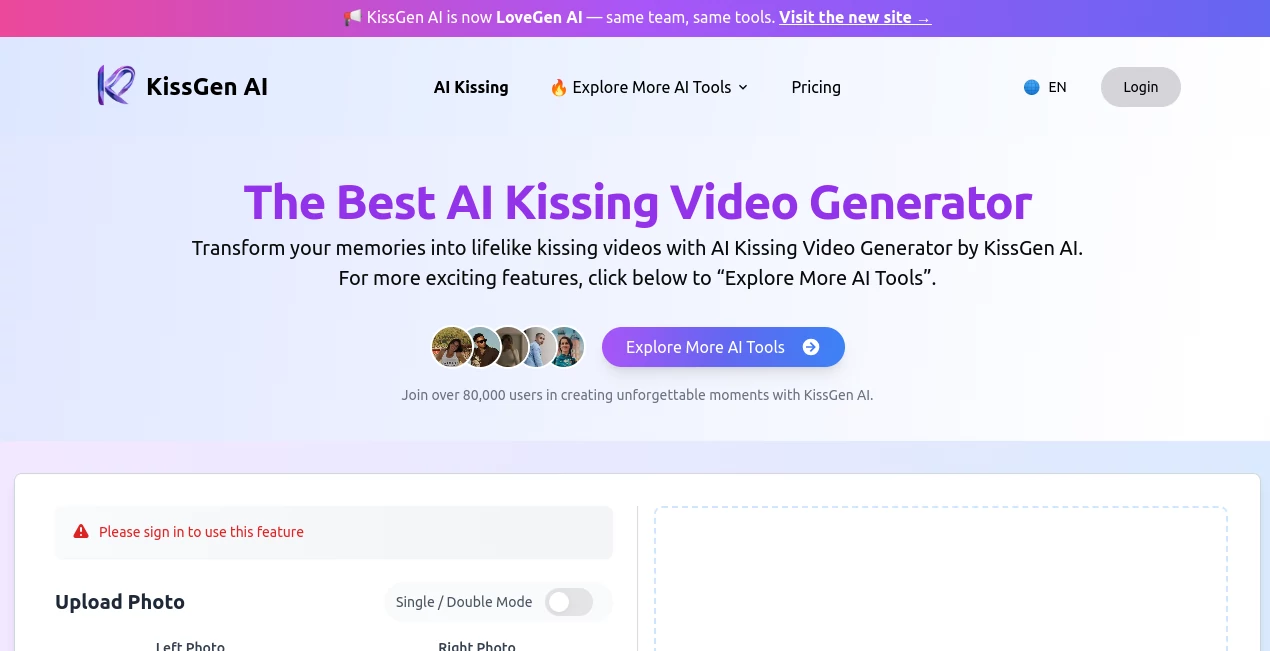
What is KissGen AI?
You know how it feels when you scroll through your photo gallery. You see that perfect shot from a date night or a fun party with friends. It's a great image, but it's frozen in time. What if that smile turned into a laugh? What if that close moment became something that actually moves?
That's exactly what this platform delivers. It takes those flat, silent memories and brings them to life with realistic motion. I've tested a lot of AI video tools, and most of them stumble when it comes to human interaction. They can make a tree sway or a car drive, but ask them to animate two people connecting, and things get weird fast. This one is different. It focuses specifically on the moments that matter—the hugs, the dances, and those romantic gestures that stock footage just can't capture.
Key Features
This isn't just a one-trick pony. While the main draw is obvious, the toolkit covers a lot of ground for content creators. You get access to several generation modes right from the main dashboard.
- Romantic Animation: The flagship feature transforms standard portraits into short, believable clips of two people sharing a kiss. It handles the facial mapping smoothly so the final result doesn't look like a glitchy deepfake.
- Action & Dance Modes: Beyond romance, there are presets for dancing (including specific styles like cripwalk), friendly hugs, and even handshakes. It is great for social media challenges.
- Face Swapping: You can insert faces into existing templates. If you don't have a specific photo of two people together but have separate individual shots, this helps bridge the gap.
- Background & Enhancement Tools: Before the AI does its magic, you can remove messy backgrounds or upscale a blurry photo to HD quality. Clean input equals clean output.
User Interface
You don't need to be a video editor to use this. The dashboard is straightforward. You upload your assets, pick a "mode" from the menu (kissing, hugging, dancing), and hit generate. There aren't fifty sliders to confuse you. Most of the heavy lifting happens in the background, which is a relief when you are in a hurry to post something.
Accuracy & Performance
This is where it shines compared to general AI models. General models often blur faces together or distort anatomy during physical contact. This tool uses specialized motion synthesis. It focuses on the physics of how heads tilt and arms wrap around each other. Does it work 100% of the time? No AI does. But with clear, front-facing photos, the success rate is surprisingly high. The rendering time is fast—usually under a minute for a standard clip.
Capabilities
Besides just generating the video, you can customize the "intensity" of the interaction. Do you want a gentle peck or a passionate embrace? There are options to adjust that. The output is high-definition, so it looks decent on a phone screen or a monitor. You can download the clip without a watermark (depending on your plan) and share it directly to social feeds or save it for a private album.
Security & Privacy
This is a sensitive topic when we are talking about generating videos of people. The platform takes privacy seriously. Your uploaded photos aren't tossed into a public library for everyone to see. The developers emphasize that user content is protected. However, always use common sense—don't upload images of people without their permission.
Use Cases
I see a lot of potential for different types of users here. It isn't just for lonely hearts.
- Digital Anniversary Gifts: Imagine taking a wedding photo from ten years ago and animating that first kiss for an anniversary card. It adds an emotional layer a physical card can't touch.
- Social Media Managers: If you run a page for a dating app, a romance novel publisher, or a wedding venue, static images get boring fast. Short, looping romantic clips stop the scroll on Instagram Reels or TikTok.
- Indie Filmmakers: Sometimes you need a quick B-roll shot of a romantic moment or a crowd dancing, but you don't have the budget for extras or a second unit crew. This generates usable filler footage fast.
- Personal Fun: Let's be honest, sometimes you just want to troll your friends by making a video of them dancing with a celebrity or recreate a hilarious moment from a party.
Pros and Cons
Pros:
- Specializes in human interactions that other AIs fail at.
- User-friendly for non-technical creators.
- High-definition output ready for social media.
- Variety of modes (hug, dance, kiss).
Cons:
- There is no free lunch; the free trial is limited to 5 credits.
- The refund policy is strict (no refunds on subscriptions).
- Results depend heavily on the quality of the source photo (blurry photos in = blurry videos out).
Pricing Plans
You can test the waters first with a free trial that gives you 5 credits. That is enough for 5 short video generations to see if you like the quality.
For regular users, the subscription model is credit-based. The more you pay annually, the cheaper the per-credit cost gets.
- Basic (Annual): $118.80/year – Gets you 1,200 credits.
- Standard (Annual): $238.80/year – Gets you 2,400 credits.
- Premium (Annual): $358.80/year – Gets you 4,800 credits.
If you are just testing it out, the free trial is the way to go. If you are running a content agency, the Premium plan offers the best value per video.
How to Use the Tool
Getting started takes about two minutes. Here is the workflow I recommend for the best results.
First, gather your source material. You need a clear, well-lit photo. Avoid group shots where faces are tiny. The AI works best when the faces are prominent and looking generally toward each other (or toward the camera for solo animations).
Second, upload your photo to the dashboard. Select the type of video you want—whether it is a kiss, a hug, or a dance. If you selected a kissing video, you might be asked to pick a "style" or intensity level.
Finally, hit "Generate." Wait about 30 to 60 seconds. Review the output. If the lighting in the original photo was good, the movement will look surprising realistic. You can then download the MP4 file directly to your device. I always suggest checking the background removal tool first if your original photo has a cluttered background; it helps the AI focus on the people.
Comparison with Similar Tools
How does this stack up against the giants like Runway ML or Pika Labs? Those tools are excellent for general video generation—making a robot walk or a river flow. However, they struggle with "character-to-character contact." If you ask Midjourney or DALL-E to generate a still image of a hug, it often smashes hands together. Asking them to animate a kiss usually results in melting faces.
This platform is a niche tool. It does one specific set of things (romantic and social interactions) better than the generalists. Think of it like this: Adobe Firefly is a Swiss Army knife. This tool is a scalpel. It is less versatile overall, but for this specific surgery, it is the right tool for the job.
Conclusion
AI is moving fast, but we aren't at the point where you can type "make them kiss" into any generator and get a perfect result. This tool fills a gap in the market for creators who need realistic human emotion on screen without hiring actors or learning complex VFX software.
Is it perfect? No. You still need good source photos, and the pricing means it isn't for someone who just wants to play around forever. But for wedding videographers adding b-roll, social media managers looking for engagement, or couples wanting a unique gift, it delivers real value. The results look natural, the process is painless, and the speed is impressive. If you rely on stock footage for romantic scenes, give this a shot—you might just stop paying for those generic clips forever.
Frequently Asked Questions (FAQ)
Q: Is there a free version available?
A: Yes, there is a free trial that provides 5 credits. This allows you to generate 5 videos so you can test the quality before committing to a paid subscription.
Q: Can I cancel my subscription easily?
A: Yes. You can email support to cancel. The cancellation will take effect at the end of your current billing cycle. Just keep in mind that the service doesn't offer refunds for payments already made.
Q: What billing options do I have?
A: You can choose between monthly and annual billing. The annual plans offer significant savings compared to paying month-to-month.
Q: Is there a limit on how many videos I can make?
A: Yes, your usage is limited by your plan's credit allowance. The Basic plan offers 1,200 credits per year, while higher tiers offer more. However, you can always purchase extra credit packs if you run out.
Q: Do I need a powerful computer to use this?
A: No. Everything runs on their servers. You just need a web browser and an internet connection. Your laptop doesn't need a fancy graphics card.