Fizzly
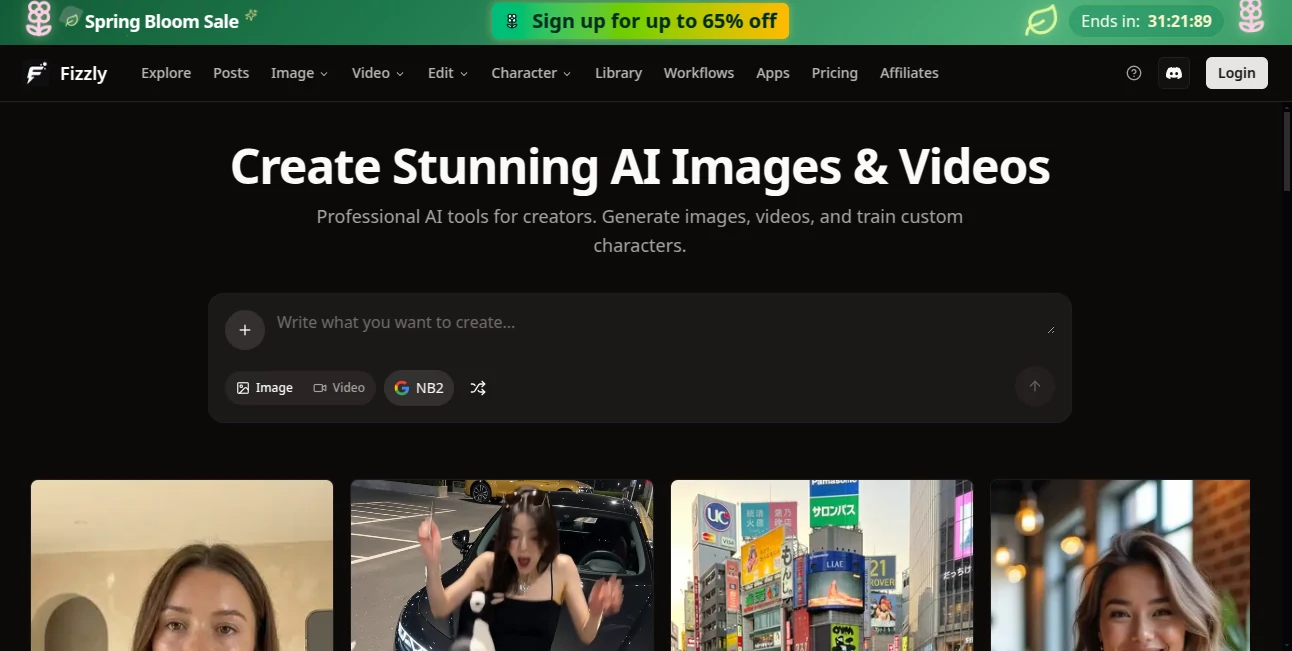
What is Fizzly?
I remember the first time I tried it — I typed a simple prompt, uploaded a reference photo, and a few seconds later had a beautiful, consistent scene that actually looked like it belonged in a real campaign. No weird artifacts, no broken hands, just clean, vibrant output that felt professional. That moment hooked me. This platform has become my go-to creative studio because it combines power with surprising ease, letting me generate images, videos, and even custom characters without fighting the tool every step of the way.
Introduction
Creating high-quality visuals used to mean either hiring expensive talent or spending hours learning complex software. Fizzly changes that equation completely. It brings together multiple top-tier AI models in one friendly place, so you can generate images, create videos, train consistent characters, swap faces, upscale, and edit — all without switching tabs or learning new workflows. Whether you're a solo creator building content for social media, a brand experimenting with virtual influencers, or just someone who loves making things look better, it delivers results that feel exciting rather than frustrating. The best part? You can start for free and see real quality immediately.
Key Features
User Interface
The dashboard feels welcoming and uncluttered. Big, clear buttons for Image Generation, Video, Characters, and Editor guide you naturally. Everything is one or two clicks away, with helpful previews that load quickly. I especially like how it shows different model options side by side so you can pick the best one for your idea without guessing. It never overwhelms you — it just gets out of the way and lets you create.
Accuracy & Performance
The output quality consistently impresses. Characters stay recognizable across images and videos, colors look natural, and details hold up even when you push the prompts creatively. Generation is fast enough that you stay in flow instead of waiting around. Face swaps are particularly strong — they blend realistically without that plastic look you sometimes see elsewhere. In daily use, it rarely wastes your time with failed attempts.
Capabilities
You get strong text-to-image with models like Flux and others, video generation that brings scenes to life, custom character training for consistent virtual personas, face swap, AI upscaling, background removal, image expansion, style transfer, and a full editor for fine-tuning. The character system is a standout — train once and generate unlimited content with the same look and feel. It’s a true all-in-one studio that covers most creative needs without forcing you into multiple platforms.
Security & Privacy
Your uploads and generations stay private by default. The platform focuses on delivering great tools without unnecessary data collection or sharing. For creators working on client projects or personal brands, that peace of mind matters a lot.
Use Cases
A content creator builds a virtual influencer and generates hundreds of consistent posts in their unique style. An e-commerce brand turns plain product photos into lifestyle scenes that convert better. A marketer experiments with different ad variations in minutes instead of days. A hobbyist restores old family photos or creates fun cartoon versions of friends. The flexibility makes it useful for both serious work and pure creative play.
Pros and Cons
Pros:
- Excellent consistency when training custom characters.
- Fast, high-quality results across images and video.
- Generous free tier lets you create without immediate pressure.
- All-in-one workspace that reduces tool-switching.
- Strong face swap and editing tools that feel professional.
Cons:
- Heavy video generation can use credits quickly on free tier.
- Some very complex scenes still need prompt refinement.
Pricing Plans
You can start creating right away with a meaningful free daily allowance — enough to test ideas and see the quality. Paid plans remove limits, unlock faster generation, higher resolutions, and more credits for serious work. The pricing feels fair for the creative freedom it unlocks, especially when you compare it to hiring photographers, videographers, or multiple specialized tools.
How to Use Fizzly
Sign up (it takes seconds), go to the image or video section, type your prompt, and upload a reference photo if you want stronger guidance. Choose your model and settings, then hit generate. For characters, upload sample images, train once, and then use that character across future creations. Edit results directly in the built-in editor if needed. Download and use — it’s designed to keep the process enjoyable from first idea to final file.
Comparison with Similar Tools
While many platforms focus on either images or video, this one combines both with strong character consistency and editing tools in a single workspace. Some competitors feel either too basic or overly complicated. Fizzly strikes a sweet spot: powerful enough for real projects, approachable enough that you actually want to use it regularly. The custom character training and clean interface give it a clear edge for creators who value consistency and speed.
Conclusion
Creativity should feel exciting, not exhausting. This platform removes technical barriers and lets you focus on ideas instead of fighting tools. Whether you’re building a brand, creating content daily, or just exploring fun concepts, it delivers quality that inspires rather than disappoints. In a crowded AI space, it stands out by being genuinely useful and enjoyable to use. If you create visuals for any reason, it’s worth trying — you might find yourself coming back every time you need something impressive, fast.
Frequently Asked Questions (FAQ)
Is it really free to start?
Yes — you get a generous daily allowance without needing a credit card.
Can I train my own characters?
Absolutely — upload a few images and create consistent characters you can reuse forever.
How good is the video quality?
Strong motion and realism, especially when using reference images or characters.
Do generations have watermarks?
Free generations may have small watermarks; paid removes them completely.
Is it good for commercial use?
Yes — paid plans support commercial projects and branding work.
AI Image to Video , AI Character , AI Video Generator , AI Art Generator .
These classifications represent its core capabilities and areas of application. For related tools, explore the linked categories above.

Fizzly Alternatives Product
FastMoro AI

chibi genera…
Luma AI
Uni-1

Art-Neurona
toolsclaw
Seedance 2 V…

LoveGen AI

trellis 2