

















FastMoro AI
What is FastMoro AI?
Turning a simple idea into a moving scene or a striking visual used to take hours, expensive software, or a whole team. This platform makes it feel almost effortless. You type a description, maybe add a reference image, and it creates cinematic videos or detailed images that often look better than you expected. I've seen hobbyists create short films for fun, marketers generate product videos in minutes, and creators turn wild concepts into shareable clips that actually look polished. The quality is impressive, especially considering how quickly it works and how accessible it stays for everyday users.
Introduction
AI video and image generation has improved dramatically, but many tools still feel limited by watermarks, slow speeds, or generic results. FastMoro AI stands out by offering strong quality without making you jump through hoops. Powered by leading models, it handles text-to-video, image-to-video, and advanced image creation with a focus on natural motion, good lighting, and creative control. It’s become popular among people who want professional-looking output without the usual barriers. Whether you need a quick social media clip, a product visualization, or just want to bring a crazy idea to life, it delivers results that feel thoughtful and ready to use.
Key Features
User Interface
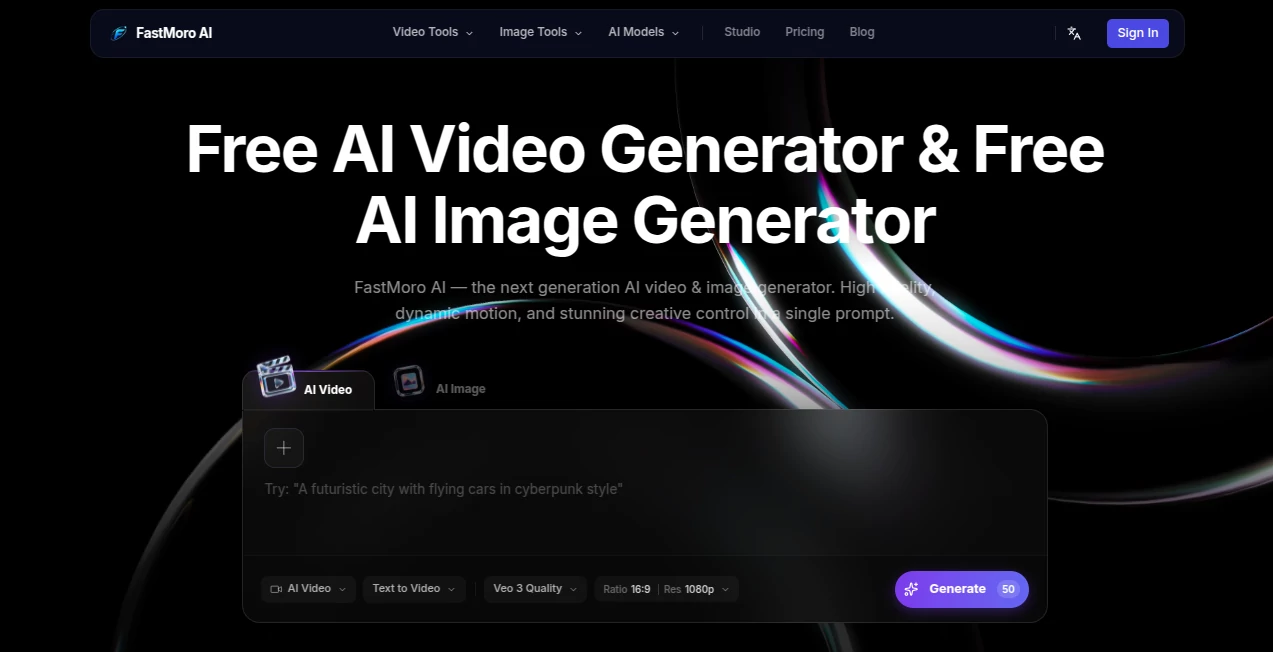
The design is straightforward and welcoming. A big prompt area sits front and center, with clear options for aspect ratio, resolution, and model selection. Uploading reference images is simple, and previews appear quickly so you can iterate without frustration. It avoids clutter, letting you focus on your idea instead of fighting menus. Even first-time users can get great results because the flow feels natural and intuitive.
Accuracy & Performance
The generations show strong understanding of motion, lighting, and scene composition. Characters maintain consistency better than many tools, and the physics in movement feel believable. Videos come out smooth with good detail, and image outputs are sharp and artistic when requested. Processing times are reasonable, often fast enough to keep your creative flow going without long waits. The quality holds up especially well on cinematic or stylized prompts.
Capabilities
It excels at text-to-video with cinematic quality, image-to-video for animating stills, and high-quality image generation from descriptions. You can guide results with reference images, adjust aspect ratios for different platforms, and choose resolutions up to 4K. The tool supports creative control like style references and detailed scene descriptions, making it versatile for everything from product ads to short stories or artistic experiments.
Security & Privacy
Your prompts and generated content are handled cleanly without unnecessary storage or sharing. The platform focuses on delivering the output while respecting user privacy, which gives confidence when working on personal projects or client ideas. No forced accounts for basic use means you can experiment freely.
Use Cases
Small brands create eye-catching product videos from a single description or photo. Content creators generate engaging Reels and TikToks with consistent style. Filmmakers prototype scenes and test concepts quickly before full production. Educators turn lesson ideas into short animated explanations. Artists explore visual concepts and generate inspiration pieces. The speed and quality make it practical for both fun experiments and real professional needs.
Pros and Cons
Pros:
- Strong cinematic quality and natural motion in videos.
- Fast generation that supports quick iteration.
- Good creative control through references and detailed prompts.
- Free access with useful daily capabilities.
- Versatile for both video and image creation in one place.
Cons:
- Free tier has daily limits for heavier use.
- Very complex or extremely long scenes may need multiple generations.
- Highest resolutions and unlimited access require paid plans.
Pricing Plans
The free tier lets you create meaningful videos and images daily without any payment, which is great for testing and light projects. Paid plans remove limits, offer faster processing, higher resolutions, and more generations for serious creators or businesses. The pricing feels fair for the quality and convenience, especially when compared to hiring freelancers or buying stock footage.
How to Use FastMoro AI
Go to the generator, type a clear description of your scene or idea. Add a reference image if you want to guide style or content. Choose your aspect ratio and resolution, then hit generate. Review the result—regenerate or tweak the prompt if needed for better alignment. Download the video or image once you're happy. For best results, be descriptive about mood, lighting, and action. The process is quick enough that you can try several variations in one session.
Comparison with Similar Tools
Many AI video tools still struggle with consistency or unnatural movement. This one delivers stronger cinematic quality and better motion while keeping the process simple. Compared to heavier paid platforms, it offers a more accessible entry point with solid free capabilities. The combination of speed, quality, and ease makes it a practical choice for creators who want results without complexity.
Conclusion
Creating visuals that look good and feel right shouldn’t be complicated or expensive. This tool brings high-quality AI video and image generation within reach for everyday creators. It respects your time and ideas while delivering results that often exceed expectations. Whether you’re building a brand, telling stories, or just exploring creativity, it opens doors that used to stay closed. The future of content creation feels a lot more exciting when tools like this make powerful generation simple and fun.
Frequently Asked Questions (FAQ)
Is it really free to use?
Yes, with generous daily credits for video and image generation. Paid plans unlock more.
How long can videos be?
It excels at short, high-quality clips perfect for social media, ads, and prototypes.
Can I use reference images?
Absolutely—uploading images helps guide style, characters, and composition.
Are the results good for commercial use?
Many users successfully use them for marketing and content. Check terms for your plan.
What kind of prompts work best?
Clear, descriptive prompts with details about mood, lighting, and action give the strongest results.