


















FliesReplies
What is FliesReplies?
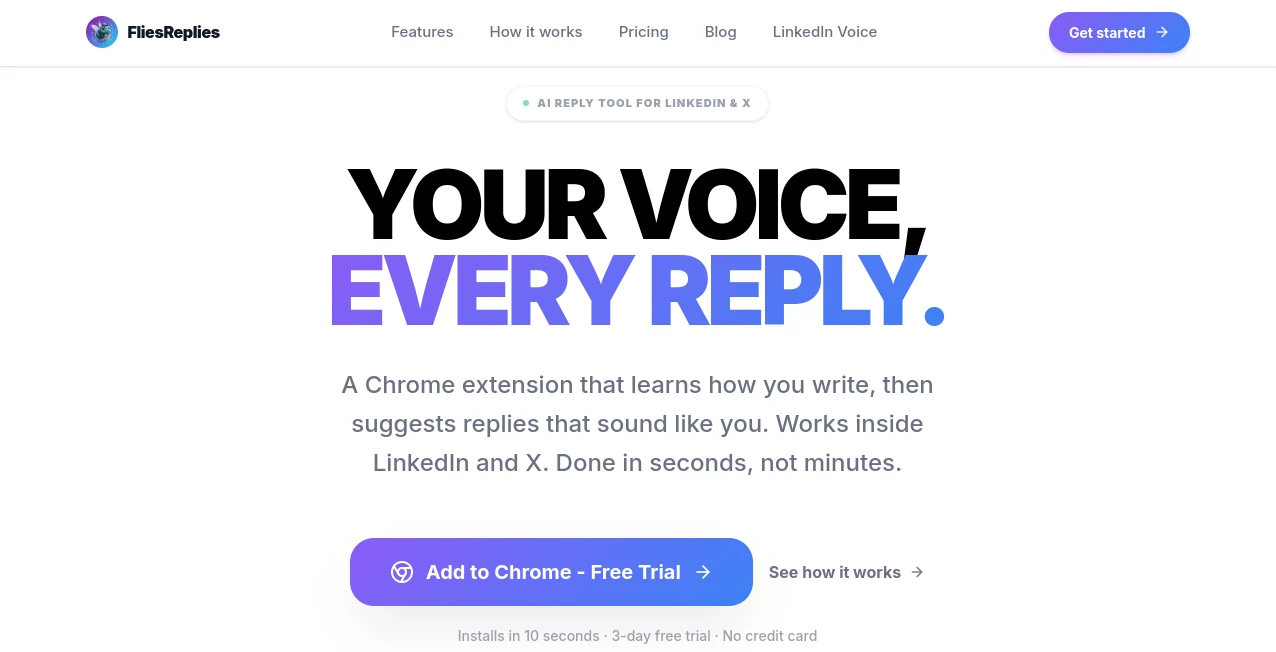
I used to spend way too much time staring at comments, trying to craft responses that felt natural but still added value. Some days I’d overthink it and sound stiff; other days I’d dash something off and cringe later. Then I started using this Chrome extension and everything got easier. It studies how I write from my past comments, learns my tone, vocabulary, and even my little quirks, then suggests replies that actually sound like me — not like a robot trying too hard. The first week I used it, I went from replying to maybe five comments a day to comfortably handling twenty, all while feeling good about what I posted.
Introduction
Building presence on LinkedIn and X takes consistent, thoughtful engagement, but most of us don’t have hours to spend crafting every reply. This tool solves that problem by becoming your personal writing co-pilot. Instead of generic AI answers that scream “AI wrote this,” it learns your unique voice and suggests replies that feel authentic. No more sounding like everyone else. It works directly inside LinkedIn and X, so you stay in flow instead of switching tabs. For consultants, founders, creators, and professionals who want to engage more without burning out, it’s become one of those small tools that quietly moves the needle on visibility and relationships.
Key Features
User Interface
The extension is wonderfully unobtrusive. When you’re on LinkedIn or X and hovering over a comment, a small “Reply with Flies” button appears. Click it, and it instantly suggests a few options tailored to your style. You can regenerate, tweak, or just copy and post. The settings let you feed it more examples of your writing to improve accuracy over time. It never gets in the way — it’s there when you need it and invisible when you don’t.
Accuracy & Performance
What sets it apart is how well it mimics your voice. After importing some of your past comments, the suggestions start feeling eerily close to what you would actually write. It catches your level of formality, humor, use of emojis, and even sentence rhythm. Generation is fast — usually under three seconds — so it keeps your momentum instead of killing it. Over time, the more you use and refine it, the better it gets at sounding exactly like you.
Capabilities
It handles thoughtful replies, quick witty comments, value-adding insights, and professional networking responses. You can train it with your own examples, import history from LinkedIn, and even adjust tone on the fly. It works on both platforms seamlessly and continues learning as you accept or edit its suggestions. For heavy engagers, it turns what used to be a time sink into a smooth, efficient process.
Security & Privacy
Your writing data stays private and is only used to improve your personal model. The extension doesn’t store conversations unnecessarily or share your style with anyone else. It’s built with care for professionals who value their personal brand and online presence.
Use Cases
A consultant uses it to reply to inbound leads on LinkedIn, maintaining a consistent, professional-yet-approachable tone while saving hours every week. A founder engages with industry conversations on X, building visibility without sounding salesy or generic. A content creator replies to comments on both platforms, keeping community energy high even on busy days. Even busy executives use it to stay active on LinkedIn without it becoming another full-time job. In every case, the replies feel human because they actually reflect the person writing them.
Pros and Cons
Pros:
- Learns and replicates your real writing style instead of generic AI tone.
- Works directly inside LinkedIn and X for seamless workflow.
- Saves significant time while improving engagement quality.
- Continuously improves the more you use and refine it.
- Feels like a helpful co-pilot rather than a replacement.
Cons:
- Initial training requires feeding it some of your past comments.
- Best results come after a short learning period.
- Heavy daily users may need a paid plan for unlimited suggestions.
Pricing Plans
It offers a free trial so you can test how well it captures your voice before committing. Paid plans provide unlimited generations, faster training, priority improvements, and access to advanced features. Many users find that the time saved on social media engagement easily covers the cost, especially if consistent posting is important to their goals.
How to Use FliesReplies
Install the Chrome extension, import some of your recent LinkedIn or X comments to train it, and optionally add a few example replies you like. Once set up, simply browse as usual. When you want to reply, click the suggestion button, review the options, make any small edits if needed, and post. Over time, give feedback by accepting or tweaking suggestions so it learns your style even better. The whole process stays natural and gets smoother with use.
Comparison with Similar Tools
Many AI reply tools produce polite but generic answers that sound the same no matter who uses them. This one stands out by focusing on authenticity — it’s trained on you, not on averages. While other tools feel like they’re writing for you, this one feels like it’s writing with you. The browser-native experience and continuous learning make it more practical for daily professional use than most alternatives.
Conclusion
Building a strong personal brand online requires consistent, thoughtful engagement — but who has unlimited time? This tool makes high-quality interaction sustainable. It removes the friction and self-doubt that come with writing replies, while keeping your unique voice intact. For anyone serious about growing on LinkedIn or X without sounding robotic or spending hours every day, it’s one of the smartest small investments you can make. Your future self (and your network) will thank you.
Frequently Asked Questions (FAQ)
How long does training take?
Usually just a few minutes after importing some past comments — it gets better the more you use it.
Does it work on both LinkedIn and X?
Yes, seamlessly on both platforms.
Will replies sound exactly like me?
Very close, and it improves quickly as you accept or edit suggestions.
Is my data private?
Yes — your writing style is used only to improve your personal model.
Can I try it before paying?
Absolutely — there’s a free trial with no credit card required.
AI Reply Assistant , AI Content Generator , AI Social Media Assistant , AI Marketing Plan Generator .
These classifications represent its core capabilities and areas of application. For related tools, explore the linked categories above.

FliesReplies Alternatives Product

Humanio AI

Enji

Sourcetable

Slogan Gener…

Picmim

Needle

SEOTakeoff

Meet Lea

Maestra
