
FLUX 3
What is FLUX 3?
FLUX 3 is a cinematic AI video generator designed to turn creative direction into short, polished video scenes. Instead of relying on text alone, the platform lets creators work with prompts, a starting image, first and last frames, or up to 10 keyframes to guide how a shot develops.
That makes it particularly interesting for creators who care about continuity and controlled movement. A product photo can become the starting point for an advertisement, while a sequence of keyframes can establish how a scene should evolve. Optional generated audio can also add dialogue, atmosphere, music, or sound effects to the finished video.
The workflow feels closer to giving instructions to a small creative team than simply typing a sentence into a generator. You describe the scene, provide visual anchors when needed, select the output settings, and let the system build the motion between them.
Key Features
- Text-to-video generation from natural-language prompts.
- Image-to-video generation using a single starting image.
- First and last frame guidance for controlled transitions.
- Support for up to 10 visual keyframes.
- Optional generated audio synchronized with video.
- Adjustable duration, aspect ratio, and resolution.
- 720p and 1080p video generation.
- Creation history for reviewing, previewing, and downloading finished videos.
User Interface
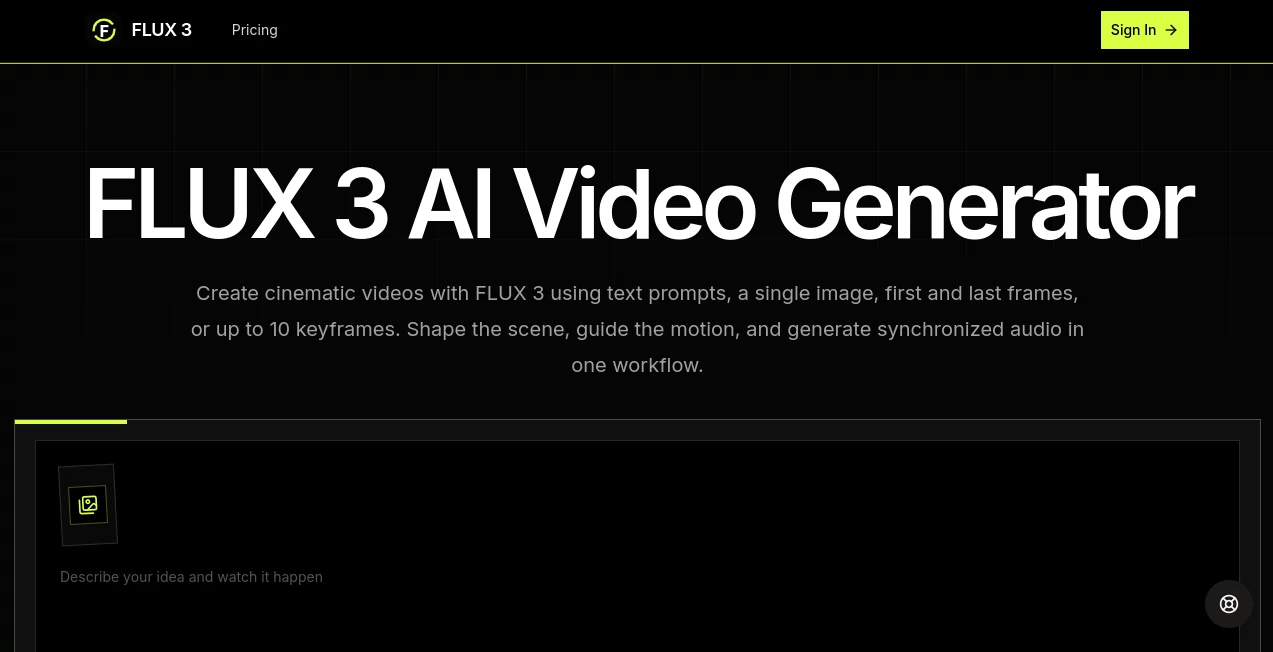
The interface is built around a straightforward creation workflow. The prompt, visual inputs, output settings, and generation status stay connected rather than being scattered across separate tools.
For a first attempt, a creator can simply describe a scene and generate it from text. When more control is needed, the workflow can be extended with an image, a first-and-last-frame pair, or multiple keyframes. This keeps the learning curve manageable while still giving experienced users room to direct a shot more carefully.
The My Creations area is also useful for practical work. Previous tasks can be reviewed, completed videos can be previewed and downloaded, and unwanted entries can be removed from the workspace.
Accuracy & Performance
Video generation is most useful when the creator gives the model a clear visual direction. The platform encourages prompts that describe the subject, environment, movement, camera behavior, lighting, pace, mood, and sound rather than filling the request with disconnected adjectives.
Its keyframe approach is especially helpful when a scene needs a defined visual path. Up to 10 images can act as anchors distributed across the selected duration, allowing the generated motion to connect one visual moment to another.
Output performance also depends on the selected resolution and duration. The service currently calculates usage at 10 credits per second for 720p and 18 credits per second for 1080p, making shorter drafts a practical way to test an idea before committing to larger generations.
Capabilities
The strongest capability is the combination of creative freedom and visual guidance. Text prompts handle the story and direction, while images and keyframes provide concrete visual information.
For example, a creator could begin with a photograph of a watch, describe a slow camera movement across its surface, and use additional keyframes to establish how the composition changes. A filmmaker could instead define the opening and closing frames of a reveal and let the system create the movement between those moments.
Generated audio adds another useful layer. When enabled, the video can include elements such as dialogue, atmosphere, music, and sounds associated with visual events. This makes the output more immediately useful for social content, advertising concepts, and early-stage film ideas.
Security & Privacy
As with any online creative service, users should review the platform's current privacy policy and terms before uploading confidential, proprietary, or commercially sensitive material. This is particularly important when working with unreleased products, private client assets, or copyrighted production material.
For everyday creative experiments, the account-based workspace provides a convenient place to manage generated projects and their history. For professional production, it is still sensible to understand how uploaded assets and generated content are handled before making them part of a sensitive workflow.
Use Cases
- Product Advertising: Turn product imagery into cinematic promotional shots with controlled camera movement, lighting, and pacing.
- Social Media Content: Produce short vertical clips, visual hooks, loops, and creative experiments for mobile-first platforms.
- Cinematic Storytelling: Visualize characters, locations, transitions, and individual story beats before investing in a full production.
- Brand Content: Explore repeatable visual styles and motion concepts around existing brand imagery.
- Fashion: Experiment with model movement, fabric motion, lighting, and changing compositions.
- Music Projects: Develop visual concepts around a particular mood, performance style, or sequence of images.
- Animation and Motion Design: Create concept sequences, visual transitions, animated scenes, and motion experiments.
- Creative Prototyping: Quickly turn an idea from a written description into something that can be reviewed and discussed.
Pros and Cons
Pros:
- Supports text, image, first-and-last-frame, and keyframe workflows.
- Up to 10 keyframes provide substantial control over scene progression.
- Optional generated audio can make videos feel more complete.
- Offers both 720p and 1080p generation.
- Creation history makes iteration easier.
- Useful for advertising, storytelling, social media, and concept development.
Cons:
- Higher-resolution generations consume credits more quickly.
- Generating longer or multiple versions can become expensive for heavy users.
- Good results still depend heavily on clear prompts and well-chosen visual references.
- It is better suited to short-form video generation than replacing an entire professional video-production pipeline.
Pricing Plans
The platform uses a credit-based subscription model with monthly and annual options. The monthly plans currently start with Creator at $29 per month for 580 credits, followed by Plus at $49 for 1,225 credits, Pro at $99 for 3,300 credits, and Studio at $199 for 9,950 credits.
Credit consumption is based on output duration and resolution. 720p generation uses 10 credits per second, while 1080p uses 18 credits per second. This structure makes it relatively easy to estimate usage before starting a larger production workflow.
The Creator plan is aimed at people testing prompts and short video ideas, while Plus and Pro provide more room for regular iteration. Studio is positioned for teams and heavier 1080p production.
How to Use FLUX 3
- Start by describing the scene, including the subject, environment, action, camera movement, lighting, mood, pacing, and important details.
- Choose the visual guidance that fits your project: text only, a starting image, first and last frames, or multiple keyframes.
- When using keyframes, add up to 10 images that represent important stages of the shot.
- Select the desired duration, aspect ratio, resolution, and audio option.
- Review the estimated credit usage before submitting the generation.
- Generate the video and monitor its progress from the creation history.
- Preview the completed result and download it when it meets your needs.
- If the scene needs improvement, make focused changes to the prompt or visual anchors and generate another version.
Comparison with Similar Tools
Many AI video generators focus primarily on turning a text prompt into a clip. This platform takes a more directed approach by giving creators several ways to establish the visual progression of a shot.
The distinction becomes particularly noticeable when a scene needs to move from one recognizable visual state to another. Instead of describing every transition entirely with words, creators can provide a starting image, define the beginning and ending frames, or place multiple keyframes throughout the duration.
It is therefore a strong choice for users who want more control than a basic text-to-video workflow provides. Someone looking for quick experimentation can keep things simple with text, while more demanding projects can take advantage of visual anchors and optional audio.
Conclusion
For creators who want AI video generation without giving up creative direction, this platform offers a well-rounded workflow. Text prompts provide the creative brief, images and keyframes add visual control, and generated audio can give the final scene an extra layer of polish.
Its biggest advantage is not simply generating a video from a sentence. The more interesting part is being able to define where a shot starts, where it ends, and how it should develop along the way. That makes it useful for marketers, filmmakers, designers, social media creators, and anyone who wants to turn a visual idea into a tangible concept quickly.
Frequently Asked Questions (FAQ)
What is this AI video generator?
It is a video generation platform that can create cinematic clips from text prompts, images, first and last frames, or sequences of keyframes, with optional generated audio.
Can I create videos from text?
Yes. You can describe the subject, action, environment, camera movement, lighting, pacing, mood, and desired sound in a natural-language prompt.
Can I animate an existing image?
Yes. A single image can establish the character, product, location, or composition, while the prompt explains what should move and how the scene should develop.
How many keyframes can I use?
The current workflow supports up to 10 keyframe images. These visual anchors are distributed across the selected duration to guide the progression of the shot.
Does it generate audio?
Yes. Generated audio is optional and can include elements such as dialogue, atmosphere, music, and sound effects connected to the visual scene.
Does it support 1080p?
Yes. The available generation options include both 720p and 1080p output.
How are credits calculated?
Usage is calculated from video duration and resolution. 720p currently costs 10 credits per second, while 1080p costs 18 credits per second.
Can I download completed videos?
Yes. Completed generations can be reviewed in the creation history, previewed, and downloaded.
AI Image to Video , AI Music Video Generator , AI Video Generator , AI Text to Video .
These classifications represent its core capabilities and areas of application. For related tools, explore the linked categories above.

FLUX 3 Alternatives Product

Veo 3.2

AI Dance Vid…

sulphur 2
seedance2-pro

Happy Horse

ltx 2.3

HappyHorse AI

Wan 2.7

VideoSnap