Flux 3
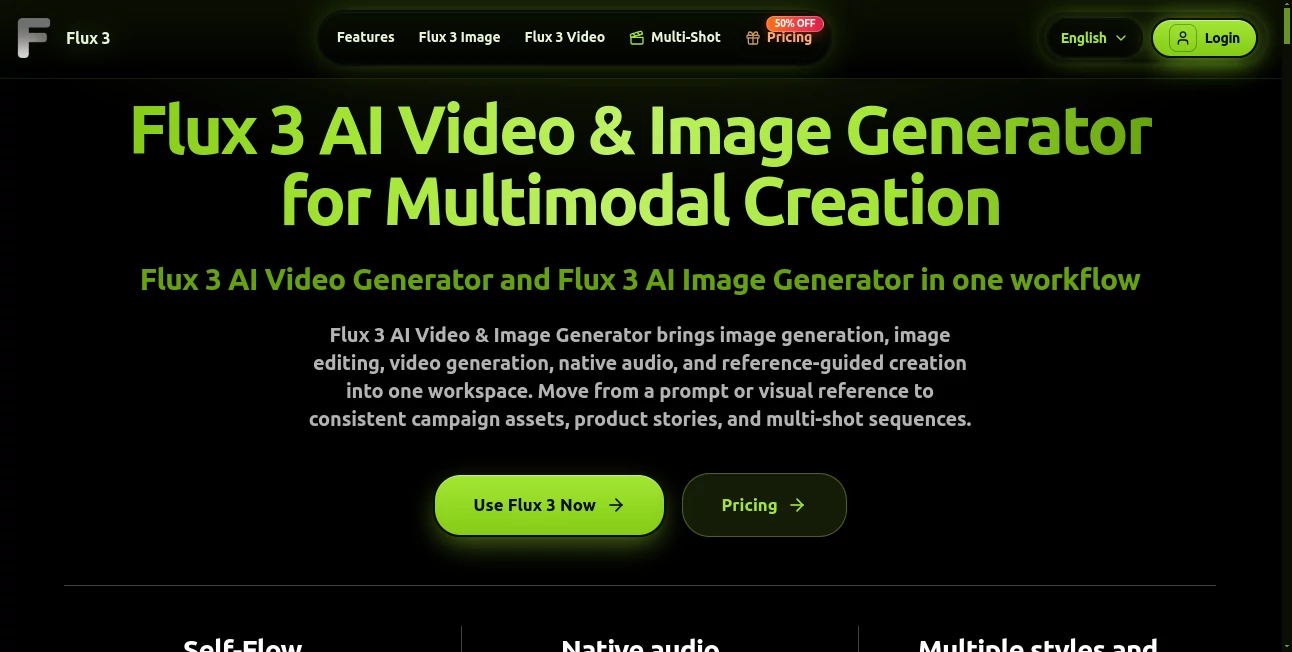
What is Flux 3?
Creating polished visual content often means jumping between several different tools. One handles images, another focuses on video, and a third is needed for audio or editing. This platform takes a more unified approach by bringing image generation, image editing, video creation, native audio, and reference-guided workflows into one creative workspace.
It is particularly appealing for creators who want to turn an idea into a complete visual sequence without constantly rebuilding the same character, product, or visual style. Text, images, and video references can all become part of the same creative brief, making it easier to move from an initial concept to finished campaign assets, social clips, product visuals, or connected scenes.
The workflow also feels practical rather than overly complicated. You describe what you want, add references when they matter, guide important moments, and then refine or continue the result. For someone producing content regularly, that can save a surprising amount of time.
Key Features
- Text-to-video generation for creating scenes from written descriptions.
- Image-to-video workflows that animate existing visual assets.
- Video-to-video creation for transforming or continuing source footage.
- AI image generation and image editing across different styles and formats.
- Native audio generation alongside video, including dialogue and event-related sounds.
- Reference-guided creation using text, image, and video inputs.
- Character and product consistency across connected visual sequences.
- Keyframe controls for guiding important moments and transitions.
- Multi-shot video workflows for building connected scenes.
- Support for different aspect ratios, resolutions, and visual styles.
- Multilingual dialogue capabilities for broader content production.
- Access to several image and video generation models through one credit system.
User Interface
The interface is built around the actual creation process. Instead of forcing users through a long list of technical settings, it starts with the creative brief and then exposes controls such as generation mode, aspect ratio, resolution, duration, and references where they are useful.
The video workspace makes it straightforward to switch between text-to-video and reference-based generation. There is also a history area for reviewing generated videos, which is useful when testing several versions of the same concept. The overall layout should feel familiar to anyone who has already experimented with modern AI creative platforms.
Accuracy & Performance
Performance is most noticeable when a project needs more than a single isolated image. Reference inputs can be used to preserve a subject, product identity, typography, and overall visual direction across a sequence. Keyframes provide another layer of control by allowing creators to define important moments and guide the transition between them.
Video generation can reach up to 20 seconds, while native audio is generated alongside the visual output. Resolution and model selection affect credit consumption, giving users the option to choose lighter generation settings when speed or budget matters more than maximum output quality.
Capabilities
The platform covers two major creative workflows: image creation and video production. On the image side, users can generate or edit visuals from text and references while controlling composition, style, typography, aspect ratio, and resolution.
Video production goes further than simple text-to-video generation. Users can animate still images, transform source footage, continue audiovisual sequences, use keyframes, and build connected shots. Native audio can include dialogue and sounds associated with events taking place in the scene.
Another useful capability is access to multiple models within the same environment. Depending on the task, creators can work with different image and video models rather than maintaining separate accounts and credit balances across several services.
Security & Privacy
The service provides dedicated privacy, terms, and refund documentation for users to review before creating content or purchasing credits. Paid plans also advertise commercial-ready output or commercial usage options, although creators should review the current terms for the exact rights that apply to their particular plan and use case.
For professional projects, it is sensible to review the provider's privacy and usage policies before uploading confidential client material, unreleased products, or sensitive source footage.
Use Cases
- Social media content: Produce short visual clips, promotional scenes, and attention-grabbing creative assets for social platforms.
- Product marketing: Turn product references into polished visuals, demonstrations, and short advertising sequences.
- Advertising: Develop campaign concepts, variations, localized creative, and storyboards without starting every asset from scratch.
- Storytelling: Build connected scenes while keeping characters, visual direction, and important elements more consistent.
- E-commerce: Create product imagery and promotional videos suitable for online stores and marketing campaigns.
- Content creators: Generate visual material for videos, thumbnails, social campaigns, and recurring content series.
- Creative agencies: Explore multiple campaign directions quickly before committing to traditional production.
- Localization: Create variations of visual content and use multilingual dialogue for audiences in different markets.
Pros and Cons
Pros
- Combines image and video creation in one workspace.
- Supports text, image, and video references.
- Native audio makes video creation more complete.
- Useful controls for characters, products, keyframes, and visual continuity.
- Multiple models can be accessed through a shared credit pool.
- Suitable for both individual creators and larger production teams.
- Commercial-ready options are available on paid plans.
Cons
- Credit usage varies considerably depending on model, resolution, and generation settings.
- Advanced video workflows can become expensive for high-volume production.
- Users looking only for basic image generation may not need the broader video-focused feature set.
- As with other generative media systems, complex scenes may still require several attempts and creative refinement.
Pricing Plans
The service uses a credit-based subscription model. The Basic plan is listed at $9.90 per month and includes 360 monthly credits, commercial-ready output, and email support. The Pro plan costs $29.90 per month and provides 1,520 credits together with priority processing and priority support.
The Studio plan is listed at $59.90 per month and includes 3,600 credits, faster queues, and a dedicated account manager. Higher-level options are also available for larger production requirements, with additional credit capacity and enterprise-oriented support.
Credit consumption depends on the selected model and output settings. For example, video generation can be priced differently according to resolution and model, while image models use credits per image. This makes it worth checking the generation cost before starting a large batch of content.
How to Use Flux 3
- Define the asset you want to create by describing the scene, audience, format, and visual direction.
- Add an image or video reference when character identity, product appearance, composition, or continuity is important.
- Select the appropriate generation workflow and configure settings such as duration, resolution, aspect ratio, or key moments.
- Generate the first version and review the result carefully.
- Refine the prompt or references, extend the sequence, or adapt the finished asset for another channel.
A useful approach is to begin with a clear creative brief rather than trying to describe every possible detail in one prompt. Once the overall direction works, references and keyframes can be used to tighten the result.
Comparison with Similar Tools
Many AI creative platforms concentrate on one area, such as image generation or short-form video. This service stands out by connecting several parts of the production process. A creator can begin with an image, animate it, introduce video references, generate native audio, and continue the visual story without moving the project between multiple unrelated interfaces.
Dedicated image generators may still be preferable when the only requirement is highly focused still-image production. Likewise, specialist video editors can provide deeper manual editing controls. The advantage here is the connection between generation stages, particularly for creators who need consistent characters, products, styles, and scenes across a campaign.
Conclusion
For creators who regularly move between images, video, audio, and promotional content, having these workflows together can make the creative process considerably smoother. Reference-based generation, connected shots, keyframes, native audio, and multiple model options give the platform more flexibility than a basic prompt-to-image or prompt-to-video generator.
It is especially well suited to marketers, content creators, agencies, and businesses producing visual campaigns at a steady pace. The credit system also gives users control over how much they spend on different generations. If your projects frequently start as an idea and evolve into a collection of related images and video scenes, this is a compelling tool to explore.
Frequently Asked Questions (FAQ)
What can this AI platform create?
It can create and edit images, generate videos from text or references, animate images, transform video, produce connected shots, and generate native audio alongside video.
Can I use image and video references?
Yes. Users can provide image or video references when they need greater control over subjects, composition, identity, style, or continuity between scenes.
How long can generated videos be?
The video workflow supports generations of up to 20 seconds, depending on the selected generation mode and available settings.
Does it generate audio with videos?
Yes. Native audio can be generated together with video, including dialogue and sounds associated with visible events.
Is there a free option?
A preview workflow is available as a free trial. Paid subscriptions provide larger credit allocations and additional features such as priority processing and dedicated support.
Is commercial use available?
Paid plans advertise commercial-ready output or commercial usage rights. Users working on client or commercial projects should review the current terms associated with their specific subscription before publishing generated content.
Can it maintain consistency between scenes?
Reference inputs and connected clips can be used to carry characters, product identity, typography, and visual direction across a sequence, helping related scenes feel more cohesive.
AI Photo & Image Generator , AI Image to Video , AI Video Generator , AI Video to Video .
These classifications represent its core capabilities and areas of application. For related tools, explore the linked categories above.

Flux 3 Alternatives Product

Mage
Veo 3

Seedream 5.0…

Wan AI

Quant AI

Z Image

Nano AI

VIGGLE

Happy Horse …