Flux 3 Video Generator
What is Flux 3 Video Generator?
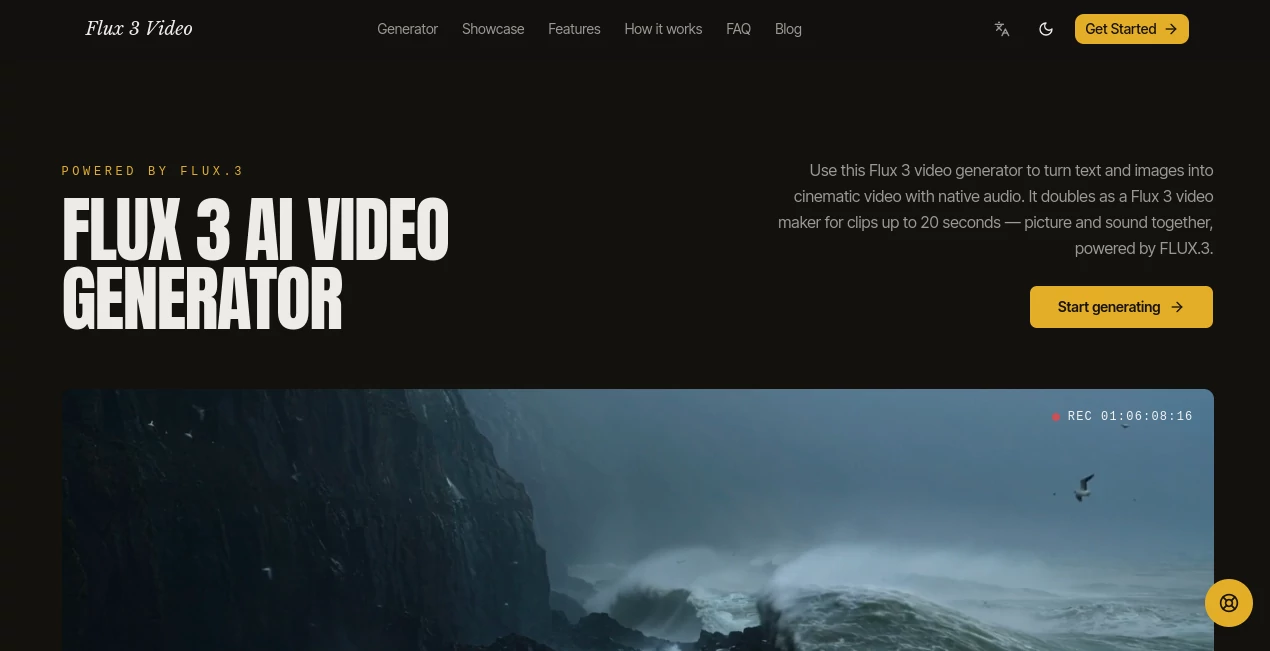
Flux3Video is an advanced AI video creation platform designed to help creators transform simple ideas into cinematic video experiences. By combining text prompts, reference images, and intelligent motion generation, it allows users to create engaging videos without needing traditional editing skills or complex production workflows.
Whether you are a content creator, marketer, designer, or business owner, this platform provides a faster way to turn concepts into visual stories. Instead of spending hours searching for footage or learning complicated editing software, users can describe a scene and generate a polished video with realistic movement, detailed environments, and creative control.
Key Features
User Interface
The platform offers a simple browser-based workspace focused on creativity and speed. Users can start by describing their desired scene, uploading a reference image, and adjusting generation options. The clean workflow makes it accessible for beginners while still providing useful controls for experienced creators.
The straightforward generation process helps users move from an initial idea to a finished video with fewer steps. This makes it suitable for quick experiments, social media content, advertisements, and visual storytelling projects.
Accuracy & Performance
The technology behind the platform focuses on creating realistic motion, consistent scenes, and visually appealing results. Generated videos are designed to maintain details such as lighting, textures, camera movement, and object continuity throughout the clip.
Users can create different styles of videos by changing their prompts, allowing them to explore multiple creative directions and refine their ideas until they achieve the desired result.
Capabilities
This AI-powered video generator supports multiple creative workflows, including text-to-video and image-to-video generation. Users can animate static images, create cinematic scenes from written descriptions, and experiment with different visual styles.
- Create videos from natural language descriptions
- Animate images and transform static visuals into motion
- Generate cinematic camera movements and scenes
- Create content for marketing, social media, and presentations
- Produce creative videos without traditional filming equipment
Security & Privacy
The platform is designed to provide a convenient online creation environment while keeping the user experience simple. Users can generate content directly through the browser without installing additional software, making the creative process more accessible.
Use Cases
This AI video generation solution can be useful across many industries and creative fields. Social media creators can produce short engaging clips, while marketers can quickly develop promotional videos for campaigns and product launches.
- Content Creators: Create unique videos for YouTube, TikTok, Instagram, and other platforms.
- Marketing Teams: Generate promotional videos, advertisements, and product demonstrations.
- E-commerce Brands: Turn product images into dynamic video presentations.
- Designers: Visualize creative concepts and animated ideas.
- Educators: Build visual learning materials and explainer videos.
Pros and Cons
Pros
- Easy-to-use AI video creation workflow
- Supports both text and image-based video generation
- Helps creators save production time
- No advanced video editing skills required
- Useful for different creative industries
Cons
- Complex professional productions may still require traditional editing tools
- Results can vary depending on prompt quality
- AI-generated videos may need additional refinement for specific projects
Pricing Plans
The platform provides a free starting option that allows users to explore AI video generation capabilities before committing to advanced features. Higher usage requirements may benefit from upgraded plans that provide additional generation capacity and enhanced creative options.
Pricing availability and features may change over time, so users should check the official website for the latest subscription details.
How to Use Flux3Video
Creating a video is designed to be a simple three-step process:
- Create a Prompt: Describe the subject, action, environment, and style you want to generate.
- Add References: Upload images or provide additional creative direction when needed.
- Generate and Export: Create the video and use the final result for your project.
For better results, detailed prompts usually produce more accurate scenes. Adding information about camera angles, lighting, movement, and atmosphere can help guide the final output.
Comparison with Similar Tools
Compared with traditional video editing software, this type of AI solution focuses on reducing the time between an idea and a finished visual. Instead of manually creating every element, users can begin with a concept and let artificial intelligence handle much of the production process.
While other AI video platforms may specialize in specific areas such as animation or editing assistance, this platform stands out by combining creative generation, image animation, and cinematic video creation in one workflow.
Conclusion
Flux3Video provides an efficient way for creators and businesses to explore AI-powered video production. Its combination of simple controls, creative flexibility, and automated generation makes it a valuable option for anyone looking to produce engaging visual content faster.
From social media clips to marketing campaigns and creative experiments, this platform helps transform imagination into shareable video experiences without requiring expensive equipment or professional production teams.
Frequently Asked Questions (FAQ)
What is Flux3Video used for?
It is used for creating AI-generated videos from text descriptions and images, helping users produce cinematic clips and creative visual content.
Can I create videos from images?
Yes, the platform supports image-based video creation, allowing users to animate static images and add movement.
Do I need video editing experience?
No. The platform is designed for beginners and experienced creators who want a faster way to generate videos.
What type of videos can I create?
Users can create marketing videos, social media content, product demonstrations, storytelling clips, and creative visual projects.
Is there a free plan available?
Yes, users can start with free access and explore the available AI video generation features.
AI Image to Video , AI Text to Video , AI Video Generator , Video .
These classifications represent its core capabilities and areas of application. For related tools, explore the linked categories above.
Flux 3 Video Generator details
Website unavailable — View Alternatives
Pricing
- Freemium
Apps
- Web App
Categories

Flux 3 Video Generator Alternatives Product
Meigen AI

Sora 2 Video
RightAI
soro2

Seedance 2.0…

Quso AI

Veo 4

AI Animate I…
LipPulse