
















What is Meigen AI?
There’s a special kind of excitement when you go from a half-formed idea to a finished short video in minutes instead of days. That’s the feeling Meigen delivers. Whether you start with a simple text prompt or an existing image, it turns your concept into smooth, ready-to-share clips that actually look intentional. I’ve watched creators test three different hooks for the same product in the time it used to take to set up one shot. The combination of strong generation quality and a built-in prompt gallery makes the whole process feel less like guessing and more like guided creativity.
Introduction
Creating short videos for social media, ads, or product stories used to mean juggling multiple tools, hunting for good prompts, and hoping the output didn’t look too robotic. Meigen brings everything together in one workspace: a prompt gallery full of proven ideas, text-to-video generation, image-to-video animation, and a clean place to keep your best prompts and drafts organized. It’s built for marketers, creators, and teams who need to move fast but still want results that feel polished and on-brand. The difference is noticeable the first time you reuse a strong prompt structure and get consistently better output.
Key Features
User Interface
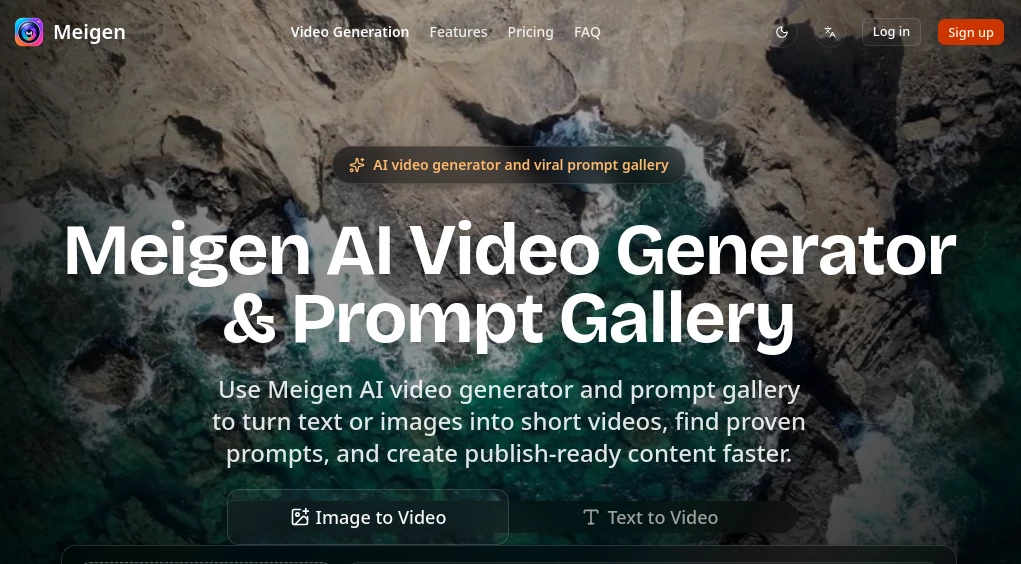
The workspace is calm and practical. You can jump straight into text-to-video or image-to-video mode, browse the prompt gallery for inspiration, or continue working on saved projects. Everything stays in one place — prompts, reference images, generated clips, and notes — so you don’t lose your train of thought between experiments. It’s the kind of interface that disappears when you’re in flow and reappears exactly when you need it.
Accuracy & Performance
The generations show strong understanding of motion, lighting, and subject consistency. Characters keep their appearance across frames, camera moves feel motivated, and the overall pacing often matches what you’d expect from a short social clip. It handles both abstract creative concepts and concrete product shots reliably. Generation speed is fast enough that you can test multiple variations in one sitting, which is where the real creative breakthroughs happen.
Capabilities
You get solid text-to-video for turning ideas into clips, image-to-video for animating existing visuals, and a growing prompt gallery with reusable, high-performing structures. The workspace lets you organize prompts by campaign, model, or outcome, making it easy to build on what worked before. It’s particularly strong for short-form content like social ads, product reveals, UGC-style videos, and concept testing — exactly where most creators need speed and quality together.
Security & Privacy
Your projects and uploaded images stay private to your workspace. The platform focuses on delivering a clean creative environment without unnecessary data collection or sharing. For teams and individual creators handling brand assets, that respectful approach builds confidence to experiment freely.
Use Cases
A marketer tests three different hooks for a new product launch and picks the strongest one before sending anything to the editing team. A content creator builds a week’s worth of Reels by remixing proven prompts with their own branding. A small business owner turns static product photos into short animated explainers that perform better than plain images. Teams use the workspace to keep successful prompt patterns organized so new members can start strong instead of from zero. It shines whenever you need to move from idea to watchable draft quickly.
Pros and Cons
Pros:
- Combines prompt inspiration and generation in one practical workspace.
- Strong consistency in character and motion for short clips.
- Fast iteration that supports real creative testing.
- Gallery of proven prompts helps reduce blank-page anxiety.
- Clean organization for ongoing campaigns and team use.
Cons:
- Best suited for short-form content rather than long videos.
- Advanced features and higher usage require paid credits.
Pricing Plans
It starts with a free tier generous enough to test the quality and workflow on real projects. Paid credit packs unlock more generations, priority processing, and access to additional models when needed. The pricing stays practical for creators and small teams — you only pay for the output you actually use, which feels fair given how much time and back-and-forth it replaces.
How to Use Meigen
Choose text-to-video or image-to-video mode. For text, write your scene description or browse the gallery for a strong starting prompt and adapt it. For image mode, upload your photo or mockup and describe the desired motion. Adjust settings if needed, generate, then review and iterate. Save winning prompts and outputs in your workspace for future campaigns. The whole cycle from idea to usable clip stays remarkably fast and organized.
Comparison with Similar Tools
Many AI video tools focus only on generation and leave you hunting for good prompts elsewhere. Meigen stands out by combining a useful prompt gallery with generation and project organization in one place. It feels more like a creative workspace than a simple generator, which makes the entire process smoother and more repeatable — especially for people who create content regularly rather than one-off experiments.
Conclusion
Good short-form video doesn’t have to be slow or stressful. This platform removes many of the usual headaches by giving you inspiration, generation, and organization together. Whether you’re a solo creator trying to stay consistent or part of a team that needs to move fast, it helps turn ideas into polished clips without burning you out. For anyone who creates video content regularly, that kind of thoughtful support makes a real difference.
Frequently Asked Questions (FAQ)
How long are the generated videos?
Typically short clips optimized for social media and quick testing.
Can I upload my own images?
Yes — image-to-video mode works great with product shots, portraits, and mockups.
Is there a prompt gallery?
Yes — it’s one of the strongest parts, full of reusable, high-performing ideas.
Do I need to pay to start?
No — free credits let you test the quality before deciding on paid plans.
Can teams use it together?
Yes — the workspace makes it easy to share prompts and results within a team.