


















Frameo.AI
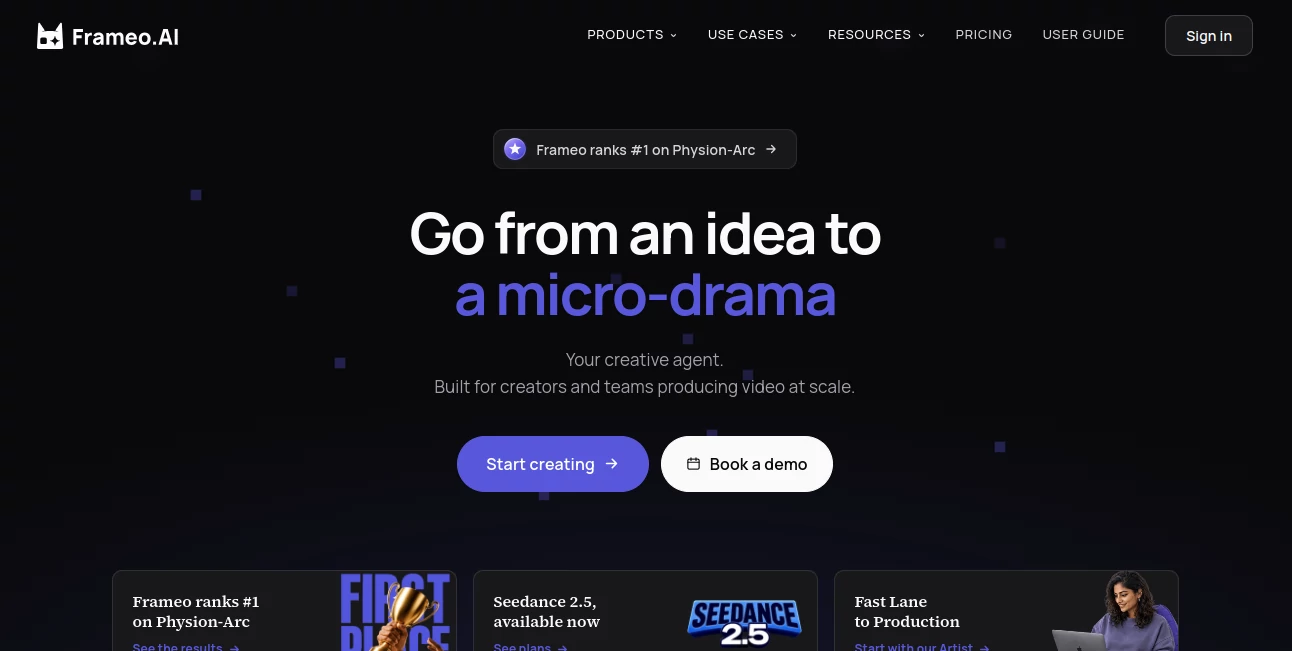
What is Frameo.AI?
Turning an idea into a finished video usually means jumping between scriptwriting software, image generators, animation tools, voice platforms, and video editors. Frameo.AI takes a different approach by bringing the production process together on a single creative canvas. It is built for creators, studios, agencies, and in-house teams that want to move from an initial concept to a polished video without constantly switching between different applications.
The platform focuses heavily on story-driven production. Instead of treating every generated clip as an isolated result, it keeps shots, characters, styles, voices, and other creative elements connected throughout a project. This makes it particularly interesting for people producing short films, micro-dramas, advertisements, social videos, UGC content, and other projects where visual continuity matters.
Its positioning is also more production-oriented than many simple prompt-to-video services. The goal is not merely to generate a few attractive clips, but to provide a workspace where a complete video project can be developed, reviewed, adjusted, and assembled.
Key Features
- AI-powered text-to-video and story-to-video workflows
- Script and screenplay generation from ideas, notes, or existing material
- Shot-level storyboarding and cinematic scene planning
- Character and visual consistency across multiple scenes
- Integrated video generation, editing, audio, and timeline assembly
- AI voice generation and voiceover capabilities
- Face swap and AI image generation tools
- Support for multiple leading AI models within one creative canvas
- Vertical video workflows for social platforms
- Templates designed for different creative and commercial projects
- Team collaboration with shared assets, styles, and production pipelines
- Localization through dubbing and subtitles with matched voices and lip timing
User Interface
The interface is built around a conversational experience combined with a node-based creative canvas. This is a useful combination because users can describe what they want in natural language while still having a visual structure for organizing the production.
Instead of working through a long sequence of disconnected screens, creators can keep their shots and assets within the same project environment. A filmmaker might start with a rough story, develop it into scenes, refine individual shots, and then assemble the final sequence without abandoning the workspace.
For teams, the shared approach is especially practical. Assets, styles, and production standards can remain in one place, reducing the confusion that often appears when several people work on separate copies of the same project.
Accuracy & Performance
Video generation is judged by more than visual quality. Consistency between shots, predictable character appearance, camera direction, timing, and audio continuity can make the difference between a collection of AI clips and something that actually feels like a finished production.
The platform addresses this by allowing creative elements such as characters, styles, voices, camera choices, lighting, aspect ratios, and models to remain consistent throughout a project. These settings can also be reused, which is helpful for episodic content or recurring campaigns.
Another notable aspect is model flexibility. Rather than depending on a single generation model, the platform brings several current models into the same environment. This gives creators more freedom to choose the approach that fits a particular shot instead of forcing an entire project through one model.
Capabilities
The platform covers a surprisingly broad section of the video production process. Users can begin with a prompt, rough notes, a script, a story, a PDF, or reference material and turn that starting point into structured scenes.
Its screenplay-oriented workflow can identify characters, locations, story beats, and pacing before moving into shot-level production. The resulting storyboard can then be turned into visual scenes with motion, audio, voice, and transitions.
There is also support for product videos, UGC-style advertisements, social media content, trailers, anime projects, music videos, training materials, and infographic videos. This range makes the platform useful beyond traditional filmmaking.
One particularly useful capability is localization. Videos can be dubbed and subtitled for different languages while keeping voices and lip timing aligned. For brands producing the same campaign for several markets, that can remove a considerable amount of repetitive post-production work.
Security & Privacy
For professional users, ownership and control over generated content are important considerations. The platform states that users retain ownership of content they create, while its terms define the specific rights retained by the service.
Teams can also work through shared project assets and centralized production workflows rather than distributing project files across unrelated tools. Larger organizations can choose enterprise-oriented options that include features such as SSO and custom functionality.
As with any cloud-based creative platform, teams should review the current privacy policy and terms before uploading confidential client material or sensitive production assets.
Use Cases
Filmmaking and storytelling: Writers and independent filmmakers can transform concepts, scripts, or scenes into visual sequences while maintaining recurring characters and environments across a project.
Marketing and advertising: Marketing teams can create product advertisements, UGC-style videos, promotional campaigns, and short-form creative without building every element manually.
Social media: Creators working on YouTube Shorts, Instagram videos, TikTok content, and other vertical formats can move from an idea to a ready-to-publish video workflow.
Training and education: Companies can develop training videos and visual educational material without relying entirely on conventional filming and editing workflows.
Studios and agencies: Teams producing content at scale can benefit from shared assets, reusable styles, configurable pipelines, review cycles, and batch-oriented production.
Product storytelling: A product image or simple concept can become a promotional video with generated visuals, voiceover, animation, and synchronized performance.
Pros and Cons
Pros:
- Combines generation, editing, audio, and final assembly in one environment
- Strong focus on character and visual consistency
- Supports multiple AI models rather than relying on a single model
- Useful for both individual creators and production teams
- Includes workflows for advertising, storytelling, social media, and training
- Shared credit pools can be used by unlimited members on supported plans
- Commercial rights are available within the paid offering structure
- Localization tools can simplify multilingual video production
Cons:
- Advanced production features may be more than casual users need
- Credit-based generation requires users to monitor usage when producing large volumes of content
- The platform is primarily focused on video production rather than general-purpose AI creation
- Professional workflows may take some time to learn compared with simple prompt-to-video tools
Pricing Plans
The pricing structure is based around credits rather than charging separately for every team member. This means a production team can share a credit pool instead of paying a traditional seat fee for every person involved in a project.
The available plans are designed to scale from experimentation to professional and enterprise production. Credits are used for video generation and premium model usage, while the Studio offering includes an Infinity Pass that provides unlimited standard image generation on supported flagship models along with a monthly priority allowance.
There are also enterprise options for larger organizations requiring SSO, volume-based credit pricing, and custom functionality. Annual billing offers a 20% saving compared with monthly billing, and subscriptions can be cancelled while remaining active through the end of the current billing period.
A useful detail for occasional creators is the inactivity policy. If no generation activity occurs during the 60 days before renewal, the subscription can automatically lapse rather than renewing for another month. This makes the pricing model somewhat friendlier for projects that are produced in bursts rather than continuously.
How to Use the Platform
Start by bringing an idea into the workspace. This can be a simple prompt, rough notes, a screenplay, a story, a PDF, or reference material. The system can organize the material into a more structured narrative and identify important production elements.
Next, review the generated screenplay and shot structure. Characters, locations, pacing, and visual direction can be refined before the actual scenes are produced. This step is particularly useful when the goal is consistency rather than simply generating a single standalone clip.
After that, generate the scenes and adjust the creative direction. Depending on the project, you can control elements such as visual style, characters, camera, lighting, voice, aspect ratio, and model selection.
Once the shots are ready, review the sequence, make adjustments, add or refine audio and subtitles, and assemble the final timeline. The completed video can then be prepared for its intended platform or client delivery.
Comparison with Similar Tools
Many AI video generators are designed around a simple prompt-and-result workflow. That approach works well when the objective is to create one short clip quickly, but it can become restrictive when a project contains multiple connected scenes.
This platform takes a more production-focused route. Shots remain editable assets within a larger canvas, allowing creators to make changes to individual elements without necessarily rebuilding the entire project. The combination of screenplay planning, storyboarding, generation, editing, audio, and sequencing also makes it closer to a complete production workspace than a basic clip generator.
Another distinction is model choice. Since several leading generation models can be accessed from the same canvas, creators can select different models for different shots. For professional work, that flexibility can be more valuable than simply having access to one model with a polished interface.
Conclusion
For anyone who sees AI video as more than a way to create isolated clips, this platform is worth exploring. Its strongest idea is the attempt to connect the entire creative process, from the first rough story to the final edited sequence, inside one production environment.
The combination of story-first workflows, shot-level control, consistent characters, multiple AI models, integrated audio, team collaboration, and localization makes it particularly appealing to creators who need repeatable results rather than one-off experiments.
It may be more powerful than necessary for someone who only wants a quick social clip. But for filmmakers, agencies, marketers, studios, and creative teams producing video regularly, the production-oriented approach can save time while giving the creator considerably more control over the final result.
Frequently Asked Questions (FAQ)
What type of videos can be created?
The platform supports a wide range of projects, including short films, micro-dramas, product advertisements, UGC videos, social media content, trailers, anime videos, music videos, training materials, and infographic videos.
Can I create videos from a script?
Yes. Scripts can be used as starting material, with the workflow turning written content into structured scenes and shot-level production instructions.
Can characters remain consistent between scenes?
Yes. Character profiles and other visual standards can be maintained across shots, scenes, and larger projects, which is particularly useful for episodic storytelling.
Does it support voice and audio?
Yes. Voice generation, voiceover, audio synchronization, subtitles, and multilingual dubbing are part of the broader production workflow.
Can teams collaborate on projects?
Yes. Shared assets, styles, and production pipelines allow multiple people to work within the same project environment. Supported plans use shared credit pools rather than charging a separate seat fee for every member.
Does it support multiple AI models?
Yes. The platform brings several current image and video generation models into one canvas, allowing creators to choose a suitable model for individual shots instead of being locked into one provider.
Can generated content be used commercially?
Commercial rights are included within the paid plan structure. Users should still review the current terms for the exact conditions that apply to their particular project.
Is there an option for large organizations?
Yes. Enterprise plans are available for organizations that need features such as SSO, custom functionality, volume credit pricing, and larger-scale production support.
AI Animated Video , AI Video Generator , AI Video Editor , AI UGC Video Generator .
These classifications represent its core capabilities and areas of application. For related tools, explore the linked categories above.

Frameo.AI Alternatives Product
Seedance 2 A…

Motion Contr…

Seedance 2 V…
seedance2-pro

Seedance AI

CinemaDrop

Gemini Omni
wan2-6.org

Wan AI
