

















Gemini Omni
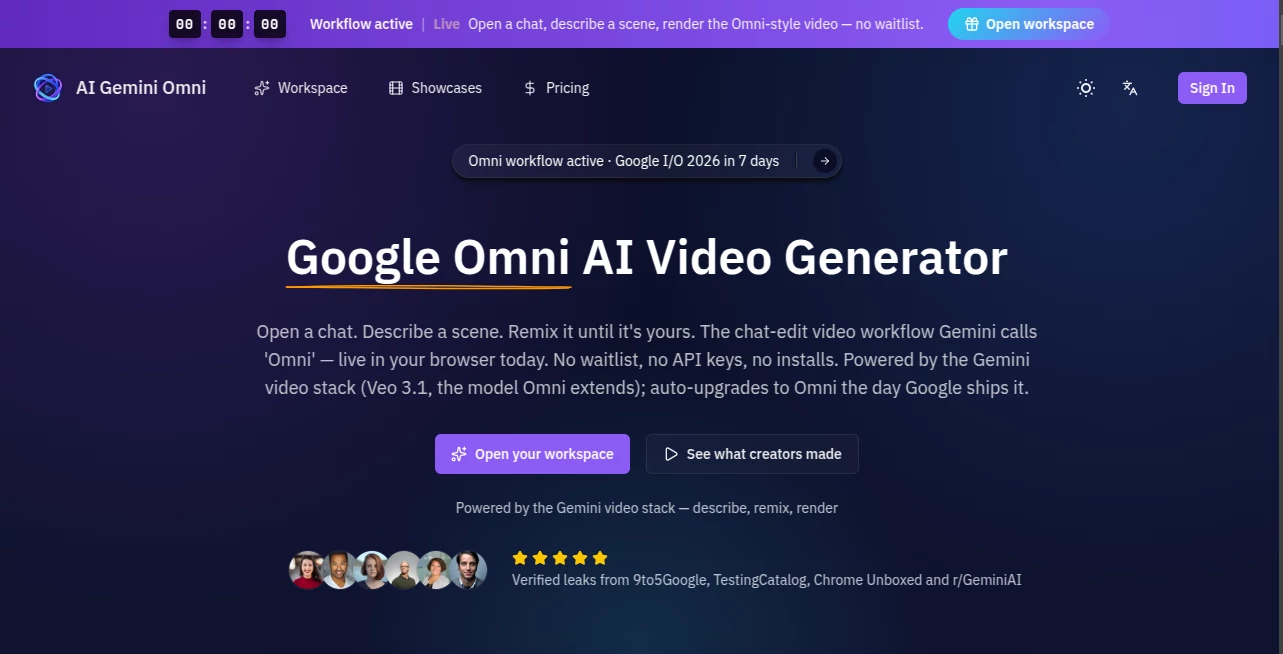
What is Gemini Omni?
You’ve seen AI generate text, images, and even short clips. But what if an AI could watch a professor solve complex math on a blackboard and replicate the logic perfectly? That’s where we are now. The industry has been buzzing about a new leap in multimodal technology, one that blends seeing, hearing, and reasoning in real-time. I’ve spent the last few days putting this cutting-edge tool through its paces. And honestly? It feels like I’ve got a film editor and a research assistant rolled into one. Whether you are a content creator sick of tedious editing, a marketer needing rapid video assets, or just a tech enthusiast, this is the kind of upgrade that makes you rethink your workflow.
Key Features
This isn't just another video generator. It is a fully integrated media partner. The most impressive part is how it handles logic. While other tools struggle to make text look right, this one understands mathematical proofs and complex instructions. It is built for speed and precision. You get real-time editing capabilities that feel like magic. Want to remove a watermark? Done. Swap a plate of pasta for soup? A single sentence does the trick. The platform supports high-resolution output and maintains incredible consistency across frames, meaning no more weird, melting faces or distorted hands.
User Interface
If you’ve ever used a standard chatbot, you already know how to navigate this. The interface lives inside a familiar chat window, so there’s no intimidating timeline or confusing menus. You simply type what you want. The "Create" button is your best friend here. What I love is the transparency. There is a dedicated usage tab that shows exactly how much processing power you have left, which is great for planning big projects. It feels polished, responsive, and unlike some enterprise software, it doesn't lag when rendering heavy scenes.
Accuracy & Performance
This is where the tool truly separates from the pack. I tested it with a prompt involving a professor deriving trigonometric identities. The results were shocking. The AI didn’t just draw random squiggles; it wrote correct symbols and maintained logical flow across the entire sequence. For the infamous "spaghetti test" (where AI usually glitches out), it handled the motion of hands and food with remarkable realism. However, it isn’t perfect. I noticed that in very complex scenes with multiple overlapping actions, sometimes an object would pop into existence slightly later than expected. But compared to the usual AI hallucinations, these glitches are rare and minor.
Capabilities
You aren't limited to just making videos from scratch. The real power is in the editing suite. You can upload existing clips and ask the AI to change the style, alter the background, or add cinematic lighting. It supports native audio generation, so the ambient noise matches the visuals perfectly. For social media managers, the ability to instantly change aspect ratios or generate short, punchy clips from long-form content is a lifesaver. It handles everything from anime-style animation to photorealistic corporate footage.
Security & Privacy
In an era of deepfakes, it’s right to be cautious. The platform includes visible markers to identify AI-generated content, which helps maintain trust with your audience. The developers have built in strict guardrails to prevent misuse, particularly regarding public figures or harmful content. Your data isn't treated as a free resource either; there are clear policies in place that respect user privacy, which is a breath of fresh air compared to some other platforms that harvest your prompts for training.
Use Cases
I’ve found this incredibly useful for rapid prototyping. If you are pitching a commercial idea to a client, you can generate a storyboard-to-video in minutes. Teachers and educators will love the "chalkboard" capabilities for creating engaging math or science lessons. On the business side, removing watermarks from stock footage or replacing logos in real-time saves hundreds of dollars in licensing fees. Social media creators can keep a consistent feed by generating high-quality B-roll without ever picking up a camera.
- Marketing Teams: Generate ad variations with different backgrounds or voiceovers instantly.
- E-learning: Create accurate tutorial videos with complex diagrams and formulas.
- Video Editing: Use the "inpainting" style feature to remove unwanted objects or watermarks.
- Storyboarding: Turn script pages into visual sequences in seconds to test concepts.
Pros and Cons
Pros:
The logical accuracy is second to none, especially for text and math. The editing capabilities are seamless—just tell it what to change. The integration into a chat format makes it accessible for beginners. It is fast, producing 10-second clips much quicker than rivals.
Cons:
Beware of the usage limits. Heavy users might burn through their daily quota in just two or three complex generations. It currently has strict filters, which sometimes blocks prompts that are actually harmless. Also, while 10 seconds is great for social clips, it still feels short for narrative storytelling.
Pricing Plans
Pricing is structured around a subscription model similar to premium AI assistants. There is a tiered system based on usage. From the data I gathered during testing, video generation is "heavy lifting" for the servers. While basic text access is cheaper, adding video chips away at your credits fast. The "Pro" plan seems to be the sweet spot for solo creators, offering enough daily video generations for a regular posting schedule. For enterprises, there are likely custom Vertex AI options for those needing bulk processing without daily caps. Always check the official sources for the most current rates, as promotional launch offers may appear.
How to Use AI Video Generator
Getting started is straightforward. First, navigate to the main interface and ensure your plan supports video features (look for the video icon). Type your request naturally, just as you would to a human assistant. For best results, be specific. Don't just say "a dog," say "a golden retriever running through shallow water at sunset, slow motion." Use the provided templates if you are stuck. Once generated, you can use follow-up commands like "remove that tree in the background" or "make this look like a 1980s film." Always check your usage meter if you have a big project planned.
Comparison with Similar Tools
You might be wondering how this stacks up against the competition. Compared to OpenAI’s Sora (which recently shuttered its app), this tool focuses heavily on integration and editing rather than just raw generation. While Sora was great for "first drafts," this tool excels at precision edits, like fixing a typo on a sign in the background. Compared to Runway Gen-3, the user interface is less cluttered and more conversational. Runway has more granular sliders for camera control, but this tool wins on logical reasoning and real-time collaboration. Google's Veo is great, but this "Omni" extension feels specifically tuned for conversational editing, making it the better assistant for non-professionals who need professional results.
Conclusion
Is this the best AI video tool right now? For most creatives and businesses, yes. It balances power with usability perfectly. You won't need a degree in cinematography to remove a microphone boom from a shot or to write a calculus equation. The daily usage limits are a bit tight, and I wish the clips were longer, but the quality of the output justifies the cost. If you are tired of glitchy deepfakes and want an assistant that actually understands physics and logic, this is the tool you have been waiting for.
Frequently Asked Questions (FAQ)
Q: Can I use this for commercial projects?
A: Absolutely. The outputs are generally safe for commercial use, but always review the specific terms of service regarding ownership rights. You typically own the videos you create.
Q: Why did my generation stop mid-way?
A: You likely hit your daily usage limit. Video generation consumes a lot of computational resources. Check your "Usage" tab to see your remaining quota.
Q: Does it understand languages other than English?
A: Yes, the underlying model is multilingual. It can generate videos with text in various languages, though English prompts tend to yield the highest accuracy for complex instructions.
Q: How long does it take to generate a video?
A: Usually between 2 to 5 minutes, depending on server load. This is standard for high-definition AI video synthesis.
Q: Can I remove the watermark?
A: Paid plans typically remove visible watermarks, though metadata tags may remain for identification purposes to prevent fraud.