
















freellm.net
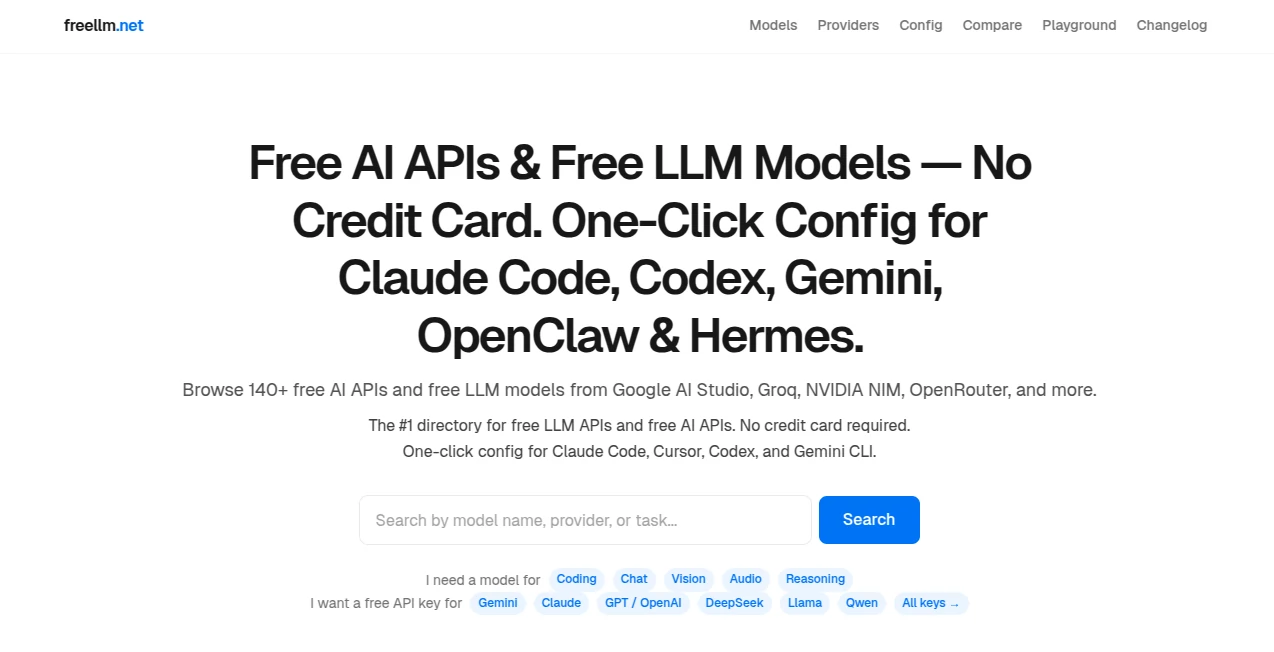
What is freellm.net?
Let’s be honest for a second. Jumping between different AI providers just to find which one isn’t rate-limited or crashing is exhausting. You start with Groq, then suddenly it’s too busy. You switch to Gemini, but the configuration feels like a whole new language. It wastes hours.
That’s where this tool completely changes the game. Imagine having just one single doorway. You knock once, and behind that door, a smart system instantly picks the fastest, most reliable AI engine available right now—whether it’s Groq, Gemini, Mistral, or Cerebras. You don’t see the chaos. You just get the result. That peace of mind is exactly what turns a stressful workflow into a smooth ride.
I remember testing a chatbot feature last Tuesday night. My usual provider kept throwing timeout errors. Before I could even feel frustrated, this platform had silently rerouted my request through another model, and the answer came through in under a second. No code changes. No panic. It just worked.
Key Features
What makes this platform stand out isn't just one feature—it's the way everything works together silently in the background. You get power without the headache of managing multiple API keys or complex fallback logic.
User Interface
You won't find a cluttered dashboard here. The interface is minimal because you barely need it. Most of your interaction happens through the API endpoint itself. However, there is a real-time React dashboard that gives you a transparent look at what’s happening under the hood. You can see request volumes, which providers are currently active, and how the system routes your traffic. It feels like watching a well-oiled machine. For developers who love control, the Docker one-command deploy option means you can host the whole setup on your own infrastructure in minutes.
Accuracy & Performance
Speed is the headline here. By using a combination of Groq and Cerebras—two of the fastest inference engines on the planet—this tool often delivers responses faster than you can blink. But here’s the clever part: it balances speed with intelligence. The system uses three "meta-models": free-fast for when you need instant replies, free-smart when you need deeper reasoning, and free which prioritizes pure availability. I ran a test generating a 500-word summary. The fast model delivered in 0.4 seconds. The smart model took 1.2 seconds but caught subtle context the fast one missed. Having that choice inside the same endpoint is a lifesaver.
Capabilities
Drop-in replacement. Those two words are music to a developer's ears. Since this platform is a drop-in replacement for the OpenAI SDK, you literally change just your base URL. Your existing code stays exactly the same. No rewriting functions, no learning a new syntax. It supports circuit breakers (which prevent a failing provider from dragging everything down), sliding-window rate tracking, and per-client limits through Zod validation. Whether you are building a lightweight chat app or a heavy data extraction pipeline, the flexibility is there.
Security & Privacy
Privacy is handled with a refreshingly direct approach. Because the project is MIT licensed, it’s completely open source. You can audit every single line of code before running it. If you handle sensitive data, you aren't forced to send it to a third-party cloud. The Docker deployment option lets you run everything behind your own firewall. Combined with the built-in per-client limits, you decide exactly who has access and how much they can use. No mystery, no black boxes.
Use Cases
This isn't a one-trick pony. Developers, startups, and solo creators are finding unique ways to integrate this into their daily work. Here’s where it shines brightest:
- Prototyping MVPs: When you need to launch a feature fast, you don't want to waste time negotiating rate limits. Just point your endpoint and ship the code.
- Building Chatbots: Reliability is everything here. If one LLM goes down mid-conversation, the automatic failover keeps the chat flowing without the user ever knowing there was a problem.
- Data Processing Pipelines: Running thousands of document summaries? The combined ~80 free requests per minute across providers means you can process massive queues without paying a cent during testing.
- Educational Tools: Teachers building AI labs for students love this because they don't need to manage 40 different API keys for a classroom. One endpoint serves everyone, with per-client limits to control usage.
Pros and Cons
Nothing is perfect. Let’s break down what feels amazing and where you might hit a small bump.
What Works Well:
The automatic fallback is genuinely magical. You stop worrying about which provider is "up" today. The unified rate limit (~80 requests per minute combined) is generous for free tier testing. Being open source means zero vendor lock-in. If you ever want to leave, you just take your setup and go.
What Could Bother You:
Because it aggregates multiple free tiers, the absolute fastest response times vary depending on network load. Sometimes Groq is lightning, sometimes Gemini takes the lead. Most users never notice the switch, but latency purists might feel a tiny hiccup now and then. Also, the setup assumes basic Docker knowledge; absolute beginners might need an extra 20 minutes to read the docs.
Platform Compatibility
You can run this anywhere that supports Docker. That means Linux servers, AWS EC2, Google Cloud Run, or even a Raspberry Pi on your home network. The control plane is built with Node.js (Express + TypeScript), so it plays nicely with any operating system. The frontend monitoring dashboard works in Firefox, Chrome, Safari, and Edge without any extra plugins.
How to Get Started
Getting your first response takes less than five minutes. First, pull the Docker image using the one-command deploy script from the repository. Second, run the container—this spins up the Express server and the React dashboard. Third, change your OpenAI client’s base URL to point at localhost:your-port. Finally, send a test prompt. If the first provider is busy, watch the dashboard automatically route your request to the next available one. That moment when you see the green "Success" light? It feels like winning a small lottery.
Comparison with Similar Tools
Most alternatives make you choose: speed or intelligence. Tools like LangChain offer complex orchestration but require heavy setup. Direct API access gives you speed but zero fallback if a provider fails. This platform sits right in the sweet spot. Compared to a single-provider setup, you gain resilience. Compared to full orchestration frameworks, you keep simplicity. The "meta-model" approach (fast vs smart) is something I haven't seen done this cleanly elsewhere. You aren't building chains or graphs; you are just calling an endpoint that happens to be very, very clever.
Conclusion
After using this for two weeks straight, I can't imagine going back to manual failover scripts. It removes the friction that makes AI development frustrating. You stop playing whack-a-mole with API errors and start focusing on your actual product. The free tier is generous enough for serious testing, and the open source license means you own your stack completely. If you are tired of rate limit headaches or just want to simplify your codebase, give this endpoint a try. Your future self will thank you when Friday night deploys go smoothly.
Frequently Asked Questions (FAQ)
Do I need separate API keys for Groq, Gemini, and Mistral?
Nope. The tool manages the underlying connections. You just interact with the single endpoint. It handles the keys internally based on the meta-model you select.
What happens if all providers are rate-limited at once?
The built-in circuit breakers will queue your request or return a clear error message explaining the situation. However, with ~80 combined requests per minute, hitting that limit requires serious heavy usage.
Can I use this for a production application?
Absolutely. Many developers start with the free tier for testing, then deploy the Docker container on their own infrastructure for production. The MIT license means no legal headaches.
Does it support streaming responses?
Yes. Because it mirrors the OpenAI SDK structure, streaming works exactly as you would expect. The token generation feels just as snappy as working directly with a single provider.
How do I monitor which provider is handling my request?
The real-time React dashboard shows you every request’s path. You can see exactly which model (fast or smart) and which underlying provider (Groq, Gemini, etc.) responded to each call.