


















Gamma
What is Gamma?
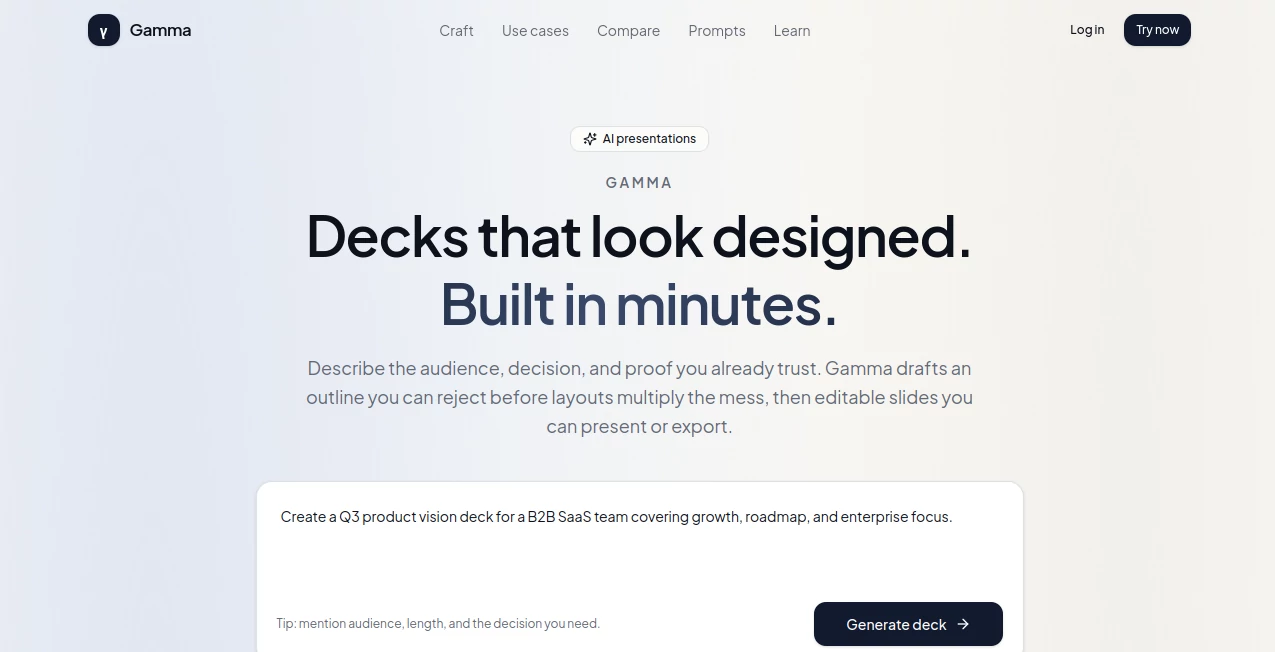
Gamma is an AI presentation workspace designed for people who need to turn an idea, meeting brief, or business objective into a presentation without spending hours arranging slides by hand. Instead of starting with a blank canvas, users describe the audience, decision, desired outcome, timing, tone, and supporting evidence. The platform then creates a structured outline before moving into slide generation.
That outline-first approach is one of the more useful parts of the experience. It gives users an opportunity to remove weak sections, combine repetitive ideas, and improve the story before visual layouts are created. For a product manager preparing a review, a founder building an investor update, or a sales professional preparing a customer presentation, this can make the early stages of presentation creation considerably less tedious.
The resulting slides remain editable, so the generated material is intended to be a starting point rather than a finished document that users have to accept as-is. Presentations can be refined in the workspace, presented directly in a browser, or exported when a standalone file is needed.
Key Features
- AI-assisted presentation generation from a detailed brief
- Outline-first workflow for improving the presentation structure before slide creation
- Editable AI-generated slides
- Ability to rewrite headlines, reorder sections, change layouts, and regenerate individual sections
- Built-in presentation mode for presenting directly from the browser
- PDF, PPTX, and PNG export with Pro
- Templates designed around practical presentation scenarios
- Controls for audience, slide count, language, density, and tone
- Support for product reviews, leadership updates, fundraising, sales presentations, and education
- Prompt patterns for creating more focused presentation drafts
User Interface
The interface is built around a relatively straightforward workflow: describe what the presentation needs to accomplish, review the proposed structure, generate the slides, and then edit the result. This is particularly useful for users who are comfortable explaining what they want but do not want to begin by manually choosing layouts and positioning text boxes.
The editing experience also keeps the AI involved without making it responsible for every decision. A weak section can be regenerated while the rest of the presentation remains intact. That makes the workflow feel closer to working with an assistant than repeatedly starting a presentation from scratch.
Accuracy & Performance
Performance is strongest when the initial brief contains useful information. The platform recommends specifying the audience, decision or takeaway, meeting length, tone, and evidence that should appear in the presentation. A detailed prompt gives the system more useful constraints and reduces the chance of receiving a collection of generic slides.
Users should still review generated claims, numbers, quotations, and business information. AI can produce plausible-looking filler when the source material is incomplete, so the final presentation should be checked by the person responsible for the subject matter.
The outline review step is especially valuable for accuracy of structure. Rather than discovering after ten slides that the presentation has no clear argument, users can review the narrative before the visual design is generated.
Capabilities
The platform is more than a simple text-to-slides generator. Its workflow covers the path from an initial brief to an editable presentation and finally to presentation or export.
Users can create decks for product and leadership reviews, fundraising and investor updates, sales pursuits, classroom presentations, and other situations where the audience needs to understand an argument and make a decision. The system also provides controls for presentation length, audience, language, tone, and information density.
Another useful capability is selective regeneration. Instead of discarding an entire presentation because one section is weak, users can rewrite or regenerate individual parts. This can save considerable time during the polishing stage.
Security & Privacy
Users working with business presentations should treat generated content with the same care they would apply to other cloud-based productivity services. Sensitive financial information, confidential customer details, internal metrics, and legal material should be reviewed according to an organization's own policies before being entered into an AI workspace.
The platform also makes an important distinction between AI assistance and human responsibility. It does not position generated information as a substitute for diligence, accessibility review, legal review, or an organization's compliance process. For regulated presentations or presentations that must follow locked corporate templates, additional review and cleanup may be necessary.
Use Cases
- Product reviews: Create presentations that move from a product recommendation to supporting evidence, risks, open questions, and a clear decision.
- Leadership updates: Turn weekly or monthly business information into a concise narrative covering wins, misses, upcoming bets, and decisions.
- Fundraising: Prepare investor-oriented presentations with business metrics, progress, risks, and specific requests.
- Sales presentations: Build presentations around a customer's situation, objections, evidence, commercial path, and next action.
- Education: Create classroom material where the structure and learning objective matter as much as the visual appearance.
- Team meetings: Turn an unstructured collection of notes into a presentation with a clearer sequence and purpose.
- Internal proposals: Present a recommendation with supporting evidence instead of filling slides with disconnected bullet points.
Pros and Cons
Pros
- Outline-first workflow helps improve the story before visual design begins.
- Generated slides remain editable after creation.
- Individual sections can be rewritten or regenerated without rebuilding the entire presentation.
- Built-in presentation mode is convenient for browser-based meetings.
- Useful controls for audience, slide count, language, tone, and content density.
- Supports several professional presentation scenarios rather than focusing only on generic slide decks.
- PDF, PPTX, and PNG export is available with Pro.
Cons
- Generated content still requires human fact-checking and editing.
- Weak or vague prompts can lead to generic presentation material.
- PPTX export may require additional cleanup when precise formatting is important.
- It is not intended to replace specialist design software for illustration-heavy campaigns.
- Organizations using strict locked presentation templates may still need to finish the work in their existing presentation software.
Pricing Plans
A free plan is available for drafting presentations and presenting them within the platform. Pro provides higher usage limits and unlocks PDF, PPTX, and PNG export for users who need to deliver presentation files outside the workspace.
For someone experimenting with AI presentations or presenting directly from a browser, the free option can be a practical starting point. Users who regularly need downloadable presentation files or greater usage capacity have a stronger reason to consider Pro.
How to Use It
- Start by describing the audience and the purpose of the presentation.
- Explain the decision, takeaway, or learning outcome the audience should leave with.
- Add the meeting length, preferred tone, slide count, and important evidence.
- Review the generated outline before creating the complete deck.
- Remove repetitive sections and reorder the narrative if necessary.
- Generate the editable slides once the structure makes sense.
- Rewrite headlines, adjust layouts, and regenerate weak sections.
- Check every statistic, claim, quotation, and business detail.
- Present directly in the browser or export the presentation when a file is required.
Comparison with Similar Tools
Compared with ChatGPT, this platform is more focused on the presentation artifact itself. ChatGPT can be useful for brainstorming and drafting presentation copy, but users generally need another application to turn that material into a polished deck.
PowerPoint remains a strong choice when precise control, corporate templates, or detailed manual editing is the priority. It is particularly suitable for organizations where PowerPoint is already the standard format for internal and external presentations.
Canva is a strong option for users whose main priority is visual design, branded graphics, and creative layouts. The platform discussed here takes a different approach by concentrating more heavily on the narrative structure of a presentation before visual styling.
The biggest advantage is therefore not simply generating slides faster. It is the combination of briefing, outline review, editable generation, presentation, and export in one workflow. Users who already know what their meeting needs to accomplish can benefit the most from that structure.
Conclusion
Creating a good presentation is rarely just a matter of choosing attractive templates. The difficult part is deciding what belongs on each slide, what evidence supports the argument, and what the audience should do or understand at the end. This tool approaches that problem from the structure outward.
The outline review stage is a particularly sensible addition because it gives users a chance to fix the story before spending time polishing the slides. Editable output then provides the flexibility needed to bring the generated presentation closer to the user's own voice and information.
It is not a replacement for judgment, fact-checking, or specialist design software in every situation. For everyday business presentations, product reviews, sales decks, investor updates, and educational material, however, it offers a practical way to move from a rough idea to a presentable deck with considerably less manual setup.
Frequently Asked Questions (FAQ)
What is this AI presentation tool used for?
It is designed to help users create structured, editable presentations from a written brief. It can be used for business presentations, product reviews, sales decks, fundraising, leadership updates, and educational material.
Can the generated slides be edited?
Yes. Users can rewrite content, change layouts, reorder sections, and regenerate individual parts of a presentation without having to recreate the entire deck.
Can presentations be exported?
Yes. Pro users can export presentations as PDF, PPTX, or PNG files. Presentations can also be delivered directly through the built-in browser presentation mode.
Is there a free plan?
Yes. A free option supports drafting and presenting within the platform, while Pro provides higher limits and broader export capabilities.
Does the AI create factually accurate presentations automatically?
No AI presentation generator should be treated as a substitute for fact-checking. Users should verify statistics, financial figures, quotations, customer information, and other important claims before presenting them.
Who can benefit most from this tool?
It is particularly useful for founders, product managers, sales teams, educators, executives, marketers, and anyone who regularly needs to turn business information or ideas into structured presentations.
Can it replace PowerPoint completely?
Not in every workflow. It is useful for generating and refining presentation structure quickly, while PowerPoint remains preferable when an organization requires precise manual control or locked corporate templates.
AI Productivity Tools , AI Presentation Generator .
These classifications represent its core capabilities and areas of application. For related tools, explore the linked categories above.

Gamma Alternatives Product

eesel AI

Kaamfu

kling 3

PDFgear

Alloy

TopPDF

Nova AI

Automaited

morse code t…
