

















HappyHorse AI Video
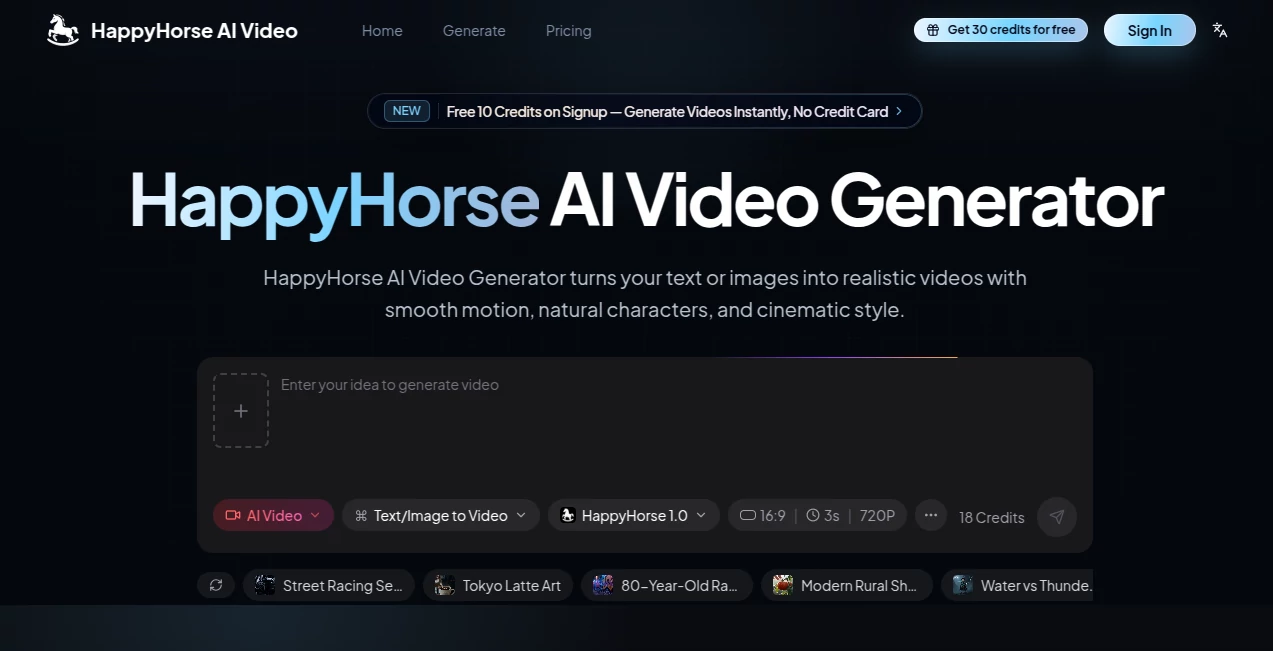
What is HappyHorse AI Video?
There's something special about typing a short description and watching a full scene come to life with smooth motion, natural lighting, and characters that actually feel present. This tool makes that moment feel almost too easy. You describe what you want, optionally add a reference image, and it delivers short cinematic clips that look far more polished than most AI video attempts. I’ve seen marketers turn simple product ideas into engaging ads and creators build quick social clips that stop the scroll—all without picking up editing software. The results often have that extra touch of realism that makes people pause and watch twice.
Introduction
Creating video has always been time-consuming and expensive, but this platform lowers the barrier dramatically. It turns text prompts or static images into short, realistic videos with good motion, consistent characters, and a cinematic feel. Whether you're making quick social content, product demos, story visuals, or just experimenting for fun, it gives you usable footage fast. What stands out is how it balances quality and accessibility—no steep learning curve, no complicated settings, just clear prompts and solid results that feel closer to real video than typical AI output. For busy creators who need visuals without a full production setup, it’s become a reliable daily helper.
Key Features
User Interface
The workspace is straightforward and inviting. A big prompt box takes center stage, with easy options to upload reference images and choose video settings like duration and aspect ratio. Previews appear quickly so you can iterate without long waits. The design keeps things simple so you stay focused on your idea rather than wrestling with tools. Even first-timers can generate their first clip in under a minute, while experienced users appreciate the clean flow that supports rapid experimentation.
Accuracy & Performance
It handles motion and character consistency better than many current options. Faces stay recognizable across frames, movements feel natural, and the overall scene holds together without the usual weird artifacts. Generation speed is practical—most clips finish fast enough to keep your creative rhythm going. The results often need very little cleanup, which saves real time compared to tools that require heavy post-editing.
Capabilities
You can start with text prompts for completely new scenes or upload images to animate existing visuals. It supports product shots, character animations, storytelling sequences, and social-style clips. Features like image-to-video and text guidance let you control the look and motion more precisely. Outputs work well for short ads, Reels, explainer moments, or creative tests. The tool shines when you want quick, watchable video without a full crew or editing suite.
Security & Privacy
Your prompts and uploaded images are handled responsibly during generation. The platform focuses on delivering the output without unnecessary long-term storage or sharing. This clean approach gives creators confidence when working with personal ideas or client material.
Use Cases
A small business turns a product photo into a short lifestyle video for their online store. A content creator generates daily Reels with consistent characters and smooth motion. A teacher creates simple animated explanations for lessons. A filmmaker prototypes story moments to test pacing before full production. Anyone needing quick visuals for social media, marketing, or personal projects finds it speeds up the process dramatically while keeping quality high.
Pros and Cons
Pros:
- Fast, realistic motion with good character consistency.
- Works well with both text prompts and reference images.
- Simple interface that lets you focus on creativity.
- Results often need minimal editing for social or marketing use.
- Free credits make it easy to start experimenting.
Cons:
- Clip lengths are best suited for short-form content.
- Very complex scenes may need prompt refinement for best results.
- Higher usage and advanced features require paid plans.
Pricing Plans
New users get free credits to try the quality right away—no card needed. Paid plans unlock more generations, faster processing, and higher limits for regular creators or teams. The pricing feels reasonable for the time and professional-looking output it delivers, especially when compared to hiring videographers or spending hours editing.
How to Use HappyHorse AI
Start by typing a clear description of your scene, including subject, action, mood, and style. Optionally upload a reference image to guide the look. Choose your preferred aspect ratio and length, then generate. Review the preview, tweak your prompt if needed, and download the clip. For product videos or character animations, reference images help a lot. The whole process is quick enough that you can test several ideas in one session and pick the strongest result.
Comparison with Similar Tools
Many AI video tools still produce jerky motion or inconsistent characters. This one stands out for its smoother results and better handling of both text and image inputs. It’s easier to use than heavy professional software while delivering more reliable output than basic free generators. For creators who need quick, good-looking short videos, it often hits the sweet spot between quality and simplicity.
Conclusion
Video is one of the most powerful ways to share ideas, but creating it has traditionally been slow and expensive. This tool makes high-quality short videos accessible to almost anyone with an idea. It removes the biggest barriers—time, cost, and technical skill—while still delivering results worth sharing. Whether you’re building a brand, teaching a concept, or just having creative fun, it opens up new possibilities without the usual headaches. If you’ve been waiting for AI video that actually feels useful, this one is worth trying today.
Frequently Asked Questions (FAQ)
How long are the generated videos?
Short clips perfect for social media, ads, and quick storytelling—typically a few seconds long.
Can I use my own images as starting points?
Yes—image-to-video mode lets you animate existing photos or product shots effectively.
Is it good for beginners?
Absolutely. The simple prompt system and fast results make it approachable even if you’ve never made video before.
What kind of content works best?
Product showcases, short stories, social Reels, explainer moments, and creative tests all turn out well.
Are there usage limits?
Free credits are available to start; paid plans offer higher volume for regular creators.