

















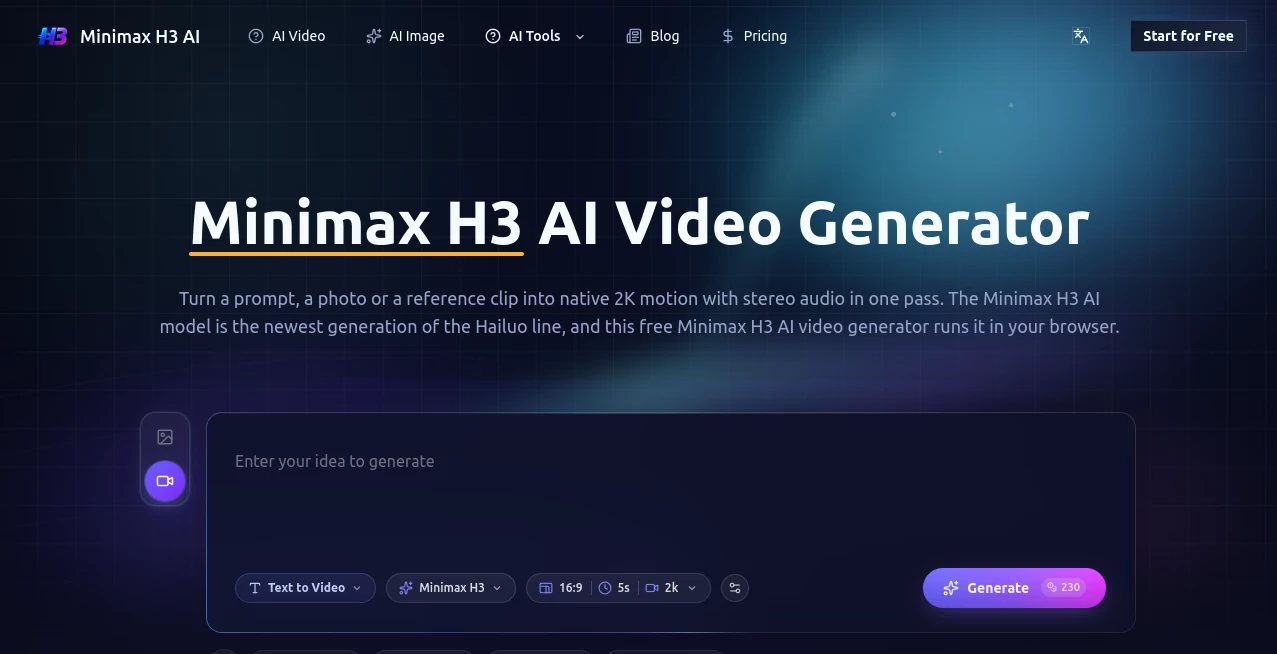
What is Minimax H3?
Creating a convincing video from a simple idea usually involves several steps: writing a prompt, generating visuals, fixing motion, adding sound, and then spending time in an editor. Minimax H3 AI brings many of those steps into a single browser-based workflow. It can turn text prompts, images, reference clips, or audio into short video sequences with native 2K output and synchronized stereo sound.
The platform is particularly interesting for creators who need to produce visual content quickly without arranging a traditional production setup. Marketing teams can explore advertising concepts, product owners can animate still images, and filmmakers can test scenes before committing to a full shoot. The combination of visual generation, reference inputs, and sound makes it more than a basic text-to-video tool.
Key Features
The main attraction is the way different types of input can be combined with video generation. Instead of relying exclusively on written descriptions, creators can provide an image, video reference, or audio and use those assets to guide the result.
- Text-to-video generation from written prompts
- Image-to-video animation for turning still images into moving scenes
- Reference-based generation for greater control over subjects and visual direction
- Native 2K output at 2560x1440 and 24fps
- Synchronized stereo audio generated with the video
- Instruction-based editing through natural language
- Motion transfer using reference clips
- Multiple aspect ratios for different publishing formats
- Private generation on paid plans
- No watermark on paid plans
User Interface
The browser-based interface keeps the workflow relatively straightforward. A creator can begin with a written description or upload a visual reference, select the desired format and duration, and start the generation process. There is no requirement to build a traditional editing timeline before seeing a result.
This approach is useful when the goal is experimentation. For example, a marketer testing a new product campaign can create several visual directions without first organizing a shoot or hiring an editor. The ability to preview, adjust the prompt, and generate another version makes the process feel closer to creative exploration than conventional video production.
Accuracy & Performance
Performance is one of the platform's stronger selling points. The generator produces native 2K video rather than simply enlarging a lower-resolution result. According to the product information, clips can generally run between five and fifteen seconds, giving creators enough room for short advertisements, social posts, cinematic shots, and concept sequences.
Another notable advantage is its focus on motion consistency. Camera movements such as pushes, cranes, pans, and handheld movements can be described directly in a prompt. Reference images can also help anchor the appearance of a character, product, or scene, which is valuable when visual consistency matters.
Results will still depend heavily on the quality and specificity of the prompt. A well-described shot with clear information about the subject, environment, lighting, camera movement, and desired mood is likely to produce a more useful starting point than a vague one-line request.
Capabilities
The system is designed around multimodal video creation. Text can describe the scene, images can establish the starting appearance, reference clips can provide movement, and audio can become part of the creative input. This makes the workflow suitable for projects where a single source of inspiration is not enough.
Instruction-based editing is another practical capability. Instead of rebuilding an entire clip, users can describe changes such as replacing a subject, modifying a background, or introducing another character. This can make iterative creative work considerably faster.
The generated audio is also integrated into the video workflow. Dialogue, effects, and ambient sound can be produced alongside the visual sequence, reducing the need for a separate sound-production stage for certain projects.
Security & Privacy
Privacy is addressed through private generation options included with the paid plans. These plans are also described as providing commercial licensing, which can be important for agencies, businesses, advertising teams, and creators producing material for clients.
Users should still review the applicable licensing and privacy terms before uploading sensitive material, copyrighted assets, personal likenesses, or confidential product information. Commercial permission for generated material does not automatically mean that every external asset used as an input is cleared for commercial use.
Use Cases
There are several practical situations where this type of video generator can save substantial production time.
- Social media content: Create short vertical clips for TikTok, Reels, Shorts, and other social platforms.
- Product advertising: Turn product images into cinematic promotional sequences without organizing a physical shoot.
- UGC-style campaigns: Experiment with different hooks, scenes, and visual concepts for performance marketing.
- Film previsualization: Explore camera movements, environments, characters, and scene concepts before filming.
- Music and visual art: Build atmospheric clips, loops, and experimental visual sequences around a creative idea.
- E-commerce: Animate product photography and create additional visual material for online stores.
- Creative presentations: Turn written concepts into visual demonstrations that are easier for clients and teams to understand.
Pros and Cons
Pros
- Native 2K video output
- Integrated stereo audio generation
- Text, image, video, and audio inputs
- Useful reference-based controls
- Instruction-based video editing
- Commercial licensing on paid plans
- Private generation and watermark-free output on paid plans
- Suitable for both experimentation and commercial creative work
Cons
- Short generated clips may still require several generations for a longer project
- Complex scenes can require careful prompt writing and multiple attempts
- Credit-based plans may become expensive for users generating large volumes of video
- AI-generated content still needs human review before professional publication
Pricing Plans
The platform uses credit-based subscriptions with different allowances for individual creators and heavier users. The available plans include Starter, Pro, and Unlimited options, with annual billing providing a lower effective monthly price.
- Starter: $8.30 per month when billed annually, with 10,000 credits per year.
- Pro: $25 per month when billed annually, with 35,000 credits per year.
- Unlimited: $75 per month when billed annually, with 120,000 credits per year.
Paid plans include features such as native 2K generation, synchronized stereo audio, private generation, watermark-free exports, priority processing, and commercial licensing. The higher tiers also increase the number of concurrent generations, making them more appropriate for professionals and teams with heavier workloads.
How to Use the Video Generator
Getting started is relatively simple. Begin by describing the scene you want to create or provide a suitable reference asset. A product photograph, character image, existing clip, or other visual reference can provide additional direction when a simple text prompt is not enough.
Next, choose the appropriate duration and aspect ratio for the intended destination. A vertical format makes sense for short-form social content, while wider formats are better suited to cinematic presentations or conventional video placements.
After generating the clip, review the movement, subject consistency, lighting, sound, and overall composition. If something feels off, refine the prompt and generate another version. This iterative approach is often the fastest way to reach a usable result rather than trying to write a perfect prompt on the first attempt.
Comparison with Similar Tools
Compared with conventional AI video generators that focus primarily on text prompts, this platform places more emphasis on multimodal input and integrated audio. That distinction can matter when a project starts with an existing product photograph, character design, reference video, or sound idea rather than a blank page.
It also sits in an interesting position between simple creative generators and more advanced production systems. Users who only need quick visual experiments may appreciate the straightforward browser workflow, while professional creators can take advantage of higher resolution, reference controls, commercial licensing, and concurrent generation on larger plans.
The biggest practical difference is the attempt to reduce the number of separate tools involved in production. Visual generation, reference-driven motion, editing instructions, and synchronized sound can be handled within the same creative workflow. For short-form advertising and concept development, that can make the overall process noticeably more efficient.
Conclusion
This video creation platform is a strong option for anyone who wants to move from an idea to a polished visual sequence without building an entire traditional production workflow. Native 2K output, integrated stereo audio, reference-driven generation, and natural-language editing give creators several useful ways to control the final result.
It is especially appealing for marketers, product teams, social media creators, filmmakers, and designers who need to test ideas quickly. The technology does not eliminate the need for creative judgment, but it can dramatically shorten the distance between a rough concept and something that can actually be reviewed, edited, and published.
Frequently Asked Questions (FAQ)
What can I create with this video generator?
You can create short cinematic scenes, product videos, advertising concepts, social media clips, animated characters, visual experiments, and other short-form video content from text and reference materials.
Does it support image-to-video generation?
Yes. A still image can be used as a starting point, allowing the subject and visual composition to be animated according to a written instruction.
Does it generate audio?
Yes. The platform supports synchronized stereo audio generated alongside the video, including elements such as dialogue, sound effects, and ambient sound.
What resolution can I generate?
The service advertises native 2K output at 2560x1440 and 24fps. Available output options can depend on the selected generation mode and plan.
Can the generated videos be used commercially?
Commercial licensing is included with the paid plans. However, users should make sure that any third-party images, trademarks, music, likenesses, or other assets used as references are properly licensed.
Is there a free way to try it?
New users can receive free credits after signing up according to the site's current offer, allowing them to evaluate the generation workflow before purchasing a subscription.
Is it suitable for professional video production?
It can be useful for professional concept development, advertising, social content, product visualization, and short-form production. For larger productions, generated clips may still need to be reviewed and edited alongside conventional footage and post-production tools.