
















happyhorse
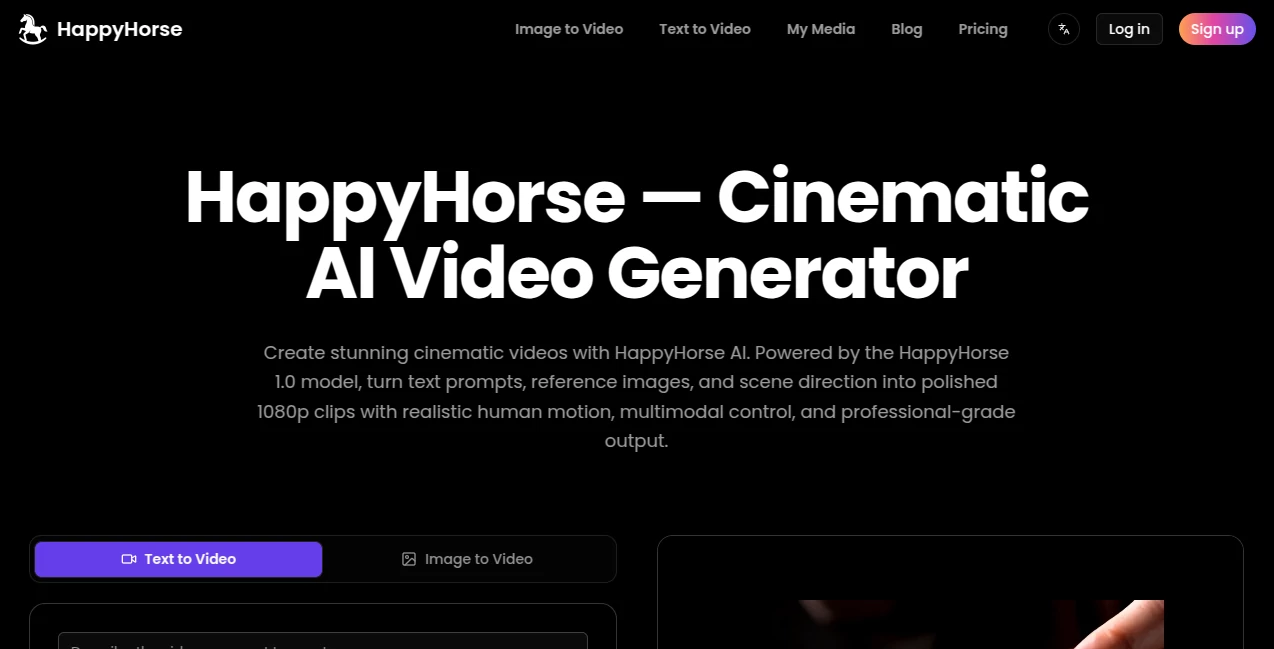
What is happyhorse?
You know that feeling when you have a brilliant idea for a video, but you lack the budget, the crew, or the technical skills to bring it to life? It used to be that creating a cinematic clip required a full production studio. Not anymore. There is a new wave of creative tools changing the game, and right in the middle of this revolution is a platform that is actually fun to use. It allows you to type a simple sentence and watch it transform into a high-definition video clip with matching audio. This platform is an open door for storytellers, marketers, and anyone who has ever wanted to see their imagination move. It is built on a massive 15-billion-parameter model that handles both sight and sound in one smooth pass. Whether you need a 5-second loop for social media or a 10-second narrative piece, this tool delivers quality that feels surprisingly real. The best part? You don't need to be a tech wizard to figure it out. Just jump in, start typing, and let the software do the heavy lifting. It feels less like coding and more like magic.
Key Features
User Interface
Simplicity is the name of the game here. The moment you land on the page, you are greeted by a clean, uncluttered workspace. There are no confusing timelines or layers to manage. You get a text box, a few aspect ratio options, and a bright generate button. It is designed for people who want results, not headaches. You can choose between 16:9 for widescreen cinema vibes, 9:16 for vertical TikTok or Reels action, or 1:1 for standard social posts. The platform also offers a library of "creative recipes" – essentially pre-made prompt templates – that help first-time users understand how to talk to the AI. If you are stuck staring at a blinking cursor, these examples are a lifesaver. They show you how to describe lighting, camera angles, and mood to get exactly what you are picturing in your head. It feels intuitive, like using a search engine, but instead of finding a video, you are inventing one from scratch.
Accuracy & Performance
When it comes to turning text into video, most older models produce wobbly, nightmare-fuel characters with melting faces. That is not the case here. The accuracy is genuinely impressive, especially when it comes to human motion and camera movement. If you prompt for a "slow push-in on a character's face," the AI understands the cinematic language. It respects the instruction. Performance-wise, the generation speed is fast enough that you are not waiting for a coffee break to finish. It uses a distilled pipeline that cuts down processing time significantly without butchering the quality. While high-end cinema editors might spot tiny inconsistencies in the hands or background details, for 99% of social media content, marketing ads, or storyboarding, the accuracy is more than enough to make people stop scrolling and ask, "Wait, did you actually film this?"
Capabilities
This is where the tool really separates itself from the pack. The standout capability is the native audio generation. Unlike other AI video tools that generate silent clips requiring you to hunt for stock music later, this one creates sound at the same time as the video. You can prompt for "the sound of rain on a window with distant thunder," and it will bake that right into the file. Even more impressive is the multilingual lip-sync feature. It supports seven languages, including English, Mandarin, Japanese, German, and French. If you need an actor in your video to speak Korean or Cantonese with matching mouth movements, this tool handles it without breaking a sweat. It also supports Image-to-Video, meaning you can upload a static photo and ask the AI to animate it. Want to see a famous painting come to life? Just add a prompt telling the character to turn their head or smile. It gives you a massive creative sandbox to play in.
Security & Privacy
When you are generating commercial content or personal projects, you need to know your data is safe. The platform operates on a credit-based system, and your generated history is typically stored in your account library for you to access later. It follows standard industry practices for data encryption. While it is always wise to read the terms of service regarding how training data is used, the general consensus among users is that the platform respects creator ownership. You are paying for the compute power, and the assets you create are generally yours to use commercially. Just keep an eye on the evolving policy, as this is still a relatively new release. For most marketing agencies and YouTubers, the privacy controls offered are sufficient to protect their intellectual property before a public launch.
Use Cases
So, who is actually using this? First up are the digital marketers. Instead of hiring a videographer for a quick Facebook ad, they just type "Product shot of coffee brewing in slow motion, steam rising, warm lighting." Thirty seconds later, they have an ad. Then there are the storyboard artists and filmmakers. When pitching a concept to a client, a static drawing is sometimes hard to visualize. Generating a 10-second "look and feel" video helps sell the mood and the lighting before a single real camera is bought. Content creators on YouTube and TikTok use it for B-roll. If they are talking about Ancient Rome, they don't need stock footage; they just generate a Roman street with citizens walking around. Finally, musicians and indie creators love it for lyric videos or abstract music visualizers. You can create an entire visual album without leaving your bedroom. It is a production studio in your pocket.
Pros and Cons
Pros:
The biggest win is the native audio-video sync. It saves hours of editing. The lip-sync accuracy for multiple languages is currently best-in-class, making it perfect for global brands. The cinematic quality of the lighting and camera movements (like dolly zooms or whip pans) feels very premium. It also respects prompts about "mood" exceptionally well—something many competitors fail at.
Cons:
Let's be honest, it is not cheap. Generating a 5-second clip on the Pro setting can cost around $4 in credits. It is also currently capped at 10 seconds maximum length, which is fine for social media but frustrating for longer narratives. The resolution tops out at 1080p; there is no 4K option yet, which might bother high-end commercial producers. Also, while it handles humans well, it sometimes struggles with very complex physics, like multiple people fighting or extremely fast chaotic motion.
Pricing Plans
The platform operates on a credit system, which is pretty standard for these high-end AI models. If you are a light user, you can grab one-time credit packs like the Starter Pack for roughly $29.9, which gives you about 120 credits to experiment with. For regular creators, monthly subscriptions are the way to go. The Basic Monthly runs around $19.9 for 100 credits per month. The Standard plan is $39.9 for 250 credits. If you are running an agency, the Pro plan at $99.9 gives you 600 credits per month. There are also annual options that bring the effective monthly cost down significantly—like the Basic Annual at $118.8. One nice touch is that the one-time credit packs never expire, so you don't feel pressured to use them up before a deadline.
How to Use This Platform
Getting started is refreshingly straightforward. First, you need to sign up on the website and verify your email. Once you are in, you will likely be greeted with a welcome bonus—usually a handful of free credits to test the waters. Do not waste these. Start simple. Type a prompt like "A dog swimming in a pool." Hit generate. Watch what happens. Once you see the result, start refining. Good prompts follow a structure: [Subject] + [Action] + [Camera Angle] + [Lighting/Mood]. For example, instead of "A sad girl," try "A tired office worker, staring out a rainy window at night, neon lights reflecting on her face, close-up shot." The platform offers aspect ratio toggles right above the generate button. Select 9:16 for phones or 16:9 for monitors. If you want sound, keep the "Audio" toggle on. After generation, you can download the MP4 file directly to your device. No editing software required.
Comparison with Similar Tools
Compared to giants like Kling 3.0 or Veo 3.1, this tool holds its own in a specific niche: cinematic lighting and lip-sync. Veo 3.1 offers 4K resolution, which this tool does not, but Veo is significantly more expensive per second. Kling 3.0 is great for action and speed, but often falls short on emotional nuance in close-up shots. This tool excels at the "human moment"—the slight eyebrow raise, the hesitation in a sigh. In the "Artificial Analysis Video Arena," this specific model has consistently ranked at the top for text-to-video quality, sometimes even beating Sora 2.0 in terms of user preference. However, if you need clips longer than 10 seconds, Sora or Seedance 2.0 are better options. Think of this as the "art director" of AI video tools. It cares about aesthetics first and foremost. If you want raw speed and length, look elsewhere. If you want a clip that looks like a movie poster come to life, this is your winner.
Conclusion
We are standing at a weird intersection in history where creative talent is no longer limited by access to gear. This tool embodies that shift perfectly. It is not perfect—the cost per second stings a little, and the 10-second limit feels restrictive if you are used to long-form content. But for the vast majority of modern content needs (ads, TikToks, Reels, storyboards, intros), it is more than enough. It provides a way to fail fast and iterate faster. If you have an idea for a commercial, a music video, or just a funny meme, you can prototype it in seconds. The feeling of typing a random thought and seeing it play out as a glossy video is genuinely addictive. It transforms passive viewers into active creators. If you have been on the fence about jumping into AI video generation because the results looked too "cheesy" or "robotic," give this one a try. It might just surprise you with how human it feels.
Frequently Asked Questions (FAQ)
Q: Do I need a powerful computer to run this?
A: No. Everything happens on the cloud. You just need a modern web browser on your phone, tablet, or laptop. It doesn't matter if you have a cheap Chromebook or a gaming PC; the generation speed is the same.
Q: Can I upload my own voice or specific music?
A: Currently, the tool generates audio contextually based on your prompt. You cannot upload a specific copyrighted song to be added to the video, but you can generate sound effects and ambient noise that matches the scene perfectly.
Q: Why is my video only 5 or 10 seconds long?
A: That is the current technical limit of this specific model. Complex AI video generation requires massive computational power. Limiting the length allows the model to maintain high resolution and quality without crashing or taking ten minutes to render.
Q: Do I own the videos I make?
A: Generally, yes, for commercial use. However, always check the latest Terms of Service. Most platforms grant you a license to use the assets for your projects, but they might retain the right to use your generated video to improve their algorithms.
Q: The hands in my video look weird. What do I do?
A: Hands are historically the hardest thing for AI to draw. Try regenerating the video with a different "seed" or refine your prompt. Adding "wide shot" often hides finger details, while "extreme close up of hands" sometimes forces the AI to focus and get it right. It usually takes two or three tries to get perfect anatomy.