
Astage AI
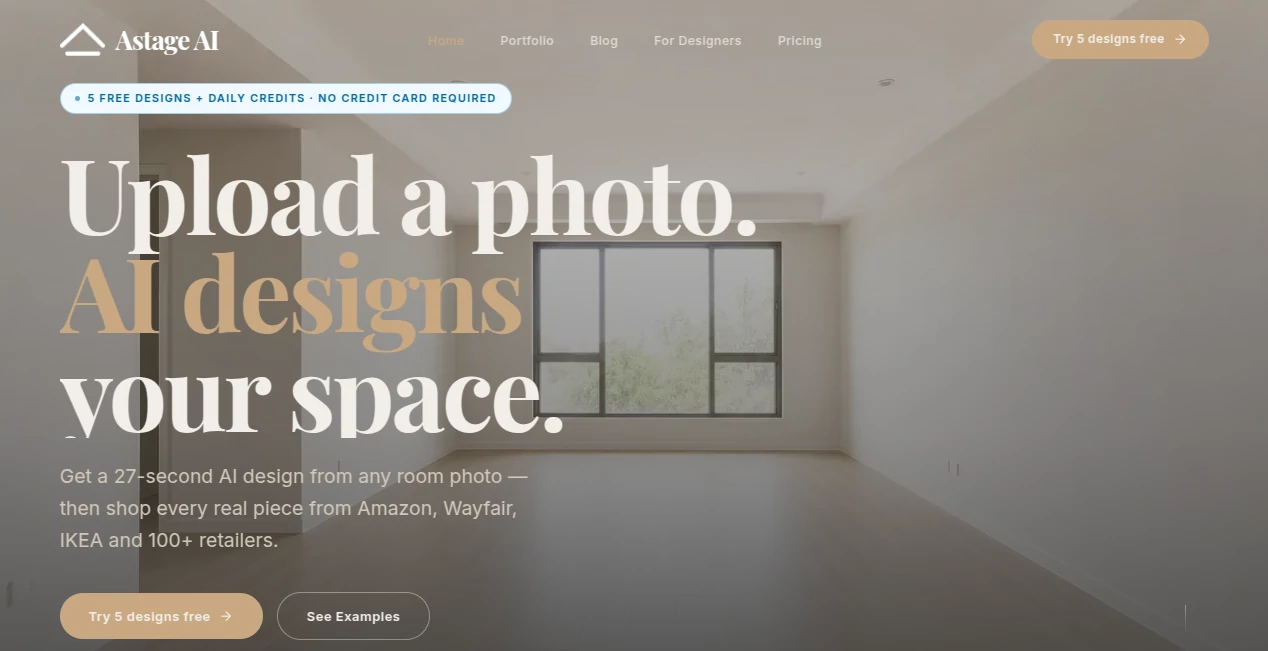
What is Astage AI?
Redesigning a room traditionally takes time, money, and often a fair amount of guesswork. This AI-powered virtual staging and interior design platform takes a much simpler approach: upload a photo of a room, choose a design direction, and receive a polished visualization in seconds. The result is more than a decorative concept. Users can explore different interior styles, compare before-and-after results, and even discover real furniture and decor products shown in the generated scene.
The platform is particularly useful for homeowners, renters, real estate professionals, and interior designers who want to visualize ideas before making expensive decisions. It can work with an empty room, an already furnished space, or even a rough sketch, making it flexible enough for different stages of a design project.
Key Features
- AI-powered virtual staging that transforms room photos into redesigned spaces.
- Photorealistic room visualizations generated in approximately 27 seconds.
- More than 70 curated interior design styles, including Modern, Scandinavian, Japandi, Bohemian, Industrial, Coastal, Minimalist, and Mid-Century.
- Style Extraction for applying the visual characteristics of a reference image to another room.
- Style DNA customization for defining a preferred color palette, materials, and overall mood.
- Shoppable furniture and decor with links to real products from Amazon, Wayfair, IKEA, and more than 100 retailers.
- One-click furniture replacement for experimenting with different products, prices, and combinations.
- Before-and-after comparison tools for presenting room transformations.
- High-resolution 4K exports available on the Pro plan.
- API access for businesses and furniture retailers that want to integrate AI-generated visuals into their own platforms.
User Interface
The interface follows a straightforward three-step process: upload a room, select a style, and explore the finished design. This makes the service approachable even for people who have never used an AI design application before.
The visual workflow is one of its strongest points. Instead of forcing users through complicated design controls, it focuses on the decisions that matter most: the room, the desired style, and the furniture. The ability to click individual items in a generated scene and explore replacement options also makes the experience feel closer to shopping than traditional interior-design software.
Accuracy & Performance
Speed is a major selling point. The platform states that a redesigned room can be generated in about 27 seconds using modern diffusion models. That makes it practical for testing several ideas during a single design session rather than waiting for a lengthy rendering process.
Visual quality is also central to the experience. The generated scenes are designed to provide photorealistic representations of redesigned rooms, helping users understand how a particular style, furniture arrangement, or color direction could look before committing to it in the real world.
For real estate agents, this speed can be especially valuable. Multiple design variations can be prepared for a property listing, while interior designers can use rapid concepts to communicate ideas with clients before moving into a more detailed design phase.
Capabilities
The system goes beyond simply adding furniture to an empty room. Users can start with an existing room photo and experiment with different visual directions, or use a reference image to extract a particular aesthetic. Style DNA adds another layer of customization by allowing users to define elements such as colors, materials, and mood.
Another interesting capability is the connection between visualization and purchasing. Furniture, lighting, rugs, and other visible pieces can be connected to real products. This turns an AI-generated mood board into something much more practical: a starting point for actually furnishing the room.
For businesses, the platform also offers an API-oriented workflow. Furniture brands and retailers can use generated lifestyle imagery to place products inside realistic environments without arranging a traditional photoshoot for every combination.
Security & Privacy
Because the service works with photographs of homes and interior spaces, users should review the current privacy policy and terms before uploading sensitive or personal images. As with any cloud-based image generation service, it is sensible to avoid photographs containing private documents, personal information, or details that should not be shared with an external platform.
Business users considering API integration should also evaluate the service's current data-handling terms, image retention practices, and commercial usage conditions before incorporating it into a production workflow.
Use Cases
- Homeowners: Visualize furniture arrangements, color schemes, and decorating ideas before spending money.
- Renters: Explore different styles for an existing apartment without physically changing the space first.
- Real Estate Agents: Turn empty rooms into attractive staged visuals and prepare multiple variations for property listings.
- Interior Designers: Create fast concepts, test different aesthetics, and present visual directions to clients.
- Furniture Brands: Place catalog products into realistic room environments for marketing campaigns and product discovery.
- Retailers: Create lifestyle imagery and connect products directly to shoppable visual experiences.
- Renovation Planning: Explore possible visual outcomes before purchasing furniture, materials, or decorative elements.
Pros and Cons
Pros:
- Very fast room visualization.
- More than 70 interior styles to explore.
- Simple upload-and-generate workflow.
- Useful for both personal and professional projects.
- Real products can be discovered directly from generated scenes.
- Style Extraction provides additional creative control.
- Style DNA allows users to build a more personalized visual direction.
- API access is available for higher-level business use cases.
- A free starting option is available without requiring a credit card.
Cons:
- Advanced usage requires a paid subscription.
- The quality of a generated result can depend on the quality and angle of the uploaded image.
- Some advanced capabilities are limited to higher-tier plans.
- Users looking for detailed professional CAD or architectural modeling tools may still need specialized software.
Pricing Plans
The service uses a credit-based subscription model and offers a free way to test the core experience. The Free plan costs $0 and includes 5 designs, daily free credits after login, access to the design tools, and standard support.
The Basic plan costs $9.99 per month and provides 200 credits, approximately 20 designs per month, all 70 design styles, and standard support.
The Standard plan costs $19.99 per month and includes 500 credits, approximately 50 designs per month, all 70 styles, priority support, and Style Extraction in beta.
The Pro plan costs $49.99 per month and provides 1,500 credits, approximately 150 designs per month, 4K high-resolution exports, dedicated support, and API access.
The free tier is particularly useful for people who want to test the visual quality before committing to a subscription, while the higher plans make more sense for professionals and businesses generating designs regularly.
How to Use Astage AI
Start by uploading a photograph of the room you want to redesign. The image can show an empty room, an existing interior, or even a rough sketch. Once the image is uploaded, select one of the available interior styles, such as Modern, Scandinavian, Japandi, Bohemian, or another preferred aesthetic.
For more personalized results, upload a reference image and use Style Extraction to capture its visual character. Alternatively, define your own Style DNA by specifying the colors, materials, and mood you want the final design to communicate.
After generating the design, review the result and experiment with individual furniture pieces. Items in the scene can be replaced, allowing you to explore different combinations and budgets. When you find a direction you like, use the product links to investigate the actual furniture and decor shown in the visualization.
Comparison with Similar Tools
Many AI interior design applications focus primarily on generating attractive room concepts. This platform takes the idea a step further by connecting generated interiors with real products. That distinction can make the workflow more useful for someone who is not simply looking for inspiration but actually intends to furnish a room.
Another advantage is the combination of speed and style variety. With dozens of preset styles, Style Extraction, and customizable Style DNA, users can move between broad design directions and more personalized aesthetics without rebuilding the project from scratch.
Traditional staging and professional interior design services still have their place, particularly when physical measurements, construction details, or complete project management are required. However, for early visualization, marketing imagery, client presentations, and shopping inspiration, an AI-first workflow can be considerably faster and more accessible.
Conclusion
AI-powered interior visualization is becoming increasingly useful for people who want to see an idea before turning it into a real project. This platform combines rapid room generation, a broad selection of design styles, personalized style controls, and direct product discovery in one workflow.
Its biggest strength is the connection between imagination and action. A user can start with an ordinary room photograph, experiment with several visual directions, identify furniture they like, and continue toward an actual purchasing decision. For homeowners and designers, that can reduce uncertainty. For real estate professionals and retailers, it can also become a practical visual marketing tool.
The free starting plan makes it easy to test the experience, while the paid tiers provide additional capacity and professional features for users with more demanding workflows. For anyone interested in AI-assisted interior design, virtual staging, or shoppable room visualization, it is a compelling option worth exploring.
Frequently Asked Questions (FAQ)
What can I use this AI interior design platform for?
You can use it to redesign room photos, create virtual staging images, experiment with interior styles, prepare concepts for clients, visualize furniture arrangements, and discover real products used in generated designs.
How quickly can a room design be generated?
The service states that a redesigned room can be generated in approximately 27 seconds, making it suitable for quickly testing multiple ideas.
How many interior styles are available?
There are more than 70 curated interior styles, including Modern, Scandinavian, Japandi, Bohemian, Industrial, Coastal, Minimalist, and Mid-Century options.
Can I use my own style reference?
Yes. The Style Extraction feature can analyze a reference image and apply its visual characteristics to a room. Style DNA can also be used to define a personalized combination of colors, materials, and mood.
Can I buy furniture shown in the generated room?
Yes. The platform connects furniture and decor shown in generated scenes with real products from Amazon, Wayfair, IKEA, and more than 100 other retailers.
Is there a free plan?
Yes. The Free plan costs $0 and includes 5 designs, daily free credits after login, access to the available design tools, and standard support. No credit card is required to start.
Is it useful for real estate agents?
Yes. Real estate professionals can use it to virtually stage empty rooms, create multiple style variations, prepare listing visuals, and present potential buyers with a more attractive representation of a property.
Does it offer an API?
Yes. API access is included with the Pro plan and is also positioned as a solution for furniture brands and retailers that want to integrate AI-generated room imagery into their own storefronts or workflows.
AI Interior & Room Design , AI Photography , AI Image to Image , AI Design Generator .
These classifications represent its core capabilities and areas of application. For related tools, explore the linked categories above.

Astage AI Alternatives Product

MakeBanner.ai

Unblur Image

RoomDecorFin…

Just Christm…

RoomStaging

LongCat Image

Project Geni…

Remove Handw…

Photo Grid C…