Ideogram 3.0
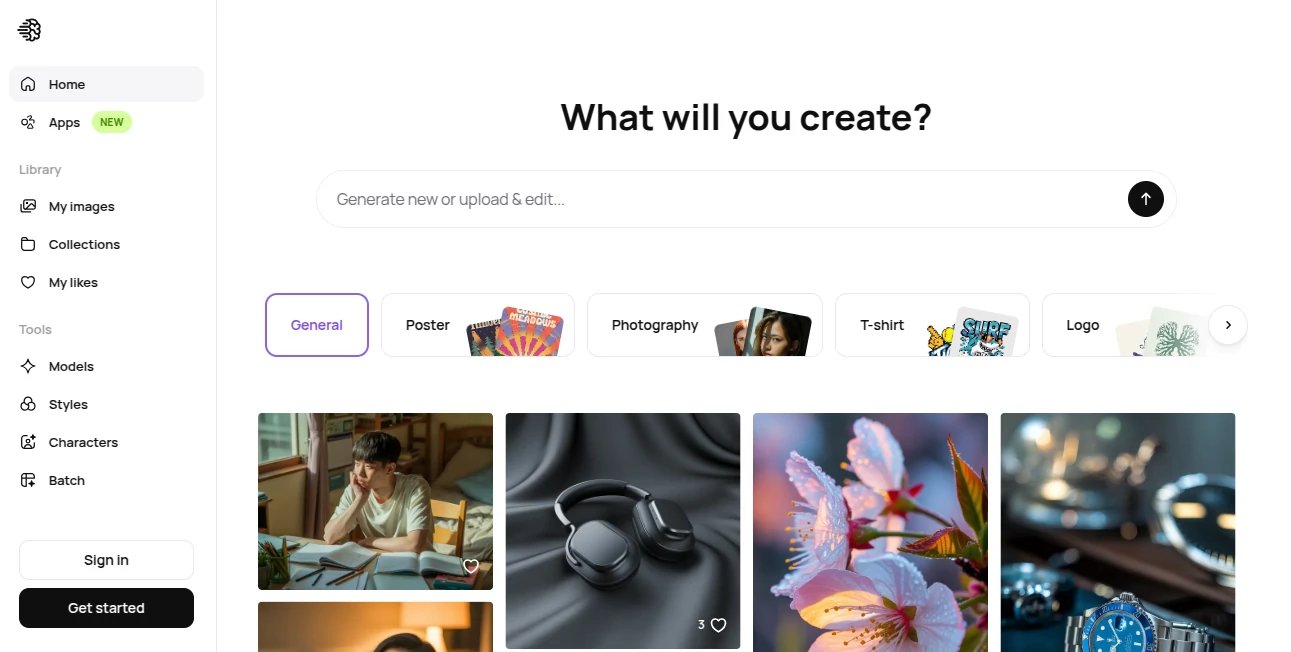
What is Ideogram 3.0?
In a world where visual content decides attention within seconds, having a tool that turns imagination into polished, usable graphics is no longer optional. This platform stands out by focusing not just on image generation, but on creating visuals that actually feel usable in real design workflows.
Unlike many generative tools that struggle with readable text or structured layouts, this system has built its reputation around producing images where typography, composition, and style come together naturally. Designers, marketers, and creators often describe it as a bridge between raw creativity and production-ready visuals.
Key Features
User Interface
The interface is minimal and intentionally distraction-free. Users are greeted with a simple prompt box and style options that do not overwhelm. Even first-time users can quickly understand how to generate results without reading documentation.
Accuracy & Performance
One of the strongest points is how well it interprets prompts that include text. Many AI image systems distort letters or ignore them entirely, but here the output often keeps typography readable and aligned with the overall design intent.
Capabilities
This tool supports a wide range of creative directions—from logo concepts and posters to stylized illustrations and marketing visuals. It is particularly strong when prompts involve branding, slogans, or structured layouts.
Security & Privacy
User prompts and generated outputs are typically handled with standard privacy protections found in modern AI platforms. While users should avoid sharing sensitive information, the system is designed for safe creative use in professional and personal projects.
Use Cases
- Creating marketing posters and social media visuals
- Designing concept art for branding and identity projects
- Generating logo ideas and typography-based compositions
- Producing illustrations for blogs, ads, or presentations
- Rapid visual prototyping for creative campaigns
Pros and Cons
Pros:
- Strong text rendering inside images compared to many alternatives
- Fast generation with minimal learning curve
- Useful for both creative and commercial design work
- High-quality visual style consistency
Cons:
- Advanced customization options may feel limited for professionals
- Complex artistic scenes can sometimes require multiple attempts
- Free usage limits may restrict heavy users
Pricing Plans
The platform generally follows a freemium model, allowing users to experiment with basic generation before upgrading to paid tiers for higher usage limits, faster processing, and additional creative features. Paid plans are typically designed for creators, marketers, and teams who rely on consistent output.
How to Use This Tool
Getting started is straightforward. Users simply enter a descriptive prompt that explains the desired image, including style, subject, and any text that should appear. After generating results, variations can be explored to refine the final output. The more specific the prompt, the more controlled and accurate the result tends to be.
A helpful approach is to think like a designer: instead of just describing what you want to see, describe how it should feel, what typography should appear, and what composition style fits the goal.
Comparison with Similar Tools
Compared to other AI image generators, this platform differentiates itself mainly through its handling of typography and layout consistency. While many competitors focus heavily on artistic visuals, this one leans into practical design output that can be used directly in branding, advertising, and digital content creation.
In short, where other tools may excel in abstract creativity, this system performs strongly in structured visual communication.
Conclusion
For anyone working in digital content creation, marketing, or design, this tool offers a reliable balance between creativity and usability. It reduces the gap between an idea and a publishable visual asset. While it may not replace advanced design software entirely, it significantly speeds up the creative process and lowers the barrier to producing high-quality visuals.
Frequently Asked Questions (FAQ)
Is it suitable for professional designers?
Yes, especially for quick concept generation and marketing visuals, though some designers may still refine outputs in external software.
Can it generate readable text inside images?
Yes, and this is one of its most notable strengths compared to many other image generation tools.
Do I need design experience to use it?
No, beginners can easily start creating visuals using simple prompts.
Can it be used for commercial projects?
Many users apply generated visuals in commercial contexts, but usage rights should always be checked based on the current terms of the platform.
What makes it different from other AI image tools?
Its focus on structured design and typography integration sets it apart from more art-focused generators.
AI Art Generator , AI Graphic Design , AI Image to Image , AI Text to Image .
These classifications represent its core capabilities and areas of application. For related tools, explore the linked categories above.

Ideogram 3.0 Alternatives Product

SparkIconAI

Krea 2

Z image AI
image2ai.art

grok images

seedream 6

Yodayo AI
Image By Qwen

Try FLux2