

















AI Image Combiner
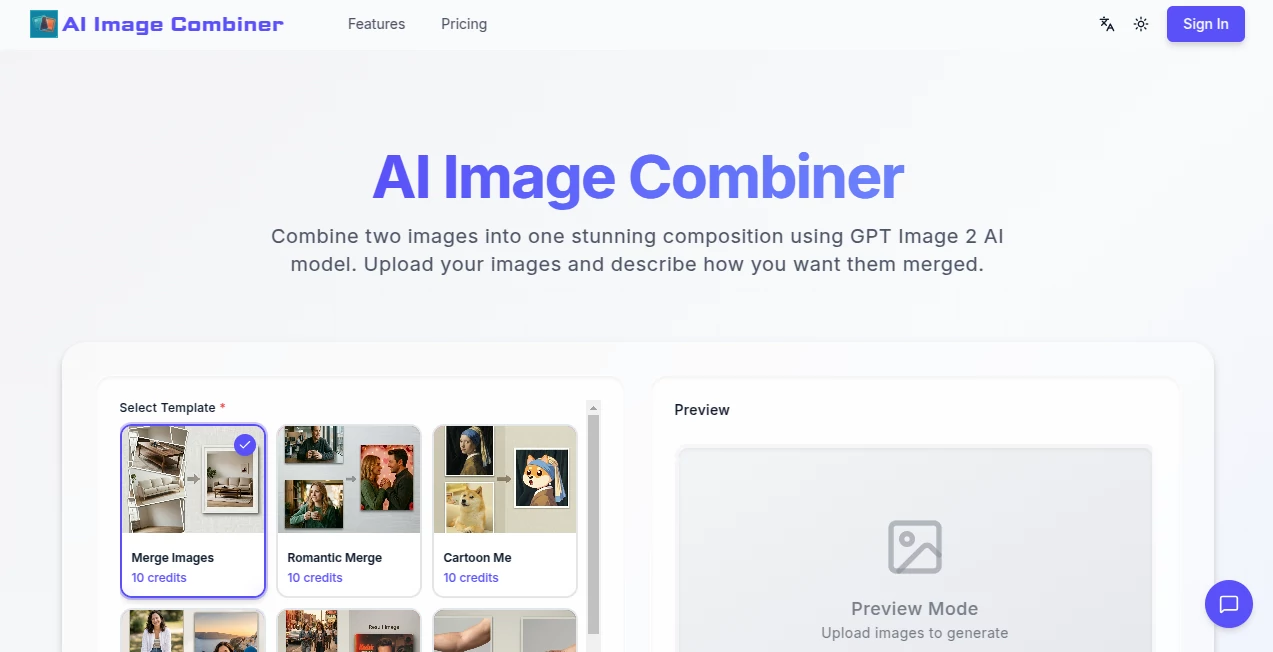
What is AI Image Combiner?
In a world where visuals dominate communication, having a simple yet powerful way to merge multiple images into one cohesive design is incredibly valuable. This tool was built to make image combining fast, intuitive, and accessible for everyone — from casual users creating personal memories to professionals preparing visual content for presentations, social media, or marketing materials.
Instead of relying on complex design software, users can quickly bring multiple images together in a clean layout without needing advanced editing skills. The result is a smooth workflow that saves time while still producing visually appealing outcomes.
Key Features
User Interface
The interface is designed with simplicity in mind. Users can drag and drop images, arrange them in seconds, and instantly preview the final output. Everything feels lightweight and responsive, making the entire process enjoyable even for first-time users.
Accuracy & Performance
The system processes images quickly while maintaining quality. Whether combining two images or dozens, the output remains sharp and well-aligned. The tool ensures that spacing, alignment, and resolution are handled automatically to avoid manual adjustments.
Capabilities
Beyond simple merging, users can create grids, collages, and structured layouts for different use cases. It supports multiple formats and allows flexibility in arranging images creatively. This makes it suitable for both personal and professional design tasks.
Security & Privacy
User-uploaded images are handled securely, ensuring that personal or sensitive visuals are not exposed or misused. The process is designed to be temporary and privacy-focused, giving users peace of mind while working with their content.
Use Cases
- Creating social media collages for posts and stories
- Combining product images for e-commerce listings
- Building presentation visuals for business or education
- Designing personal photo albums or memories
- Preparing marketing creatives and banners
Pros and Cons
Pros
- Very easy to use with no learning curve
- Fast processing and smooth performance
- High-quality image output
- No need for advanced design software
Cons
- Limited advanced editing features
- Customization options may feel basic for professional designers
Pricing Plans
The tool typically follows a flexible model that may include free access for basic features and premium options for users who need higher resolution outputs or advanced layout controls. This makes it accessible for casual users while still offering value for professionals.
How to Use
Using this tool is straightforward and requires no technical background. Users start by uploading their images, then choose a layout style such as grid or collage. After arranging the images as desired, the final combined image can be generated and downloaded instantly.
The entire process takes only a few steps, making it ideal for quick creative tasks or repetitive workflows.
Comparison with Similar Tools
Compared to traditional photo editing software, this solution is significantly faster and easier to use. While advanced tools may offer deeper editing capabilities, they often require time, experience, and installation. This tool focuses on speed, simplicity, and accessibility, making it a better choice for users who need quick results without complexity.
Conclusion
For anyone looking to combine images without dealing with complicated design platforms, this tool offers a practical and efficient solution. It balances simplicity with functionality, allowing users to create clean, attractive visual compositions in just a few clicks. Whether for personal use or professional needs, it provides a reliable way to enhance visual storytelling.
Frequently Asked Questions (FAQ)
Is this tool free to use?
Yes, basic features are generally available for free, with optional upgrades for advanced needs.
Do I need design experience?
No, the tool is designed for beginners and requires no prior experience.
Can I use it for commercial projects?
Yes, it can be used for marketing, e-commerce, and business-related visuals.
What image formats are supported?
Most common image formats are supported, making it easy to upload and combine different types of visuals.
Is there a limit to how many images I can combine?
Limits may depend on the version being used, but it generally supports multiple images in a single layout.
AI Photo & Image Generator , Photo & Image Editor , AI Graphic Design , AI Image to Image .
These classifications represent its core capabilities and areas of application. For related tools, explore the linked categories above.
AI Image Combiner details
Website unavailable — View Alternatives
Pricing
- Free
Apps
- Web App
Categories

AI Image Combiner Alternatives Product
ImageChanger
whisk ai
PaperYak

ds image

NanoBanana2F…

Beard Remover

images 2.0 A…

NB2 Hub
AI Tattoo Ge…
