

















Image Translator
What is Image Translator?
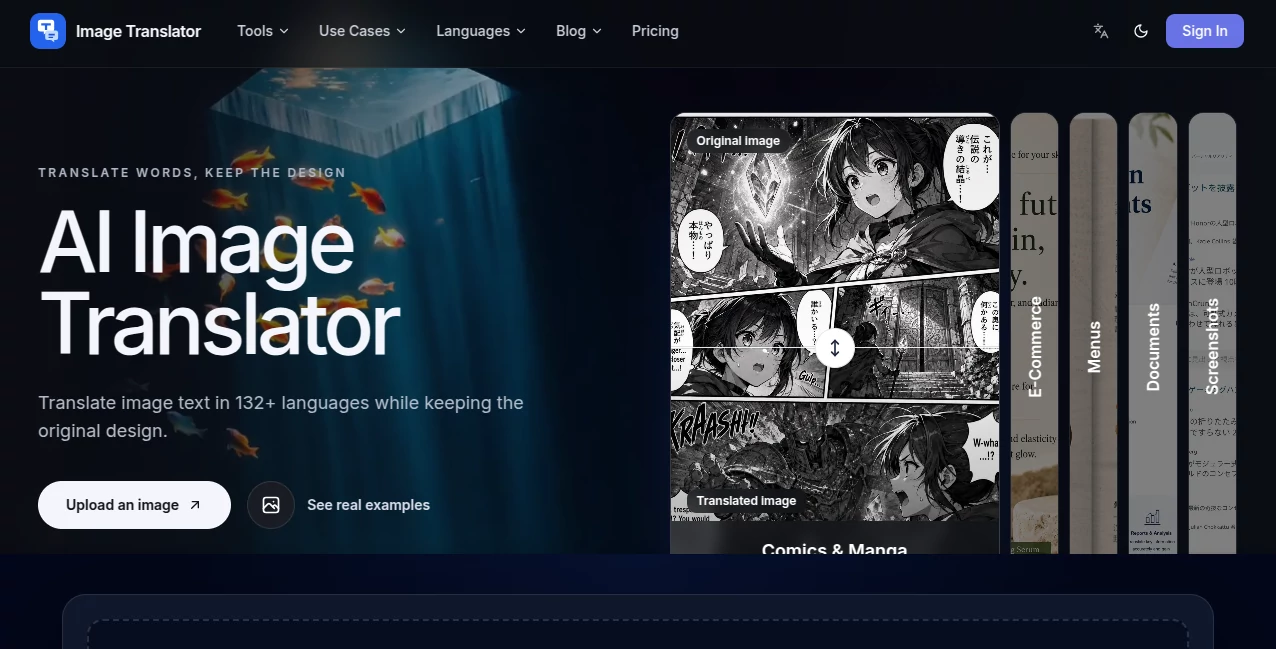
Image Translator is an AI-powered service designed for people who need to translate text inside images without rebuilding the original design from scratch. Instead of extracting the words and leaving you with plain text, it places the translated content back into the image while aiming to preserve the original layout, typography, colors, and visual hierarchy.
The service supports more than 132 languages and works with common image formats including JPG, JPEG, PNG, and WebP. It can be useful for everything from product graphics and restaurant menus to screenshots, documents, comics, and social media images. New users can start with 30 free credits, which provides a practical way to test the workflow before paying for additional usage.
Key Features
- Translation of text contained directly inside images.
- Support for more than 132 languages with automatic source-language detection.
- Preservation of the original image layout and visual structure.
- Support for JPG, JPEG, PNG, and WebP files.
- Multiple-image uploads with up to ten images in one workflow.
- Multiple target languages for the same image.
- Separate task tracking for each image and target-language combination.
- Automatic credit refunds for failed image translation tasks.
- Translation history for signed-in users.
- High-resolution downloads after processing.
User Interface
The interface is built around a straightforward upload-and-translate workflow. Users can drag and drop images onto the upload area or select files from their device. There is also support for uploading an entire folder, which can be particularly convenient when working with a collection of product images, screenshots, or marketing materials.
After uploading an image, users select the source and target languages before starting the translation. Results can then be reviewed against the original image and downloaded individually. The separate task structure also makes larger batches easier to manage because each translation can be handled independently.
Accuracy & Performance
Translation is designed to work with text as it appears in context rather than simply replacing individual words. This matters when an image contains headings, product descriptions, menu items, labels, or dialogue where the surrounding visual information helps determine meaning.
The service also attempts to keep translated text in approximately the same visual areas as the original. Typography, spacing, colors, and emphasis are considered during rendering. Naturally, results can vary depending on image quality, unusual fonts, text placement, and the complexity of the original design, so important commercial material should still be reviewed before publication.
Capabilities
The range of supported image types makes the service useful beyond simple photographs. E-commerce sellers can localize product graphics for different markets without recreating every creative asset. Travelers can translate menus and signs. Teams can work with screenshots from applications or websites, while readers can translate comics and manga pages without separating the dialogue from the artwork.
Multiple-language translation is another practical feature. An image can be translated into several target languages, with each image-language combination treated as its own task. For example, two images translated into three languages create six independent tasks. This approach makes larger batches easier to monitor and gives failed tasks a separate status rather than stopping the entire batch.
Security & Privacy
Privacy is an important consideration when uploading documents, screenshots, or business material. According to the service, uploaded images are processed securely and completed results are private to the user's account. Signed-in users can access their own translation history and previously completed tasks.
The paid plans also include private source and result storage. Users working with confidential material should still review the service's privacy and acceptable-use policies before uploading particularly sensitive files.
Use Cases
E-commerce: Product sellers can translate text appearing on product images, promotional graphics, packaging, and marketplace creatives for different audiences.
Menus and signs: Restaurants, travelers, and international customers can translate photographed menus, signs, and other visual information without manually typing the text first.
Comics and manga: Speech bubbles and other visible dialogue can be translated while remaining part of the original artwork.
Screenshots: App interfaces, website captures, game screens, and online conversations can be translated while retaining their visual context.
Documents: Photographed documents containing visible text can be converted into translated image versions when maintaining the original visual arrangement is important.
Marketing: Teams creating international campaigns can localize banners and other image-based promotional material without recreating every design manually.
Pros and Cons
Pros:
- Supports more than 132 languages.
- Keeps translated text within the original visual design.
- Works with several popular image formats.
- Allows multiple images to be processed in one workflow.
- Supports multiple target languages.
- Failed tasks automatically return their used credits.
- Offers translation history for signed-in users.
- Provides free credits for new users to test the service.
Cons:
- Translation quality can vary depending on image quality and design complexity.
- Account verification is required to use the service.
- Usage is credit-based rather than completely unlimited.
- Highly complex typography or unusual layouts may require manual review.
Pricing Plans
The service uses a credit-based model, where each image and target-language combination is treated as an independent translation task. New users receive 30 free credits to try the service before purchasing a plan or credit pack.
The Starter annual plan costs $99 per year and includes 500 credits each month. The Professional annual plan costs $199 per year and provides 1,500 monthly credits. For higher-volume work, the Business annual plan costs $499 per year and includes 4,000 credits each month.
All three annual plans include private source and result storage, automatic credit refunds for failed tasks, and email support. Monthly plans and additional credit-pack options are also available for users who prefer a different payment structure.
How to Use It
- Sign up and verify your account.
- Upload a JPG, JPEG, PNG, or WebP image.
- Select the source language or allow automatic detection.
- Choose one or more target languages.
- Start the translation process.
- Review the translated image alongside the original.
- Download the completed result in high resolution.
For batch work, several images can be uploaded together, with up to ten images supported in a single upload flow. Each resulting translation is tracked separately, which makes it easier to identify completed or failed tasks.
Comparison with Similar Tools
A major difference between ordinary text translation services and this type of image-focused workflow is what happens after the words are translated. Conventional translators generally provide translated text that users must place back into the image themselves. That can mean opening an image editor, removing the original wording, adjusting fonts, resizing text, and trying to recreate the original design.
This service focuses on combining those steps into one workflow. It reads the text from the image, translates it, and renders the translated version back into the visual. That makes it particularly attractive for users who care about preserving the appearance of product graphics, menus, screenshots, comics, and marketing images.
It is not necessarily a replacement for a professional graphic designer when a highly polished campaign requires pixel-level manual control. However, for routine localization work, the ability to translate and retain the original visual structure can save considerable editing time.
Conclusion
Translating an image is more complicated than translating a paragraph because the words are part of a visual composition. Text has a position, size, font, color, and relationship with the surrounding design. This service addresses that problem by combining image text recognition, contextual translation, and visual re-rendering in a single workflow.
With support for more than 132 languages, common image formats, batch uploads, multiple target languages, and a free starting allowance, it offers a convenient option for creators, online sellers, marketers, travelers, and anyone who regularly works with multilingual visual content. The biggest advantage is simple: users can change the language of an image without having to rebuild the entire design manually.
Frequently Asked Questions (FAQ)
How many languages are supported?
The language selector supports more than 132 languages, including English, Spanish, Chinese, Japanese, Korean, Arabic, Hindi, German, and French. Automatic source-language detection is also available.
Which image formats are supported?
JPG, JPEG, PNG, and WebP images are supported. Users can upload one image or multiple images in the same workflow.
Can one image be translated into multiple languages?
Yes. Multiple target languages can be selected, and each image-language combination is processed as an independent task.
Will the original design be preserved?
The system is designed to preserve the original layout, typography, colors, spacing, and visual hierarchy as closely as possible. Results may vary when images contain very complex layouts, unusual typography, or low-quality source material.
How are credits calculated?
Each image and target-language combination counts as an individual task. For example, translating two images into three target languages produces six separate tasks.
What happens when a translation fails?
Failed image tasks automatically refund their credits. A failed task also does not prevent other images or language combinations in the same batch from continuing.
Can previous translations be accessed later?
Yes. Signed-in users can access their Translation History to review, download, retry, or regenerate previous image translation tasks.
Is an account required?
Yes. A verified account is required, and new accounts receive limited free credits so users can test the service before purchasing a plan or credit pack.
Is uploaded content private?
According to the service, uploaded images are processed securely and translation results are private to the user's account. Only the account holder can access their translation history and completed tasks.