


















InfographicAI
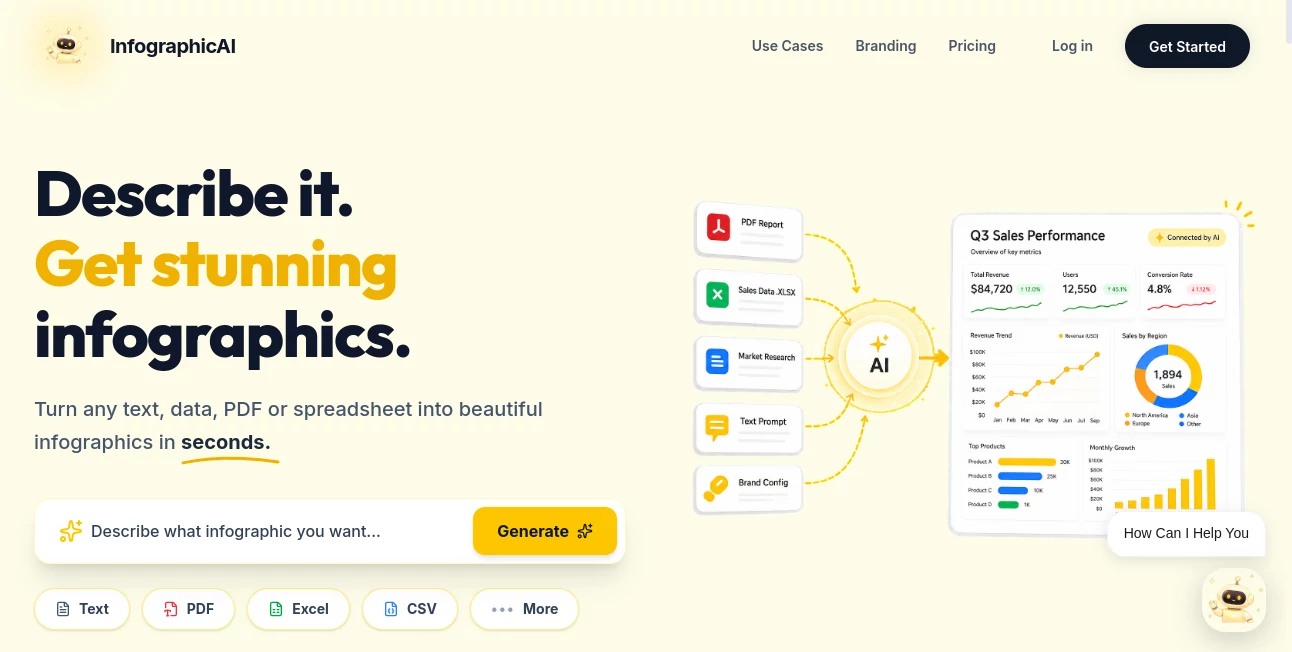
What is InfographicAI?
Creating infographics used to require a mix of design skills, patience, and expensive software. Today, things look very different. This platform brings a simpler, faster, and more intuitive way to transform raw ideas, data, or text into visually engaging infographics without the usual complexity.
Whether you're a marketer, educator, startup founder, or content creator, it helps you communicate information in a way that feels clear, modern, and visually appealing. Instead of spending hours adjusting layouts and elements, you can focus on your message while the tool handles the design work.
Key Features
User Interface
The interface is built with simplicity in mind. Even first-time users can navigate it without tutorials. Everything is placed logically, allowing users to generate designs quickly without getting lost in complex menus.
Accuracy & Performance
The system is optimized to interpret text and data intelligently, converting them into structured visual layouts. It performs smoothly even with longer content inputs, maintaining design consistency and readability.
Capabilities
- Automatic infographic generation from text prompts
- Smart layout structuring for better readability
- Data visualization support for charts and statistics
- Custom styling options for branding consistency
- Export-ready designs for presentations and social media
Security & Privacy
User content is processed with a focus on privacy and data safety. Uploaded or generated materials are handled securely, making it suitable for both personal and professional use.
Use Cases
- Marketing teams creating campaign visuals
- Teachers simplifying complex educational topics
- Startups presenting data-driven pitch decks
- Content creators improving blog or social media engagement
Pros and Cons
Pros:
- Fast and beginner-friendly workflow
- No design skills required
- High-quality visual output
- Great for data storytelling
Cons:
- Advanced customization may be limited for professional designers
- Some templates may feel repetitive over time
Pricing Plans
The platform typically offers flexible access models, including free usage for basic features and premium plans for users who need higher customization, branding tools, and advanced export options. This makes it suitable for both casual users and professional teams.
How to Use
Getting started is straightforward. Users begin by entering a topic, idea, or dataset. The system then analyzes the input and generates a structured infographic layout. From there, users can adjust styling, colors, and formatting before exporting the final result in a shareable format.
Comparison with Similar Tools
Compared to traditional design tools, this solution removes much of the manual effort involved in creating visuals. While other platforms may offer deeper manual editing or pre-made templates, this tool focuses on speed and automation. It is especially useful for users who want results quickly without sacrificing visual quality.
Conclusion
For anyone who needs to turn information into clear and engaging visuals, this platform offers a practical and efficient solution. It reduces the barrier between idea and design, making infographic creation accessible to everyone, regardless of design experience.
Frequently Asked Questions (FAQ)
Is it suitable for beginners?
Yes, it is designed for users with no prior design experience.
Can I use it for business presentations?
Absolutely. It is well-suited for professional reports and presentations.
Does it support data visualization?
Yes, it can convert data into charts and structured infographic elements.
Can I export my designs?
Yes, outputs are typically exportable for use in multiple formats.
AI Charting , AI Illustration Generator , AI Poster Generator , AI Design Generator .
These classifications represent its core capabilities and areas of application. For related tools, explore the linked categories above.

InfographicAI Alternatives Product

PicLumen AI …

Freepik

Tryonr

SlideStorm AI

Nano Banana 2

nana banana …

Transform An…

Nano Banana …

Sento AI
