

















Kimg AI
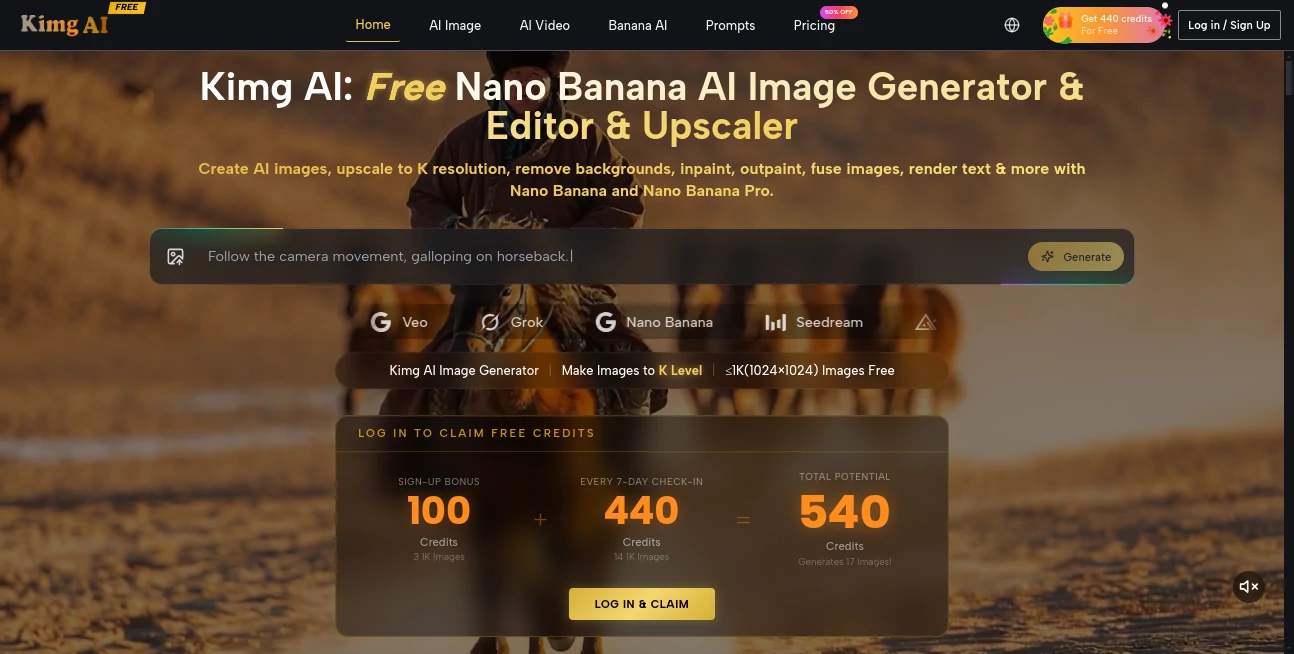
What is Kimg AI?
Creating professional-quality visuals no longer requires years of design experience or expensive software. This platform brings together advanced image generation, intelligent editing, high-resolution upscaling, and AI-powered video creation in a single workspace. Whether you are designing marketing assets, concept art, product photos, social media graphics, or creative illustrations, it provides an efficient workflow that dramatically reduces production time while maintaining impressive visual quality.
One of its strongest advantages is the variety of creative models available for different tasks. Users can generate original artwork from text prompts, transform existing images into completely new styles, remove backgrounds, expand image borders, edit selected areas, merge multiple images, and even convert still images into cinematic videos with synchronized motion. The combination of image generation and professional editing tools makes it suitable for both beginners and experienced creators.
Another standout benefit is the generous free tier that allows users to explore its capabilities before upgrading. Commercial licensing, private generation, watermark-free exports, and high-resolution rendering make it an attractive choice for freelancers, agencies, content creators, and businesses looking for an all-in-one AI creative platform.
Key Features
User Interface
The interface is clean, intuitive, and designed for fast creative workflows. Every major feature is accessible from a straightforward dashboard, allowing users to switch between image generation, editing, enhancement, and video creation without unnecessary complexity. Even first-time users can begin creating within minutes.
Accuracy & Performance
Advanced AI models produce highly detailed images with excellent prompt understanding. Complex descriptions are interpreted accurately, while editing tools preserve important visual elements during transformations. High-resolution upscaling delivers crisp results suitable for presentations, marketing materials, and commercial projects.
Capabilities
- AI text-to-image generation
- Image-to-image transformation
- Professional AI image editing
- Background removal
- Inpainting for object replacement
- Outpainting for image expansion
- AI image upscaling to 4K, 8K, and 16K
- Text rendering inside images
- Character consistency across multiple generations
- Multiple AI generation models
- Image-to-video generation
- Commercial usage support on eligible plans
Security & Privacy
The platform offers private generation options on premium subscriptions, helping creators keep commercial work confidential. Paid plans also include watermark-free exports and commercial licensing, making the generated content more suitable for professional use.
Use Cases
- Creating social media graphics
- Generating marketing creatives
- Designing product advertisements
- Producing concept art for games
- Creating YouTube thumbnails
- Generating website illustrations
- Enhancing old or low-resolution images
- Building consistent characters for storytelling
- Creating AI-powered promotional videos
- Producing visual assets for online stores
Pros and Cons
Pros
- Free credits for new users
- Supports multiple AI image models
- Excellent image editing capabilities
- High-resolution upscaling up to 16K
- Image-to-video generation included
- Commercial licensing on paid plans
- Clean and beginner-friendly interface
- Fast generation speed
Cons
- Some premium models require paid credits
- High-resolution rendering consumes more credits
- Advanced features are best experienced with subscription plans
Pricing Plans
A free plan provides complimentary credits for new users to explore the platform. Paid subscriptions unlock additional monthly credits, faster processing, higher concurrent generations, private image creation, unlimited storage, commercial licenses, priority support, and watermark-free exports. Professional and unlimited plans are available for heavy creators and teams.
How to Use Kimg AI
Start by creating a free account and claiming the available credits. Choose whether you want to generate a new image from text or upload an existing image for editing. Select the preferred AI model, write a detailed prompt or describe the desired modifications, then generate the result. If needed, enhance the image with upscaling, remove backgrounds, expand the canvas, or convert the final artwork into a dynamic AI-generated video. Export the finished project in the desired resolution for personal or commercial use.
Comparison with Similar Tools
Compared with many AI image generators that focus only on text-to-image creation, this platform delivers a far broader creative toolkit. It combines image generation, editing, enhancement, background removal, image expansion, character consistency, text rendering, and video generation within one ecosystem. This integrated workflow reduces the need to switch between multiple creative applications and significantly speeds up production for professional users.
Conclusion
For creators who want much more than a simple AI image generator, this platform delivers a remarkably complete creative experience. Its combination of advanced generation models, intelligent editing, ultra-high-resolution upscaling, and AI video creation makes it suitable for designers, marketers, agencies, digital artists, educators, and businesses alike. The generous free access lowers the barrier to entry, while premium plans provide enough professional features to support demanding commercial projects. It successfully balances ease of use with powerful creative capabilities, making it one of the most versatile AI visual creation platforms available today.
Frequently Asked Questions (FAQ)
Can beginners use this platform?
Yes. The interface is simple enough for new users while still offering advanced features for professionals.
Does it support commercial projects?
Yes. Paid plans include commercial licensing, making generated content suitable for business use.
Can images be enhanced to higher resolutions?
Yes. Images can be upscaled to resolutions as high as 4K, 8K, and even 16K depending on the selected model.
Is image editing available?
Yes. Users can remove backgrounds, replace objects, extend images, edit specific regions, merge visuals, and apply artistic transformations.
Does it create AI videos?
Yes. Still images can be transformed into cinematic AI-generated videos with natural motion and synchronized audio capabilities.
AI Photo & Image Generator , AI Image to Video , AI Photo Enhancer , AI Image to Image .
These classifications represent its core capabilities and areas of application. For related tools, explore the linked categories above.

Kimg AI Alternatives Product
meta ai image

ImgVid

MDZ.AI
Image Text E…

AI Animate I…

Yodayo AI

Motion Contr…
Roblox Man F…
AI Image Enh…
