
Kiqo
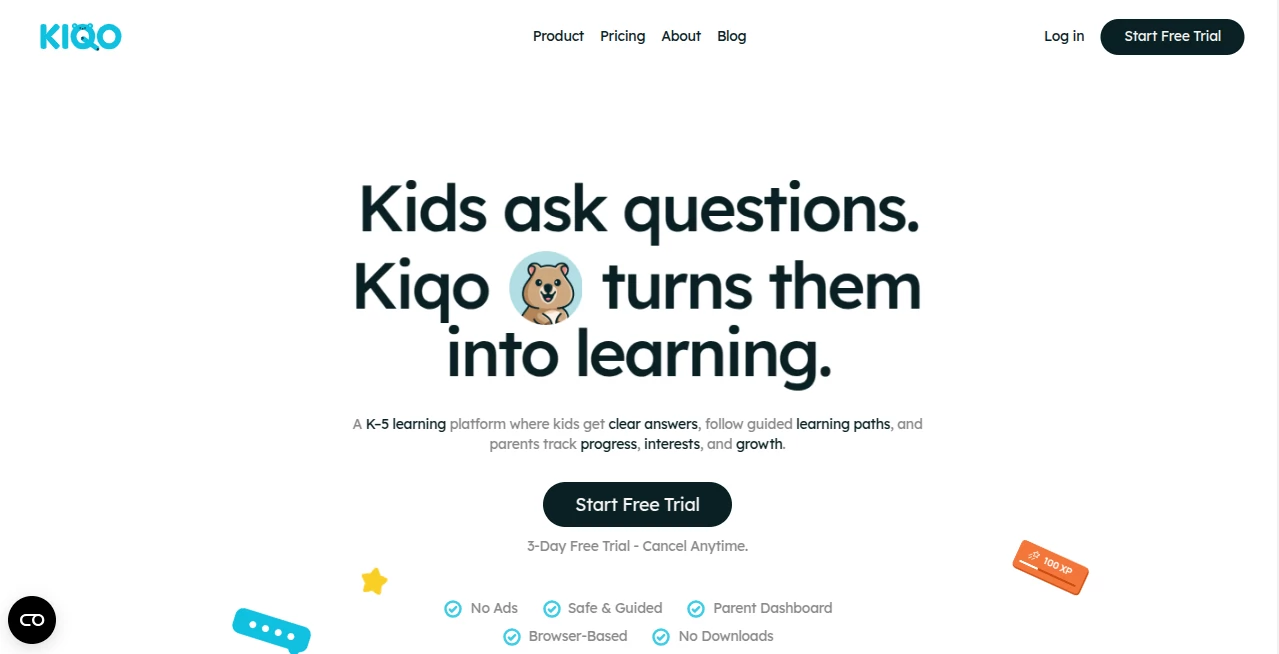
What is Kiqo?
Most kids start school full of questions and wonder. Then somewhere along the way, the joy of learning can quietly fade under worksheets and rigid schedules. Kiqo gently brings that spark back. It turns every question a child has into a natural conversation that builds understanding without pressure or grades. Parents and teachers I’ve spoken with say their kids actually look forward to using it because it feels like talking with a patient, knowledgeable friend rather than another screen-based lesson. It respects how children really learn—through curiosity, not just repetition.
Introduction
Kiqo was built for K-5 kids who learn at different speeds and in different ways. Instead of forcing everyone through the same pace, it listens to what each child asks and adapts on the spot. There are two gentle paths: Classroom Mode follows structured lessons while leaving room to explore, and Freestyle Mode lets kids chase whatever sparks their interest. The AI doesn’t just give answers—it asks thoughtful follow-up questions that help children connect ideas and go deeper. For busy parents and educators, the real-time insights and safety features provide peace of mind without constant hovering. It’s learning that feels personal, safe, and genuinely engaging.
Key Features
User Interface
The experience is designed to feel welcoming and simple for young users. Children see clear prompts they can tap or type their own questions. The interface stays bright and uncluttered, with no overwhelming options or ads. Parents and teachers get a separate, easy-to-read dashboard that shows what topics caught attention, where a child is thriving, and where they might need gentle support. Everything feels intentional and age-appropriate.
Accuracy & Performance
Answers are clear, accurate, and tailored to a child’s age and current understanding. The AI adjusts depth automatically—keeping explanations simple when needed or adding richer detail when a child shows interest. It tracks progress thoughtfully without labeling or comparing kids. In practice, children stay engaged longer because the conversations feel relevant and never condescending.
Capabilities
Kiqo supports both guided classroom lessons and completely open exploration. You can upload your own materials (worksheets, lesson notes, books) and it turns them into interactive conversations. Built-in safety monitoring flags anything concerning and alerts adults immediately. Progress reports give clear, actionable insights without overwhelming data. It works beautifully for homeschooling, classroom supplementation, or extra learning at home.
Security & Privacy
Safety is baked in from the start. All conversations happen in a closed, monitored environment. Kiqo is COPPA and FERPA aligned, with strong protections for children’s data. Parents and educators stay in control of settings and can review activity anytime. It’s built to feel secure so families can focus on learning instead of worrying.
Use Cases
A homeschooling parent uploads their weekly science unit and watches their child dive deeper through natural questions instead of forced worksheets. A classroom teacher uses it as a supplement so advanced students can explore further while others get extra support. A parent of a curious 7-year-old uses Freestyle Mode during car rides to turn “why” questions into meaningful conversations. It shines wherever adults want to nurture genuine understanding rather than just completion.
Pros and Cons
Pros:
- Conversational style keeps kids genuinely engaged and thinking.
- Adapts to each child’s pace and interests without pressure.
- Helpful parent/teacher insights without invading privacy.
- Works beautifully with your own materials.
- Strong focus on safety and age-appropriate responses.
Cons:
- Best results come when adults set appropriate levels initially.
- Requires internet connection for real-time conversations.
Pricing Plans
Kiqo offers flexible options that fit different family and school needs. The platform provides enough free access to experience the difference it makes. Paid plans unlock unlimited conversations, full progress tracking, custom material uploads, and priority support. Many parents say the value becomes clear after just a few weeks of consistent use.
How to Use Kiqo
Sign up and set your child’s learning level with a simple selection. Choose Classroom Mode for structured topics or Freestyle Mode for open exploration. Your child can tap suggested prompts or type their own questions. Kiqo responds conversationally and suggests natural follow-ups. As a parent or teacher, check the dashboard anytime to see topics explored and progress made. Upload your own materials to keep everything aligned with what you’re already teaching. It’s simple enough that kids can use it independently while adults stay comfortably informed.
Comparison with Similar Tools
Many educational apps rely on quizzes, videos, or gamification that can feel repetitive. Kiqo stands out by focusing on real conversation and curiosity-driven learning. Where other platforms push content at kids, this one listens and responds thoughtfully. The combination of safety features, parent insights, and genuine adaptability makes it feel more like a supportive tutor than another digital worksheet.
Conclusion
Learning should feel exciting, not exhausting. Kiqo helps bring back that natural curiosity by meeting children where they are and guiding them forward with patience and respect. It gives parents and teachers meaningful visibility without taking away a child’s sense of discovery. For families who want learning to feel personal and joyful again, it’s a refreshing and effective companion. Sometimes the best way to help a child learn is simply to let them lead—with a little thoughtful support along the way.
Frequently Asked Questions (FAQ)
Is Kiqo suitable for all K-5 ages?
Yes—it adapts content and depth to match each child’s level and interests.
Can I use my own teaching materials?
Absolutely. Upload worksheets, notes, or lesson plans and Kiqo turns them into interactive conversations.
How does safety monitoring work?
It actively watches conversations and alerts adults immediately if anything concerning appears.
Do kids need supervision while using it?
It’s designed for independent use with adult oversight through progress reports and alerts.
What makes it different from regular AI chatbots?
It’s built specifically for young learners with age-appropriate responses, structured guidance, and strong safety guardrails.
AI Tutorial , AI Course , AI Education Assistant .
These classifications represent its core capabilities and areas of application. For related tools, explore the linked categories above.

Kiqo Alternatives Product

优秀PTE

Casper Pract…

Manus

Sourcetable

Traecta

Youshow IELTS

EZ Grader

Translate a …

GameGen