Shopify Theme Detector
What is Shopify Theme Detector?
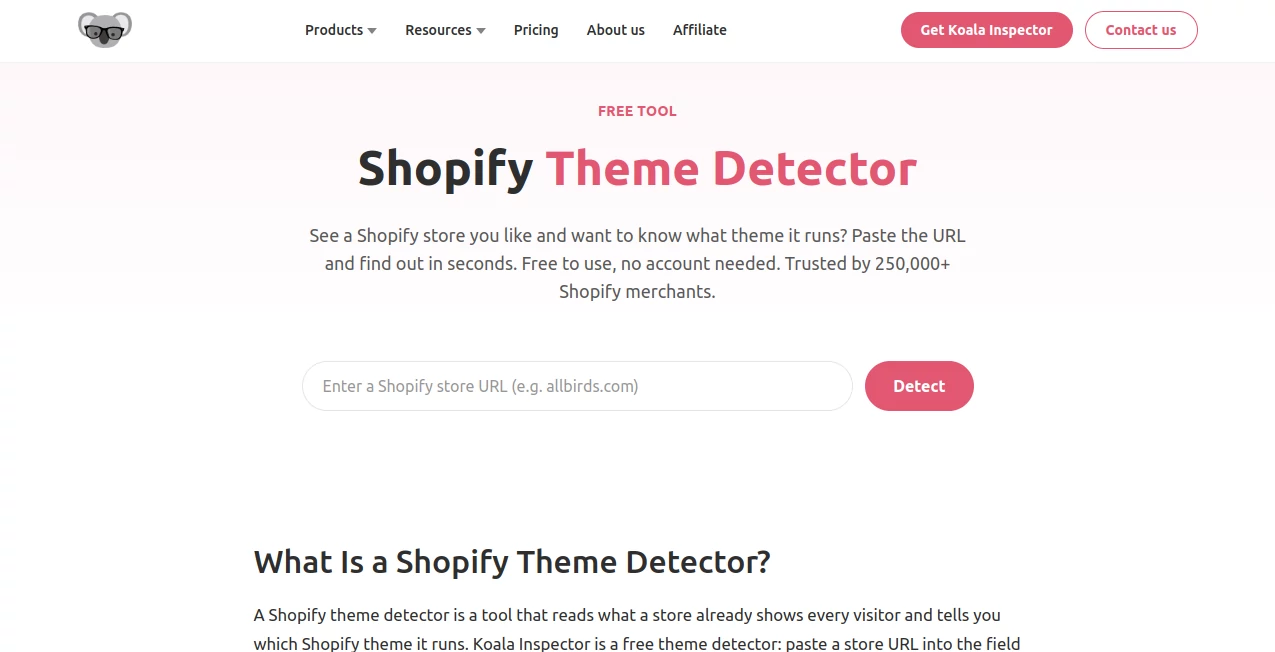
Finding a Shopify store with a design you like often leads to the same question: which theme is behind it? Searching through hundreds of themes or inspecting source code manually can take far longer than it should. Shopify Theme Detector makes that research much simpler by letting you enter a store URL and identify the theme powering the storefront within seconds.
The online detector is free to use, requires no account, and does not require an installation. It can also recognize customized and renamed themes, making it particularly useful when researching competitors, exploring ecommerce niches, or looking for inspiration for a new Shopify store.
With more than 250,000 Shopify merchants having used the wider product and a rating of around 4.7 stars, it has become a practical option for store owners who want a quick way to understand how other Shopify stores are built.
Key Features
- Detects the Shopify theme used by a store from its public storefront.
- Works by simply entering a Shopify store URL.
- Provides results within a few seconds for most stores.
- Can identify free and premium Shopify themes.
- Handles many customized and renamed themes.
- Works with Shopify Online Store 2.0 themes.
- Requires no account when using the online detector.
- Does not require a browser extension for the online version.
- Can be used for competitor and niche research.
- Can point users toward the corresponding Shopify Theme Store listing when available.
User Interface
The interface is intentionally straightforward. There is little to figure out before getting started: enter a Shopify store URL, run the detection, and wait for the result. This simple workflow is one of its strongest qualities because the purpose of the tool is very specific and does not need a complicated dashboard.
For someone comparing several ecommerce stores during a research session, the experience feels especially convenient. There is no lengthy setup process or unnecessary form to complete before getting an answer.
Accuracy & Performance
The detector is designed to recognize the public technical signals left by Shopify themes rather than relying only on a visible theme name. That matters because merchants can rename sections, modify colors and fonts, or significantly customize an existing theme.
Results normally appear within a few seconds. It performs particularly well when a store is based on a known Shopify theme, although there are reasonable limitations. A completely custom theme, a headless storefront, or a heavily modified implementation can make identification difficult or result in only a partial match.
Capabilities
The real value goes beyond simply displaying a theme name. Once a theme has been identified, a store owner can investigate its official listing, review its features, examine its demo, and decide whether it is suitable for their own business.
It can also be useful for competitive research. For example, an ecommerce entrepreneur selling skincare products could examine several established skincare stores and compare the themes they use. If the same themes appear repeatedly, those examples can provide a useful starting point when choosing a design direction.
Agencies and freelancers can benefit as well. Before discussing a redesign with a client, they can quickly identify the existing theme and gain a better understanding of the store's current setup.
Security & Privacy
The detector works with information that a Shopify storefront already makes available to visitors. It does not require administrative access to the store being inspected, which means you can research a public Shopify website without having access to its backend.
This makes it suitable for competitor research and general market analysis. The online version also works without requiring an account, reducing the amount of setup involved before performing a quick check.
Use Cases
- Shopify store research: Identify the themes behind stores in a particular niche.
- Competitor analysis: Compare the design foundations used by competing ecommerce businesses.
- Theme discovery: Find the theme behind a storefront whose layout or user experience you like.
- Agency research: Inspect a client's existing Shopify setup before planning a redesign.
- Niche research: Examine several successful stores and look for recurring theme choices.
- Theme evaluation: Find live stores using a particular theme and see how it performs with real products and collections.
- Store inspiration: Discover practical design approaches beyond polished theme demos.
Pros and Cons
- Pros: Free online access, no account required, quick results, simple interface, supports many customized themes, works with Shopify 2.0 themes, and useful for competitor research.
- Cons: Fully custom themes may not be identifiable, headless Shopify stores can prevent detection, and heavily modified stores may produce incomplete results.
Pricing Plans
The online theme detection feature is available for free and does not require an account. The broader Koala Inspector service also has a free plan that includes 15 tokens per month. Paid plans start at $22 per month and provide additional usage, store tracking, and priority support.
One-time token packs are also available for users who need additional capacity without committing to a larger recurring plan. The online detector itself remains a convenient choice for occasional theme research because there is no installation or subscription required just to perform a basic detection.
How to Use the Tool
- Open the online theme detector.
- Find a Shopify store you want to research.
- Copy the store's public URL.
- Paste the URL into the detector.
- Start the detection process.
- Review the theme name and any additional information provided.
- If a matching Shopify Theme Store listing is available, open it to investigate pricing, features, reviews, and the live demo.
Comparison with Similar Tools
Manual theme detection can work when a store openly exposes its theme information, but it becomes unreliable when the merchant has renamed or customized the original theme. Inspecting source code is another option, although it can require technical knowledge and still leave room for uncertainty.
Browser extensions can provide a faster experience for people who regularly browse Shopify stores, while an online detector is more convenient for occasional checks because there is nothing to install. For a quick URL-to-theme workflow, the online approach offers a particularly low-friction experience.
The biggest advantage is the practical context it provides for research. Instead of judging a theme only from a polished demo, you can look at real stores using it, including stores with large product catalogs, complex navigation, and customized layouts. That can give you a much more realistic idea of how a theme works in everyday ecommerce.
Conclusion
Choosing a Shopify theme does not have to begin with blindly browsing hundreds of options. Sometimes the best starting point is to look at stores that are already operating successfully and understand what sits underneath their designs.
This tool turns that process into a quick URL-based check. Its simple interface, free online access, fast results, and ability to recognize many renamed or customized themes make it useful for merchants, marketers, agencies, freelancers, and anyone researching Shopify stores.
It is not a replacement for evaluating a theme's speed, features, support, mobile experience, and compatibility with your business. Instead, it gives you a valuable first piece of information so you can make those decisions with less guesswork.
Frequently Asked Questions (FAQ)
What does the Shopify theme detector do?
It identifies the Shopify theme used by a public Shopify storefront. You provide the store URL and the detector analyzes the storefront to find the most likely theme.
Is the tool free to use?
Yes. The online theme detection feature is free and can be used without creating an account.
Can it detect customized Shopify themes?
Yes. It can identify many themes even when merchants have changed colors, fonts, layouts, section names, or other parts of the original design. Completely custom themes may not be identifiable.
Does it work with Shopify 2.0 themes?
Yes. The detector supports Online Store 2.0 themes as well as older Shopify themes and works across Shopify plans including Basic, Advanced, and Plus.
Can I use it to research competitor stores?
Yes. Competitor and niche research are among the most useful applications. You can examine several stores in the same market, identify recurring themes, and use those findings when evaluating your own storefront strategy.
Does the store owner know that I checked their theme?
The detector works from information publicly available through the storefront and does not require access to the store's Shopify admin. The store owner is not required to approve the detection.
Can it detect a completely custom Shopify theme?
No tool can reliably identify a theme that has been built entirely from scratch when there is no catalogued base theme to match. Headless storefronts can also prevent standard theme detection.
Can it identify premium themes?
Yes. The detector can identify both free and premium Shopify themes when the storefront provides recognizable information. If the theme is available through the Shopify Theme Store, you can investigate its official listing after detection.
Can I use the online detector on mobile?
Yes. The online version works in a mobile browser without requiring an installation. For detailed store research, however, a desktop screen can provide a more comfortable browsing experience.
How long does theme detection take?
Most results are returned within a few seconds after the store URL is submitted.
AI Research Tool , AI E-commerce Assistant , Other .
These classifications represent its core capabilities and areas of application. For related tools, explore the linked categories above.
Shopify Theme Detector details
Website unavailable — View Alternatives
Pricing
- Free
Apps
- Web App
Categories

Shopify Theme Detector Alternatives Product

CRIMSON DESE…

TrueSource AI

Pokemon Frie…

AyeWatch AI

Metal

Sound Level …

ColoringWell

Needle

Greek Numero…