

















What is Kynelio?
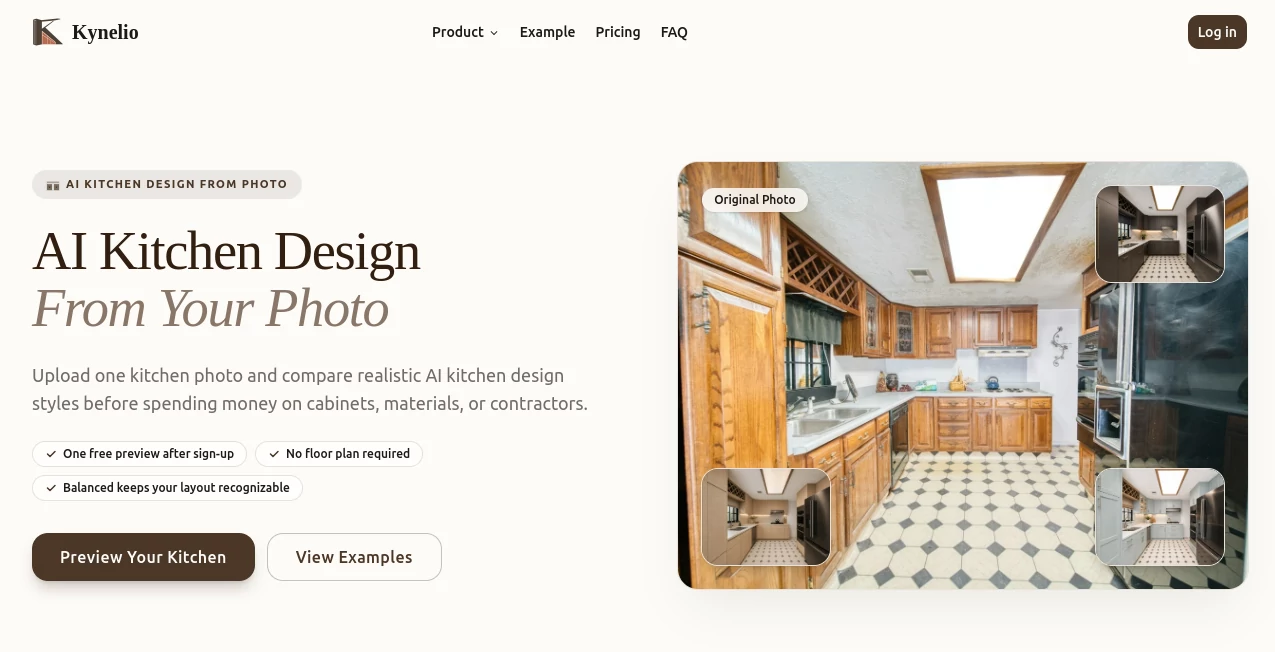
Planning a kitchen renovation can be exciting, but it often comes with uncertainty. Visualizing different layouts, colors, cabinets, and materials before making expensive decisions is one of the biggest challenges for homeowners. This AI-powered platform simplifies that process by transforming a single kitchen photo into realistic redesign concepts within minutes.
Instead of relying on imagination or complex design software, users can upload an existing kitchen image and receive multiple renovation previews generated with artificial intelligence. Whether the goal is a modern upgrade, a Scandinavian-inspired space, a cozy farmhouse kitchen, or a luxurious contemporary design, the platform offers realistic visualizations that help users compare ideas before starting a renovation project.
The service is designed for homeowners, interior designers, architects, real estate professionals, and renovation contractors who need fast, attractive design concepts without spending hours creating manual mockups. It makes kitchen planning more accessible while encouraging creativity and confident decision-making.
Key Features
User Interface
The interface is intentionally straightforward, allowing users to begin with almost no learning curve. Uploading a kitchen photo takes only a few seconds, after which users can choose different design styles and generate multiple concepts. Navigation is clean, making the experience comfortable even for people with no design background.
The workflow focuses on speed rather than complexity, helping users move from an existing room to professionally styled renovation previews in just a few simple steps.
Accuracy & Performance
The AI analyzes the existing structure of the kitchen before generating redesigned concepts. Cabinets, walls, counters, flooring, windows, and lighting are interpreted to produce images that maintain realistic proportions while introducing fresh design ideas.
Generated previews appear detailed enough to help users compare renovation possibilities, explore different aesthetics, and communicate ideas more effectively with contractors or family members.
Capabilities
- Generate kitchen redesign concepts from a single uploaded photo.
- Create multiple interior design variations.
- Explore modern, classic, minimalist, luxury, and other design styles.
- Visualize different cabinet colors and finishes.
- Experiment with countertops, flooring, and backsplashes.
- Preview lighting and decorative improvements.
- Produce realistic renovation inspiration in minutes.
- Help homeowners evaluate remodeling ideas before investing.
- Support designers during client presentations.
- Provide inspiration for renovation planning.
Security & Privacy
Photo uploads are handled through an online platform, allowing users to generate previews without installing additional software. As with any cloud-based AI service, users should review the platform's privacy policy before uploading images containing sensitive or personal information.
Use Cases
- Homeowners planning a kitchen remodel.
- Interior designers presenting concepts to clients.
- Real estate agents showcasing renovation possibilities.
- Architects creating early-stage visualization ideas.
- Renovation contractors discussing design options.
- Furniture and cabinet retailers demonstrating style combinations.
- Property investors evaluating renovation potential.
- DIY enthusiasts exploring creative remodeling ideas.
Pros and Cons
Pros
- Fast generation of kitchen redesign previews.
- Simple photo upload process.
- No professional design experience required.
- Multiple interior styles available.
- Useful for planning renovations before spending money.
- Creates visually appealing concepts for presentations.
- Saves time compared to manual rendering.
Cons
- Generated concepts are intended for visualization rather than construction plans.
- Final renovation costs are not estimated automatically.
- Complex structural modifications may require professional architectural consultation.
- Results depend on the quality of the uploaded image.
Pricing Plans
The platform offers AI-powered kitchen visualization services. Available plans, image limits, and premium features may change over time, so users should visit the official pricing page for the latest subscription details.
How to Use Kynelio
Begin by uploading a clear photo of your existing kitchen. Select the preferred interior style or remodeling direction, then allow the AI to analyze the image and generate redesigned concepts. Compare different variations, save the designs that match your vision, and use them as inspiration when discussing renovation plans with designers, contractors, or family members.
Comparison with Similar Tools
Unlike traditional interior design software that often requires manual modeling and extensive editing skills, this solution focuses on speed and accessibility. Users can receive attractive renovation previews without creating floor plans or learning professional CAD software.
Compared with general AI image generators, the platform specializes in kitchen remodeling, producing results that remain closely aligned with the original room while introducing practical renovation ideas. This targeted approach makes it especially useful for homeowners looking for realistic remodeling inspiration rather than purely artistic images.
Conclusion
Kitchen renovations involve significant financial decisions, making visualization an essential part of the planning process. This AI-powered solution helps users explore renovation possibilities quickly by transforming existing kitchen photos into attractive design concepts. Its intuitive workflow, realistic previews, and variety of interior styles make it a valuable companion for homeowners and professionals alike.
Whether preparing for a complete remodel or simply searching for fresh inspiration, the platform offers an efficient way to experiment with ideas before committing to major changes. The ability to compare multiple design directions in minutes helps reduce uncertainty and encourages more confident renovation decisions.
Frequently Asked Questions (FAQ)
Can I redesign my existing kitchen from just one photo?
Yes. The platform is designed to generate renovation concepts from a single uploaded kitchen image.
Do I need interior design experience?
No. The interface is beginner-friendly and suitable for homeowners as well as professionals.
Can I try different kitchen styles?
Yes. Users can explore multiple interior design styles and compare different remodeling concepts.
Are the generated images construction-ready?
No. The previews are intended for design inspiration and visualization rather than technical construction drawings.
Who benefits most from this platform?
Homeowners, interior designers, architects, renovation companies, and real estate professionals can all use the generated concepts to improve planning and presentations.