
AI Agent Builder by Latenode
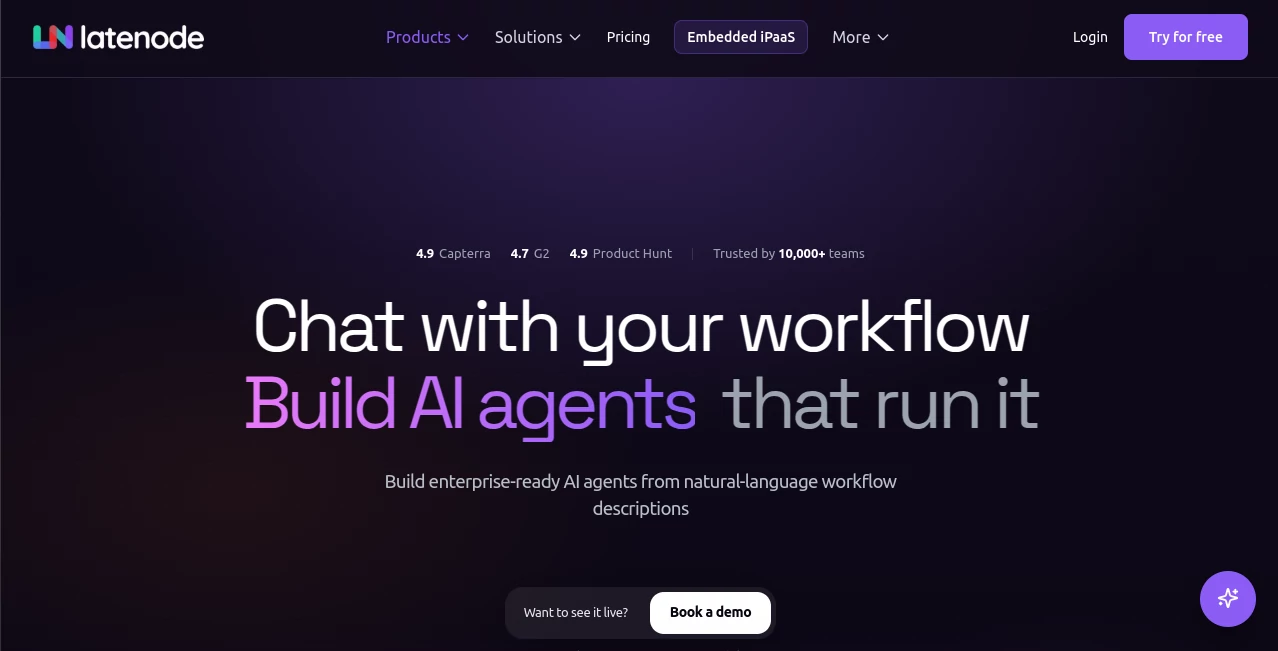
What is AI Agent Builder by Latenode?
Modern businesses rely on dozens of applications, databases, and communication channels. Keeping everything connected often means repetitive manual work that slows teams down and increases the risk of mistakes. This platform addresses that challenge by making AI-powered automation accessible through a visual environment where intelligent agents can be designed, tested, and deployed without unnecessary complexity.
Instead of forcing users to build complicated workflows from scratch, it allows them to describe their objectives in natural language, connect business data, define rules, and deploy production-ready AI agents that can perform meaningful work across thousands of applications. Whether the goal is qualifying sales leads, processing invoices, responding to customer requests, or orchestrating internal workflows, the platform combines AI reasoning with business automation in a practical and scalable way.
One of its strongest advantages is the balance between simplicity and flexibility. Beginners can rely on visual workflow creation, while developers can extend projects with JavaScript, APIs, custom logic, and advanced integrations whenever deeper customization becomes necessary.
Key Features
User Interface
The visual workflow builder keeps the learning curve surprisingly manageable. Every automation is presented as a logical flow, making it easy to understand how information moves between connected services. Natural language instructions accelerate the creation process, while visual editing helps refine complex workflows without overwhelming users.
Accuracy & Performance
Automation becomes significantly more reliable when AI has access to real business context. Connected databases, documents, CRMs, APIs, knowledge bases, and internal systems provide the information needed for informed decisions instead of generic responses. Version control, testing environments, and deployment management also reduce the risk of production errors.
Capabilities
- Build AI agents using natural language instructions.
- Connect with more than 5,500 applications, APIs, and databases.
- Create workflow automations for sales, finance, HR, marketing, and customer support.
- Deploy agents through webhooks, API endpoints, scheduled jobs, or embedded applications.
- Use visual workflow design with optional JavaScript customization.
- Integrate business knowledge bases for context-aware responses.
- Create approval workflows and business rule automation.
- Manage versions and safely test workflow changes before deployment.
- Support enterprise-scale automation projects.
- Reduce repetitive operational tasks across multiple departments.
Security & Privacy
Security receives considerable attention through enterprise-oriented practices including encrypted communications, access controls, audit logs, secure infrastructure, controlled permissions, monitoring, and compliance-ready deployment options. These features make it suitable for organizations handling sensitive operational data while maintaining governance over AI-driven workflows.
Use Cases
- Automating CRM updates and lead qualification.
- Processing invoices and financial approvals.
- Creating intelligent customer support assistants.
- Managing employee onboarding workflows.
- Automating marketing operations across multiple platforms.
- Synchronizing information between cloud applications.
- Building internal AI assistants connected to company knowledge.
- Scheduling repetitive operational processes.
- Generating automated notifications and reports.
- Creating custom business automation pipelines.
Pros and Cons
Pros
- Very large integration ecosystem with thousands of supported services.
- Natural language workflow generation simplifies automation.
- Visual builder is suitable for both technical and non-technical users.
- Advanced JavaScript support enables complex customization.
- Multiple deployment options for production environments.
- Enterprise-focused security and governance features.
- Predictable runtime-based pricing model.
Cons
- Complex enterprise workflows may still require planning and testing.
- Advanced customizations benefit from development knowledge.
- The large number of available features may feel overwhelming for first-time users.
Pricing Plans
A free plan is available for getting started without a credit card, making it easy to explore the platform before committing. Paid options follow a runtime-based pricing model designed to scale with usage rather than charging for every workflow operation. Business customers can also choose managed implementation services for enterprise deployments.
How to Use Latenode AI Agent Builder
Start by defining the business process you want to automate using natural language. Connect the required applications, databases, APIs, or knowledge sources that provide the information your AI agent needs. Configure workflow logic, approvals, and decision rules through the visual builder, then test the automation in a controlled environment. Once validated, deploy it as an API endpoint, scheduled automation, webhook, chatbot workflow, or embedded application depending on your operational requirements.
Comparison with Similar Tools
Compared with many workflow automation platforms, this solution combines AI reasoning, workflow orchestration, extensive integrations, and visual development inside a single environment. While traditional automation platforms primarily focus on connecting applications, this platform extends those capabilities by enabling intelligent agents that understand context, apply business logic, and interact naturally with enterprise data. The ability to blend no-code design with developer-level customization also provides greater flexibility for organizations that expect their automation projects to grow over time.
Conclusion
Organizations looking to move beyond simple automation will appreciate the combination of AI intelligence, visual workflow development, enterprise integrations, and flexible deployment options. The platform successfully bridges the gap between traditional automation software and modern AI agents capable of understanding business context and executing meaningful work. Whether supporting a growing startup or a large enterprise, it offers an impressive foundation for building reliable, scalable, and intelligent business processes.
Frequently Asked Questions (FAQ)
Is coding required?
No. Most workflows can be created visually, while JavaScript remains available for advanced customization.
Can it connect to existing business software?
Yes. It supports thousands of integrations including APIs, databases, CRMs, communication tools, and cloud services.
Is it suitable for enterprise automation?
Yes. Enterprise security controls, testing environments, deployment management, and governance features make it appropriate for large-scale business operations.
Can AI agents use company knowledge?
Yes. Business documents, databases, knowledge bases, and other internal resources can be connected to provide context-aware responses and decisions.
What types of teams benefit most?
Sales, marketing, finance, customer support, HR, operations, and development teams can all automate repetitive workflows while improving consistency and efficiency.
AI Workflow Management , AI Productivity Tools , AI API Design , AI Developer Tools .
These classifications represent its core capabilities and areas of application. For related tools, explore the linked categories above.
AI Agent Builder by Latenode details
Website unavailable — View Alternatives
Pricing
- Free
Apps
- Web App
Categories

AI Agent Builder by Latenode Alternatives Product

SlideStorm AI

CapyQR

Vibe Coding …

kling 3

Yorph AI

MeetAssist

ChatFlowchart
Automaited

YouMind