


















LazyKiwi
What is LazyKiwi?
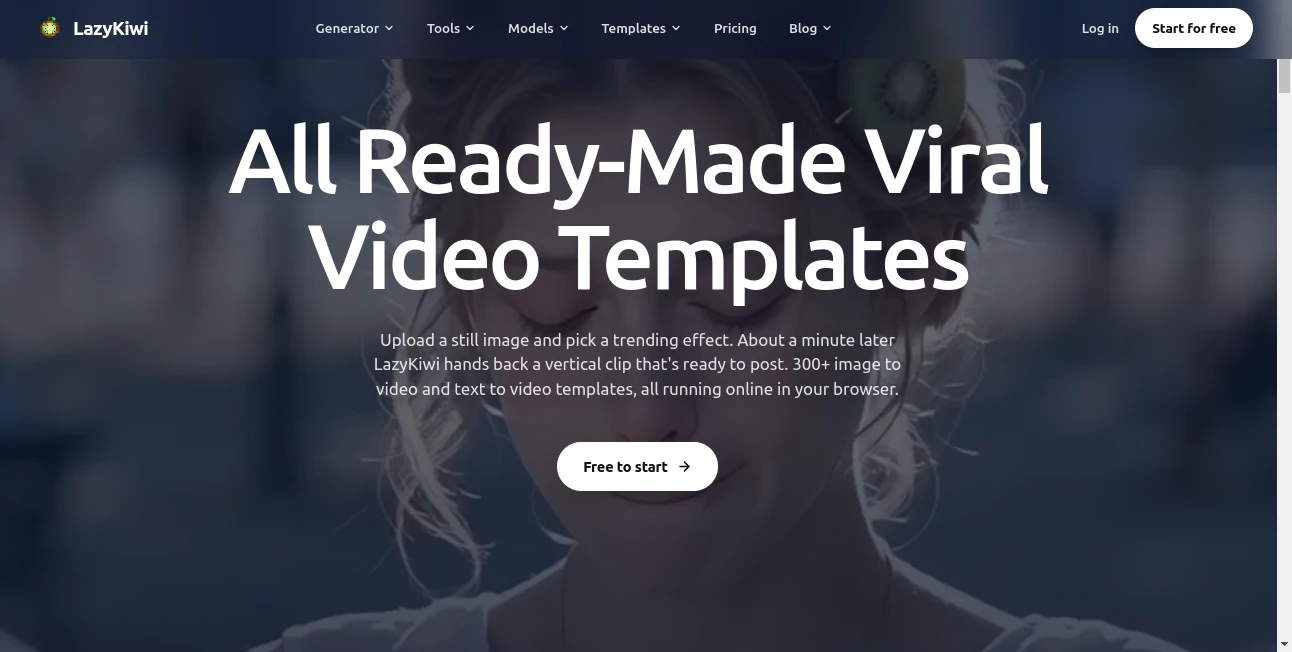
Creating short-form video content often takes more time than the idea itself. Finding the right visual style, choosing an AI model, preparing prompts, and getting a usable final clip can quickly turn a simple concept into a long production process. LazyKiwi brings these steps together in a browser-based creative studio built around AI video, image generation, effects, and ready-made templates.
The platform is particularly useful for creators who want to turn a still image or a simple idea into something made for social media. Its library includes more than 300 image-to-video and text-to-video templates, while the main workbench brings multiple popular AI models into one place. Instead of moving between different services to test different models, creators can compare and generate within the same workflow.
For someone producing TikTok videos, Instagram Reels, YouTube Shorts, product content, promotional clips, or visual experiments, that convenience can make a noticeable difference. You can start with a photo, select an effect or model, make adjustments, and export the result without installing desktop software.
Key Features
- More than 300 ready-made video templates and effects.
- Text-to-video and image-to-video generation.
- Access to multiple video and image models from one workbench.
- Video models including Veo 3, Kling, Hailuo AI, Seedance, WAN, Grok, and other supported models.
- Image generation models including Seedream, Nano Banana, FLUX, GPT Image, Midjourney Blend, and WAN Image Pro.
- Templates designed for social content, transitions, transformations, animation, and visual effects.
- Browser-based generation with no desktop installation.
- Multiple output aspect ratios, including 9:16, 16:9, 1:1, and 4:5 for supported creative tools.
- Free exports are available with no watermark on supported tools.
- Different subscription levels for creators with higher monthly production requirements.
User Interface
The interface is built around a relatively straightforward creative workflow. Instead of starting with a blank video editor and a collection of complicated controls, users can choose a generator, model, or ready-made template and then provide their own material.
This approach is especially helpful for people who are comfortable with creative direction but do not want to spend hours learning traditional motion-design software. A creator can upload an image, select a visual effect, adjust the available controls, and preview the result directly in the browser.
The model workbench is another useful part of the experience. Having several image and video models available in one environment makes experimentation much easier. If one model produces motion that does not fit the idea, switching to another model is far less disruptive than rebuilding the entire workflow somewhere else.
Accuracy & Performance
Output quality naturally depends on the selected model, source material, prompt, and type of generation. The advantage here is that users are not locked into a single generation engine. Different models can be selected according to the visual result required.
The platform also focuses heavily on short-form content, where speed and iteration matter. A creator testing a Reel concept, for example, can generate several variations rather than spending an entire afternoon manually animating one version.
For structured motion graphics, the workflow has another practical advantage. Templates can preserve editable elements such as text, colours, and other controls rather than treating the entire result as an unchangeable video. This makes small revisions much easier when preparing content for a brand or campaign.
Capabilities
The platform covers a surprisingly broad range of visual creation tasks. Its video generation tools can work from text or images, while the template library provides ready-to-use concepts for transformations, transitions, animations, social effects, and other short-form formats.
There are also dedicated creative utilities for tasks such as animated text, logo motion, image extension, photo colorization, AI avatars, outfit changes, interior redesigns, thumbnail creation, and other image-based workflows.
For marketers and creators, this combination is valuable because the same workspace can support different stages of content production. A product image can become a short promotional clip, a thumbnail can be prepared for a video, and a static brand asset can be turned into an animated visual without requiring a completely different application for every task.
Security & Privacy
Privacy matters when working with personal photographs, product assets, and client material. The platform states that uploaded material used by its image-based tools is processed securely and that certain tools keep uploads private rather than selling or publishing them.
Users should still review the current privacy policy and the specific terms of the feature they are using before uploading confidential client material, unreleased campaigns, or sensitive photographs. As with any cloud-based creative service, understanding how files are handled is an important part of a professional workflow.
Use Cases
- Social media creators: Turn photographs and concepts into short-form videos for TikTok, Reels, and Shorts.
- Digital marketers: Produce promotional visuals, product clips, animated advertisements, and campaign variations without organizing a complete video shoot.
- E-commerce businesses: Transform product images into more engaging visual content and experiment with different presentation styles.
- YouTube creators: Create thumbnails, short visual sequences, transitions, and supporting assets for video channels.
- Designers: Explore motion concepts and visual directions before committing to a more complex production workflow.
- Small businesses: Create professional-looking social content without needing a dedicated motion designer for every small campaign.
- Agencies: Test multiple creative directions quickly when preparing concepts for different clients.
- Personal projects: Experiment with animation, image transformation, AI characters, and creative visual effects.
Pros and Cons
Pros
- Large collection of ready-made templates and effects.
- Multiple AI video and image models in one workspace.
- Supports both text-to-video and image-to-video workflows.
- Useful for short-form social media production.
- Browser-based workflow requires no professional editing software.
- Free options are available for testing the platform.
- Supported free exports can be produced without a watermark.
- Several plans are available for different production volumes.
Cons
- Credit consumption varies according to model, duration, resolution, and output count, so frequent generation can become expensive.
- Results can vary considerably between different AI models and source images.
- Users who need advanced traditional video editing may still prefer a dedicated professional editor.
- Some higher-resolution and higher-volume workflows require paid credits or a subscription.
Pricing Plans
The pricing structure is based on monthly credits, with the amount of credit used depending on factors such as the selected model, video duration, resolution, and number of outputs.
- Starter: $14 per month at the current discounted price, including 4,500 credits, two parallel tasks, no-watermark exports, text-to-video and image-to-video generation, and access to more than 300 templates and effects.
- Basic: $29 per month at the current discounted price, including 9,500 credits, three parallel tasks, faster generation, no-watermark exports, and the broader text, image, and video toolset.
- Pro: $75 per month at the current discounted price, including 25,000 credits, four parallel tasks, priority generation, private visibility, and early access to new models.
- Ultimate: $120 per month at the current discounted price, including 40,000 credits, six parallel tasks, the highest generation priority, high-volume workflows, and priority support.
There are also pay-as-you-go options, which can make sense for users who do not want to commit to a recurring subscription. Pricing and promotions can change, so checking the current plan details before purchasing is recommended.
How to Use It
- Open the creative workspace in a modern web browser.
- Choose whether you want to generate a video, create an image, or use one of the available templates and effects.
- Select an AI model when the workflow provides multiple model choices.
- Upload an image or enter a clear description of the content you want to create.
- Adjust the available settings, aspect ratio, or creative controls.
- Generate a preview and compare the result with your original idea.
- Make refinements when necessary and generate another variation.
- Export the finished content in the resolution and format available to your plan.
A useful approach is to start with a very clear visual direction rather than a vague prompt. For example, instead of asking for a generic product video, describe the product, camera movement, lighting, environment, mood, and intended platform. Small improvements in the initial direction can make later iterations much more productive.
Comparison with Similar Tools
Many AI video platforms concentrate on one generation model or one particular style of creation. This platform takes a broader approach by combining multiple models with a large collection of ready-made templates and creative utilities.
This makes it particularly attractive to users who value experimentation. Someone looking for one highly specialized model may prefer a dedicated service built around that model, while a creator who regularly switches between image generation, video generation, templates, and effects may benefit more from having those capabilities under one roof.
The template-driven workflow is another meaningful distinction. Rather than generating every clip entirely from scratch, users can begin with a concept that already has motion and composition decisions built into it. That can be especially useful for social media creators who need consistent output without repeatedly rebuilding the same visual structure.
Conclusion
For creators who want to produce more visual content without maintaining a collection of separate AI services, this platform offers a practical all-in-one workflow. Its combination of multiple image and video models, hundreds of templates, creative effects, and browser-based tools makes it useful for both quick experiments and recurring content production.
The strongest reason to consider it is not simply the number of AI models available. It is the way those models sit alongside ready-made creative workflows. A person with a single photograph can turn it into a short video, experiment with several visual directions, create supporting assets, and prepare content for different social formats without starting from an empty editing timeline.
It is not a replacement for every professional video editor or production pipeline. However, for creators, marketers, small businesses, and teams producing short-form visual content, it offers a convenient way to move from an idea to a publishable asset with considerably less technical overhead.
Frequently Asked Questions (FAQ)
What is this platform used for?
It is an AI creative studio for generating and transforming images and videos. It includes text-to-video, image-to-video, image generation, ready-made templates, motion effects, and several specialized creative tools.
Can I create videos from images?
Yes. Image-to-video generation is one of the core workflows. Users can provide a still image and use supported models or templates to create animated video content.
Does it support text-to-video generation?
Yes. The platform provides text-to-video capabilities through its video generation workspace and supported AI models.
Can I use different AI models?
Yes. The model workbench brings multiple image and video models into one environment, allowing users to compare different approaches instead of relying on a single generation engine.
Is there a free option?
Yes. The platform provides free ways to start creating, while specific tools and exports may have daily limits or credit requirements. Some tools offer free 720p exports without watermarks.
Do I need video editing software?
No for the basic generation workflows. The creative tools run in the browser and are designed to produce finished assets without requiring traditional desktop editing software.
Is it suitable for social media content?
Yes. Its templates and workflows are particularly well suited to short-form content for platforms such as TikTok, Instagram Reels, and YouTube Shorts, with multiple aspect ratios available across supported tools.
Which plan is best for frequent creators?
The Basic plan is positioned for creators publishing several times a week, while Pro and Ultimate are designed for daily production, client work, paid campaigns, studios, and higher-volume workflows.
How are credits calculated?
Credit usage depends on factors including the selected model, generation duration, resolution, and number of outputs. This means the same number of credits can produce different amounts of content depending on the workflow.
Can businesses use the generated content?
The platform is designed for creator and commercial workflows, but users should review the current terms and the conditions of the specific model or asset before using generated material in commercial campaigns.
Is the platform suitable for beginners?
Yes. Ready-made templates reduce the need for advanced animation knowledge, while the model-based workflow gives more experienced creators room to experiment with different generation engines and creative directions.
AI Photo & Image Generator , AI Image to Video , AI Video Generator .
These classifications represent its core capabilities and areas of application. For related tools, explore the linked categories above.

LazyKiwi Alternatives Product
Seedance 2.0…

Veo 4 AI

Wan 2.7

Nano Image AI

Nano Banana 2

seedance 3.0

Seedance 2.0…

Flowmata AI

SocialRails
