

















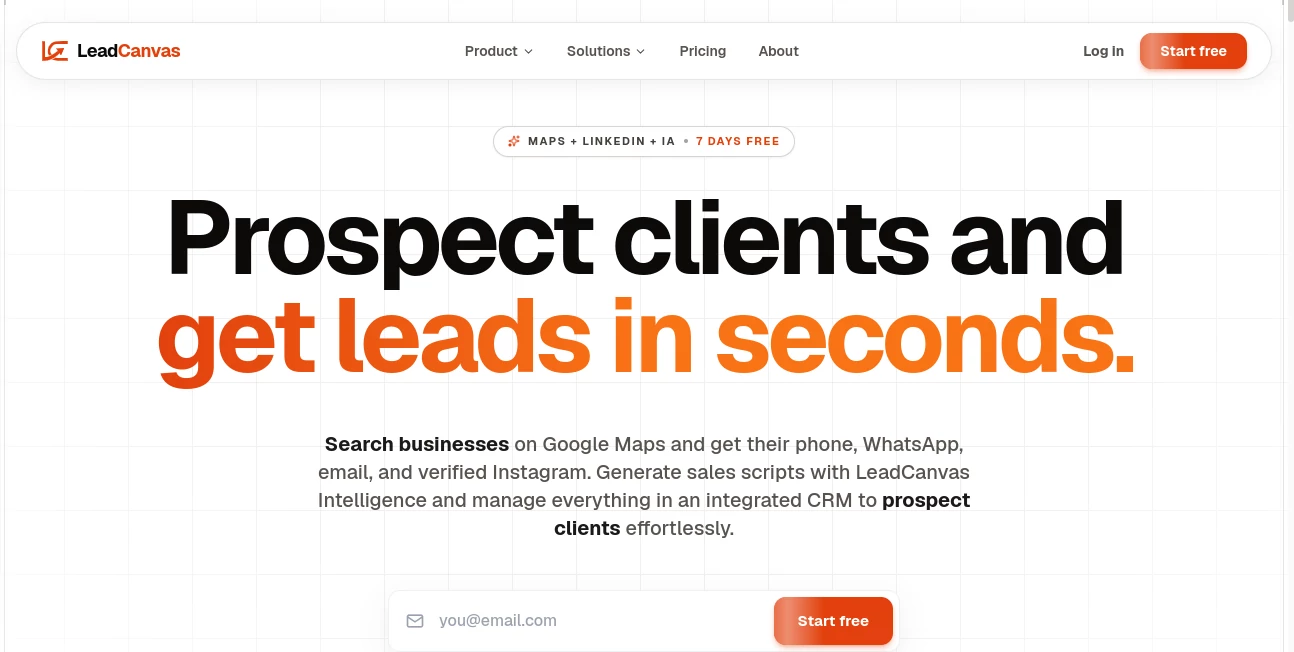
What is LeadCanvas?
Finding qualified B2B prospects often means jumping between multiple websites, checking company information manually, verifying contact details, and spending valuable hours before sending the first outreach message. LeadCanvas simplifies this entire workflow by bringing prospect discovery, business intelligence, and AI-powered personalization into one platform. Designed for freelancers, agencies, consultants, and sales teams, it helps users identify local businesses, discover decision-makers, analyze online presence, and generate highly personalized outreach messages within minutes.
Instead of relying on outdated lead databases, the platform gathers fresh business information from Google Maps and enriches every profile with data from multiple public sources. Users receive verified phone numbers, WhatsApp availability, email addresses, LinkedIn contacts, advertising insights, website performance metrics, SEO observations, and technology stack information—all organized inside an intuitive CRM. The result is a faster prospecting process that focuses on quality conversations rather than repetitive research.
Key Features
User Interface
The dashboard is clean and built around a practical sales workflow. Users simply choose an industry and location, launch a search, and review organized lead profiles from a Kanban-style CRM. Filters make it easy to prioritize businesses based on advertising activity, website quality, ratings, or other buying signals. Navigation feels natural even for first-time users, reducing the learning curve for busy professionals.
Accuracy & Performance
Business information is collected from live public sources instead of static databases, helping users work with more relevant and current data. Verified contact information, enriched company profiles, and real-time analysis reduce the effort needed to qualify prospects manually. AI-generated outreach messages are based on each company's digital presence, making communications more relevant than generic sales templates.
Capabilities
The platform combines Google Maps prospecting, LinkedIn company research, decision-maker discovery, website auditing, SEO insights, PageSpeed analysis, technology stack detection, advertising activity monitoring, CRM management, and AI-generated outreach in one workspace. It also supports exporting leads and managing sales pipelines without requiring additional prospecting software.
Security & Privacy
The service operates over secure encrypted connections and works primarily with publicly available business information. Account management, subscription handling, and customer data protection are supported through secure infrastructure, allowing businesses to manage prospecting activities with confidence while maintaining organized records inside their workspace.
Use Cases
Digital marketing agencies can identify companies already investing in advertising and offer optimization services backed by real website performance insights. SEO specialists can locate businesses with technical issues and approach them using personalized recommendations. Freelancers offering web design or branding services can quickly discover companies with outdated websites. Sales representatives can find verified decision-makers and generate tailored outreach messages without hours of manual research. Consultants can build targeted prospect lists for virtually any city or industry while keeping every opportunity organized inside a visual sales pipeline.
Pros and Cons
Pros
Combines multiple prospecting tools into one platform.
Provides verified contact information and business intelligence.
Includes AI-generated personalized outreach messages.
Integrated CRM helps organize the entire sales process.
Supports worldwide searches where Google Maps business data is available.
Cons
Best suited for B2B and local business prospecting rather than consumer markets.
Some advanced intelligence features are available in higher subscription tiers.
Pricing Plans
A free trial is available for new users. Paid subscriptions include Starter, Pro, and Growth plans with increasing monthly lead limits and advanced prospecting capabilities such as LinkedIn decision-maker discovery, advertising analysis, website auditing, AI insights, and team collaboration features. Flexible monthly billing is available without long-term commitments.
How to Use LeadCanvas
Start by selecting a business category and target city. Launch a search to generate local business prospects from Google Maps. Review enriched company profiles containing contact information, website insights, advertising activity, and decision-makers. Filter opportunities based on your preferred buying signals, then allow the AI assistant to create personalized outreach messages. Finally, organize prospects inside the built-in CRM, track conversations, and move opportunities through your sales pipeline.
Comparison with Similar Tools
Traditional lead generation platforms usually focus on contact databases, while website auditing tools only analyze online performance. CRM platforms organize sales activity but rarely generate qualified prospects automatically. This solution stands out by combining prospect discovery, company intelligence, website diagnostics, verified contact information, AI messaging, and pipeline management into a unified workflow. Businesses can replace several separate subscriptions with a single platform that supports every stage of prospecting.
Conclusion
Modern sales teams need more than a list of company names—they need context, verified information, and personalized communication that stands out. This platform delivers exactly that by transforming scattered public data into actionable sales intelligence. Whether you're a freelancer searching for new clients, a marketing agency scaling outreach, or a growing sales team looking to improve efficiency, it offers an impressive combination of automation, business insights, and AI assistance that can dramatically reduce research time while increasing the quality of every sales conversation.
Frequently Asked Questions (FAQ)
Can it find businesses in different countries?
Yes. Searches work anywhere Google Maps contains business listings, making it suitable for international prospecting.
Does it include verified contact information?
Yes. Business profiles can include verified phone numbers, WhatsApp availability, email addresses, and additional public business information.
Is it suitable for freelancers?
Absolutely. Freelancers, agencies, consultants, and small sales teams can all benefit from faster client acquisition.
Does it generate personalized outreach messages?
Yes. AI analyzes business information and creates customized outreach messages that can be adapted for email, WhatsApp, or professional networking.
Is there a free trial?
Yes. New users can try the platform before choosing one of the paid subscription plans.