
Magic Eraser
What is Magic Eraser?
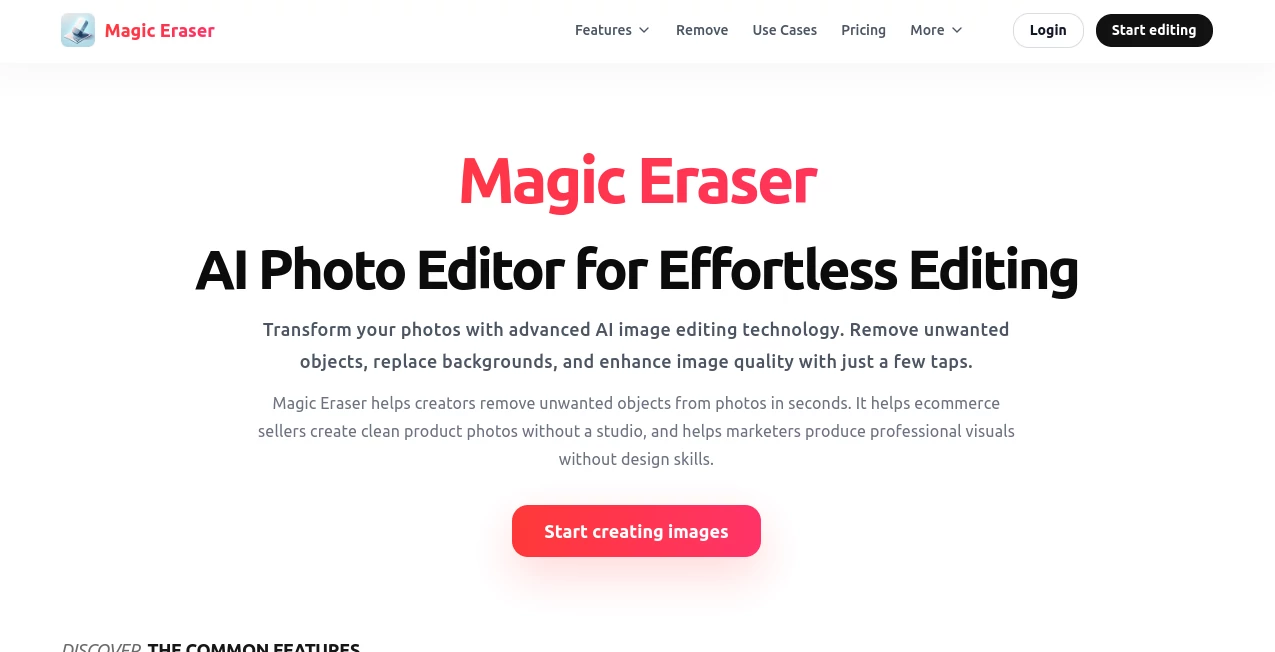
Magic Eraser is an AI-powered photo editing platform designed to make professional image improvements simple for everyone. It helps users remove unwanted objects, clean up backgrounds, enhance image quality, and create polished visuals without needing advanced editing skills. With intelligent AI technology, everyday photos can be transformed into cleaner and more engaging images in just a few steps.
Whether you are a content creator preparing social media posts, an online seller improving product photos, or simply someone who wants to fix imperfections in personal pictures, this tool provides a fast and practical editing experience. The platform focuses on removing the complexity of traditional photo editing while keeping powerful creative features within reach.
Key Features
User Interface
The interface is designed with simplicity in mind. Users can upload an image and quickly access essential editing options without dealing with complicated menus or professional editing panels. The clean workflow makes it suitable for beginners while still providing useful controls for experienced creators.
The editing process feels natural because most actions require only a few clicks or selections. This approach allows users to focus more on creativity rather than learning complicated software.
Accuracy & Performance
The platform uses AI-based image processing to analyze photos and intelligently adjust selected areas. Object removal technology helps erase unwanted elements while reconstructing surrounding details to create a more natural-looking result.
AI enhancement features improve image clarity, lighting, and overall quality. The system is especially useful when working with images that need quick improvements before publishing or sharing.
Capabilities
The tool offers a wide range of AI photo editing capabilities, including:
- AI object removal for eliminating unwanted people or items from images
- Background removal for creating cleaner compositions
- Background replacement to change the visual environment of photos
- AI image enhancement for improving sharpness and quality
- AI expansion for extending image borders naturally
- Creative AI filters for applying new visual styles
- Basic editing tools such as cropping, rotating, and adjustments
These features make it a flexible choice for personal photography, marketing content, ecommerce images, and creative projects.
Security & Privacy
The platform is designed to provide a secure editing experience while allowing users to process their images conveniently. Users should review the latest privacy information and settings when uploading personal or business-related photos.
For creators and businesses handling visual assets, understanding how images are processed and managed is an important step in maintaining control over digital content.
Use Cases
This AI photo editor can be useful in many everyday and professional situations. Some common use cases include:
- Ecommerce: Improve product photos by removing distractions, changing backgrounds, and creating cleaner product presentations.
- Social Media: Prepare attractive posts by enhancing photos and removing unwanted elements.
- Photography: Quickly clean up images without spending hours on manual retouching.
- Marketing: Create professional-looking visuals for advertisements and campaigns.
- Personal Photos: Restore old images, improve quality, or remove unwanted objects from memorable pictures.
- Design Projects: Generate polished visuals for presentations, websites, and creative content.
Pros and Cons
Pros
- Simple interface suitable for beginners
- AI-powered object removal and background editing
- Fast image enhancement workflow
- Useful for both personal and professional projects
- Reduces the need for complex editing software
- Available across web and mobile platforms
Cons
- Advanced professional editors may require more specialized controls
- Some complex images may need additional manual adjustments
- Premium features may require a paid plan
Pricing Plans
The platform provides flexible options for different types of users. A free plan allows users to access essential editing features and start creating without an upfront cost. Premium plans provide access to additional editing capabilities, enhanced AI features, unlimited exports, and an improved experience without advertisements.
The available pricing structure makes it suitable for casual users who occasionally edit photos as well as creators who need regular AI-powered editing tools.
How to Use Magic Eraser
Using the platform is straightforward:
- Upload the image you want to edit.
- Select the AI editing feature you need.
- Highlight objects, areas, or backgrounds that require changes.
- Let the AI process the image automatically.
- Review the result and export your improved photo.
The simple workflow allows users to achieve professional-looking results without spending time learning complicated editing techniques.
Comparison with Similar Tools
Compared with traditional photo editing software, this AI solution focuses on speed and accessibility. Instead of manually selecting, masking, and retouching every detail, users can rely on automated tools to complete common editing tasks much faster.
While professional applications offer deeper customization for expert designers, this platform is a strong option for users who want quick results, especially for social media content, product images, and everyday photography.
Conclusion
Magic Eraser brings AI-powered photo editing to users who want professional improvements without complicated workflows. Its combination of object removal, background editing, enhancement tools, and creative features makes it a practical solution for creators, businesses, and everyday photographers.
By simplifying tasks that traditionally required advanced editing skills, the platform helps users spend less time fixing images and more time creating meaningful visual content.
Frequently Asked Questions (FAQ)
What can this AI photo editor do?
It can remove unwanted objects, edit backgrounds, enhance image quality, expand photos, and apply creative AI-based improvements.
Is it suitable for beginners?
Yes. The simple interface allows beginners to improve photos without previous experience in professional editing software.
Can it be used for product images?
Yes. Ecommerce sellers can use it to create cleaner product photos by removing distractions and improving backgrounds.
Does it support mobile devices?
Yes. The service is designed to work across web and mobile platforms, allowing users to edit images conveniently.
Can AI improve low-quality photos?
Yes. AI enhancement features can improve clarity, lighting, and overall image quality depending on the original photo condition.
AI Background Remover , Photo & Image Editor , AI Photo Enhancer , AI Image to Image .
These classifications represent its core capabilities and areas of application. For related tools, explore the linked categories above.

Magic Eraser Alternatives Product
Circle Crop …

Nano Banana …

GEMPIX2

Color-Analys…

Image Unblur

Nano Banana 2

AI Hairstyle

Max Studio AI
Seedream 4.5