
















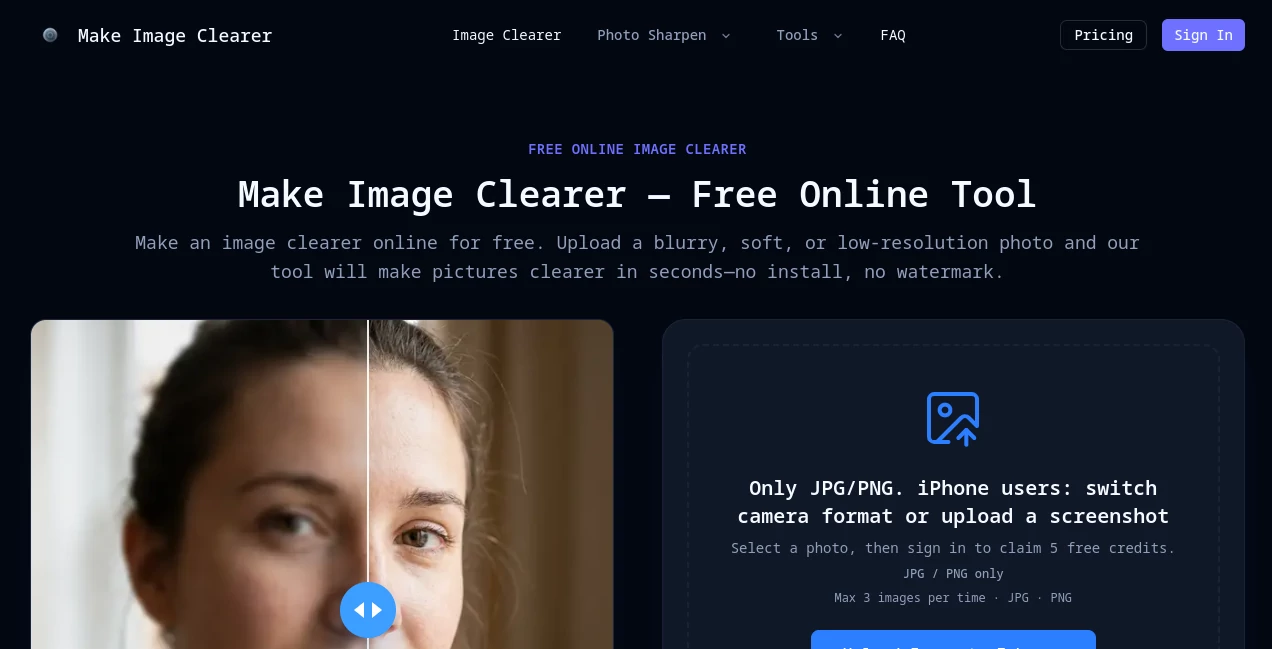
What is Make Image Clearer?
Blurry photos, unreadable screenshots, and low-quality images can quickly reduce the impact of visual content. MakeImageClearer offers a simple browser-based solution that uses artificial intelligence to restore clarity, sharpen details, reduce noise, and improve overall image quality in just a few clicks. Whether you're enhancing personal memories, preparing product photos for an online store, or making text easier to read in screenshots, the platform delivers impressive results without requiring professional editing skills.
Unlike traditional editing software that often demands experience and manual adjustments, this AI-powered solution automatically analyzes each image and applies intelligent enhancements based on the content. From restoring old family photographs to improving social media images, it provides a fast and convenient workflow suitable for beginners and professionals alike.
The service supports popular image formats including JPG, PNG, and WEBP, processes multiple images at once, and even allows users to preview results before deciding to download the enhanced version. For anyone looking for a quick way to improve image quality online, this platform delivers a remarkably smooth experience.
Key Features
User Interface
The interface is refreshingly straightforward. Images can be uploaded using drag-and-drop functionality, and the enhancement process starts almost immediately. There are no complicated settings to configure, making the platform approachable even for users who have never edited images before. The clean layout helps visitors focus entirely on improving their photos.
Accuracy & Performance
The AI engine is designed to recover lost details, reduce motion blur, minimize compression artifacts, and clean up noisy images while maintaining a natural appearance. Instead of applying excessive sharpening that creates unrealistic edges, the system intelligently balances clarity and texture restoration to produce visually pleasing results.
Capabilities
The platform supports a wide variety of enhancement tasks including improving blurry photos, restoring old photographs, sharpening screenshots, increasing readability of text images, cleaning low-light pictures, enhancing product photography, and improving low-resolution graphics. It also provides free previews before users spend credits on downloads, allowing them to evaluate the improvements first.
Security & Privacy
User privacy is clearly considered throughout the workflow. Uploaded images are processed privately, and according to the platform, files are automatically deleted after 24 hours. This makes the service suitable for users working with personal photographs or sensitive visual documents that should not remain stored indefinitely.
Use Cases
The platform is useful across many everyday scenarios. Content creators can enhance social media images before publishing. E-commerce sellers can improve product photos to showcase details more effectively. Students and office professionals can clarify screenshots, scanned documents, and presentation graphics. Families can restore treasured old photographs, while photographers can rescue slightly blurred images that would otherwise be discarded. Even travelers can breathe new life into older vacation pictures that deserve to be shared.
Pros and Cons
Pros
Easy-to-use browser interface.
AI automatically improves image clarity without manual editing.
Supports JPG, PNG, and WEBP formats.
Works for portraits, screenshots, documents, old photos, and product images.
Free preview before downloading.
Multiple image uploads supported.
Private processing with automatic image deletion.
Cons
Advanced processing requires credits.
Extremely damaged or heavily blurred images may not be fully recoverable.
Requires an internet connection since processing is cloud-based.
Pricing Plans
The service offers a free preview that allows users to test enhancements before committing to downloads. Higher-quality outputs and additional processing are available through a credit-based pricing system, making it flexible for both occasional users and those who regularly enhance images.
How to Use MakeImageClearer
Upload a JPG, PNG, or WEBP image directly from your device.
Allow the AI to analyze and enhance the image automatically.
Preview the improved result.
Download the enhanced image if satisfied with the quality.
Comparison with Similar Tools
Compared with conventional photo editors, this platform focuses entirely on speed and simplicity. Users do not need to learn editing techniques or spend time adjusting multiple parameters. Unlike basic sharpening filters that only increase edge contrast, the AI reconstructs missing details while reducing blur and image noise simultaneously. This balanced approach makes the final output appear cleaner and more natural for everyday use.
Conclusion
For anyone searching for an efficient online image enhancement solution, this AI-powered platform provides an excellent balance between quality, speed, and ease of use. Its intelligent enhancement engine, privacy-focused processing, support for multiple image types, and convenient preview system make it suitable for casual users, creators, businesses, and professionals alike. Whether the goal is restoring old memories or improving visuals for work, the platform delivers reliable results without unnecessary complexity.
Frequently Asked Questions (FAQ)
Can it fix blurry photos?
Yes. It performs best on mildly to moderately blurry images by improving clarity and restoring visible details.
Does it work on old photographs?
Yes. Old family photos can be enhanced by reducing fading, improving contrast, and recovering finer details.
Which image formats are supported?
JPG, PNG, and WEBP images are supported for uploading.
Is there a free version?
Users can preview enhanced images for free before deciding whether to purchase credits for downloads.
Are uploaded images kept private?
Yes. Uploaded files are processed privately and are automatically removed after a limited storage period.