

















What is AI Interior Design Free?
I still remember standing in my living room, staring at the same beige walls for years, wishing I could see how it would look with a different style. Then I tried this tool and suddenly I had dozens of beautiful versions of my own space in minutes. It takes a simple photo of your room and transforms it into stunning interior designs across many styles — modern minimal, cozy Scandinavian, warm bohemian, you name it. The best part? It actually feels like your room, just better. Friends who saw the before-and-after pictures asked me who my designer was. When I told them it was free and took seconds, they were shocked.
Introduction
Moving furniture around in your head is exhausting. Hiring a professional designer is expensive and slow. This platform removes both problems. You upload a photo of any room — living room, bedroom, kitchen, office — and the AI instantly shows you how it could look with different aesthetics, furniture arrangements, and color palettes. It’s surprisingly good at understanding the existing layout, lighting, and proportions, so the results feel realistic rather than generic AI fantasy. Whether you’re planning a full renovation, just looking for inspiration, or simply having fun reimagining your space, it makes the whole process exciting and accessible.
Key Features
User Interface
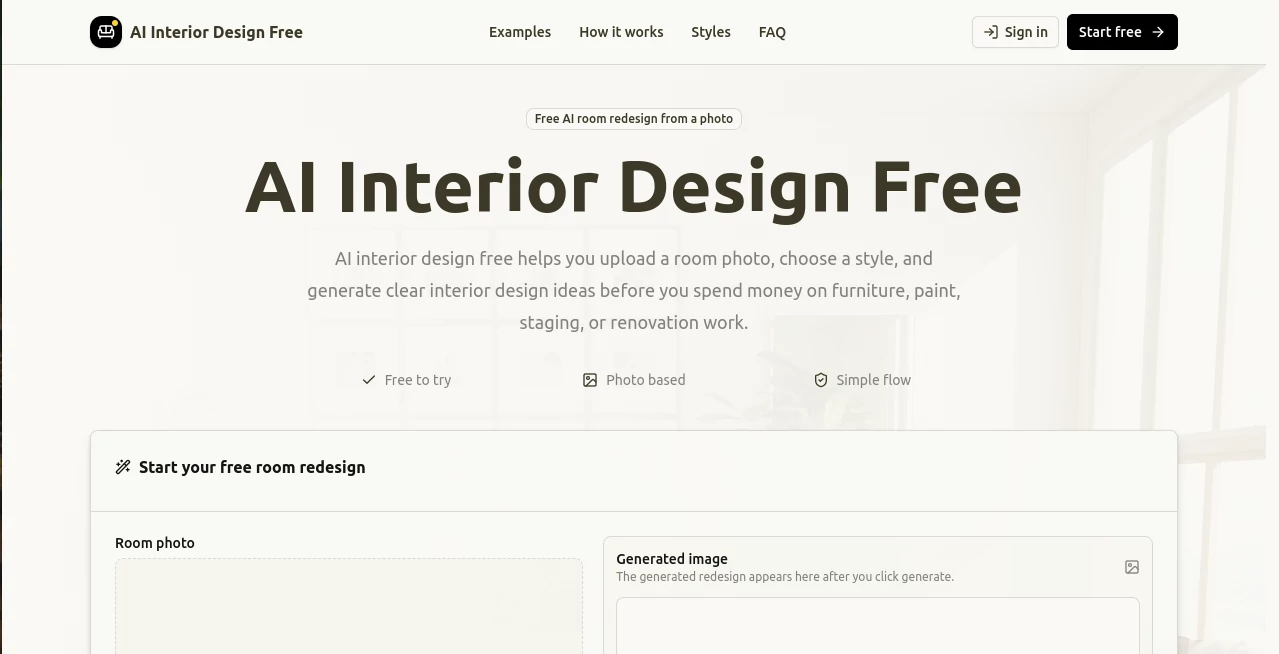
The experience is delightfully simple. Big upload button in the center, a few popular style options below, and that’s basically it. No complicated menus or technical settings. After uploading, you see a grid of different redesigns that load quickly. You can swipe through styles like Japandi, Mid-century Modern, Luxury, or even Seasonal themes. Everything feels intuitive, like flipping through a beautiful interior magazine that magically uses your own room.
Accuracy & Performance
What impressed me most is how well it understands the original space. It keeps windows, doors, and major architectural elements in place while intelligently replacing furniture, colors, and decor. The lighting and perspective stay consistent, which makes the images feel believable. Generation is fast — usually just a few seconds per variation — and the quality is high enough for serious planning or even sharing with contractors.
Capabilities
You can start with a photo or even a blank description. It supports dozens of interior styles and lets you generate multiple variations at once. You can refine results by describing changes (“make it more minimalist” or “add plants”). It works great on all kinds of rooms and handles both empty and furnished spaces. The outputs are high-resolution and ready to download for mood boards, client presentations, or just daydreaming about your next home project.
Security & Privacy
Your uploaded photos are processed privately and not stored long-term or used for training unless you explicitly allow it. No account is forced for basic use, so you can experiment freely without handing over personal data. That respectful approach makes it feel safe to upload pictures of your actual home.
Use Cases
A young couple planning their first apartment upload photos of empty rooms and quickly compare different budget-friendly styles before buying furniture. A homeowner considering renovation uses it to show contractors exactly what they want. An interior designer creates instant mood boards for clients during consultations. Even people who just moved use it to visualize how their furniture will look in the new place. It’s surprisingly useful for both serious planning and pure fun.
Pros and Cons
Pros:
- Truly free with no hidden limits on basic generations.
- Results look realistic and respect your existing room layout.
- Fast generation and many different styles to explore.
- No design skills needed — perfect for regular homeowners.
- Great quality for both inspiration and practical planning.
Cons:
- Very complex or cluttered rooms sometimes need simpler input photos.
- Advanced features like batch processing or ultra-high resolution are limited in the free version.
Pricing Plans
The free version is genuinely useful and generous — you can generate plenty of designs without paying anything. Paid plans unlock faster generation, more styles, higher resolution downloads, and priority access during busy times. The upgrade feels worth it once you start using it seriously for bigger projects, but many people happily stick with the free tier for casual use.
How to Use AI Interior Design Free
Take a well-lit photo of your room (the clearer, the better). Upload it on the site. Choose one or more styles you like or let it surprise you with variations. Wait a few seconds and browse the different redesigns. Use the before/after slider to compare. Download your favorites in high resolution. If you want something slightly different, add a text prompt like “add more plants” or “make it cozier” and generate again. The whole process is fast enough that you can explore many options in one sitting.
Comparison with Similar Tools
Many interior AI tools either produce cartoonish results or require paid subscriptions from the start. This one stands out with its balance of quality, realism, and generous free access. While some competitors focus only on empty rooms, this one works well with your existing furniture too. The combination of speed, natural-looking outputs, and no-pressure pricing makes it one of the most practical options available right now.
Conclusion
Redesigning your home should be exciting, not stressful. This tool takes away the biggest barriers — cost, time, and technical skill — and lets you play with ideas until something feels right. Whether you’re moving, renovating, or just dreaming about changes, it turns vague wishes into clear visuals you can actually use. It’s the kind of simple, powerful tool that makes good design feel accessible to everyone.
Frequently Asked Questions (FAQ)
How good do my input photos need to be?
The clearer and better lit, the better the results — but it still works surprisingly well with normal smartphone photos.
Can I use the generated images commercially?
Yes, especially images you generate on paid plans. Free versions are fine for personal use.
How many styles are available?
Dozens, from modern and minimalist to bohemian, luxury, Japandi, and seasonal themes.
Is there a limit on free generations?
There’s a generous daily limit that works well for most personal projects.
Does it work on mobile phones?
Yes, the whole experience is fully responsive and works great on phones.