
Meku
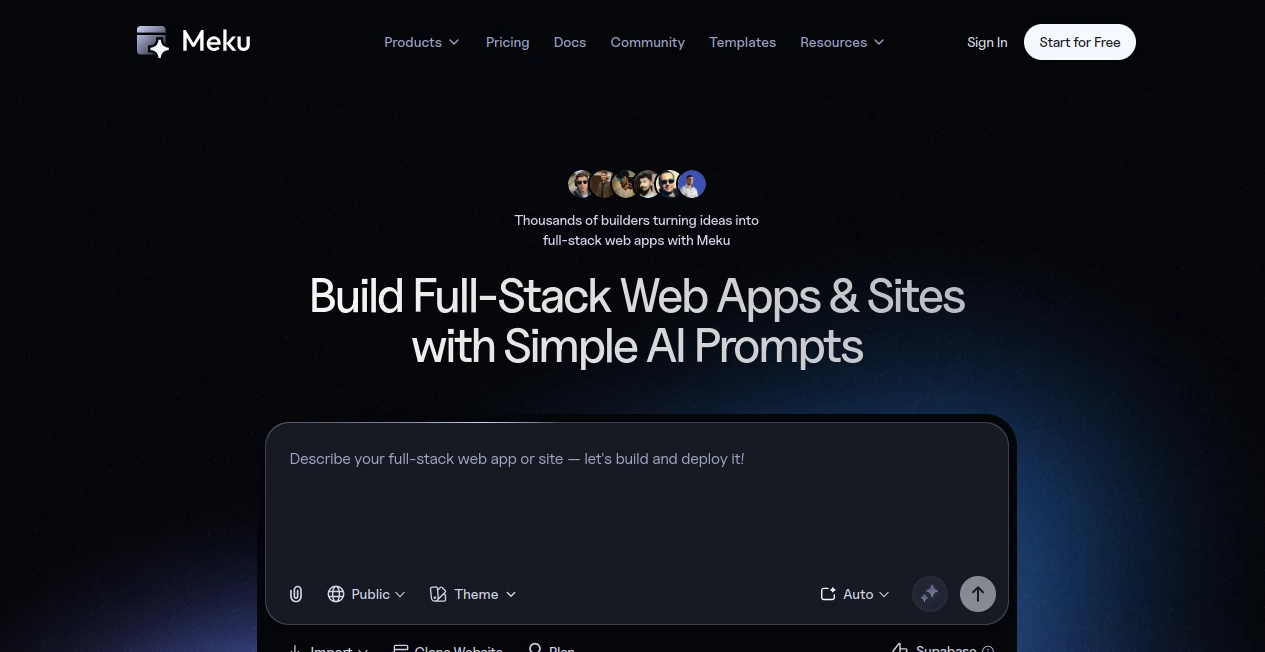
What is Meku?
Meku is an AI-powered web app and website builder designed to turn plain-language ideas into functional, production-ready web applications and sites. Instead of beginning with an empty code editor, users can describe what they want to create and let AI generate the initial project, interface, structure, and functionality.
What makes the platform particularly interesting is its focus on real applications rather than simple visual mockups. It generates React and Tailwind projects, supports full-stack workflows, and can connect with services such as Supabase, GitHub, Figma, and custom APIs. Projects can then be refined through conversational prompts before being deployed or exported.
For a founder testing an idea, a developer building an MVP, or a small team creating an internal tool, this approach can remove a surprising amount of repetitive setup. You can start with something as simple as “build a customer dashboard” and gradually turn that idea into a more complete product.
Key Features
- Natural-language prompts for generating web apps and websites
- Production-ready React and Tailwind code
- Full-stack application support with authentication, databases, APIs, and real-time functionality
- AI-assisted iterative development through conversational prompts
- One-click deployment with custom domain support
- GitHub integration for pushing, pulling, and syncing projects
- Supabase integration for databases, authentication, APIs, and backend functionality
- Figma import support for bringing designs into the development workflow
- Project export for supported paid plans
- Live previews, undo/redo, and real-time updates
- Multiple AI model profiles through the LLM Switcher
User Interface
The interface is built around a conversational development workflow. Rather than forcing users through a long configuration process, the main interaction is describing what should be built and then refining the result.
This makes the experience feel closer to working with a developer than filling out a traditional website-builder form. You can ask for a new section, modify an existing component, change the layout, or introduce a feature without rebuilding the project from scratch.
The live preview is especially useful here. A practical workflow is to generate a first version, inspect it, identify what feels wrong, and then make focused changes through additional prompts. The documentation recommends this iterative approach because the system maintains context between prompts.
Accuracy & Performance
The platform is built around rapid generation and iteration. Its website states that the first working version can be produced in less than a minute, giving users a quick way to move from an idea to something they can actually interact with.
Performance will naturally depend on the complexity of the requested application and the integrations involved. A simple landing page is very different from a SaaS dashboard with authentication, databases, and custom APIs. Still, the ability to generate a functional starting point quickly is valuable when speed matters more than manually constructing every piece from the beginning.
The LLM Switcher also gives users control over how AI generation is handled. Auto mode can select an appropriate model automatically, while available profiles can be selected when users want to balance reasoning depth, speed, and credit consumption.
Capabilities
The strongest part of the platform is its range. It can be used for landing pages, dashboards, SaaS products, directories, e-commerce projects, internal business applications, and MVPs.
Developers can provide additional technical context, including database schemas and API requirements, so generated projects are not limited to superficial interfaces. The system can work with React and Tailwind on the frontend and integrate with services such as Supabase for backend functionality.
There is also a strong emphasis on ownership. Generated projects can be exported to GitHub or downloaded as project files on eligible plans, allowing developers to continue working on the code outside the platform rather than being permanently tied to a closed visual builder.
Security & Privacy
Security considerations are important when building applications that contain user accounts, business information, or customer data. The platform supports integrations for authentication and databases through services such as Supabase, allowing developers to build applications with established backend infrastructure rather than handling every component manually.
For payments, the pricing page states that card information is not stored on the server and that payments are processed through payment gateways. It also states that the site uses 128-bit SSL encryption.
As with any AI development platform, users should still review generated applications, authentication flows, permissions, API keys, and database rules before deploying an application containing sensitive information.
Use Cases
- MVP development: Turn an early startup concept into a working product quickly and use it to gather real user feedback.
- SaaS applications: Build dashboards, authentication flows, databases, and application interfaces without starting every component manually.
- Internal tools: Create custom business dashboards, administrative panels, data tools, and workflow applications.
- Landing pages: Generate responsive marketing pages and refine their structure through conversation.
- Directories: Create searchable directory-style applications with custom layouts and data-driven functionality.
- E-commerce: Prototype online stores and commerce-focused interfaces with application logic and integrations.
- Design-to-code workflows: Bring Figma frames into the development process and turn designs into editable web projects.
- Rapid experiments: Test several product ideas without spending days preparing a development environment for each one.
Pros and Cons
Pros
- Turns natural-language descriptions into working web applications
- Produces editable React and Tailwind code
- Supports both frontend and full-stack application workflows
- Useful for MVPs, SaaS products, internal tools, and websites
- Supports GitHub, Figma, and Supabase integrations
- Allows projects to be refined conversationally while retaining context
- Provides custom-domain and deployment options
- Offers a free plan for testing the workflow
- Paid plans provide project export and additional collaboration features
Cons
- Complex applications may still require developer review and manual refinement
- AI-generated code should be tested before being used in production
- Free usage comes with project and credit limitations
- Private projects and exports are restricted on the free plan
- Credit consumption can vary depending on the AI workflow and generation requirements
Pricing Plans
The platform uses a credit-based pricing model, with plans designed for different levels of usage. The free tier is useful for trying the product before committing to a subscription, while paid tiers increase project limits, credits, private projects, domains, and collaboration features.
- Free: $0 with 100 credits per month, up to 3 projects, 1 workspace, a 50-credit daily cap, and community support. Private projects and project exports are not included.
- Starter: Listed at $12 per month on the current discounted monthly pricing, with 800 credits, 20 active projects, 3 team workspaces, up to 5 private projects, and up to 5 custom domains.
- Pro: Listed at $19 per month on the current discounted monthly pricing, with 2,000 credits, 50 active projects, 5 team workspaces, up to 10 team members, no daily credit cap, and up to 20 private projects and custom domains.
- Growth: Listed at $39 per month on the current discounted monthly pricing, with 5,000 credits, 100 active projects, 10 team workspaces, up to 25 members, and up to 50 private projects and custom domains.
The pricing page also notes that each credit represents 1,000 AI API tokens. Additional credits can be purchased when needed, and subscriptions can be canceled from account settings while remaining active until the end of the current billing cycle.
How to Use Meku
Getting started is straightforward. After creating an account, begin a new project and describe the website or application you want to build. The more useful the initial description, the easier it becomes for the AI to establish the right structure.
- Describe the application, website, or feature you want to build.
- Let the AI generate the first working version.
- Open the live preview and inspect the result.
- Use short, focused prompts to change layouts, features, components, or logic.
- Add technical context such as APIs, database schemas, or integrations when necessary.
- Connect services such as GitHub or Supabase when your project requires them.
- Continue testing and refining the application until it is ready.
- Deploy the project, connect a custom domain, or export the code on an eligible plan.
A good practical approach is to avoid trying to describe an entire complicated product in one enormous prompt. Start with the core experience, inspect what is generated, and then build outward. This makes it easier to spot mistakes and gives the AI clearer context for each subsequent change.
Comparison with Similar Tools
The AI application-building space includes several products aimed at turning prompts into working software. Tools such as Lovable, Bolt, Replit, and v0 can also help developers and non-developers move from an idea toward a functional web project.
The main distinction here is the combination of conversational generation, editable React and Tailwind code, full-stack workflows, integrations, deployment, and explicit code ownership. The platform is particularly appealing to people who want the speed of AI generation without giving up the ability to take the resulting code and continue developing it independently.
It is therefore less about replacing traditional development entirely and more about reducing the amount of repetitive work required to get a project moving. For experienced developers, that can mean faster prototyping. For founders and product teams, it can mean reaching a testable MVP sooner.
Conclusion
AI-assisted development is becoming much more practical when the generated result is something users can actually run, inspect, modify, and eventually deploy. This platform takes a strong position in that direction by combining natural-language building with editable code and full-stack capabilities.
Its support for React, Tailwind, Supabase, GitHub, Figma, custom domains, and project exports gives it more flexibility than a basic prompt-to-website generator. The conversational editing workflow is another major advantage, especially for people who prefer improving an application in small steps rather than rebuilding it whenever requirements change.
For developers, indie hackers, startups, and teams that regularly test new product ideas, it offers a compelling way to shorten the distance between an idea and a working application. The free plan also provides a low-risk way to explore the workflow before deciding whether the additional capacity of a paid plan is worthwhile.
Frequently Asked Questions (FAQ)
What can I build with this platform?
You can build websites, SaaS applications, dashboards, internal tools, directories, e-commerce experiences, landing pages, and other full-stack web applications. The platform is designed to support both simple websites and more sophisticated products involving authentication, databases, APIs, and real-time features.
Does it generate real code?
Yes. Projects are generated as React and Tailwind code that can be customized and extended. Eligible plans also allow projects to be exported or pushed to GitHub.
Can I connect a database?
Yes. Supabase integration provides access to database, authentication, API, and related backend capabilities. The platform can also work with technical context such as database schemas and APIs provided through prompts.
Can I use my own domain?
Yes. Custom-domain support is available according to the limits of the selected pricing plan. The platform also provides deployment and hosting capabilities.
Is there a free plan?
Yes. The free plan costs $0 and provides a limited amount of monthly credits, a maximum of three projects, and one workspace. Some advanced capabilities, including private projects and exports, require a paid plan.
Can I export my project?
Yes. Project export is available on Starter, Pro, Growth, Team, and Enterprise plans. The free plan does not include project exports.
Can I connect GitHub?
Yes. GitHub integration supports pushing, pulling, and syncing projects, making it possible to continue development within a familiar version-control workflow.
Who is this platform best suited for?
It is particularly well suited to developers, startup founders, indie hackers, product managers, designers working with developers, and teams that need to prototype or launch web applications quickly.
Does the AI completely replace a developer?
No. It can handle a significant amount of initial implementation and repetitive development work, but production applications still benefit from human review, testing, security checks, performance optimization, and ongoing maintenance.
What are AI credits used for?
Credits are used to measure AI usage. According to the pricing information, one credit represents 1,000 AI API tokens, with different plans providing different monthly and daily usage limits.
AI Website Builder , AI No-Code & Low-Code , AI Developer Tools , AI App Builder .
These classifications represent its core capabilities and areas of application. For related tools, explore the linked categories above.

Meku Alternatives Product

DevUtilX

Timestamp Ro…

Nestify

Restaurant S…

Workik

Lovable

Ultralytics

VercelAPP

WebsitePubli…