

















VercelAPP
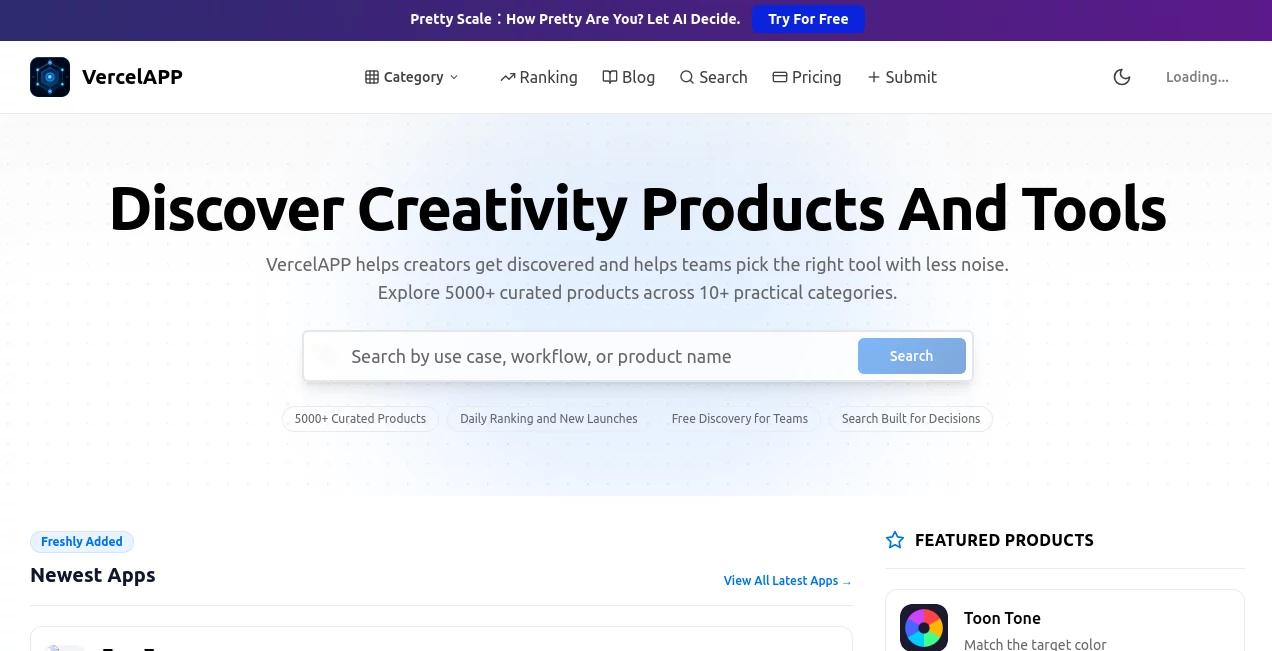
What is VercelAPP?
Ever had that feeling where you just want to get a web project live without wrestling with servers? Yeah, me too. There’s something incredibly satisfying about clicking "deploy" and seeing your work go global in seconds. That’s exactly the kind of energy this platform brings to the table. It’s not just another hosting service; it’s more like having a supercharged assistant that handles all the boring backend stuff so you can focus on what actually matters—building cool things.
I remember spending entire weekends just configuring deployment pipelines. Not exactly fun, right? But here, the whole process feels almost magical. You connect your repository, and within moments, everything is up and running. No headaches, no hidden settings buried under twenty menus. Just pure, simple deployment bliss. And the best part? It scales with you whether you're tinkering on a side project or launching the next big startup.
Key Features
What makes this platform stand out from the endless sea of deployment tools? Let me walk you through the things that actually matter when you're trying to get work done.
- Instant Deployments: Every time you push code, it goes live automatically. No manual steps, no waiting around.
- Smart Caching: Builds are ridiculously fast because nothing gets rebuilt twice unless it absolutely has to.
- Global Edge Network: Your users get lightning-fast response times no matter where they’re located.
- Preview Deployments: Every pull request gets its own live URL. Share with your team before merging anything.
- Custom Domains: Connect your own domain in under a minute with automatic SSL certificates included.
User Interface
Let's be honest—most developer tools look like they were designed by engineers for engineers (and not in a good way). This one breaks that stereotype completely. The dashboard is clean, intuitive, and actually enjoyable to navigate. You're not bombarded with cryptic metrics or confusing options right off the bat. Instead, everything is laid out exactly where you'd expect it to be. Even the deployment logs are readable, which says a lot.
Accuracy & Performance
When you're running a production app, every millisecond counts. And this platform delivers. Builds are consistently fast—sometimes surprisingly so. I've seen projects that took nearly ten minutes elsewhere finish in under two minutes here. The CDN caching is aggressive but smart, meaning returning visitors get near-instant load times. Plus, the reliability has been rock solid. No random 500 errors or mysterious downtime during traffic spikes.
Capabilities
This isn’t just for static sites anymore. You can deploy full-stack applications with serverless functions, handle background jobs, set up environment variables per environment, and even roll back to any previous deployment with one click. It supports most modern frameworks out of the box—Next.js, React, Vue, Svelte, you name it. And if your stack is more custom, that’s fine too. The platform adapts rather than forcing you into a rigid workflow.
Security & Privacy
Security feels baked into the DNA here rather than being an afterthought. Every deployment automatically gets an SSL certificate, so HTTPS is never something you have to think about. DDoS protection runs in the background without getting in your way. Environment variables are encrypted at rest. Plus, the platform offers fine-grained access controls for team projects—so only the right people can deploy to production. Your code stays your code, and no one else gets a peek unless you explicitly allow it.
Use Cases
So who actually benefits from this kind of tool? Honestly, almost anyone touching the web. Freelancers building client sites can deploy updates without interrupting their workflow. Startup teams can move fast with preview deployments for every feature branch. Hobbyists can host personal projects for free without dealing with server management headaches. Even agencies juggling dozens of sites will appreciate the centralized dashboard and team features. And if you're a teacher running coding workshops? Being able to share live preview links instantly changes the game completely.
Pros and Cons
Nothing's perfect, and it's good to go in with open eyes. Here's the real breakdown after using this extensively.
Pros:
- Setup takes literally one minute from signup to first deployment
- Free tier is actually useful, not just a teaser
- Collaboration features make team workflows smooth
- Automatic HTTPS and CDN out of the box
- Preview URLs for pull requests are a lifesaver for QA
Cons:
- Advanced configuration can be tricky if you have very specific server needs
- Build minutes are capped on free and low-tier plans
- Some older PHP or Ruby projects might not play as nicely
- Support response time can be slow on free accounts
Pricing Plans
The pricing structure is refreshingly straightforward. There's a generous free tier that includes 100GB bandwidth and a decent amount of build minutes per month—enough for most personal projects and even some small business sites. The Pro plan unlocks things like increased build concurrency, faster build speeds, and priority support. Team plans add organization-level billing, audit logs, and fine-grained access controls. Enterprise customers get custom pricing with SLAs and dedicated support. One thing worth noting: you only pay for what you use beyond the free tier, and there are no nasty surprises hidden in the fine print.
How to Use This Platform
Getting started takes maybe five minutes on a slow day. First, sign up using your GitHub, GitLab, or Bitbucket account—no separate credentials to remember. Then import a repository from your account. The platform automatically detects your framework and suggests build settings, though you can tweak everything manually if you want. Hit deploy, wait maybe thirty seconds, and boom—your site is live on a generated subdomain. From there, you can connect a custom domain, set up environment variables, invite team members, and configure preview deployments. Every subsequent push to your repository triggers an automatic deployment. That's really all there is to it.
Comparison with Similar Tools
Compared to traditional hosting providers, this feels like upgrading from a bicycle to a motorcycle. Services like Netlify offer similar ease of use, but this platform tends to be faster for complex builds and serverless functions. AWS Amplify gives you more control but at the cost of a much steeper learning curve. Heroku is solid but feels outdated when it comes to frontend deployments. Where this truly shines is the developer experience—everything just works without forcing you to read hundreds of pages of documentation. It's not about being the most powerful tool in the world; it's about being the most pleasant one to use daily.
Conclusion
If you've ever felt tired of fighting with deployment pipelines or server configurations, this platform will feel like a breath of fresh air. It handles the boring stuff automatically, lets you focus on building features people actually want, and scales from a weekend side project to a serious production app without missing a beat. The free tier is generous enough to fall in love with the workflow, and the paid plans are reasonable for what you get. Honestly, once you try this, going back to the old way feels almost painful.
Frequently Asked Questions (FAQ)
Can I host a static site for free?
Yes, absolutely. The free tier is perfect for static sites, personal blogs, and portfolio projects. You'll get automatic HTTPS, global CDN, and unlimited sites.
Do I need to know Docker or containers to use this?
Not at all. You just push code. The platform figures out how to build and run it. No container knowledge required whatsoever.
What happens if I exceed my build minutes?
Builds will be paused until the next billing cycle unless you upgrade to a plan with more minutes. Your live sites stay online regardless.
Can I use my own domain name?
Definitely. Adding a custom domain takes about a minute, and SSL is set up automatically. No technical headaches involved.
Is there a money-back guarantee?
The free tier lets you test everything thoroughly before paying a cent. For paid plans, you can cancel anytime and only pay for what you've used that month.