


















Metabase
What is Metabase?
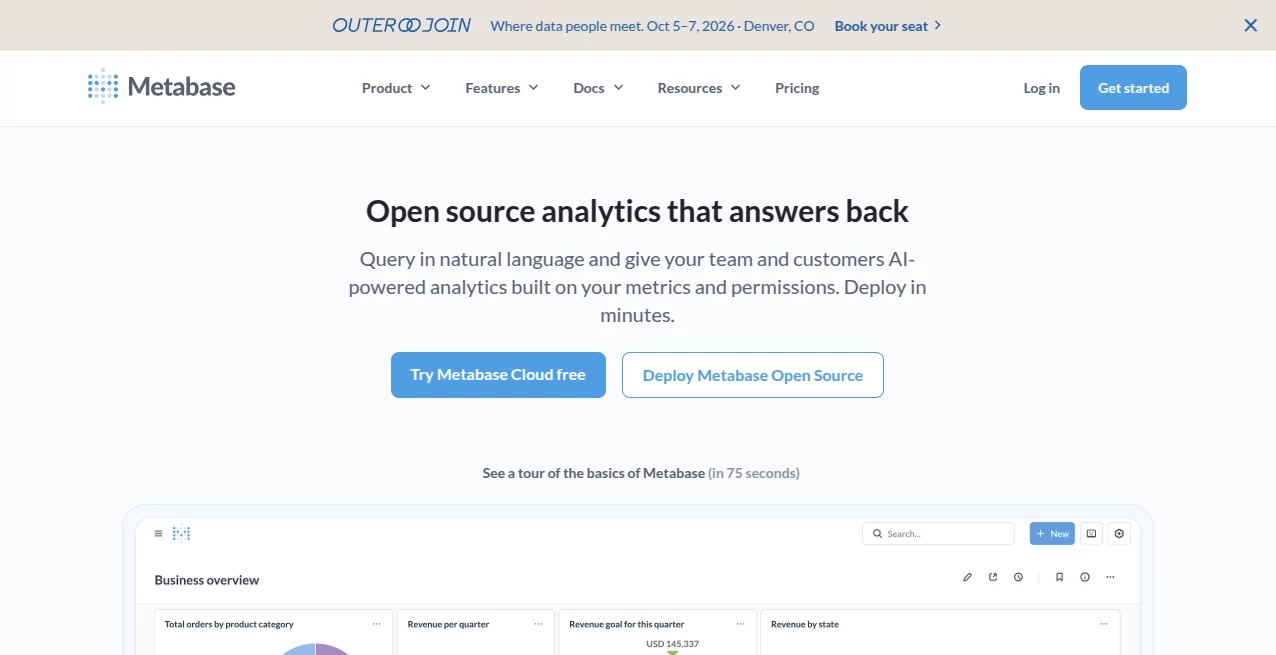
I’ve sat through too many meetings where someone asked a simple business question and the room went quiet because the data was buried in spreadsheets or required an engineer to pull a report. Then I started using this tool and those conversations changed. Suddenly, anyone on the team could ask questions in plain English and get clear charts and answers in seconds. It feels like the analytics tool we always wished we had — powerful enough for real work, simple enough that non-technical people actually use it.
Introduction
Metabase was built for teams that want self-service analytics without the usual headaches. Whether you’re a startup founder checking key metrics or a large organization giving hundreds of people access to data, it makes exploring databases feel natural instead of intimidating. You connect your data once, and suddenly everyone can build dashboards, ask questions, and dig deeper without writing complex SQL (though you can if you want to). What started as an open-source project has grown into a trusted platform used by thousands of companies because it respects both the data team’s need for control and everyone else’s need for speed.
Key Features
User Interface
The interface is clean and welcoming. You can start with the visual query builder if you’re not technical, or jump straight into the SQL editor when you need full power. Dashboards look professional right away, and the AI assistant (Metabot) lets you type natural questions like “What were our sales last month by region?” and get instant results. Everything feels designed for real humans — no overwhelming complexity, just tools that get out of your way so you can focus on the insights.
Accuracy & Performance
Queries run fast even on large datasets, and the results are trustworthy because you define the semantic layer once (metrics, joins, business logic) and everyone builds on top of that foundation. Drill-throughs let you click into any number on a chart and instantly see the underlying data. In practice, teams report far fewer “Can you pull this for me?” requests because people can answer their own questions reliably and quickly.
Capabilities
Connect to dozens of databases and data warehouses, build beautiful interactive dashboards, create reusable metrics in Data Studio, embed analytics into your own apps, and use AI to generate insights or explain charts. You can schedule reports, set up alerts, track usage, and maintain strong data governance with row-level security. It scales from a single developer self-hosting the open-source version all the way to enterprise deployments with advanced embedding and compliance needs.
Security & Privacy
Security is taken seriously with SOC 2, GDPR, and other compliance standards. You control exactly who sees what data through granular permissions and data segregation. Whether self-hosted on your infrastructure or using their secure cloud, your data stays protected and under your governance. That peace of mind matters when you’re giving broader access to business intelligence.
Use Cases
A marketing team builds a live dashboard showing campaign performance and sets alerts when key metrics drop. A product manager explores user behavior without waiting for engineering support. An executive gets a weekly email with the numbers that matter most. A customer-facing team embeds usage analytics directly into their SaaS product so clients can see their own data. It fits naturally into daily decision-making across almost any team or company size.
Pros and Cons
Pros:
- Truly self-service — non-technical users actually use it confidently.
- Excellent balance between simplicity and raw SQL power when needed.
- Strong open-source foundation with clear upgrade paths as you grow.
- Beautiful, shareable dashboards that people actually look at.
- Fast setup and great performance on real-world data volumes.
Cons:
- Advanced enterprise features like white-labeling and SSO are on higher plans.
- Very complex custom visualizations may still require some SQL knowledge.
Pricing Plans
The open-source version is completely free if you self-host. Cloud plans start at a reasonable monthly fee for managed hosting with additional support and features. Pro and Enterprise tiers add advanced embedding, more sophisticated governance, and dedicated support. Many teams begin with open-source or the starter cloud plan and upgrade naturally as their needs grow. The pricing feels transparent and aligned with the value delivered.
How to Use Metabase
Connect your database (Postgres, MySQL, Snowflake, BigQuery, etc.) in a few clicks. Explore your data using the visual query builder or natural language. Build dashboards by dragging charts onto a canvas. Share links or embed them in other tools. Set up scheduled reports or alerts for important metrics. As your team grows, define key metrics in Data Studio so everyone works from the same source of truth. The learning curve is gentle, but the depth is there when you need it.
Comparison with Similar Tools
Some BI tools feel overly complex and expensive for most teams, while others are too simplistic and lack power as you scale. Metabase hits a sweet spot — approachable for business users yet robust enough for data teams. The combination of open-source roots, natural language querying, and strong embedding capabilities gives it an edge for companies that want control without vendor lock-in.
Conclusion
Analytics should empower people, not create more bottlenecks. This platform delivers on that promise with a thoughtful mix of simplicity, power, and reliability. It turns data from something only a few specialists can touch into something the whole team can use confidently. If you’re tired of slow reports and unused dashboards, this could be the refreshing change your organization needs.
Frequently Asked Questions (FAQ)
Is it really free?
Yes — the open-source version is free forever if you self-host.
Can non-technical people use it?
Absolutely — the visual builder and natural language features make it accessible.
Does it support my database?
It connects to most popular databases and warehouses.
Can I embed dashboards in my own app?
Yes — with powerful embedding options available on paid plans.
AI Research Tool , AI Developer Tools , Other .
These classifications represent its core capabilities and areas of application. For related tools, explore the linked categories above.

Metabase Alternatives Product

Treeova

tanship

SuperAI

Rate My Prof…

SalaryHow

URL to Any

HY Motion

MBTI Compati…

Sellerview.ai
