
















MiniMax H3
What is MiniMax H3?
Creating a convincing AI video is no longer only about generating attractive frames. Good results also depend on motion, camera behavior, dialogue, sound effects, music, and how naturally these elements work together. MiniMax H3 takes a particularly interesting approach by treating text, images, video, and audio as a shared context rather than separating every part into different generation stages.
The model is built around a 33-billion-parameter dense omni-modal architecture and can generate video clips from 4 to 15 seconds at 24 frames per second. One of its most notable characteristics is native audio generation, with 32 kHz stereo sound produced alongside the visual content. Hosted generation can reach 2K resolution, while local workflows are centered around 768p output before an additional regeneration stage.
For creators, marketers, filmmakers, and developers who want to experiment with short-form video production, this combination makes the model worth a closer look. It is especially interesting when the scene needs synchronized movement and sound instead of a silent video that must be finished in another application.
Key Features
- 33-billion-parameter dense omni-modal architecture
- Text, image, video, and audio inputs handled within a shared context
- 4 to 15-second video generation
- 24 FPS video output
- Native 32 kHz stereo audio generation
- Hosted 2K video output
- Local 768p generation workflow
- Text-to-video generation
- Image-conditioned video generation
- Multimodal reference workflows
- Native multi-shot modeling
- Support for multiple aspect ratios, including 16:9 and 9:16
- Reference-based character and product workflows
- Downloadable model weights for local experimentation
User Interface
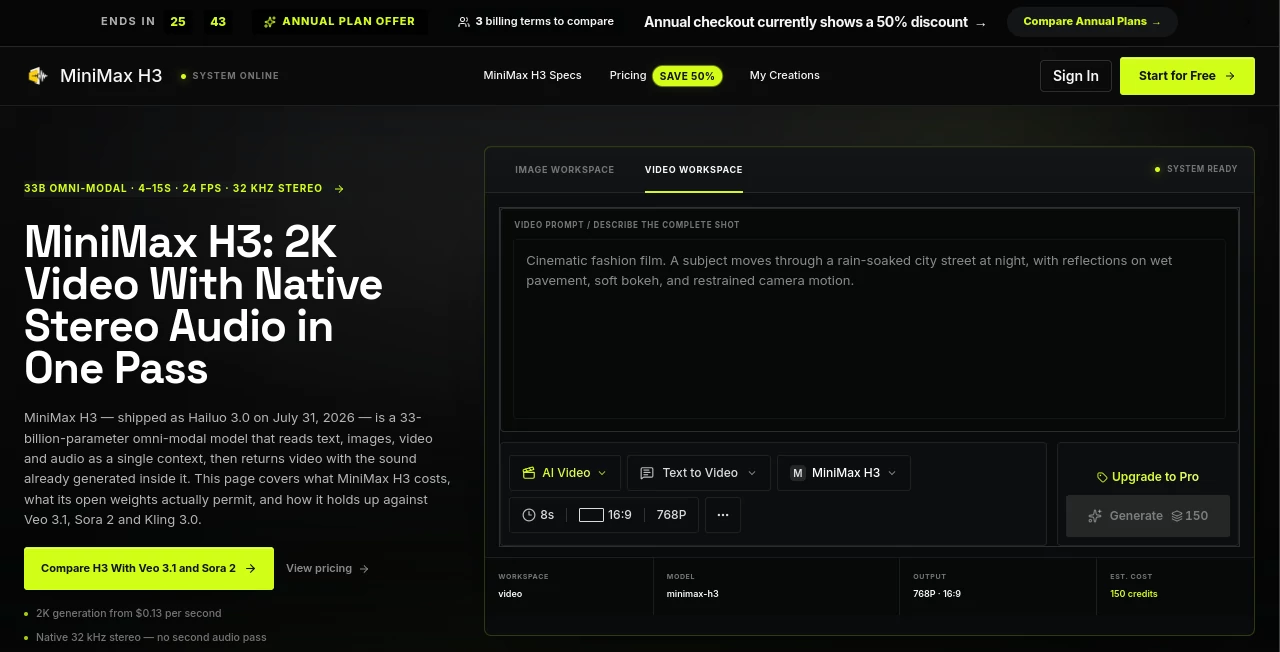
The surrounding workflow is designed to make experimentation relatively straightforward. Instead of requiring users to begin every project with a blank prompt, prepared examples can serve as starting points for different types of scenes, including product shots, character movement, dramatic moments, fashion sequences, and dialogue-focused clips.
For someone testing several creative directions, this approach is useful because the prompt itself becomes part of the workflow. A creator can take an existing recipe, change the subject or setting, and quickly explore another variation rather than rebuilding the entire concept from scratch.
Accuracy & Performance
Performance is most interesting when the requested visual action and sound event have a clear relationship. A prompt describing a character opening a door followed by a specific sound gives the generation process something concrete to reproduce. This is more useful than vague instructions asking for simply “cinematic audio” or “realistic movement.”
The fixed 24 FPS output and 4-to-15-second duration range also make the system relatively predictable for short-form production. The 15-second ceiling is worth remembering, however, because longer stories will need to be created as multiple shots and assembled during editing.
Hosted generation can produce 2K output, while local generation works at 768p unless the additional regeneration stage is used. That difference matters when comparing results or estimating production requirements.
Capabilities
The strongest part of the system is its multimodal design. Users can work with text instructions, visual references, video clips, and audio material instead of relying solely on written prompts. This makes it possible to describe things that are difficult to communicate through text alone, such as the appearance of a product, the identity of a character, or a particular movement.
Reference-based generation is also useful for commercial creative work. A product can be supplied as a visual reference while the prompt controls the environment, camera movement, and action. Character-oriented workflows can similarly use reference material to help maintain visual identity between generations.
Native audio is another major capability. Voice, effects, and ambience are generated with the video rather than requiring a separate audio-generation pass. The result still deserves human review, particularly for dialogue timing, pronunciation, sound balance, and scene continuity, but having audio produced during the main generation process can significantly simplify an early production workflow.
Security & Privacy
When using hosted AI generation, creators should always check the current provider terms and data-handling policies before uploading confidential footage, unreleased products, private recordings, or other sensitive material. The available product information focuses primarily on model capabilities, pricing, licensing, and generation workflows rather than providing a detailed explanation of data retention.
Local deployment can be attractive for teams that need greater control over their generation environment. However, local use requires substantial hardware resources, and the downloadable weights are provided under a community license rather than a conventional OSI-approved open-source license. Commercial users should therefore review the applicable license conditions before building a production workflow.
Use Cases
Short-form advertising is one of the clearest applications. A brand can describe a product reveal, specify the camera movement, and include a sound event in the same creative brief. This can be useful for testing multiple concepts before committing to a conventional production shoot.
Social media creators can use the model for short vertical videos, character-driven scenes, animated concepts, and visual storytelling. The 9:16 format is particularly suitable for mobile-first content, while wider formats work better for cinematic presentations and product demonstrations.
Filmmakers can also use short generations as visual experiments. Instead of attempting to produce an entire sequence in one request, individual shots can be generated and later assembled into a larger scene. This approach gives the creator more control over pacing and makes it easier to replace an unsatisfactory shot.
Other practical applications include product visualization, concept trailers, fashion clips, promotional campaigns, anime-style sequences, reference-based scene editing, and creative prototyping.
Pros and Cons
Pros
- Native stereo audio is generated together with the video.
- 2K hosted output is available.
- Supports multimodal inputs rather than relying only on text prompts.
- Can generate clips up to 15 seconds long.
- Useful for both creative experimentation and commercial-style content.
- Downloadable weights provide a local deployment option.
- Multiple aspect ratios make the system suitable for different content formats.
Cons
- The maximum generation length is limited to 15 seconds.
- Local deployment requires considerable storage and hardware resources.
- Native audio still needs human review for dialogue and synchronization quality.
- Licensing conditions should be checked carefully before commercial deployment.
- Some regions are excluded from the community license.
- Hosted and local workflows can produce different resolution results.
Pricing Plans
The model's hosted generation is priced according to output duration. The published rate is $0.13 per second for 2K generation and $0.08 per second for 768p generation, although availability of the lower-resolution tier can vary.
At the 2K rate, a 4-second generation works out to approximately $0.52, while a full 15-second clip costs around $1.95. This pay-per-output approach can be convenient for users who generate occasionally because they are charged according to the amount of video produced rather than committing to a large fixed generation allowance.
The associated platform also lists subscription options. Its annual plans include Starter at $9.90 per month with 9,600 annual credits, Pro at $19.90 per month with 24,000 annual credits, and Studio at $44.90 per month with 72,000 annual credits. The displayed comparison prices are higher for monthly billing, so users should check the current plan before purchasing.
How to Use the Model
Start by deciding exactly what the finished shot needs to contain. Define the subject, action, camera movement, important sound event, and desired format before generating anything.
For a simple text-driven workflow, describe the scene clearly and keep the requested action manageable within the selected duration. If a reference image is important, use an image-conditioned workflow to give the generation a stronger visual starting point.
For more complex projects, multimodal references can be used. The documented workflow supports up to nine images, three videos, and three audio files within their respective limits, while a separate combined ceiling limits the total reference set to twelve files. Audio references also require an accompanying visual reference.
Keep prompts specific. Instead of asking for generic “cinematic sound,” describe a concrete event such as footsteps approaching a door or a glass being placed on a table. Similarly, specify a clear camera movement rather than asking for an unspecified cinematic camera.
Finally, record the generation settings and resolution path used for each successful clip. This becomes especially important when comparing hosted 2K output with locally generated 768p material.
Comparison with Similar Tools
Compared with conventional text-to-video systems that generate silent footage, the biggest advantage here is the integration of sound into the generation process. This can remove a separate audio-production step for many short creative concepts.
Against Veo 3.1, the model stands out with its 2K hosted output and 15-second maximum clip length. Veo can have an advantage for certain dialogue-heavy scenes and established camera-prompt workflows, making it a strong alternative when predictable cinematic direction is the priority.
Compared with Sora 2, the shorter maximum duration can be a limitation for stories that need longer uninterrupted sequences. On the other hand, native audio and the availability of downloadable weights make this system particularly interesting for users who value an integrated audio-video workflow or want to explore local deployment.
Kling-style workflows remain attractive for creators who prioritize other aspects of visual generation and production flexibility. The better choice ultimately depends on the required duration, audio needs, resolution, budget, hardware, and licensing requirements rather than on a single benchmark.
Conclusion
For creators who want video and sound to emerge from the same generation process, this model offers a compelling combination of visual generation, multimodal references, and native stereo audio. Its 2K hosted output and relatively low per-second generation cost make it particularly interesting for short advertisements, social content, product concepts, and cinematic experiments.
There are practical limitations. Fifteen seconds is still a short canvas for storytelling, local deployment requires serious resources, and the licensing terms deserve careful attention for commercial projects. Still, within the right workflow, those limitations are manageable.
The most sensible way to approach it is not as a replacement for every video-production tool, but as a powerful shot-generation component. Give it a focused scene, a clear action, one useful camera instruction, and a specific sound event, and it has the ingredients needed to produce much more than a silent visual clip.
Frequently Asked Questions (FAQ)
What is MiniMax H3?
It is a 33-billion-parameter dense omni-modal video model that works with text, images, video, and audio and can generate short video clips with native stereo sound.
What resolution does it support?
Hosted generation can reach 2K resolution, while the local workflow produces 768p output before the optional regeneration stage.
How long can generated videos be?
Video duration ranges from 4 to 15 seconds at 24 frames per second.
Does it generate audio?
Yes. Voice, sound effects, music, and ambience can be generated as part of the video-generation process, with documented 32 kHz stereo output.
Can it be used locally?
Downloadable weights are available for local experimentation, but the hardware requirements are substantial. The smallest practical weight set is reported at around 42.5 GB, with larger configurations requiring considerably more storage and memory.
Is it suitable for commercial projects?
Commercial use depends on the applicable license and deployment method. The community license includes attribution and other conditions, along with geographic and organizational restrictions, so commercial users should review the current terms before publishing generated work.
How much does a 15-second 2K generation cost?
At the published rate of $0.13 per output second, a 15-second 2K generation costs approximately $1.95.
What is the biggest advantage of this model?
The combination of video generation and native stereo audio is one of its most distinctive advantages. It allows creators to develop visual action and accompanying sound within a single generation workflow.