

















MiniMax H3 AI Video Generator
What is MiniMax H3 AI Video Generator?
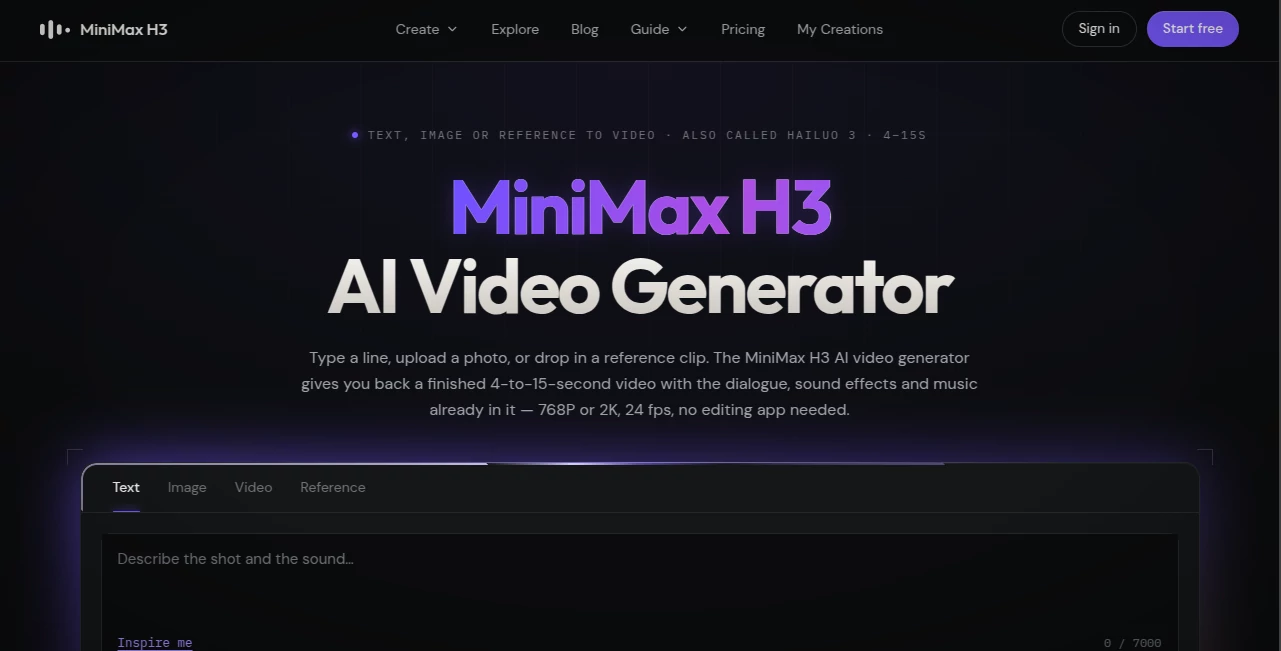
Creating a convincing video from a simple idea usually means juggling several tools: one for visuals, another for dialogue, another for music, and often a separate editor to bring everything together. MiniMax H3 takes a different approach. It generates short videos with the picture and audio created in the same pass, making it possible to go from a written scene or reference material to a finished MP4 without building the project piece by piece.
The system supports text-to-video, image-to-video, video-to-video, and reference-based generation. Clips can run from 4 to 15 seconds and are available at 768P or 2K, with 24 fps output. Audio is included as 32 kHz stereo, while dialogue is supported in 11 languages.
That combination makes it particularly interesting for creators who care about more than attractive frames. A product advertisement, short social clip, dialogue scene, or cinematic concept can be described with both visual direction and sound in one prompt.
Key Features
- Text-to-video generation: Turn a written description into a complete short video with dialogue, music, and sound effects.
- Image-to-video: Use an existing image as the first or last frame and let the system generate the motion between them.
- Video-to-video: Rework an existing clip while preserving its underlying motion and changing elements such as the look, product, or signage.
- Reference-to-video: Supply images, video clips, and audio to help maintain a particular character, product, visual style, camera movement, or voice.
- Native 2K output: The 2K version is regenerated rather than simply enlarged from a lower-resolution frame.
- Integrated audio: Dialogue, sound effects, music, and ambience are generated together with the video.
- Flexible formats: Six aspect ratios are available, including 21:9, 16:9, 4:3, 1:1, 3:4, and 9:16.
- Long prompts: The prompt field supports up to 7,000 characters, giving creators plenty of room to describe scenes, camera movement, characters, and sound.
User Interface
The interface is built around the creative process rather than technical settings. You start by describing the scene, uploading an image, or providing reference material, then select the desired duration, resolution, and aspect ratio.
The six available aspect ratios make the workflow practical for different publishing destinations. A creator preparing a vertical social advertisement can work in 9:16, while a cinematic project can use a wider format such as 21:9. Durations range from 4 to 15 seconds in whole-second selections through the main workflow.
One particularly useful detail is the prompt gallery. Real generated examples expose the prompts used to create them, so new users can study how a scene was described instead of starting from a blank text box every time.
Accuracy & Performance
Performance is one of the more convincing aspects of the platform. The model is designed to understand visual direction and audio instructions together, which can be valuable for scenes where timing matters. For example, a prompt can describe a performer moving around a room while also specifying dialogue, room ambience, and music.
Reference inputs add another layer of control. The system can accept up to nine images, three video clips, and three audio files, with a hard limit of 12 files in total. This makes it possible to provide enough visual information to maintain a recognizable character or product across a shot without overwhelming the workflow.
Independent blind-test results published on the platform's site showed strong early performance in August 2026, including a first-place position for video editing and second place for text-to-video on the cited with-audio board. These rankings can change over time, so they are best treated as a snapshot rather than a permanent quality guarantee.
Capabilities
The strongest feature is arguably the way several media types can be combined. A single photograph can become a moving shot, two images can act as the opening and closing anchors, and reference material can help preserve a character or product between visual moments.
The audio workflow is equally notable. Instead of exporting silent footage and sending it to another service, the generated MP4 can contain dialogue, effects, music, and ambience from the same generation pass. Dialogue support covers 11 languages, while the resulting audio is delivered as 32 kHz stereo.
For higher-resolution work, the 2K mode is also more than a conventional upscaling step. The generated result is sent through a regeneration stage with the original context, which is intended to preserve fine details more naturally than simply enlarging an existing frame.
Security & Privacy
The service states that generation is private on its paid plans, and failed generations do not consume credits. Users should still review the current terms and privacy documentation before uploading confidential footage, unreleased products, private recordings, or other sensitive material.
There is also an important practical consideration for API users: task records remain available for seven days and returned video URLs expire, so finished files should be moved to your own storage rather than treated as permanently hosted assets.
Use Cases
Social media content: Short vertical videos can be produced in 9:16 with sound already included, making the workflow attractive for creators who need frequent clips without opening a traditional editing application.
Product advertising: A product image can be transformed into a polished promotional shot with camera movement, lighting, music, and sound effects. This is especially useful for testing several advertising concepts before committing to a full production.
Dialogue scenes: Creators can specify multiple speakers and include their dialogue directly in the prompt. The platform's examples demonstrate scenes where speaker tags help guide conversations and lip movement.
Character-based content: Reference images can help maintain the same face, clothing, product, or visual identity across generated shots. This is useful for recurring characters, virtual campaigns, and short narrative sequences.
Anime and cinematic experiments: The system can handle a wide range of visual directions, from stylized animation and fantasy scenes to realistic commercial footage.
Video remixing: Existing footage can be used as the foundation for a new version, allowing creators to request changes while retaining aspects of the original motion.
Pros and Cons
- Pros: Native audio generation, 768P and 2K output, text/image/video/reference workflows, strong character consistency potential, six aspect ratios, long prompt support, and an option to work with open H3-Base weights.
- Pros: Failed generations do not consume credits, and paid plans provide access to native 2K output with audio.
- Cons: Individual generations are short, with a maximum duration of 15 seconds.
- Cons: There is no unlimited free H3 generation; the free engine uses a different model and does not provide the same H3 audio workflow.
- Cons: The 2K workflow costs more than 768P, and larger reference projects are subject to a 12-file total limit.
- Cons: Users looking for native 4K output will need another solution, as the published maximum is 2K.
Pricing Plans
The platform separates its free experience from access to the full H3 generation system. The free option does not provide unlimited H3 generation; it uses a separate engine, while paid access unlocks H3 modes, native audio, and 2K generation.
- Free: $0, with no credit card required. The free engine allows one clip without an account and up to three clips per day after signing in. The free engine is silent and is not the full H3 experience.
- Lite: $24.90 per month, with 1,290 credits. It provides native 2K, audio, clips up to 15 seconds, one concurrent job, and two variants per prompt.
- Pro: $49.90 per month, with 4,990 credits, faster processing, up to three simultaneous jobs, video-to-prompt, and four variants per prompt.
- Studio: $99.90 per month, with 12,990 credits, priority processing, up to eight simultaneous jobs, and priority support.
Annual billing is advertised at a 50% saving compared with the corresponding monthly list prices. API pricing is separate, with published rates of $0.08 per output second at 768P and $0.13 per output second at 2K.
How to Use MiniMax H3
Start by deciding what you want the final shot to look and sound like. For text-to-video, describe the visual scene and audio direction together rather than treating them as separate tasks. Include useful details such as the subject, environment, camera movement, dialogue, ambience, and music.
Next, choose the duration, aspect ratio, and resolution. If you already have visual material, upload an image, video, or reference files instead. For image-to-video work, one image can anchor the beginning or end of the shot, while two images can define both ends of the sequence.
Finally, generate the clip and download the resulting MP4. Because the sound is generated alongside the picture, the finished file can be used directly in many short-form projects without first opening a separate audio editor.
Comparison with Similar Tools
Compared with other current video-generation systems, the main attraction is not simply resolution. The combination of native audio, reference inputs, flexible 4-to-15-second durations, and an open-weight H3-Base option gives it a distinctive position.
For example, Seedance 2.5 supports clips of up to 30 seconds and accepts substantially more reference material, while Kling 3.0 has an advantage when native 4K is the priority. On the other hand, the published H3 list price is considerably lower than the cited Veo 3.1 rate, particularly at 768P.
For creators who want a compact production workflow rather than a traditional editing suite, the ability to describe both image and sound in one prompt is a meaningful advantage. It reduces the number of separate steps between an idea and a usable clip.
Conclusion
This is a particularly compelling choice for creators who want short, polished videos without separating visual generation from sound design. Its combination of text-to-video, image-to-video, video remixing, reference control, native audio, and 2K regeneration gives it considerably more flexibility than a basic text-to-video generator.
The short clip limit will not suit every production, and creators needing native 4K or longer continuous scenes may need another platform. But for advertisements, social content, product demonstrations, dialogue scenes, character experiments, and cinematic concepts, the workflow is remarkably practical.
If the goal is to turn a well-written scene description into a finished audiovisual clip with fewer production steps, this is one of the more interesting options to consider.
Frequently Asked Questions (FAQ)
Can it generate video from text?
Yes. Text-to-video generation can create a 4-to-15-second clip from a written description, including visual direction, dialogue, music, and sound effects.
Can I animate an existing image?
Yes. Image-to-video generation allows a photo to act as the first or last frame, while two images can be used as the beginning and ending anchors of a shot.
Does the generated video include sound?
Yes. Paid H3 generation includes audio created with the visual output. Dialogue, effects, music, and ambience can be described in the prompt, and the resulting audio is delivered in 32 kHz stereo.
What resolutions are available?
The published output options are 768P and 2K. The platform does not list 1080P or native 4K as H3 output options.
How long can a generated video be?
The supported duration is 4 to 15 seconds, with whole-second selections in the main interface.
Is there a free version?
There is a free experience, but it uses a separate engine rather than providing unlimited access to the full H3 system. Paid plans unlock H3 generation, native audio, and 2K output.
Can I use reference images?
Yes. Reference-to-video supports up to nine images, three video clips, and three audio files, subject to a total limit of 12 files.
Is there an API?
Yes. The model can be accessed programmatically through the video-generation API, making it suitable for developers who want to integrate video generation into their own workflows.
Can the model be run locally?
H3-Base has open weights available under a community licence. However, the hosted contextual-rewriting and 2K regeneration stages are not included in the downloadable model, so local and hosted workflows are not identical.