


















Mivid AI – Faceless Video Generator
What is Mivid AI – Faceless Video Generator?
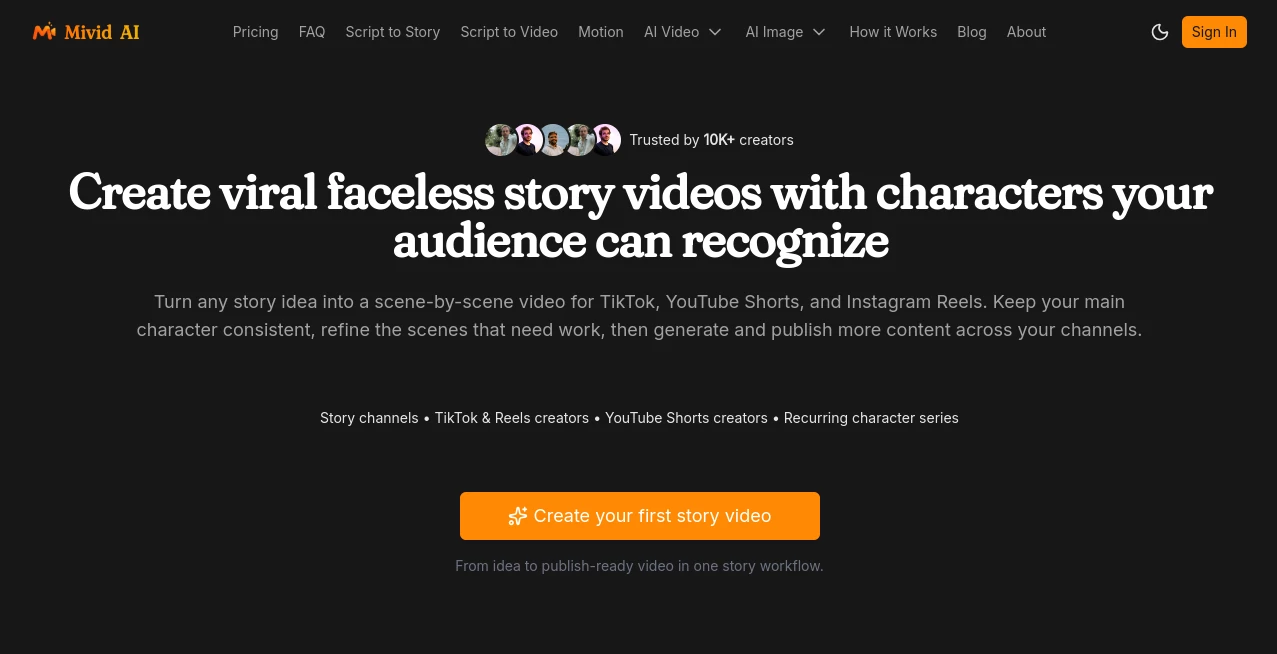
Mivid is built for creators who want to turn an idea, topic, or existing script into a polished faceless video without spending hours assembling clips, recording narration, and editing scenes by hand. The platform focuses particularly on short-form storytelling for TikTok, YouTube Shorts, and Instagram Reels, while also supporting educational, marketing, product, and other social media content.
What makes the workflow interesting is that video creation is handled as a sequence of connected steps rather than a single text-to-video prompt. A creator can develop a story, review its scenes, adjust narration, keep a recurring character recognizable, generate visuals and voiceovers, and then produce the final video. This approach is especially useful for people building recurring content series rather than making one-off videos.
The platform currently reports more than 10,000 active creators and over 500,000 AI tasks processed each month. It also brings several AI capabilities together, including script generation, image and character creation, narration, and video generation.
Key Features
- Scene-by-scene story generation from a topic or script.
- Faceless video creation designed for short-form social content.
- Storyboard review before the final video is rendered.
- Consistent character references for recurring protagonists.
- AI-generated narration and voiceovers.
- AI-generated images and cinematic video scenes.
- Ability to regenerate individual scenes instead of rebuilding an entire project.
- Automatic subtitle generation and synchronization.
- Support for TikTok, Instagram Reels, YouTube Shorts, Facebook, and other social formats.
- Series-based organization for different content projects and niches.
- Publishing and scheduling through connected social accounts.
User Interface
The interface follows a guided creation process, which makes the platform approachable even for someone who is not comfortable with traditional video-editing software. Instead of presenting a complicated timeline immediately, the workflow centers on the story and its individual scenes.
The storyboard is particularly useful. Before committing resources to a final render, creators can inspect the narration and visuals for each scene. If one moment feels weak, the creator can change the narration or regenerate that particular image rather than starting over.
For someone producing several videos every week, that small distinction can make the experience considerably less frustrating. The workspace also allows projects to be separated into Series, helping creators keep different channels, niches, and content directions organized.
Accuracy & Performance
Performance depends on the length, visual style, selected models, and current processing demand, but the platform states that most videos can be generated within a few minutes. Projects can continue processing in the background, so creators do not need to remain on the page while a video is being produced.
The platform also gives creators more control than a basic one-click generator. Storyboards can be inspected before rendering, narration can be edited directly, and individual visual scenes can be regenerated. This makes it easier to correct a weak scene without wasting time recreating everything around it.
For storytelling, consistency is another important part of the experience. Saved character references can be reused so that a recurring protagonist remains recognizable from one scene to the next. That is particularly valuable for channels built around serialized stories.
Capabilities
The platform combines several stages of AI-assisted production in one workflow. A topic or script can become a structured story, which is then divided into scenes with corresponding visuals and narration.
Its underlying workflow brings together different AI technologies for different tasks. Script and scene generation can use language models, image creation can use dedicated image models, voice generation is handled through AI narration technology, and video scenes can be produced using modern video-generation models.
Creators can also choose different visual directions. Available styles include cinematic, realistic, photorealistic, dark fantasy, epic fantasy, anime, illustrated, comic, and stylized 3D approaches. This gives the same basic storytelling workflow room for very different creative identities.
Beyond storytelling, the platform can be useful for product promotions, educational videos, marketing content, demonstrations, documentary-style material, and recurring social media series. Script-to-video workflows can also support different aspect ratios and resolutions depending on the selected generation setup.
Security & Privacy
Payment information is processed through trusted payment providers using industry-standard encryption, and the platform states that complete card information is not stored on its own servers.
Creators should still review the privacy policy and terms of service before uploading confidential scripts, private media, or sensitive business material. As with any cloud-based AI production service, understanding how uploaded content and generated assets are handled is an important part of choosing the right workflow.
Use Cases
- Faceless YouTube channels: Turn scripts into narrated visual stories without appearing on camera.
- TikTok and Reels: Produce short, vertically oriented stories designed for fast-moving social feeds.
- Recurring characters: Build serialized content around a recognizable protagonist.
- Educational content: Convert lesson scripts and explanations into more engaging visual videos.
- Marketing: Create promotional videos and campaign content without assembling every scene manually.
- E-commerce: Produce product-focused videos and social advertisements more quickly.
- Content agencies: Handle larger volumes of video production while reducing repetitive editing work.
- Storytelling channels: Explore mysteries, fantasy, horror, dramatic stories, and other narrative formats.
- App and product demonstrations: Create visual presentations and short promotional clips for digital products.
Pros and Cons
Pros
- Designed specifically around faceless storytelling and short-form content.
- Combines scripting, visuals, narration, and video generation in one workflow.
- Storyboard-first process provides useful creative control.
- Individual scenes can be refined without recreating the entire video.
- Character references help maintain continuity across scenes.
- Supports multiple popular social media formats.
- Projects can continue processing in the background.
- Useful for creators who need to publish content consistently.
Cons
- AI-generated scenes may still require creative review before publishing.
- Results can vary depending on the selected model, prompt, style, and complexity of a scene.
- High-volume creators may need a larger credit package.
- Creators looking for traditional frame-by-frame editing may still prefer a dedicated video editor.
Pricing Plans
The platform offers monthly subscription options based on AI credits. The Starter plan costs $23 per month and includes 2,000 monthly credits. The Pro plan costs $45 per month and provides 4,500 credits, while the Ultimate plan costs $65 per month and includes 7,000 credits. Annual billing offers savings of up to 30% compared with monthly pricing.
New users can also start with free credits before committing to a paid subscription. This is a practical way to test the generation quality, workflow, and available creative options against the type of videos you actually want to produce.
Subscriptions can be cancelled at any time. Cancellation stops future billing, while remaining credits continue to be available.
How to Use
- Start with a story idea, topic, niche, or existing script.
- Choose the type of story and creative direction you want to produce.
- Let the AI turn the idea into a structured script and scene list, or bring your own script.
- Review the storyboard and check the narration and visuals for every scene.
- Choose a visual style, voice, aspect ratio, and output settings.
- Add or reuse a character reference if the story requires a recurring protagonist.
- Edit individual narration lines or regenerate scenes that do not meet your expectations.
- Generate the final video and allow the project to process in the background if necessary.
- Review the finished result, then export or publish it to your preferred social platform.
Comparison with Similar Tools
Traditional video editors give creators detailed control over timelines, transitions, effects, audio tracks, and individual assets, but they also require considerably more manual work. Basic AI video generators, on the other hand, can produce clips quickly but may provide less control over how a longer story develops from scene to scene.
This platform sits somewhere between those approaches. Its strongest point is not simply generating a short AI clip; it is organizing the production of a complete story around scenes, narration, characters, and a final video. The ability to inspect a storyboard, modify one scene, and maintain a recurring character makes it particularly appealing to creators who want a repeatable content format.
For a creator who mainly needs cinematic experimental clips, a specialized text-to-video model may offer a more focused experience. For someone building a faceless channel or producing recurring narrated stories, however, a workflow centered on the entire story can be much more practical.
Conclusion
Creating consistent short-form video content is often less about producing one impressive clip and more about being able to repeat the process without burning hours on editing. This platform addresses that problem by bringing story development, scene planning, visuals, narration, character consistency, and video generation into a connected workflow.
Its storyboard-first approach is one of the most useful aspects because creators can make decisions before the final render and fix individual scenes instead of throwing away an entire project. Combined with recurring character support and social publishing features, it is well suited to creators who want to build an ongoing faceless content channel.
It is not a complete replacement for every professional video-editing workflow, and AI-generated content still benefits from human review. But for creators focused on TikTok, Shorts, Reels, storytelling, education, marketing, or high-volume faceless content, it offers a compelling way to move from a simple idea to a publishable video with considerably less manual production work.
Frequently Asked Questions (FAQ)
Can I create videos without appearing on camera?
Yes. The platform is specifically designed for faceless video production, allowing creators to build narrated stories with generated characters, visuals, and scenes without recording themselves on camera.
Can I use my own script?
Yes. Creators can provide their own scripts and turn them into scene-based videos, or start with a topic and let the AI help develop the story.
Can I keep the same character across multiple scenes?
Yes. A saved character reference can be reused to help keep a protagonist recognizable throughout a story and across recurring content.
Can I edit individual scenes?
Yes. You can modify narration or regenerate an individual visual scene instead of rebuilding the complete video.
Which social platforms are supported?
Videos can be prepared for platforms including TikTok, YouTube Shorts, Instagram Reels, and Facebook. Connected social accounts can also be used for publishing or scheduling content.
Are subtitles generated automatically?
Yes. AI can automatically generate and synchronize subtitles with the video.
Do I need video editing experience?
No. The workflow is designed for creators without advanced editing skills, with AI handling much of the scripting, visual generation, narration, and assembly.
Is there a free trial?
New users can receive free credits to explore the platform and test AI video creation before choosing a paid subscription.
How long does video generation take?
Most videos are generated within a few minutes, although processing time can vary depending on video length, style, generation settings, and current demand.
Can I use generated videos commercially?
Commercial use is supported depending on the applicable subscription plan. Creators should check the current terms for the exact rights and limitations that apply to their plan.
What categories does this tool belong to?
AI Video Generator, AI Short Clips Generator, AI Text to Video, and AI Personalized Video Generator.
AI Personalized Video Generator , AI Video Generator , AI Short Clips Generator , AI Text to Video .
These classifications represent its core capabilities and areas of application. For related tools, explore the linked categories above.
Mivid AI – Faceless Video Generator details
Website unavailable — View Alternatives
Pricing
- Freemium
Apps
- Web App
Categories

Mivid AI – Faceless Video Generator Alternatives Product

VO4 AI

HappyHorse AI

Fiddl.art

Kling 3.0

RunwayAI

ltx 2.3

HappyHorse A…

Happy Horse

VoooAI
