

















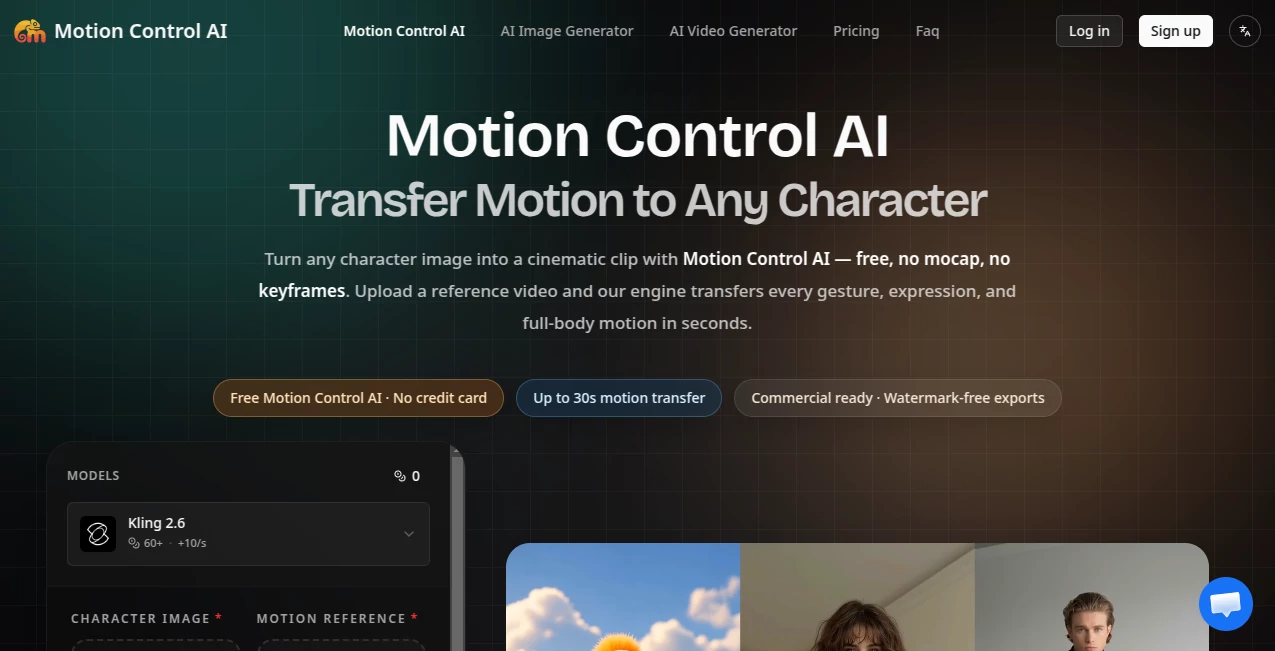
What is Motion Control AI?
There’s something special about watching a static image suddenly come alive — a character you created starts moving naturally, gestures feel right, and the whole scene gains energy. This tool makes that happen in minutes. You upload a character image and a short reference video showing the motion you want, and it transfers every detail — body movement, hand gestures, facial expressions — while keeping the character looking consistent. No complicated rigging, no expensive mocap suits, just clean, usable video that feels surprisingly professional. I’ve seen creators turn a single illustration into a dancing character or a product mascot into a lively explainer in one sitting, and the results keep getting better with each try.
Introduction
Traditional animation is beautiful but painfully slow and expensive. Motion capture requires gear and studios, keyframing takes forever, and most text-to-video tools lose the plot after a few seconds. This platform cuts through all that by focusing on one powerful idea: take real motion from any reference video and apply it faithfully to your character. It runs in the browser, offers a generous free tier, and delivers clips up to 30 seconds with strong identity preservation. Whether you’re making social content, product ads, or story prototypes, it removes the biggest barriers and lets you focus on creativity instead of technical headaches.
Key Features
User Interface
The workflow is refreshingly simple and fast. Upload your character image, drop in a reference video (3–30 seconds), choose orientation and quality, add an optional prompt for extra guidance, and hit generate. Everything happens in one clean screen with clear progress indicators. Previews appear quickly so you can iterate without frustration. It feels designed for creators who want to stay in flow rather than fight with complex software.
Accuracy & Performance
The motion transfer is impressively faithful — hands, facial expressions, and full-body movements stay true to the reference while respecting your character’s proportions and style. Identity holds strong even across longer clips, avoiding the common “melting” or drifting issues you see elsewhere. Generation times are reasonable (often 1–3 minutes), and the output quality at 720p or 1080p is clean enough for real use. It handles complex actions better than most tools I’ve tried.
Capabilities
It supports full-body motion, detailed hand gestures, facial expressions, and even some camera movement from the reference. You can use real people, illustrations, mascots, or 3D renders as characters. Different quality modes, aspect ratios, and prompt guidance give you control without complexity. Commercial rights on paid plans mean you can use the clips in client work, ads, or social content without worry. The combination of precision and accessibility makes it stand out for both quick experiments and more polished productions.
Security & Privacy
Your uploads are processed privately and not used for training. Paid outputs come watermark-free with full commercial rights. The platform emphasizes responsible use and keeps your creative work under your control, which is reassuring when working with original characters or client material.
Use Cases
A TikTok creator uploads a dance reference and their own illustrated avatar to produce trending clips in minutes. A brand turns a static mascot into an animated product explainer without hiring animators. An indie filmmaker prototypes character movements for storyboarding before full production. Educators create engaging animated explainers using consistent teaching avatars. Virtual influencers maintain perfect consistency across dozens of short videos. It fits anywhere you need reliable character animation without the usual time or cost barriers.
Pros and Cons
Pros:
- Excellent character consistency and motion fidelity compared to most AI video tools.
- Simple three-step workflow that actually delivers usable results quickly.
- Generous free tier lets you test real quality before paying.
- Commercial rights included on paid plans.
- Browser-based — no downloads or heavy software needed.
Cons:
- Best results come from clear, well-lit reference videos.
- Longer or extremely complex scenes may need multiple generations.
- Higher resolutions and priority processing require paid credits.
Pricing Plans
Free access gives you trial credits so you can try the engine without commitment. Paid monthly plans provide more credits, faster generation, watermark-free exports, and higher quality options. Credit packs are also available for flexible top-ups. The pricing stays reasonable for the time and quality it saves — many users find it pays for itself after just a few good clips.
How to Use Motion Control AI
Upload a clear character image (portrait or full-body). Drop in a 3–30 second reference video showing the motion you want. Choose quality and aspect ratio, add an optional text prompt for extra guidance, then generate. Review the result, tweak if needed, and download. For best results, use well-lit references and start with simpler movements before trying complex choreography. The process is fast enough that you can experiment with several variations in one session.
Comparison with Similar Tools
Many AI video tools struggle with identity drift or unnatural movement. This one prioritizes accurate motion transfer and character consistency, often producing more usable clips with less cleanup. It’s simpler than traditional mocap or keyframing pipelines while delivering better control than pure text-to-video approaches. The free tier and browser-based access give it a practical edge for creators who want results without heavy investment.
Conclusion
Animation should be about bringing ideas to life, not fighting technical barriers. This tool removes many of those barriers and lets you focus on the fun part — telling stories through movement. Whether you’re creating for fun, business, or serious projects, it delivers reliable, high-quality motion transfer that feels professional without the usual headaches. If you’ve ever wanted to make your characters move naturally, this is one of the most approachable and effective ways to do it right now.
Frequently Asked Questions (FAQ)
How long can the generated clips be?
Up to 30 seconds depending on the reference and plan.
Do I need special equipment or software?
No — everything runs in your browser. Just upload and generate.
Are the videos commercial-ready?
Yes on paid plans — watermark-free with full commercial rights.
What kind of characters work best?
Clear, well-defined images work great — photos, illustrations, mascots, or 3D renders all produce strong results.
Is there a free way to try it?
Absolutely — sign up for free trial credits and test the full engine before upgrading.