Nana Banana
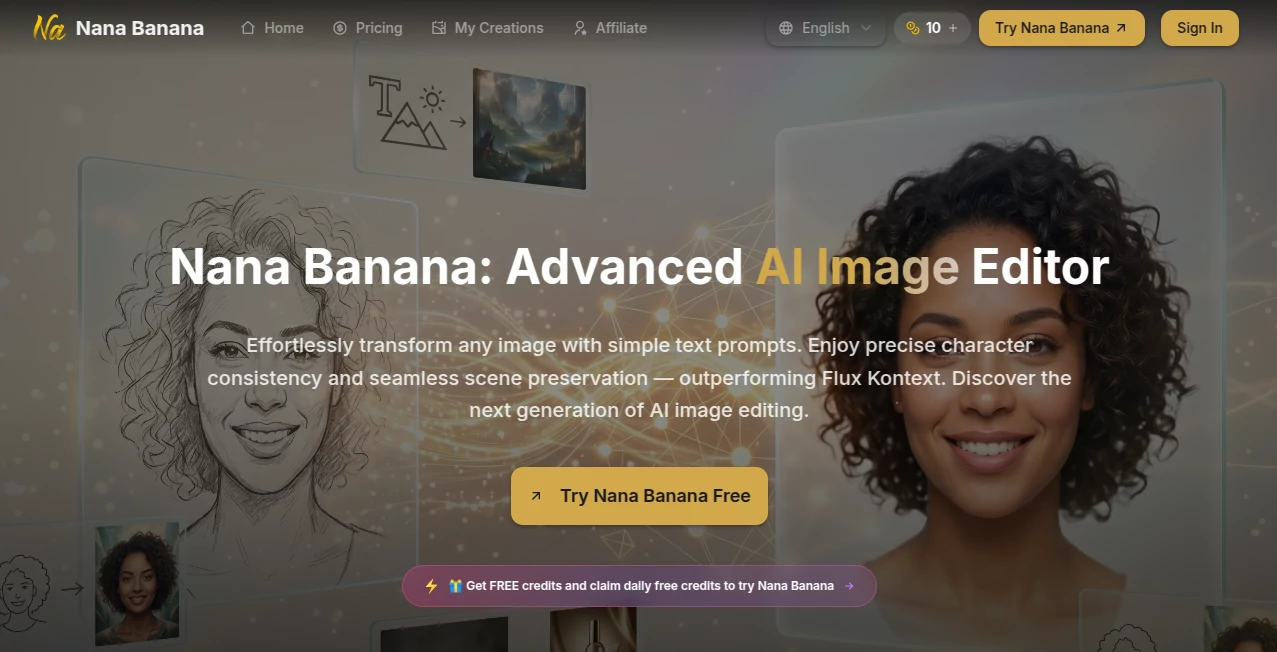
What is Nana Banana?
There's something incredibly satisfying about taking a photo you already like and making it exactly what you imagined. A few words typed out, and suddenly the background changes, clothing transforms, or the whole mood shifts while the person still looks like themselves. This tool makes that kind of precise, natural editing feel almost effortless. I've watched friends upload a casual selfie and turn it into a polished portrait or a fun concept piece in seconds, and the results consistently look better than expected. It's the kind of creative freedom that makes you want to keep experimenting.
Introduction
Traditional photo editing can be time-consuming and technical. Nana Banana changes that by letting you describe changes in plain English while keeping the important parts of your original image intact. Whether you want to swap backgrounds, change outfits, adjust lighting, or completely reimagine a scene, it handles complex edits with impressive understanding of context, lighting, and character consistency. It's particularly loved by creators who need to maintain the same face across multiple images or marketers who want consistent branding visuals without endless manual work. The balance of power and simplicity makes it feel like having a talented designer who actually listens to what you say.
Key Features
User Interface
The interface is refreshingly clean. You upload one or multiple images, type what you want changed in a big text box, choose resolution, and hit generate. Before-and-after previews appear quickly so you can compare and refine. It supports dragging multiple references at once and gives you control over aspect ratio and output quality without burying options in menus. The whole experience feels fast and focused, so you stay in the creative flow instead of fighting the tool.
Accuracy & Performance
What stands out is how well it preserves the original subject while applying changes. Faces stay recognizable, lighting stays believable, and scene elements blend naturally. It handles complex instructions—like changing clothing while keeping pose and expression—better than most tools I've tried. Generation speed is solid, and the quality holds up even when you push it with detailed or creative prompts. The consistency across multiple generations is especially impressive for anyone building series or brand content.
Capabilities
You can edit single images or work with multiple references at once. Change backgrounds, swap outfits, adjust age or style, add or remove objects, or completely transform the scene while keeping core elements. It excels at character consistency, making it ideal for creating series, product variations, or storytelling visuals. High-resolution outputs, multiple aspect ratios, and smart understanding of lighting and perspective give you professional-looking results without needing layers or masks.
Security & Privacy
Your uploaded images are processed securely and not used for training unless you explicitly allow it. The platform prioritizes user control, and generations can be kept private. For creators working with client photos or personal images, that attention to privacy adds real peace of mind.
Use Cases
A fashion creator uploads model photos and quickly generates variations with different outfits for campaign previews. A product seller turns plain background shots into lifestyle scenes without new photoshoots. A storyteller creates consistent character images across a series of illustrations. Social media managers generate branded visuals that match their aesthetic perfectly every time. The common thread is saving hours while getting results that actually match the vision.
Pros and Cons
Pros:
- Excellent character and scene consistency across edits.
- Natural language editing feels intuitive and powerful.
- Fast processing with high-quality outputs.
- Great for both creative fun and professional workflows.
Cons:
- Very complex or contradictory prompts can still need refinement.
- Heavy daily use benefits from paid credits.
Pricing Plans
Free daily credits let you try the tool and create several high-quality edits without spending anything. Paid plans offer more credits, higher resolutions, faster generation, and priority access. The pricing is reasonable for the time and creative freedom it provides—many users find it pays for itself after just a few productive sessions.
How to Use Nana Banana
Upload your base image (or several for multi-reference edits). Write a clear description of the changes you want. Select resolution and aspect ratio if needed. Click generate and review the results. Use the before/after view to decide if you want to tweak the prompt and try again. Download your favorite version in high resolution. The more specific and natural your description, the better the outcome—think like you're talking to a skilled photographer or designer.
Comparison with Similar Tools
Many AI editors either over-simplify changes or struggle with consistency. This one stands out for understanding complex instructions while keeping the soul of the original image. It offers a nicer balance of creative freedom and reliable results compared to tools that feel either too basic or overly technical. For anyone who values both quality and speed in image editing, it’s become a favorite.
Conclusion
Good image editing should feel like collaboration, not frustration. Nana Banana delivers exactly that—powerful enough for serious work, approachable enough for everyday creativity. It turns “I wish this photo looked like…” into reality with impressive consistency and natural results. Whether you’re creating content, refining products, or just having fun with photos, it makes the process enjoyable and the outcomes genuinely impressive.
Frequently Asked Questions (FAQ)
How many images can I upload at once?
You can upload multiple images as references for stronger consistency and complex edits.
Does it work with faces well?
Yes, character consistency is one of its strongest points.
Are the results commercial-ready?
Absolutely—many users use them for marketing, social media, and product visuals.
How specific should my prompt be?
The more clear and descriptive, the better. Natural language works great.
Is there a free way to try it?
Yes, daily free credits are available so you can test quality immediately.
Photo & Image Editor , AI Art Generator , AI Design Generator , AI Image to Image .
These classifications represent its core capabilities and areas of application. For related tools, explore the linked categories above.

Nana Banana Alternatives Product
Nano Banana 2

FaceTo3D
GPT Image 2
Seedream 4.5
Wan 2.7 Image
Nano Banana …

Sovibe AI
Forge GUI

WatermarkZero