
Napkin AI
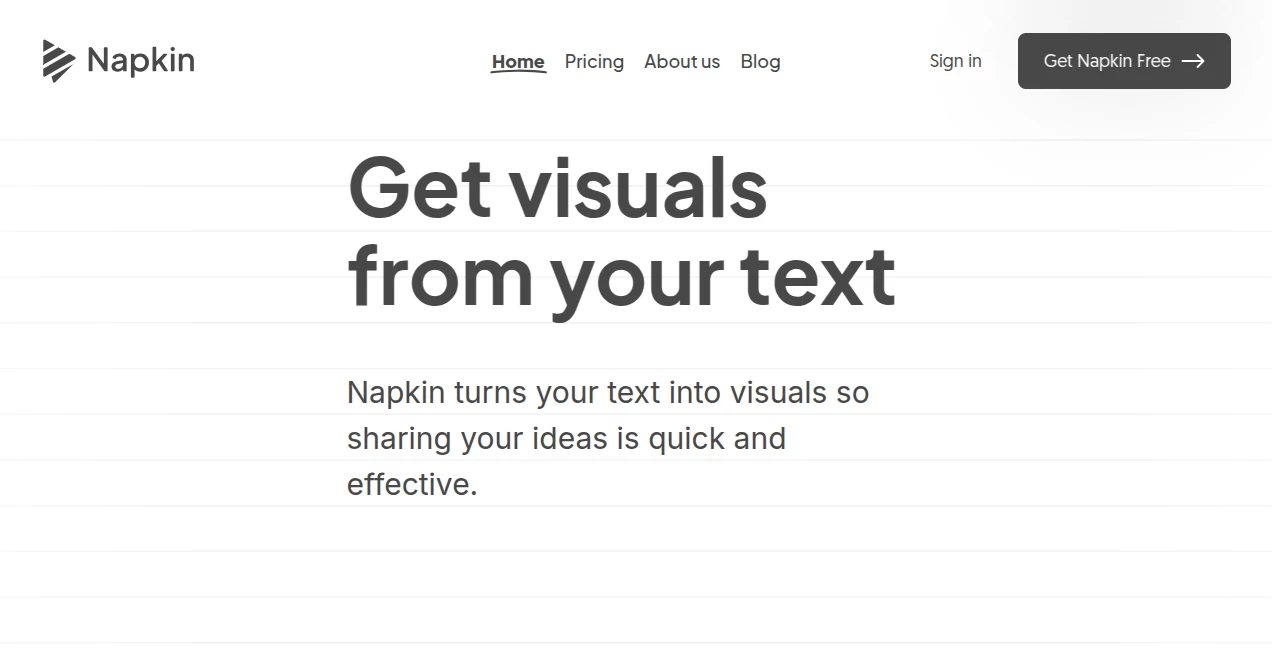
What is Napkin AI?
I still remember the first time I dropped a messy paragraph of notes into this tool and watched it turn into a clean, professional diagram in seconds. What used to take me 45 minutes in PowerPoint suddenly happened while I was still drinking my coffee. That moment of surprise is what keeps people coming back—Napkin AI doesn’t just make visuals, it makes your ideas land with clarity and impact. It feels less like software and more like having a sharp visual collaborator who instantly understands what you’re trying to say.
Introduction
Most of us are decent at writing ideas down, but turning those words into something people actually remember is a different skill entirely. This platform bridges that gap beautifully. You paste text—meeting notes, strategy docs, blog drafts, research summaries—and it intelligently generates relevant visuals: flowcharts, mind maps, diagrams, infographics, scenes, and more. No complex prompting battles, no blank canvas anxiety. It’s become a daily companion for marketers, consultants, educators, and founders who need to communicate faster and more memorably. The best part? The visuals don’t look “AI-generated”—they look thoughtful and on-brand.
Key Features
User Interface
The experience is refreshingly calm. You paste or type your text, hit the spark button, and relevant visual options appear almost instantly. From there you can refine colors, rearrange elements, change styles, or add your own touches with simple drag-and-drop controls. Nothing feels forced or over-engineered. You stay in creative flow instead of fighting menus. Whether you’re on desktop or quickly checking on mobile, the interface stays out of your way so the ideas stay front and center.
Accuracy & Performance
It has an impressive ability to understand context and intent. A strategy paragraph becomes a clean framework diagram. A comparison of features turns into an effective side-by-side layout. The AI rarely misses the mark on what visual would best serve the content. Generation is fast enough that you can try multiple directions in one sitting, and the quality holds up for client-facing work, not just internal sketches.
Capabilities
Beyond basic diagrams, it creates mind maps, flowcharts, data visualizations, illustrated scenes, and infographics. You can refine anything after generation—change layouts, swap icons, adjust colors to match your brand, or combine multiple visuals into one document. Exports include PPT, PDF, PNG, and SVG, so your work slides seamlessly into presentations, docs, social posts, or reports. It supports over 60 languages, making it genuinely useful for international teams.
Security & Privacy
Your documents and generated visuals stay private by default. The platform is built with care around data handling, giving teams confidence when working with sensitive strategies or client material. You control what gets exported and shared, which is exactly how it should be when ideas are still taking shape.
Use Cases
A product manager turns raw feature notes into a clear prioritization matrix for stakeholders in under five minutes. A consultant transforms client interview summaries into compelling visuals that make recommendations feel obvious. A teacher converts dense textbook sections into engaging diagrams that help students actually understand and remember concepts. A founder pitches their startup vision with polished slides created in one focused afternoon instead of three stressful nights. The common thread is turning complex information into something people instantly get.
Pros and Cons
Pros:
- Transforms messy text into clear, professional visuals remarkably fast.
- Visuals look polished and on-brand, not generic AI output.
- Intuitive editing tools let you customize everything without starting over.
- Excellent export options that fit into real workflows.
- Supports team collaboration and multiple languages.
Cons:
- Best results come from reasonably structured text (though it handles chaos better than most).
- Very niche or highly technical content sometimes needs light manual guidance.
- Heavy daily use benefits from a paid plan for unlimited generations.
Pricing Plans
It offers a generous free plan that lets you create and export meaningful work right away. Paid tiers unlock unlimited generations, advanced styles, team workspaces, higher export quality, and priority support. The upgrade feels natural once you start relying on it daily—most users find the time saved more than justifies the cost.
How to Use Napkin AI
Paste your text (meeting notes, article draft, strategy points) into the editor. Click the generate button and browse the suggested visuals. Pick the one that feels closest to your vision, then refine colors, layout, icons, and wording until it feels exactly right. Export as PowerPoint, PDF, image, or SVG. For longer documents, you can build multiple visuals and combine them into one cohesive piece. The whole process stays fast and focused, so you spend more time thinking and less time formatting.
Comparison with Similar Tools
Traditional design tools require hours of manual work. Other AI visual generators often produce generic or inconsistent results that need heavy cleanup. Napkin AI stands out by understanding business context better than most, delivering visuals that feel intentional rather than algorithmic. It strikes a sweet spot between speed, quality, and customizability that many competitors haven’t quite reached yet.
Conclusion
Great ideas deserve to be seen and understood clearly. This tool removes the friction between having something valuable to say and actually showing it in a way that resonates. Whether you’re presenting to executives, teaching students, or sharing on social media, it helps your thinking land with more impact and less effort. In a world drowning in text, the ability to turn words into clear, beautiful visuals is becoming a real competitive advantage—and Napkin AI makes that advantage accessible to anyone who has ideas worth sharing.
Frequently Asked Questions (FAQ)
How good is the output quality for professional use?
Extremely good for most business contexts—many users confidently use it in client presentations and reports.
Do I need design skills to use it?
Not at all. The AI handles the heavy lifting while you focus on refining the message.
Can I customize the visuals completely?
Yes—you can change almost every element, from colors and icons to layout and text.
Is team collaboration supported?
Yes, paid plans include shared workspaces and real-time collaboration features.
What file formats can I export?
PPT, PDF, PNG, and SVG—ready for any presentation or design tool.
AI Diagram Generator , AI Content Generator , AI Design Generator , AI Presentation Generator .
These classifications represent its core capabilities and areas of application. For related tools, explore the linked categories above.

Napkin AI Alternatives Product

Try FLux2

ImageKontext…

Carouzel AI

X Grok Imagi…

chibi art

Logo Teddy

Undertale Te…

AI Age Progr…

China Brush