

















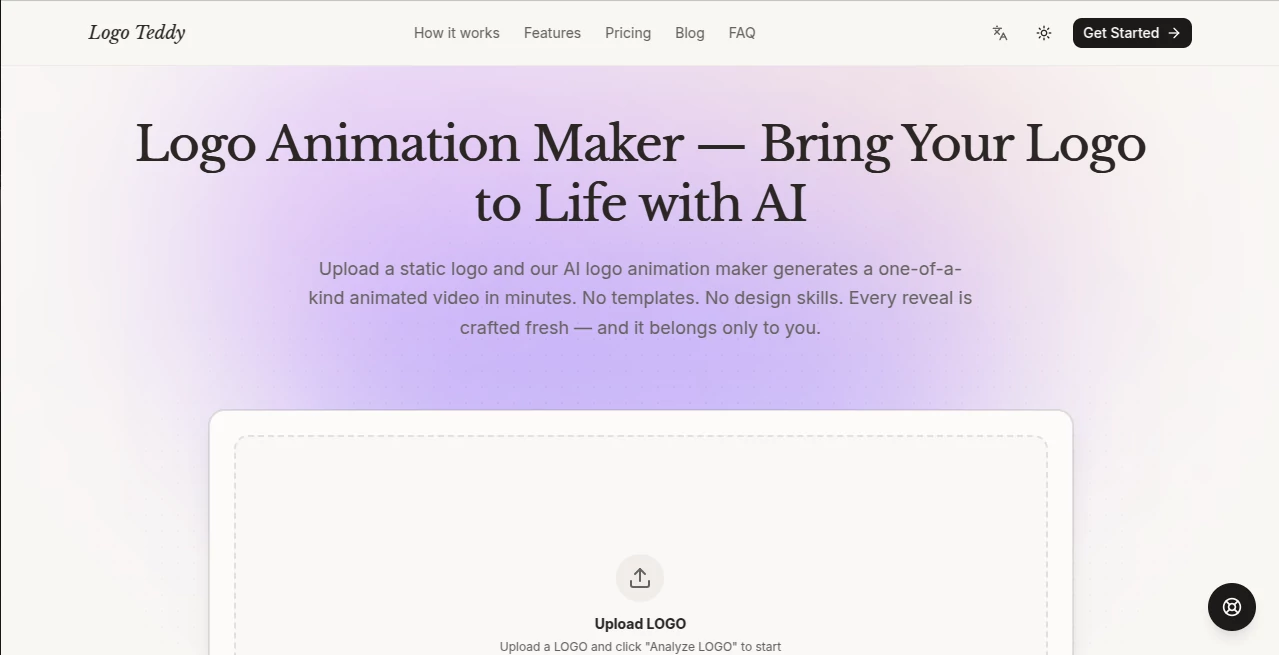
What is Logo Teddy?
Creating a memorable brand identity should never feel overwhelming. This platform transforms the logo creation process into an enjoyable experience by combining artificial intelligence with intuitive design tools. Whether you're launching a startup, opening an online store, building a personal brand, or refreshing an existing business identity, it helps you produce professional-quality logos in just a few minutes.
Instead of spending days working with complicated design software or waiting for multiple design revisions, users can generate unique concepts almost instantly. Every design can be customized with different colors, typography, layouts, and icons, making it easy to create branding that genuinely reflects the personality of a business.
The result is a streamlined workflow that saves both time and money while still delivering polished branding suitable for websites, social media, presentations, marketing materials, and printed products.
Key Features
User Interface
The editor is clean, beginner-friendly, and designed for speed. Users simply provide their business name and preferences before browsing multiple logo concepts. Editing feels natural, allowing adjustments to fonts, colors, spacing, symbols, and layouts without requiring previous graphic design experience.
Accuracy & Performance
The AI quickly produces logo ideas that align with different industries and branding styles. Instead of presenting generic templates, it creates a wide variety of visual directions, giving businesses the flexibility to choose a design that matches their identity while significantly reducing the time normally required for logo creation.
Capabilities
- AI-powered logo generation.
- Custom typography and font selection.
- Editable color palettes.
- Professional icon integration.
- Modern and minimal design styles.
- High-quality export options.
- Brand-ready assets for digital and print use.
- Fast logo generation within minutes.
Security & Privacy
The platform is designed to let users create branding without unnecessary complexity. Personal project information remains focused on the design process, and users maintain control over customizing and exporting their finished logos for commercial use according to the available licensing options.
Use Cases
- Building a visual identity for startups.
- Creating logos for online stores.
- Designing branding for freelancers and creators.
- Launching new products quickly.
- Refreshing existing company branding.
- Creating logos for social media channels.
- Developing branding for agencies and small businesses.
- Producing marketing-ready visual assets.
Pros and Cons
- Pros
- Very easy for beginners.
- Fast AI-powered logo generation.
- Professional-looking results.
- Extensive customization options.
- Suitable for many industries.
- Saves significant design time.
- Cons
- Advanced branding agencies may still require fully custom illustrations.
- Some premium assets may require a paid plan.
Pricing Plans
The service generally provides an opportunity to explore and generate logo concepts before purchasing downloadable files or premium branding assets. Commercial features and export options may vary depending on the selected pricing plan.
How to Use LogoTeddy
Start by entering your business name and selecting a style that reflects your brand. Review the AI-generated logo concepts, then customize fonts, colors, icons, and layouts until the design feels right. Once satisfied, export the final version for use across websites, social media profiles, business cards, presentations, merchandise, and other marketing materials.
Comparison with Similar Tools
Compared with many traditional logo generators, this solution places greater emphasis on speed and ease of customization. Rather than forcing users into rigid templates, it provides flexible editing options while maintaining a simple workflow. Businesses that need professional branding without hiring a dedicated designer will appreciate the balance between automation and creative control.
Conclusion
A strong logo is often the first impression customers have of a business. This AI-powered solution removes much of the complexity from the branding process while still delivering attractive, professional results. Its combination of intelligent design generation, flexible customization, and user-friendly editing makes it an excellent choice for entrepreneurs, startups, freelancers, and growing businesses looking to establish a memorable visual identity quickly and efficiently.
Frequently Asked Questions (FAQ)
Can beginners create professional logos?
Yes. The interface is designed for users with little or no graphic design experience.
Can I customize the generated designs?
Yes. Colors, fonts, layouts, and icons can all be modified to match your branding.
Is it suitable for commercial businesses?
Yes. The generated branding is intended for business use, subject to the selected licensing terms.
How long does it take to create a logo?
Most users can generate and customize a professional-looking logo within just a few minutes.
Who benefits most from this platform?
Entrepreneurs, startups, freelancers, creators, agencies, and small businesses that need fast, high-quality branding.