NovaPrompt
What is NovaPrompt?
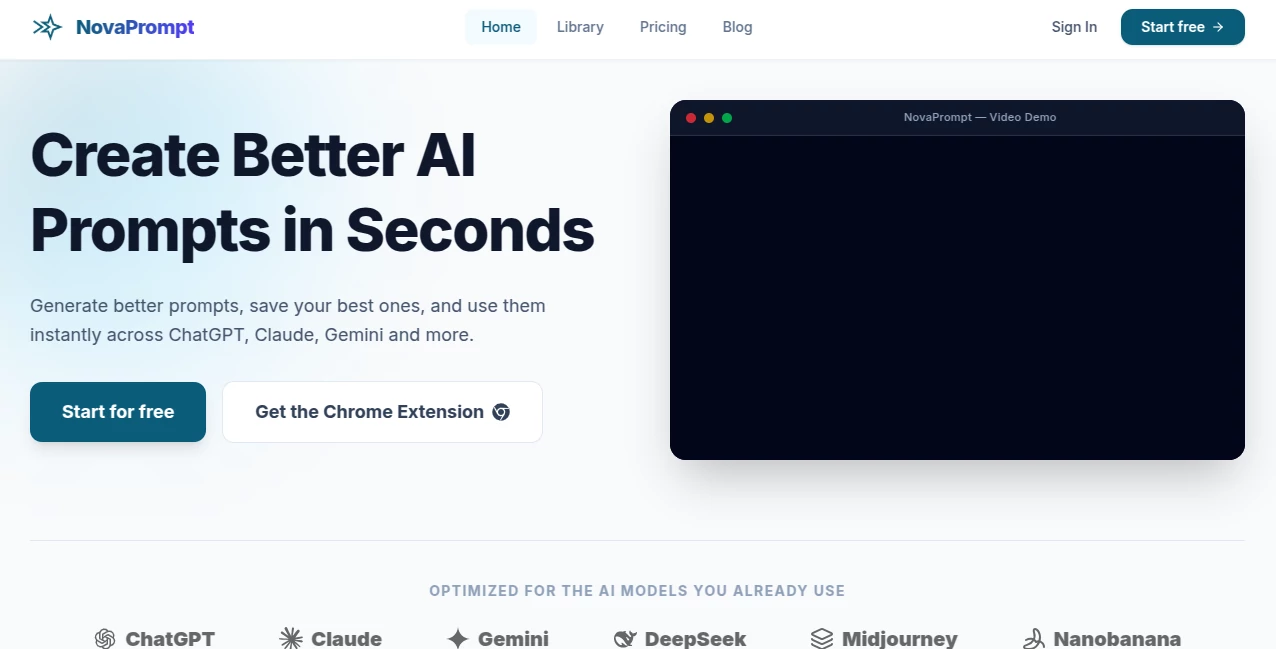
NovaPrompt is built for people who use AI regularly and are tired of rewriting the same instructions again and again. Instead of treating prompts as disposable text inside chat windows, the platform gives users a practical place to create, improve, test, save, and reuse them.
The idea is simple but useful: start with a rough thought, turn it into a clearer prompt, refine it, and keep the version that works. This approach can save considerable time for marketers, developers, researchers, writers, students, and anyone who relies on AI tools for everyday work.
The platform works with major AI models and services, including ChatGPT, Claude, Gemini, DeepSeek, and Midjourney. Its Chrome extension also makes saved prompts available while working directly in the browser.
Key Features
The main strength is the combination of prompt creation and prompt management. Users are not limited to generating a prompt once and copying it somewhere else. They can build a personal collection and return to proven instructions whenever they need them.
- Generate prompts from simple ideas.
- Improve existing prompts with an AI-powered optimizer.
- Refine prompts through a built-in chat workspace.
- Save, pin, search, and organize prompts in a personal library.
- Keep reusable prompt versions for recurring tasks.
- Access prompts through a Chrome extension.
- Insert prompts into supported AI websites with a single click.
- Use a curated library of ready-to-use prompts.
- Export the prompt library to PDF.
- Create prompts for marketing, SEO, coding, support, research, social media, product work, and data tasks.
User Interface
The interface follows a straightforward workspace concept. Rather than forcing users through a complicated prompt-engineering workflow, it focuses on the actions people actually need: generate, refine, save, organize, and reuse.
The library is particularly useful for anyone who has accumulated dozens of prompts across different conversations. Search and filtering make it easier to find a specific instruction instead of scrolling through old AI chats.
The Chrome extension adds another practical layer. A saved prompt can be brought into the browser while working with an AI service, which reduces the constant back-and-forth between tabs.
Accuracy & Performance
Prompt quality naturally affects the quality of an AI response, so the optimization and refinement features are designed to make instructions clearer and more structured. The platform can take a basic idea and turn it into a more detailed prompt with clearer objectives and instructions.
It also supports prompts tailored for several major AI models. This is helpful when the same task needs to be handled across different assistants, since users can maintain reusable instructions instead of rebuilding their workflow from scratch.
Of course, prompt optimization cannot guarantee a perfect response from every AI model. Results still depend on the model, the information supplied, and the complexity of the task. The real benefit is reducing unnecessary trial and error.
Capabilities
The platform covers much more than casual prompt generation. Its use cases include SEO briefs, marketing copy, code reviews, documentation, SQL and data-analysis prompts, product specifications, roadmaps, customer-support responses, social posts, and research tasks.
For example, a developer could keep a tested code-review prompt and reuse it whenever reviewing a new project. A marketer could maintain separate instructions for product descriptions, social campaigns, and SEO briefs. A support team could create standardized prompts for drafting responses while keeping the underlying instructions consistent.
The prompt library is also useful for experimentation. Instead of deleting an instruction after changing it, users can keep useful versions and return to them later. That small change can make prompt workflows much more organized.
Security & Privacy
Privacy information published by the service states that account information, saved prompts, preferences, subscription information, and limited technical data may be processed to operate the platform. Authentication is handled through Google and Firebase, while Stripe is used for paid subscription processing.
The Chrome extension uses permissions such as activeTab, scripting, storage, and identity for its browser-based functionality. According to the published privacy policy, page interaction is intended for requested features such as inserting prompts into compatible AI interfaces rather than continuously monitoring browsing history.
The service also states that it does not sell, rent, or trade personal information. As with any online service that stores user content, users should still review the current privacy policy before placing sensitive or confidential material into their prompt library.
Use Cases
Marketing: Build reusable instructions for campaigns, product copy, advertising ideas, and social content.
SEO: Keep prompts for SEO briefs, content planning, keyword-related tasks, and meta descriptions in one organized library.
Software Development: Create repeatable instructions for code reviews, refactoring, debugging, documentation, and technical analysis.
Data and SQL: Maintain structured prompts for data analysis and SQL query generation, particularly when similar reporting tasks happen regularly.
Product Management: Reuse prompts for product requirements, specifications, roadmaps, and PRDs without recreating the workflow each time.
Customer Support: Standardize prompts for response drafting and help-document creation while keeping team instructions consistent.
Research: Build prompts for collecting information, organizing research, comparing material, and summarizing findings.
Education: Students and educators can create reusable prompts for explanations, study assistance, research preparation, and learning activities.
Pros and Cons
Pros
- Combines prompt generation with prompt management.
- Useful personal library for saving and reusing proven prompts.
- Built-in optimization and refinement features.
- Chrome extension reduces the need to switch between tabs.
- Supports workflows across several popular AI models.
- Useful across writing, marketing, coding, research, and business tasks.
- Free plan available for users who want to explore the service.
- Prompt library can be exported to PDF.
Cons
- The free plan limits users to 30 credits and five stored prompts.
- Users with large prompt collections may need the paid plan for unlimited storage.
- Prompt optimization can improve instructions, but it cannot guarantee identical or perfect results across different AI models.
- The Chrome extension is primarily useful for people who regularly work with AI services through a browser.
Pricing Plans
The pricing structure is intentionally simple. The Free plan costs $0 and includes 30 credits, storage for up to five prompts, the basic prompt generator, access to the prompt library, and the Chrome extension.
The Pro plan costs $7 per month when billed annually, with annual billing listed at $84. It removes the prompt-generation and storage limitations and adds unlimited prompt generation and optimization, unlimited prompt storage, prompt improvement features, full prompt-library access, the Chrome extension, and priority customer support.
For someone experimenting with prompt management, the free option is a sensible starting point. Users who depend on prompts throughout the day are more likely to benefit from the additional capacity offered by Pro.
How to Use It
Getting started is straightforward. Create an account and begin with either a simple idea or an existing prompt that needs improvement.
- Open the prompt-generation workspace.
- Describe what you want the AI to accomplish.
- Generate a structured prompt from your initial idea.
- Review and refine the result if necessary.
- Save useful prompts to your personal library.
- Organize or pin frequently used prompts for faster access.
- Install the Chrome extension when you want to use saved prompts directly in the browser.
- Insert a prompt into a compatible AI platform when working on a task.
A good habit is to save prompts only after testing them. Over time, this turns the library into a collection of instructions that have already proved useful in real workflows rather than simply becoming another folder full of untested text.
Comparison with Similar Tools
Many prompt resources focus mainly on providing collections of example prompts. Others concentrate on generating a prompt from a short description. This platform takes a broader approach by combining generation, optimization, refinement, storage, and browser access.
That distinction matters for frequent AI users. Someone who only needs an occasional prompt may be perfectly happy with a public prompt library. Someone who repeatedly uses AI for work, however, can benefit from keeping their own tested instructions, improving them over time, and accessing them without leaving the current workflow.
The Chrome extension is another differentiating feature. Instead of treating prompt management as a separate activity, it brings the saved library closer to the AI websites where those prompts are actually used.
Conclusion
For people who use AI every day, prompt management can become surprisingly time-consuming. Good instructions often get buried in old conversations, while useful variations are rewritten from memory. This platform addresses that problem with a focused workspace for creating, improving, organizing, and reusing prompts.
Its strongest appeal is not simply generating another prompt. It is the workflow around the prompt: create it, refine it, save the useful version, and bring it back when the same type of work appears again. Add the browser extension and the process becomes even more convenient.
The free plan makes it easy to test the basic workflow, while the Pro option is aimed at heavier users who need more storage and unlimited generation and optimization. For anyone trying to turn scattered AI instructions into a repeatable system, it is a practical addition to an everyday AI toolkit.
Frequently Asked Questions (FAQ)
What is this platform used for?
It is designed to help users generate, optimize, refine, organize, save, and reuse AI prompts across different tasks and AI platforms.
Which AI models can I use prompts with?
The service supports workflows involving major AI models and platforms such as ChatGPT, Claude, Gemini, DeepSeek, and Midjourney.
Does it have a Chrome extension?
Yes. The Chrome extension provides access to the prompt library while browsing and can insert prompts into compatible AI platforms with a single click.
Is there a free plan?
Yes. The Free plan costs $0 and includes 30 credits, storage for up to five prompts, basic prompt generation, prompt-library access, and the Chrome extension.
How much does the Pro plan cost?
The Pro plan is listed at $7 per month when billed annually, or $84 for the year.
Can I save my own prompts?
Yes. Users can save, organize, pin, search, and reuse their own prompts. The Pro plan provides unlimited prompt storage.
Can prompts be exported?
Yes. The platform states that users can export their prompt library to PDF.
Is it useful for developers?
Yes. Coding is one of the supported use cases, with workflows covering areas such as code reviews, refactoring, documentation, and SQL-related tasks.
Can I cancel a paid subscription?
Yes. The service states that subscriptions can be canceled at any time, with premium benefits remaining active until the end of the current billing period.
AI SEO Assistant , AI Productivity Tools , Prompt , AI Developer Tools .
These classifications represent its core capabilities and areas of application. For related tools, explore the linked categories above.

NovaPrompt Alternatives Product

Standard Com…

Vurge

Leonardo.ai

Ghibli Image…

PineBill

Sales Prospe…

Seedance Pro…

Image2GPT

TypingFirst