Omni Flash
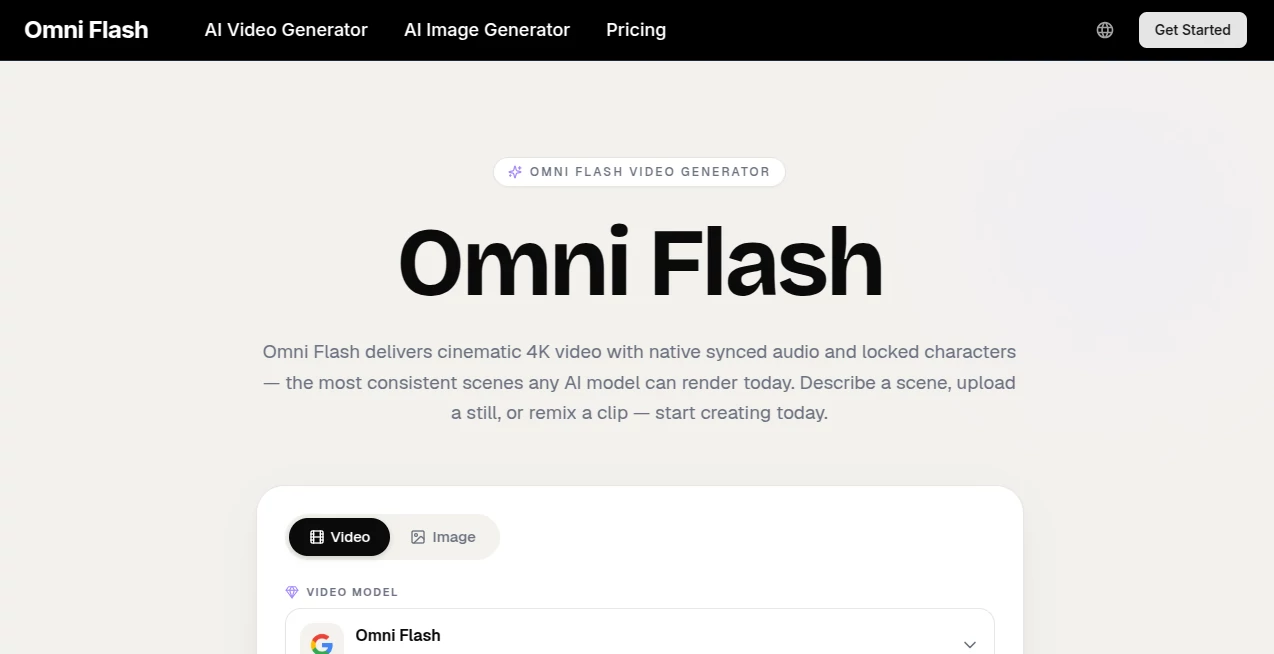
What is Omni Flash?
Omni Flash is an advanced AI-powered video generation platform designed to help creators transform ideas, images, and written prompts into cinematic video experiences. The platform combines video generation, image creation, and conversational editing into one creative workflow, making professional-looking visual production more accessible for creators, marketers, educators, and businesses.
Instead of managing multiple tools for scripting, visual design, animation, and editing, users can create complete scenes from a simple description or reference image. The platform focuses on realistic motion, consistent characters, high-quality visuals, and synchronized audio to help users produce engaging content faster.
Whether you are creating social media videos, product advertisements, educational content, or creative storytelling projects, this tool provides a flexible environment where ideas can quickly become polished visual assets.
Key Features
- AI-powered text-to-video generation for turning descriptions into complete scenes.
- Image-to-video workflows that animate static images with realistic movement.
- Cinematic video output with detailed lighting, camera movement, and visual composition.
- Native audio synchronization for more immersive generated videos.
- Character consistency features that help maintain identity across multiple scenes.
- Conversational editing that allows users to refine videos through natural instructions.
- AI image generation included within the same creative workflow.
- High-resolution video generation options including 4K output support.
- Commercial-use licensing options for professional projects.
User Interface
The interface is designed around simplicity and speed. Users can start with a text prompt, upload a reference image, or provide an existing concept and guide the generation process through natural language. The workflow feels closer to working with a creative assistant rather than learning complicated editing software.
The conversational editing system is especially useful for creators who want to make small adjustments without rebuilding an entire project. A user can refine camera angles, scene details, or visual styles by simply describing the desired changes.
Accuracy & Performance
The platform delivers impressive visual consistency by combining multiple creative processes into a unified generation system. It focuses on maintaining character appearance, scene continuity, and realistic movement, helping creators achieve results that feel more connected and professional.
Fast generation speeds make it practical for testing multiple ideas before selecting the final version. This allows marketers and content creators to experiment with different concepts without spending hours on manual production.
Capabilities
This AI video solution supports a wide range of creative tasks, including promotional videos, storytelling scenes, product demonstrations, short-form social content, educational animations, and visual concept development.
Creators can use cinematic prompts to control elements such as camera perspective, lighting style, atmosphere, and movement. The combination of video generation and image creation makes it suitable for complete creative workflows from initial idea to final production.
Security & Privacy
The platform provides private generation options and focuses on giving users control over their creative assets. Generated content can include commercial-use licensing features depending on the selected plan, making it suitable for businesses and professional creators who need reliable content production workflows.
Use Cases
- Content Creators: Produce engaging videos for YouTube, TikTok, Instagram, and other platforms.
- Marketing Teams: Create advertisements, campaign videos, and promotional content quickly.
- E-commerce Businesses: Turn product images into attractive video presentations.
- Filmmakers: Create storyboards, visual concepts, and pre-production scenes.
- Educators: Generate visual explanations and animated learning materials.
- Agencies: Deliver more creative options for clients with faster production cycles.
Pros and Cons
Pros
- Combines video generation, image creation, and editing in one platform.
- Produces cinematic-style visuals with realistic details.
- Supports text-to-video and image-to-video workflows.
- Useful for both individual creators and professional teams.
- Reduces the time required for creative experimentation.
Cons
- Advanced features require paid plans with higher credit limits.
- Complex scenes may still require multiple generations to achieve the preferred result.
- AI-generated content may require human editing for specific professional projects.
Pricing Plans
The platform offers multiple subscription options designed for different creative needs.
- Lite Plan: Suitable for individual creators who need regular AI video generation with monthly credits, commercial licensing, watermark-free exports, and HD output options.
- Pro Plan: Designed for creators and marketers who produce content frequently, offering more credits, faster generation, and multiple concurrent generations.
- Ultra Plan: Built for teams and high-volume users who require larger credit limits, faster workflows, and advanced production capabilities.
How to Use Omni Flash
- Create an account and choose a suitable plan.
- Start with a written prompt, reference image, or creative idea.
- Describe the scene, style, characters, and desired motion.
- Generate the video and review the result.
- Use conversational editing to refine details.
- Export the final content for personal or commercial use.
Comparison with Similar Tools
Compared with traditional AI video generators, this platform focuses on combining multiple creative stages into one experience. Many tools specialize in only one area, such as animation or image generation, while this solution connects visual creation, editing, and audio synchronization together.
For creators who want a complete workflow instead of switching between several applications, this approach can reduce production complexity and make experimentation faster.
Conclusion
Omni Flash provides a powerful solution for anyone looking to create high-quality AI-generated videos without requiring advanced production skills. Its combination of cinematic generation, consistent characters, synchronized audio, and conversational editing makes it a valuable option for modern creators and businesses.
From quick social media clips to professional marketing visuals, the platform helps transform creative ideas into polished video content with a more efficient workflow.
Frequently Asked Questions (FAQ)
What can I create with this AI video platform?
You can create promotional videos, social media content, cinematic scenes, educational videos, product visuals, and creative storytelling projects.
Does it support image-to-video generation?
Yes, users can upload images and transform them into animated video content with realistic motion and visual effects.
Can generated videos be used commercially?
Commercial usage depends on the selected subscription plan and licensing options available for the account.
Does it support high-resolution video output?
Yes, available plans include high-quality output options, with support for resolutions up to 4K depending on the workflow.
Is it suitable for beginners?
Yes, the platform is designed for beginners and professionals by allowing users to create content through simple prompts instead of complex editing processes.
AI Image to Video , AI Video Generator , AI Video Editor , AI Text to Video .
These classifications represent its core capabilities and areas of application. For related tools, explore the linked categories above.

Omni Flash Alternatives Product
wan2-6.org

Seedance 2.0
seedance 2

Happy Horse:…

Happy Horse

sora video

ltx 2.3

Seedance 2.0

Faceless Ree…