

















Gemini Omni
What is Gemini Omni?
There’s a special kind of excitement when you describe a scene in plain words or drop in a single image, and moments later a full video plays back with coherent motion, natural lighting, and emotional weight. This tool makes that feel almost routine. It’s not just generating clips—it understands context, maintains character consistency, and responds to natural language edits like a real collaborator. I’ve watched creators turn rough ideas into polished sequences faster than they could sketch storyboards, and the results often look like they came from a patient director rather than an algorithm. It’s the kind of leap that makes you want to keep experimenting because the output finally feels alive.
Introduction
Video creation has always been one of the most time-intensive forms of storytelling. Between shooting, editing, lighting, and syncing everything, even short pieces can take days. Gemini Omni changes the equation by letting you start with text, images, or existing video and build or refine from there through simple conversation. It combines deep reasoning with creative generation, so prompts don’t just produce random motion—they create sequences that respect physics, emotion, and narrative flow. For filmmakers prototyping ideas, marketers needing quick assets, or creators who simply want to see their vision move, it removes many traditional barriers while keeping the human spark intact.
Key Features
User Interface
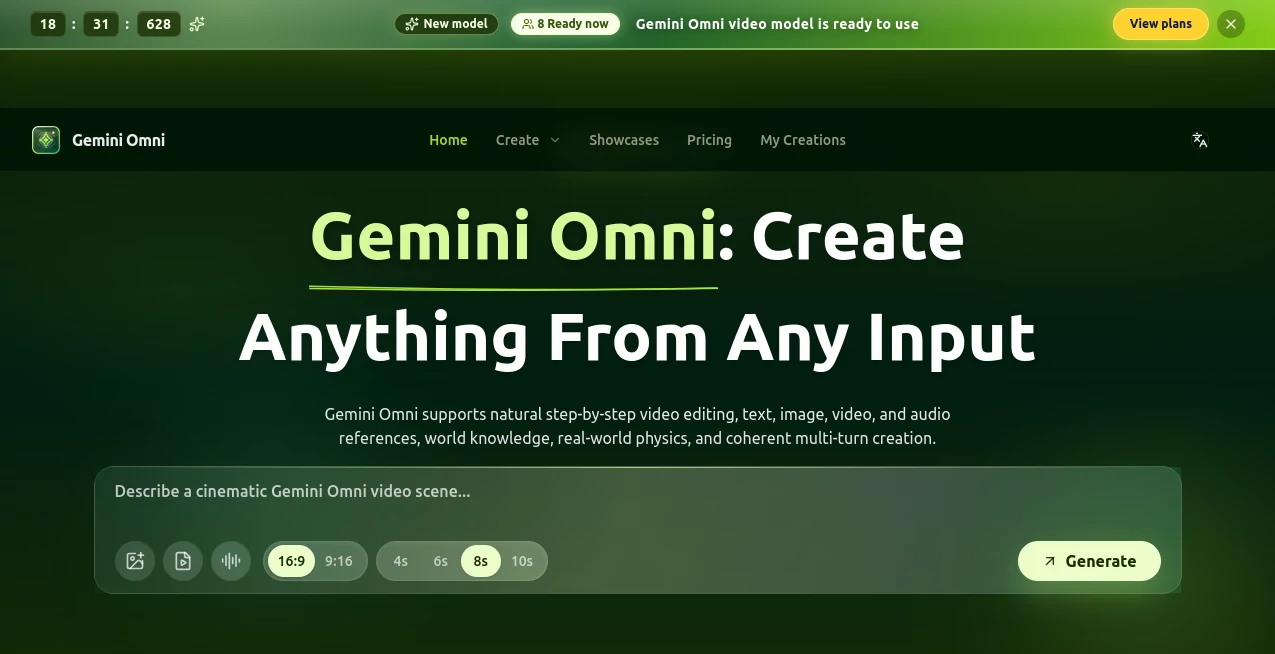
The experience is refreshingly conversational. You type a description, upload reference images or video clips, and the system generates a first pass. Then you can keep chatting—“make the camera slower,” “add golden hour lighting,” or “have the character look over their shoulder”—and it updates the clip accordingly. No complex timelines or layered software required. The interface stays out of the way so you can focus on refining the story instead of fighting tools. It feels like directing a very attentive assistant rather than wrestling with software.
Accuracy & Performance
Character consistency is where it really shines—faces, clothing, and mannerisms stay recognizable across shots and lighting changes. Motion feels natural rather than floaty or robotic, and the model handles complex prompts involving multiple subjects, camera moves, and emotional beats with surprising coherence. Generation speed is practical for iteration, and the results hold up under scrutiny better than many earlier attempts in this space. It’s not perfect on every single prompt, but the hit rate is high enough that you spend more time creating and less time fixing.
Capabilities
You can start from text, single images, or existing video clips and build multi-shot sequences. Natural language editing lets you refine anything from pacing to style to specific actions. It supports cinematic camera language, emotional nuance, and even dialogue-aware lip sync in many cases. The hybrid input (text + visual references) gives you fine control while the conversational refinement turns rough concepts into polished shorts. It’s particularly strong for storytelling, product visualizations, and creative experiments where mood and continuity matter.
Security & Privacy
Your prompts, reference files, and generated clips are handled with care—processed securely and not used for training without explicit permission. The system respects user ownership, and outputs can be kept private or shared as you choose. For creators working with sensitive concepts or client projects, that thoughtful approach builds real confidence.
Use Cases
A filmmaker mocks up emotional key scenes to test tone before full production. A small brand turns product photos into elegant lifestyle videos without hiring a crew. A musician creates official lyric visuals that actually match the song’s feeling instead of generic stock footage. An educator brings historical events to life with short, engaging clips that keep students watching. The common thread is speed paired with quality—getting ideas moving fast enough to iterate and share before momentum fades.
Pros and Cons
Pros:
- Strong character and style consistency across shots and edits.
- Natural language refinement feels like actual collaboration.
- Cinematic understanding of lighting, pacing, and emotion.
- Hybrid input (text + images/video) gives precise creative control.
- Fast enough iteration to keep creative flow alive.
Cons:
- Clip lengths are still best suited for shorts and sequences rather than full-length stories.
- Very complex or contradictory prompts can occasionally need clarification.
- Access to the highest quality and features may require specific plans or waitlists.
Pricing Plans
It offers accessible entry points for casual creators while scaling up for heavier professional use. Free or limited tiers let you experiment and see the quality firsthand. Paid options unlock higher resolutions, longer sequences, faster generation, and priority access. The structure feels fair—pay more only when your needs grow beyond testing and light creation.
How to Use Gemini Omni
Start by typing a clear scene description or uploading a reference image/video. Generate the first version, then use natural language to refine (“slow the camera down,” “make the lighting warmer,” “add gentle rain”). Preview each iteration, download when it feels right, or continue editing conversationally. For multi-shot stories, describe transitions or generate separate segments and combine them later. The conversational loop makes experimentation fast and enjoyable.
Comparison with Similar Tools
Many AI video tools still struggle with consistency or produce motion that feels artificial. This one stands out for its cinematic awareness and natural language editing capabilities, making refinement feel collaborative rather than mechanical. Where others force you into rigid workflows, the conversational approach here keeps the process fluid and creative. It’s less about raw spectacle and more about usable, story-driven results.
Conclusion
Video has always been powerful, but creating it quickly without sacrificing quality has been rare. This tool narrows that gap significantly, letting ideas move from mind to screen faster than ever while keeping emotional weight and visual coherence. For storytellers, marketers, educators, and experimenters, it’s a meaningful step toward more accessible, higher-quality creation. When a simple prompt turns into something that genuinely moves people, you remember why video matters—and why tools like this are worth celebrating.
Frequently Asked Questions (FAQ)
How long can generated clips be?
Best suited for short-to-medium sequences; longer narratives can be built by combining multiple generations.
Do I need reference images?
Not required—text-only works well—but adding references dramatically improves consistency and control.
Can I edit existing videos?
Yes—upload a clip and use natural language to refine motion, style, lighting, or specific actions.
Is it suitable for commercial use?
Paid access typically includes commercial rights; always check current terms for your plan.
How does it handle character consistency?
Very strongly—one of its standout strengths compared to earlier video generation models.