
















OmniGIF
What is OmniGIF?
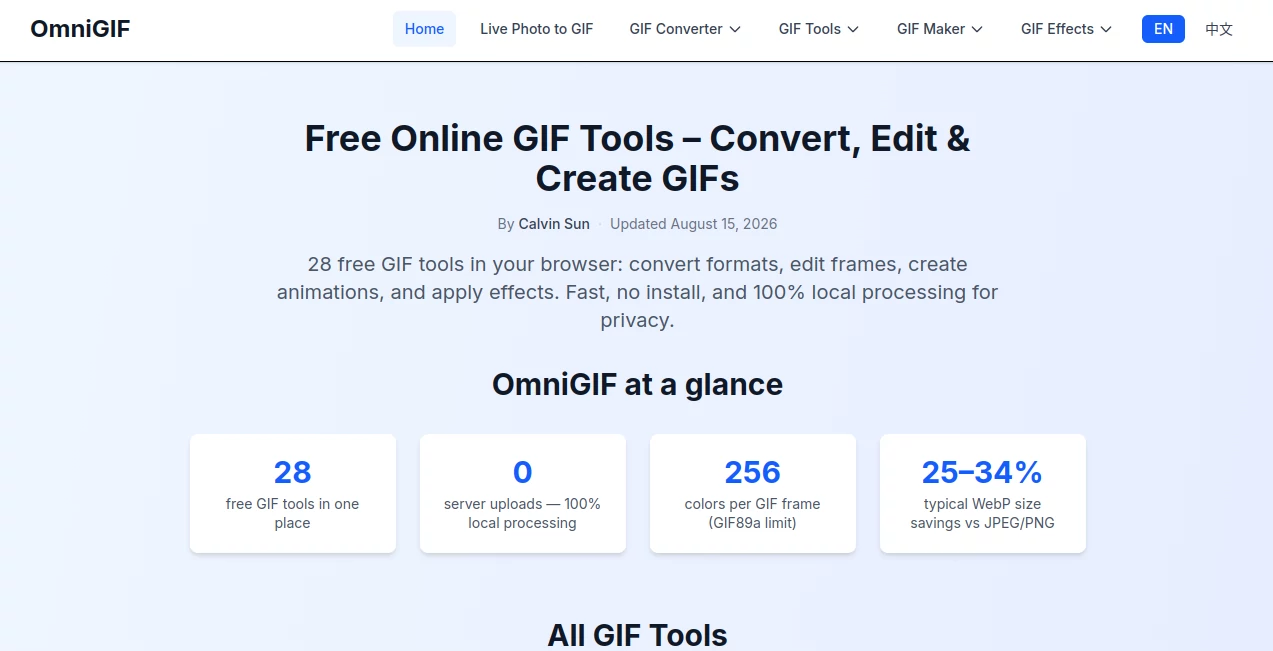
OmniGIF is a free browser-based toolkit built for people who work with animated images and want to convert, inspect, edit, compress, or create GIFs without installing desktop software. Instead of putting every GIF task behind a separate application, it brings a wide collection of practical utilities into one place.
The platform currently offers 28 free GIF tools covering conversion, frame extraction, editing, effects, compression, and GIF creation. A particularly appealing part of the experience is its privacy-first approach: processing takes place locally in the browser, so files do not need to be uploaded to a remote server.
For example, someone preparing a GIF for a website can convert it to WebP for a smaller file, while a designer can extract individual frames as PNG images. Someone working with an iPhone Live Photo can also turn it into a shareable animation and adjust quality, frame rate, dimensions, and duration.
Key Features
- GIF conversion to PNG, WebP, and APNG
- APNG and multiple PNG images to GIF conversion
- GIF frame extraction and splitting
- Frame-by-frame GIF viewing and timing inspection
- GIF cropping, trimming, reversing, rotating, and flipping
- GIF compression with adjustable quality or target file sizes
- Live Photo to GIF conversion
- GIF effects such as grayscale, pixelation, glitch, fade, borders, and confetti
- GIF speed adjustment while preserving relative frame timing
- Creative GIF makers for effects such as shaking images, flaming text, and spinning vinyl artwork
User Interface
The interface is intentionally straightforward. Most tools follow the same basic workflow: select or drag in a supported file, adjust the available settings, preview the result when available, and download the finished file.
This consistency makes the large collection of utilities easier to navigate. The tools are organized into areas such as GIF Converter, GIF Tools, GIF Maker, and GIF Effects, so users do not have to search through an overwhelming collection of unrelated options.
A useful touch is that many tools expose practical controls rather than hiding everything behind automatic processing. Depending on the task, users can choose frames, set a target size, adjust quality, change speed, crop an animation, or select output dimensions.
Accuracy & Performance
Because processing is performed directly in the browser, there is no waiting for a remote processing queue. GIF decoding and encoding are handled locally, and many operations can be completed within seconds on suitable files.
The platform also pays attention to animation details. Frame extraction can preserve timing information, while the frame viewer allows users to inspect individual frames and their durations. This is particularly useful when an animation looks uneven and the problem needs to be traced back to specific frames.
There are practical limits, of course. GIF processing can become memory-intensive with large or complicated animations, and the site recommends keeping GIF files under 10MB for optimal performance. Live Photo conversion has a larger maximum file size of 50MB.
Capabilities
The strongest aspect of the platform is the breadth of its GIF workflow. A user can start with an existing GIF, inspect its frames, extract selected images, convert it to another animated format, trim unnecessary sections, change its speed, apply an effect, and compress the final result without jumping between several unrelated websites.
Format support is also well considered. GIF remains useful when broad compatibility matters, WebP can be a better choice when file size matters, APNG offers richer color and transparency capabilities, and PNG works well when an individual still frame is needed.
The Live Photo workflow is another practical feature. Users can work with common MOV, MP4, and HEIC-based Live Photo content and control quality, FPS, width, height, starting point, and duration before creating the animation.
Security & Privacy
Privacy is one of the most convincing reasons to use the platform. File processing happens locally in the browser rather than sending the user's media to a remote conversion server. That means personal GIFs, screenshots, product demonstrations, and Live Photos can remain on the user's own device during processing.
No account is required for the core tools, and downloads are not watermarked. Once the page and required processing libraries have loaded, many operations can continue without sending the actual media files elsewhere.
Use Cases
There are plenty of situations where a focused GIF toolkit is more convenient than a full image-editing application.
- Web developers: Convert animated GIFs to WebP when reducing media size is important.
- Designers: Extract individual frames as PNG or WebP files for further editing.
- Content creators: Trim, reverse, speed up, slow down, or add effects to short animations.
- Social media users: Turn Live Photos and still images into simple shareable animations.
- Marketers: Create lightweight visual assets for campaigns, demonstrations, and product content.
- Animators: Inspect individual frames and timing to identify pacing or rendering problems.
- Developers and QA teams: Examine frame sequences when diagnosing animation behavior.
Imagine a designer receiving a 20-second GIF that contains only a few useful moments. Instead of opening a heavyweight editor, they can trim the animation, inspect the frames, export the useful section, and compress the final version in a much shorter workflow.
Pros and Cons
Pros
- Free browser-based tools
- No software installation required
- Local processing keeps files on the user's device
- Large selection of focused GIF utilities
- Supports GIF, PNG, WebP, and APNG workflows
- Useful frame inspection and extraction features
- Includes Live Photo to GIF conversion
- No account required for core conversion features
- No watermark on downloads
Cons
- The main focus is GIF-related media rather than general-purpose image editing.
- Large GIFs can require significant browser memory.
- GIF files remain limited to 256 colors per frame, regardless of the conversion tool being used.
- Some newer formats, particularly APNG, do not have identical browser support everywhere.
- Users looking for advanced timeline-based video editing will need a more specialized application.
Pricing Plans
The core tools are free to use. There is no paid unlock required for the main GIF conversion and frame-processing features, and users can download their results without a watermark.
This pricing approach makes the platform particularly attractive for occasional users. Someone who only needs to convert a GIF, extract a frame, compress an animation, or create a quick effect does not need to subscribe to another creative application just to complete a small task.
How to Use It
Getting started is simple and follows a consistent workflow across most of the available tools.
- Select the GIF or supported media file you want to process.
- Choose the specific conversion, editing, extraction, or effect tool you need.
- Adjust the available settings, such as quality, frame range, FPS, duration, or output format.
- Preview the result when a preview is available.
- Convert or process the file.
- Download the finished result directly to your device.
For GIF frame extraction, users can select individual frames or ranges depending on the tool. For Live Photo conversion, the available controls include quality, frame rate, dimensions, starting time, and duration. This gives users more control than a basic one-click converter.
Comparison with Similar Tools
Many online image utilities focus on a single conversion or offer a large collection of unrelated editing functions. This toolkit takes a more focused approach by concentrating heavily on GIF workflows.
Compared with a traditional desktop graphics application, it is much faster to open for a small job because there is nothing to install and no complex project interface to navigate. Compared with generic online converters, its frame viewer, frame extractor, animation effects, trimming, reversing, rotation, compression, and other specialized GIF utilities provide a deeper workflow.
The local-processing model is another meaningful distinction. Users handling private screenshots, personal photos, or confidential visual material may prefer a browser workflow in which the actual files are processed on their own device instead of being uploaded to a conversion service.
Conclusion
This is a particularly useful choice for anyone who regularly works with GIFs but does not want to install a full creative application for every small task. Its collection of conversion, extraction, editing, compression, inspection, and creation tools covers much more than basic GIF conversion.
The combination of free access, no installation, no watermark, and local browser processing makes it easy to recommend for everyday GIF work. Whether the goal is to extract a single frame, reduce an animation's size, convert between formats, inspect frame timing, or create a quick visual effect, the workflow stays simple and focused.
Frequently Asked Questions (FAQ)
Is it free to use?
Yes. The core GIF conversion and frame-processing tools are free to use in the browser, with no paid unlock required for the main functionality.
Do files get uploaded to a server?
No. Processing is designed to happen locally in the browser, so GIFs and Live Photos do not need to be uploaded to the platform's servers for conversion.
What file formats can be created?
Depending on the selected tool, users can work with GIF, PNG, WebP, and APNG formats. There are also tools for converting APNG or multiple PNG images back into GIF animations.
Can I extract individual frames from a GIF?
Yes. Frame extraction tools can separate an animation into individual images, and users can select particular frames or ranges when the tool supports custom selection.
Can I convert a Live Photo into a GIF?
Yes. The Live Photo converter supports common MOV, MP4, and HEIC-based Live Photo workflows and lets users adjust quality, frame rate, dimensions, starting time, and duration.
Is there a GIF file size limit?
For optimal performance, GIF input is currently recommended to be under 10MB. Live Photo conversion supports files up to 50MB.
Can I compress a GIF to a specific size?
Yes. The compression tools can target sizes such as 1MB, 2MB, 5MB, and 10MB, as well as custom target sizes.
Can I inspect GIF frame timing?
Yes. The frame viewer lets users move through an animation frame by frame and inspect information such as frame duration, timing, and resolution.
Do I need to create an account?
No account is required for the core tools. Users can open a suitable utility, process their media, and download the result directly.
Is it suitable for professional work?
It is well suited to quick professional workflows involving GIF conversion, frame extraction, optimization, inspection, and lightweight effects. For complex video production or advanced graphic design, a dedicated desktop application will still offer deeper controls.