OnVid
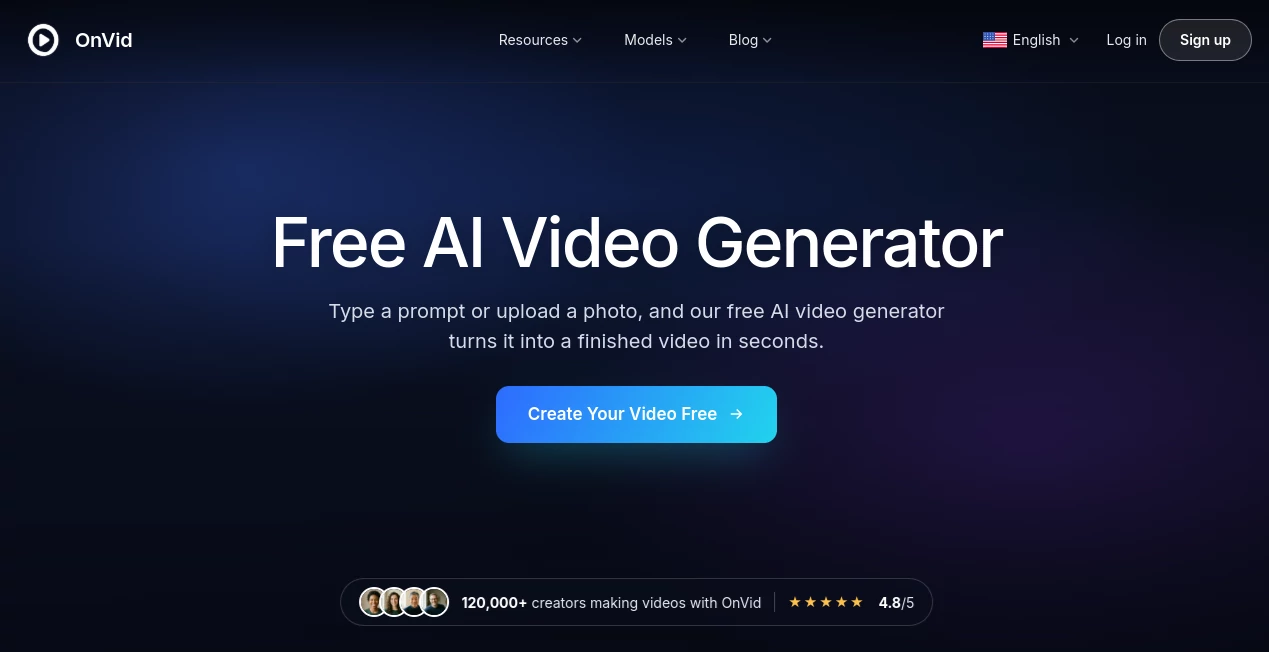
What is OnVid?
Creating a video usually means dealing with cameras, footage, editing software, timelines, and a fair amount of patience. OnVid takes a much simpler route. It lets you start with a written idea or a single photo and turn that input into a finished video that can be downloaded and shared.
The experience is designed for people who want to get from an idea to a usable clip without learning a complicated editing application first. A short prompt can become a visual scene, while an ordinary photo can be given movement and camera motion. The platform is also free to start, with no signup or credit card required, which makes it easy to experiment before deciding whether it fits your workflow.
One particularly interesting aspect is the selection of video models available through a single studio. Instead of moving between different services to try different generation engines, users can choose from several models and match the model to the type of video they want to create.
Key Features
- Text-to-video generation from a simple written prompt
- Image-to-video generation that adds motion to still images
- Adjustable video length before generation
- Multiple visual style presets
- Cinematic, realistic, anime, fantasy, product-ad, claymation, and action styles
- Access to multiple leading video generation models
- HD video download and sharing
- Simple workflow without a traditional editing timeline
- Free access to get started
- No signup or credit card required to try the service
User Interface
The interface keeps the generation process remarkably straightforward. Instead of presenting users with a crowded editing workspace, the workflow centers around the idea, image, style, and length of the video.
A typical generation takes only a few decisions. You provide a prompt or upload an image, select the visual direction and desired length, and then generate the clip. This approach should feel comfortable even for someone who has never worked with professional video software.
The simplicity is useful for quick experiments. For example, someone with a product photo can start with that image instead of building an entire scene from scratch. Likewise, a creator with nothing more than an idea can begin with a short description and see where the generated result takes it.
Accuracy & Performance
Video generation quality depends heavily on the underlying model, the prompt, the source image, and the type of movement being requested. The platform addresses this by bringing several generation models into one environment rather than relying on a single generation engine for every situation.
Available models include Kling 3.0, Veo 3.1, Seedance 2.0, MiniMax H3, Hailuo 2.3, and FLUX 3. Their capabilities differ, with some focused more strongly on cinematic output, others on motion, references, native audio, or faster generation.
The service is built around quick creation, with generated videos designed to be ready shortly after the request is submitted. Actual generation time can vary according to the selected model, video length, and generation settings, so users should expect some variation rather than a fixed processing time.
Capabilities
The strongest part of the platform is its flexibility in how a video can be started. Text prompts are useful when the creator already knows what scene they want to see. Image-to-video generation takes a different approach by using an existing picture as the starting point and adding movement and camera motion.
Users can also choose the intended length before generation. This is a useful detail because not every idea works as a tiny clip. A quick reaction or social post may only need a short sequence, while a birthday message, visual story, or concept video may benefit from a longer result.
Another advantage is the range of visual directions. Cinematic and photorealistic styles can suit more serious projects, while anime, fantasy, claymation, and action styles give creators room for more playful experiments. Product-ad styling is particularly practical for businesses that want to explore visual concepts without arranging a traditional shoot.
Security & Privacy
Privacy is an important consideration when working with AI video services, especially when users upload photographs or other original material. The platform provides dedicated Privacy Policy and Terms of Service pages, giving users a place to review the service's current policies before uploading sensitive or personal content.
Users should also think carefully about the material they provide. Photos of other people, copyrighted material, protected characters, and footage belonging to someone else should only be used when the creator has the necessary rights or permission. The platform itself also notes that usage rights can depend on the plan and the content being uploaded.
Use Cases
There are plenty of situations where a lightweight video generator makes more sense than opening a full editing suite.
- Social media content: Create short visual clips for posts, messages, reactions, and creative experiments.
- Product concepts: Turn a product image into a moving visual or explore different advertising directions.
- YouTube content: Produce concept videos, visual stories, short explainers, and supporting clips.
- Personal memories: Give an old travel photo, portrait, pet picture, or family image a sense of movement.
- Creative experimentation: Test cinematic, anime, fantasy, realistic, or other visual styles without filming anything.
- Marketing ideas: Quickly visualize an advertisement or campaign concept before investing in a larger production.
- Birthday and personal messages: Create a customized video from an idea or image for a friend, colleague, or family member.
- Story visualization: Turn a scene described in words into a visual starting point for a larger creative project.
Pros and Cons
Pros
- Very simple text-to-video and image-to-video workflow
- Free to start without signup or a credit card
- Multiple video generation models available in one studio
- Several useful style presets
- Video length can be selected before generation
- HD download and sharing options
- Useful for both casual creators and content-focused users
Cons
- AI-generated videos can still vary in quality depending on the prompt and model
- Short generated clips may not replace a complete professional video production workflow
- Users looking for detailed manual editing controls may prefer dedicated video editing software
- Usage rights and export details should be checked according to the current plan and content type
Pricing Plans
The platform is currently free to start. The website states that users can create videos without signing up and without providing a credit card, making it possible to test the generation workflow before committing to a paid service.
The current site does not publicly provide a detailed breakdown of paid pricing tiers on the main product page. Because pricing, limits, and export conditions can change, users interested in higher-volume generation should check the available options inside the application before purchasing or relying on a specific allowance.
How to Use OnVid
Getting started is intentionally simple.
- Start with a short idea or upload a photo you want to animate.
- Describe the scene clearly if you are using text-to-video generation.
- Choose a visual style that matches the intended result.
- Select the video length before starting the generation.
- Choose the appropriate generation model when model selection is available.
- Generate the video and preview the result.
- Download the finished video in HD or share it when it is ready.
For better results, keep prompts specific without making them unnecessarily complicated. Mention the main subject, what it is doing, the environment, camera movement, and general mood. For image-to-video generation, a clear source image with an obvious subject can give the system a stronger starting point.
Comparison with Similar Tools
Many AI video platforms focus on one particular generation model or build their product around a broader video-editing workflow. This platform takes a different approach by putting several generation engines into one studio and keeping the creation process focused on generating the clip itself.
That makes it especially appealing when experimentation matters. Instead of opening several services to compare different generation styles, creators can try different models within the same environment. Someone working on a cinematic scene may prefer one model, while a different idea involving expressive motion or references may benefit from another.
It is not intended to replace every feature found in a professional editor. If your project requires detailed cutting, complex timelines, extensive audio mixing, color grading, or frame-by-frame control, traditional editing software remains the better choice. But when the goal is simply to turn an idea or image into a finished AI-generated clip, the streamlined workflow is a strong advantage.
Conclusion
AI video generation becomes much more approachable when the process starts with something as simple as a sentence or a photograph. This platform does a good job of keeping that experience focused: provide an idea or image, select the look and length, generate the clip, and download the result.
The combination of text-to-video, image-to-video, style presets, adjustable duration, and access to multiple generation models makes it a useful option for creators who want to experiment without building a complicated production setup. The ability to start for free, without registration or a credit card, is another welcome touch.
For social content, personal projects, product concepts, visual experiments, and quick video ideas, it offers a practical way to move from imagination to something you can actually watch and share.
Frequently Asked Questions (FAQ)
What is an AI video generator?
An AI video generator creates video content from inputs such as written prompts or images. It can interpret the requested scene, generate visual movement, apply a chosen style, and produce a video file that can be saved and shared.
Can I create a video from text?
Yes. You can enter a written idea or describe a scene and use text-to-video generation to create a video. You do not need to provide recorded footage or operate a traditional editing timeline.
Can I turn a photo into a video?
Yes. An uploaded still image can be used as the starting point for a moving scene. The system can add motion and camera movement, making it useful for portraits, product photographs, travel pictures, pet photos, and other still images.
Can I choose the length of the generated video?
Yes. The video length can be selected before generation, giving creators more control over whether the result should be a short clip or a longer sequence.
Is it free to use?
The service is free to start. The website currently states that users can try the video generator without signing up and without entering credit card information. Any current paid plans, limits, or additional export options should be checked inside the service because these details may change.
Which video models are available?
The platform brings several leading video models into one studio, including Kling 3.0, Veo 3.1, Seedance 2.0, MiniMax H3, Hailuo 2.3, and FLUX 3. Model capabilities vary, allowing creators to choose an engine that better fits a particular visual idea.
Can I use the generated videos for YouTube?
Generated clips can be useful for YouTube concepts, visual stories, explainers, and other channel content. However, creators should review the current usage terms and make sure that their prompts, uploaded material, and final content comply with applicable copyright and usage requirements.
Do I need video editing experience?
No. The core workflow is designed around prompts, images, styles, and video length rather than a traditional editing timeline. This makes it accessible to people who want to create a video without first learning professional editing software.
AI Image to Video , AI Video Generator , AI Text to Video .
These classifications represent its core capabilities and areas of application. For related tools, explore the linked categories above.

OnVid Alternatives Product

Happy Horse

Toon Composer

Seedance 2.5…

Seedance 2.0
gpt video

Happy Horse:…

seedream vid…

Wan AI

Seedance 2.5