


















Open Source Software
What is Open Source Software?
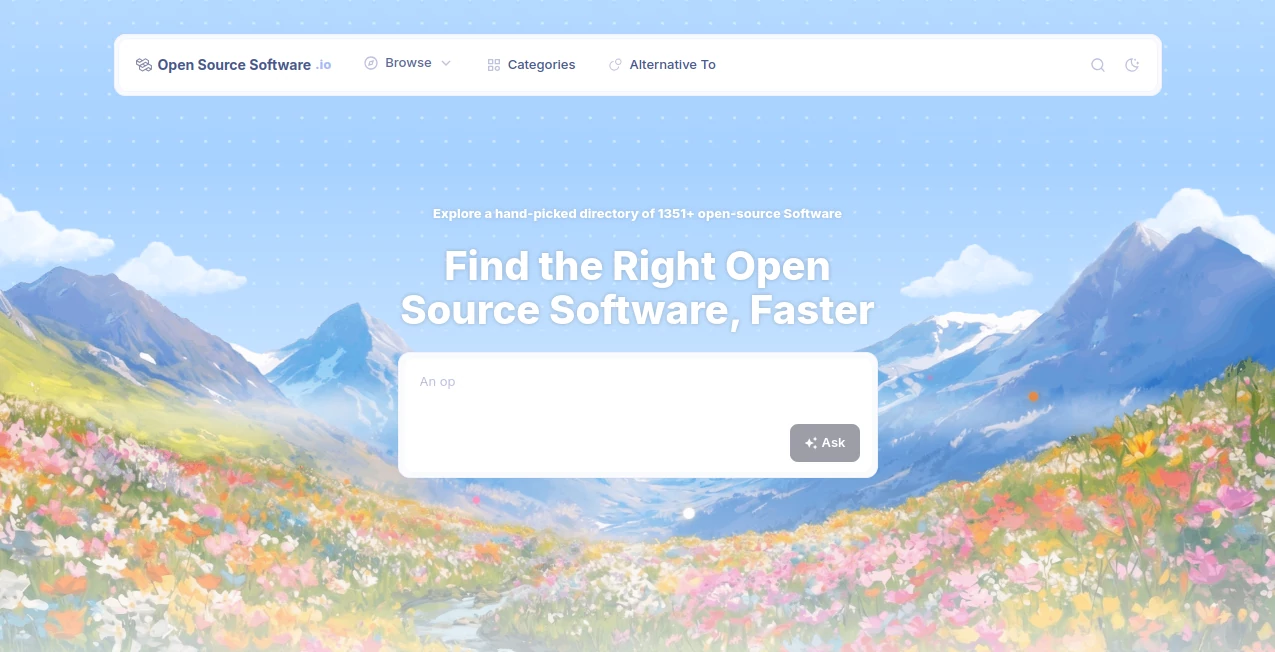
Open Source Software.io is a carefully curated directory designed to make discovering open-source software much easier. Instead of spending hours searching through repositories, forums, and scattered recommendation lists, users can browse a large collection of projects from one organized place.
The platform currently features more than 1,351 open-source software projects across 295 categories. Its focus is simple: help people find useful open-source applications faster while giving them practical information for deciding which project is worth exploring.
What makes the experience particularly useful is the combination of categories, search, filtering, repository popularity, and alternative discovery. Whether someone is looking for a self-hosted application, a developer tool, an AI project, a productivity application, or a specialized piece of software, the directory provides a convenient starting point.
Key Features
- Curated directory of more than 1,351 open-source software projects
- 295 categories covering a broad range of software
- Search functionality for quickly finding relevant projects
- Repository star counts for assessing project popularity
- Category-based browsing for discovering software by purpose
- Dedicated collections for self-hosted and desktop software
- Latest software discovery for finding newer additions
- Alternative-to discovery for comparing different software options
- Clear classification of software by platform and type
- Newsletter for receiving newly discovered open-source software
User Interface
The interface is built around discovery rather than unnecessary complexity. A prominent search field lets users look for specific software, while category navigation and filters make it easier to narrow down a large collection.
Each listing presents useful information at a glance, including its category, description, repository star count, and the type of application available. Labels such as Web App / Server, Desktop App, and CLI / Terminal help visitors understand how a project can be used before opening its details.
The layout feels especially practical for users who already know roughly what they need but want several open-source alternatives to consider.
Accuracy & Performance
For a software directory, useful organization is just as important as the number of listings. The platform combines project descriptions with repository popularity indicators, allowing visitors to make a quicker initial assessment without opening dozens of repositories individually.
Repository stars should not be treated as a definitive measure of software quality, but they provide useful context when comparing unfamiliar projects. The directory's categorization adds another layer of organization, making the discovery process more efficient.
Capabilities
The platform covers a surprisingly broad range of open-source software. Its directory includes projects for artificial intelligence, development, productivity, infrastructure, privacy, multimedia, automation, self-hosting, and many other areas.
Some of the listed projects are well-known applications, while others can help users discover alternatives they may not have encountered before. The alternative-to section is particularly useful when someone is trying to replace an existing proprietary product with an open-source option.
Users can also explore dedicated collections such as self-hosted software, desktop software, and recently added projects. This makes the directory useful not only for people searching for a specific application, but also for users who simply want to discover what's available in the open-source ecosystem.
Security & Privacy
The main advantage from a privacy perspective is that the directory focuses on open-source projects, many of which can be inspected, modified, or self-hosted depending on their individual licenses and technical requirements.
However, users should evaluate each project independently before deployment. Being open source does not automatically mean that every application is secure, actively maintained, or suitable for sensitive information. Checking the repository, license, maintainers, update history, and deployment requirements is still recommended.
Use Cases
Developers can use the directory to discover libraries, development environments, API tools, AI projects, infrastructure software, and other projects that can become part of a technical workflow.
Businesses can use it when evaluating alternatives to commercial software. For example, a team looking for a self-hosted solution can browse relevant categories instead of researching every option from scratch.
Privacy-conscious users can also use the collection to discover software that offers self-hosting or local deployment. This can be particularly valuable when reducing dependence on cloud services is an important consideration.
For casual users, the directory works as a discovery engine. Someone might arrive looking for a replacement for one application and leave with several interesting open-source projects worth testing.
Pros and Cons
Pros
- Large and growing collection of open-source software
- Clear organization across hundreds of categories
- Useful repository star information
- Search and filtering make discovery faster
- Includes self-hosted and desktop software collections
- Alternative-to functionality helps users find replacements
- Useful for developers, businesses, and privacy-focused users
Cons
- Repository popularity does not necessarily indicate software quality
- Some projects may require technical knowledge to install or self-host
- The large number of listings can still require comparison before choosing a project
- Users should independently verify maintenance status and licensing before deployment
Pricing Plans
The directory is focused on discovering open-source software rather than selling software subscriptions. The website does not present conventional paid plans for browsing its software collection. Users can explore the directory and its categories without needing to choose between different pricing tiers.
How to Use It
Start by entering the type of software or project you are looking for in the search field. If you are not sure what to search for, browse the available categories instead.
Once you find interesting projects, review their descriptions, category, repository star count, and application type. A project marked as a Web App / Server may suit a different workflow from a Desktop App or CLI / Terminal application.
For broader research, explore the self-hosted, desktop, latest software, and alternative-to sections. This approach can reveal useful options even when you do not have a particular project in mind.
A practical workflow is to shortlist several projects first, then investigate their individual repositories, licenses, documentation, release activity, and installation requirements before making a final decision.
Comparison with Similar Tools
Traditional software search usually starts with a general search engine, GitHub, community forums, or individual recommendation articles. Those sources can be valuable, but finding comparable projects often requires considerable manual research.
This directory takes a more focused approach by bringing open-source software into a structured discovery environment. Categories make browsing easier, repository stars provide an immediate popularity signal, and alternative-to pages can help users move from a familiar product toward an open-source replacement.
GitHub remains essential when developers need detailed technical information, source code, issues, releases, and contribution history. The advantage of a dedicated directory is the earlier stage of the process: finding interesting projects without already knowing what to search for.
Conclusion
For anyone who regularly searches for open-source software, this directory provides a convenient way to reduce the research involved in discovering new projects. Its combination of broad categorization, search, repository popularity, platform labels, and alternative discovery makes it more useful than a simple list of software names.
The strongest part of the experience is its discovery-first approach. Instead of requiring users to know the exact project they want, it gives them several ways to explore the open-source ecosystem and uncover alternatives that may better fit their needs.
Whether you are a developer looking for a new project, a business evaluating software alternatives, or simply someone interested in self-hosted applications, it is a worthwhile starting point for exploring what open source has to offer.
Frequently Asked Questions (FAQ)
What is this directory used for?
It is designed to help users discover and explore open-source software through searchable listings, categories, repository popularity information, and alternative-to recommendations.
How many software projects are listed?
The directory currently features more than 1,351 open-source software projects organized across 295 categories.
Can I find self-hosted software?
Yes. A dedicated self-hosted software collection makes it easier to discover projects that can be deployed and managed on your own infrastructure.
Can developers use it to discover new projects?
Yes. Developers can browse categories covering areas such as development environments, AI, APIs, infrastructure, automation, and other technical applications.
Are repository stars a measure of software quality?
Not by themselves. Stars are useful as an indication of popularity, but users should also examine maintenance activity, documentation, licensing, security practices, and the project's community before adopting it.
Does it help find alternatives to existing software?
Yes. An alternative-to section helps users discover other open-source projects that may serve a similar purpose to software they already use.
Is it useful for non-developers?
Yes. Although some open-source projects require technical knowledge, the directory also contains many applications for productivity, media, personal use, business, and everyday computing.
Github Repos , Other .
These classifications represent its core capabilities and areas of application. For related tools, explore the linked categories above.
Open Source Software details
Website unavailable — View Alternatives
Pricing
- Free
Apps
- Web App
Categories

Open Source Software Alternatives Product

Grow A Garde…

Awesome AI T…

Devil Hunter…

steam worksh…

gpt-plus.ai

Pixel Flow L…

Remove My Me…

Middle Name …

EZ Grader
