
Orchid AI
What is Orchid AI?
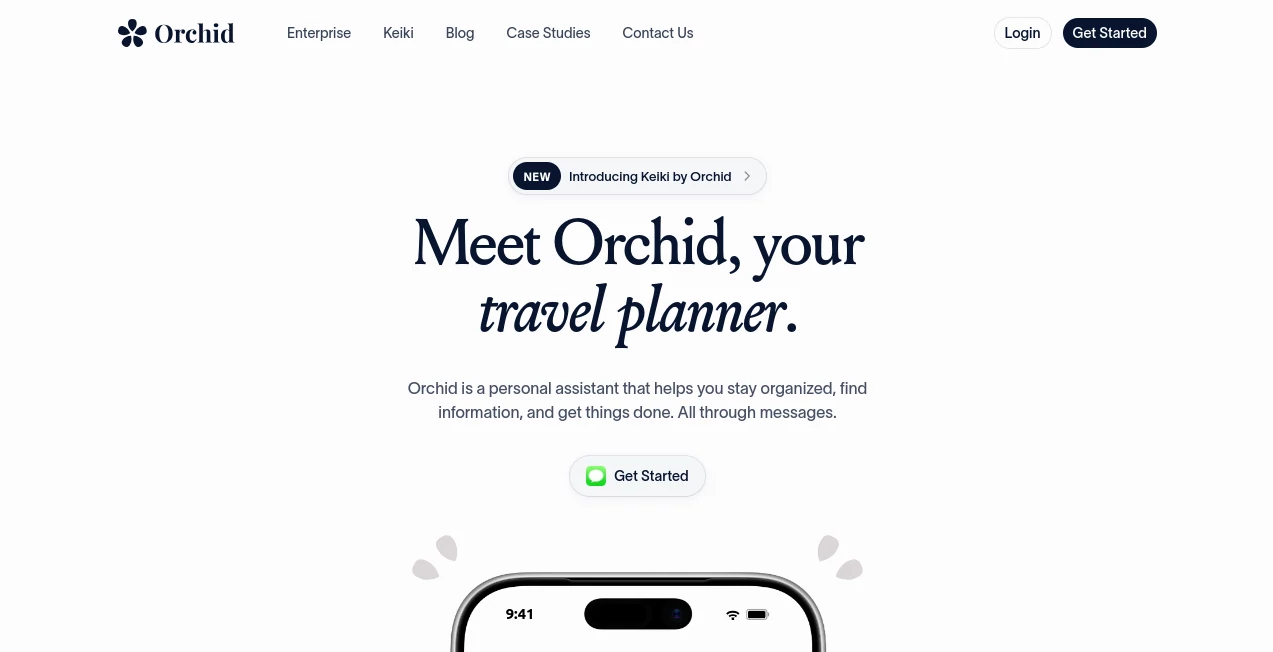
Most people do not need another app to organize their lives. They need someone to take care of the small things that keep piling up. Emails that need replies, appointments that need scheduling, reminders that are easy to forget, bookings that need attention, and dozens of little decisions that quietly consume a day.
Orchid is designed around a much simpler idea: talk to your assistant through messages and let it handle the work behind the request. Instead of opening another dashboard and manually moving information between apps, you can simply ask for something and let the assistant work with the tools you already use.
It can help organize an inbox, prepare replies, manage calendar tasks, create recurring habits, remember useful details, and handle everyday administrative work. The experience feels closer to texting a capable assistant than operating another productivity platform.
That difference is especially noticeable for people whose days are filled with small interruptions. A founder checking several client conversations, a freelancer managing appointments, or a busy professional trying not to forget a deadline can all benefit from having routine work handled in the background.
Key Features
- Personal assistance through messages: Requests can be made conversationally instead of through complicated menus and dashboards.
- Email management: Incoming messages can be triaged, important items surfaced, and replies prepared for review.
- Calendar assistance: The assistant can help keep schedules organized and prepare calendar-related actions.
- Recurring habits: Daily digests, reminders, weather checks, travel check-ins, and other routines can be created simply by asking.
- Long-term memory: Useful personal details can be remembered and recalled when they become relevant.
- Administrative automation: Bills, bookings, follow-ups, forms, and other repetitive tasks can be moved away from the user's daily workload.
- Multiple integrations: The service is designed to connect with the applications and services people already depend on rather than forcing them into a completely new workflow.
User Interface
The interface is one of the most interesting parts of the experience because it does not feel like a traditional productivity interface. Instead of staring at another task board, the user communicates through messages.
That makes the learning curve remarkably small. You can write something as simple as “send me a news digest every morning” or ask about an upcoming commitment without first figuring out where a particular feature lives.
This conversational approach is particularly useful when you are away from your desk. A quick message can be enough to start a task, check information, or create a routine. It feels less like managing software and more like delegating something to another person.
Accuracy & Performance
The value of an assistant like this depends heavily on whether it can understand context and turn a vague request into a useful action. The product is built around that idea rather than simply returning text responses.
Its workflow can involve connected applications, calendar information, messages, and remembered details. For example, a travel request can involve finding options, organizing the relevant information, and putting the resulting plans onto a calendar.
The service also keeps a record of actions it performs. That matters because automation should not feel like a black box. Users need to know that work was actually handled and have visibility into what happened.
Capabilities
The capabilities go well beyond writing a quick email. The assistant can help with recurring routines, travel planning, reminders, inbox organization, calendar management, follow-ups, and personal information that needs to be remembered over time.
One practical example is travel. Instead of searching for flights, checking accommodation, creating a calendar entry, and building an itinerary separately, a user can describe what they need conversationally. The system can then work across connected services to move the request toward completion.
Another useful scenario is meeting preparation. By bringing together information from connected communication and productivity tools, the assistant can help users arrive at a meeting with the relevant context already prepared.
It can also be useful for repetitive personal routines. A morning news digest, weather notification, flight check-in reminder, or recurring personal tracker can be set once and allowed to run automatically.
Security & Privacy
Privacy is especially important for an assistant that can access email, calendars, and other personal services. The product states that it only accesses accounts a user chooses to connect and does not sell or share user data or use it to train models.
Users can also disconnect their accounts and delete their information through the available settings. For actions involving email, the current workflow emphasizes user approval, with replies remaining drafts until they are approved.
This approval-first approach is sensible for an assistant that works with sensitive information. Automation becomes much easier to trust when users remain in control of consequential actions.
Use Cases
Email management: Professionals who receive a constant stream of messages can use the assistant to surface what matters, prepare responses, and reduce the amount of time spent manually processing an inbox.
Scheduling: People with busy calendars can delegate routine scheduling work and keep important commitments from disappearing beneath a growing list of tasks.
Travel planning: A simple message can become the starting point for finding accommodation, organizing flights, preparing an itinerary, and adding plans to a calendar.
Personal reminders: Birthdays, deadlines, appointments, travel check-ins, and other easy-to-forget details can be turned into timely reminders.
Business operations: Founders, recruiters, sales professionals, agency owners, and operators can use automation for follow-ups, communication, meeting preparation, and repetitive administrative work.
Students: Students can use it to keep track of syllabi, deadlines, study-related reminders, and recurring academic routines without turning organization itself into another project.
Pros and Cons
Pros
- Conversational approach makes the service easy to interact with.
- Useful combination of email, calendar, reminders, memory, and automation.
- Can handle recurring routines rather than only one-time requests.
- Designed to work with existing tools instead of replacing an entire digital stack.
- Useful for both personal organization and professional administrative work.
- Approval controls provide an additional layer of user oversight.
Cons
- The product is still developing, so some capabilities and integrations may change over time.
- Its usefulness depends on the accounts and services connected to it.
- Users who prefer traditional visual task managers may need time to adjust to a message-first workflow.
- Giving an assistant access to personal services requires careful consideration of permissions and privacy.
Pricing Plans
The current product is presented as a service that users can get started with directly, while pricing and promotional offers can vary as the product evolves. The official site currently highlights a standard introductory period, while a separate student offer provides three months free followed by a discounted annual arrangement for eligible students.
Because the service is actively evolving, prospective users should check the latest offer during signup rather than relying on an old pricing figure. This is particularly relevant during the current stage of development, when new integrations and capabilities are being introduced.
How to Use It
- Start by creating an account and connecting the services you want the assistant to work with.
- Give it a simple request in natural language rather than trying to translate your goal into a series of settings.
- Allow it to access the relevant information needed to complete the task.
- Review drafts or actions that require your approval.
- Create recurring habits for tasks you perform repeatedly.
- Use memory to keep useful personal or work-related details available for future requests.
A good way to begin is with something small. Ask for a daily digest, set a recurring reminder, or have an inbox checked before your morning routine. Once the workflow feels comfortable, more involved tasks can be delegated.
Comparison with Similar Tools
Traditional productivity applications usually give users a place to manage their own work. Email clients organize messages, calendar applications organize appointments, and task managers organize to-do lists. Each one can be excellent at its specific job, but the user is still responsible for moving between them.
This approach is different. Instead of asking the user to become better at operating several productivity tools, it attempts to become the layer that connects them. A single conversational request can involve email, calendar information, reminders, connected services, and stored context.
That makes it particularly appealing to people who do not want another productivity dashboard. If your biggest problem is knowing what needs to be done, remembering it, and repeatedly switching between applications to do it, an assistant-oriented workflow can be considerably more natural.
Conclusion
The most compelling part of this product is not any single feature. It is the decision to treat productivity as delegation rather than another form of task management.
Instead of giving users another place to organize their work, it aims to take some of that work away. Emails can be prepared, calendars can stay organized, recurring habits can run automatically, and useful details can remain available without requiring the user to remember everything.
There is still room for the platform to grow, especially as integrations and automation capabilities continue to expand. But the direction is promising. For anyone who spends too much time managing the work around their actual work, having an assistant that can quietly handle the repetitive parts can make a noticeable difference.
Frequently Asked Questions (FAQ)
What is this AI assistant used for?
It is designed to help with personal and professional organization, including email management, scheduling, reminders, recurring routines, travel planning, follow-ups, and other administrative tasks.
Does it work through messages?
Yes. The main experience is conversational, allowing users to communicate requests through messaging rather than relying entirely on a traditional application interface.
Can it manage email?
Yes. It can help triage incoming messages and prepare replies. Email responses remain drafts until the user approves them under the current workflow.
Can it manage my calendar?
Yes. Calendar assistance is one of its core capabilities, including helping organize schedules and handle calendar-related tasks.
Can it remember personal information?
Yes. The service is designed to act as a second brain by remembering useful details and recalling them when they become relevant to a future request.
Can it automate recurring tasks?
Yes. Users can create habits and recurring routines such as daily information digests, weather notifications, reminders, and other scheduled tasks.
Is my data used to train AI models?
The service states that it does not sell or share user data and does not use it to train models. It also allows users to disconnect connected accounts and delete their information through settings.
Is it suitable for business users?
Yes. Founders, sales professionals, recruiters, agency owners, operators, and other busy professionals can use it for follow-ups, meeting preparation, inbox management, scheduling, and repetitive operational work.
Is it a replacement for an email client?
Not exactly. It is better understood as an assistant that works with email rather than simply providing another interface for reading and writing messages.
Who should try it?
It is a strong fit for people who spend a significant amount of time on repetitive administrative work and would rather delegate routine tasks than manage another collection of productivity tools.
AI Life Assistant , AI Productivity Tools , AI Email Assistant , AI Scheduling .
These classifications represent its core capabilities and areas of application. For related tools, explore the linked categories above.

Orchid AI Alternatives Product

Read

Monkey Eatin…

Weblo AI

DocReplacer

Une Amie à P…

Fina Money

Notion

Romantic AI

Alloy