

















DocReplacer
What is DocReplacer?
Let’s be honest for a second. You’ve been there. You ask an AI chatbot to write you a project proposal or a client report. It gives you something decent. Then comes the nightmare part: copying that text into Word or Google Docs. Suddenly, the fonts are all over the place. The bullet points refuse to behave. Tables? Forget about it. You spend more time fixing the formatting than the AI spent writing the content. It feels like a trap.
This is exactly the headache someone wanted to kill for good. One frustrated developer, tired of wasting hours just to make documents look professional, decided to build a different way. The result is something that cuts straight through the nonsense. You simply tell it what you need, and it hands you a perfectly formatted document. No copy-pasting. No cleaning up messy layouts. No fighting with margins or headers. It just works, which feels surprisingly rare these days.
Key Features
What makes this tool stand out isn't a long list of gimmicks. It's how quietly and efficiently it handles the stuff that usually drives you crazy. You don't need a manual, and you definitely don’t need another subscription.
User Interface
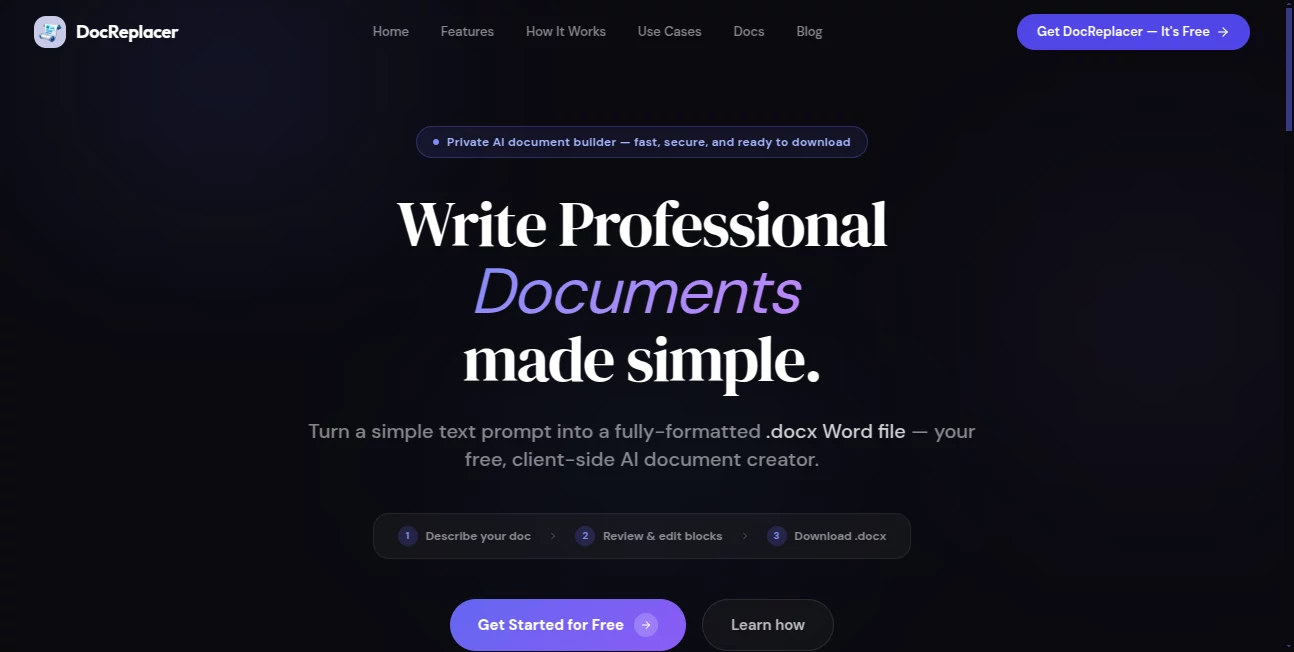
The interface is almost boringly simple, and I mean that as a compliment. You’re greeted by a blank box and a button. There are no distracting sidebars, no pop-ups begging you to upgrade, and no confusing settings to tweak. You type what you need—a meeting summary, a project roadmap, a contract draft—and hit generate. That’s genuinely it. You could hand this to someone who barely knows how to send an email, and they’d figure it out in ten seconds.
Accuracy & Performance
Here’s where it gets interesting. Most tools try to convert your text into a document by turning it into HTML first. That’s why everything breaks. This one works at the XML level directly. What does that mean for you? The formatting actually holds up. Headers stay as headers. Tables don't collapse into a jumbled mess. Lists keep their indents.
In testing, reports that used to take twenty minutes to reformat are ready to send in under a minute. No weird spacing, no random font changes, and no silent errors that only show up when you hit print.
Capabilities
This isn’t just for plain text. You can ask for complex document structures. Need a report with a table of contents, subheadings, and a few bullet-point sections? Done. A proposal with a pricing table and a legal footer? Handled. A meeting agenda with time slots and owner names? It builds it cleanly.
Because it connects directly to an AI brain behind the scenes (similar to what powers tools like Claude and others), it understands context. You can be vague, or you can be super specific. Either way, it fills in the gaps intelligently without overcomplicating things.
Security & Privacy
This is the part that should make you smile. Everything happens inside your browser. Nothing you type ever gets sent to a server. No login means no data collection. There’s no backend to hack because there simply isn’t one. Your prompts and your generated files stay on your device. In an age where every tool wants to scan your data to train their models, this tool just does its job and gets out of the way. You don’t have to worry about privacy policies or data leaks.
Use Cases
This tool fits right into the pockets of your day where formatting normally eats your time. Think of the freelancer who has to send three different proposals before lunch. They used to write the content, copy it over, and then lose fifteen minutes per document fixing alignment issues. Now they just prompt, download, and send.
Students are another perfect fit. Imagine writing a research paper or a group project report. You’ve got the ideas, but wrestling with Word’s spacing and header styles kills your momentum. One student mentioned how they spent more hours fixing broken tables than actually writing their thesis discussion section. After finding this tool, they just feed their notes in and export a submission-ready file.
Even small business owners use it for internal docs. SOPs, client onboarding kits, or meeting recaps. You don't need a full design team to make these look sharp anymore.
Pros and Cons
Pros:
- Completely free. No credit card, no trial period that expires.
- Zero learning curve. Type and download.
- Actually private. Your data never leaves your computer.
- Works on any device with a browser. Phone, tablet, or laptop.
- Saves real time. No more reformatting paragraphs or fixing numbered lists manually.
Cons:
- It does one thing (turning text into clean documents) and does it well. Don’t expect image editing or spreadsheet functions.
- You need an internet connection to generate the document, since it accesses AI models in the background.
- Power users who want hundreds of advanced template options might find it too minimal.
Pricing Plans
Here’s the refreshing part. There is no pricing page. No "Basic" versus "Pro" nonsense. No hidden fees. The creator built this to solve his own problem and decided to keep it free for everyone. Indefinitely. Why? Because it runs entirely on your machine, so there are almost zero server costs. You get the full tool, no limits, no account required. That feels like a breath of fresh air in a market where everyone wants a piece of your wallet.
How to Use DocReplacer
Using it feels almost too easy. First, open your browser and head to the website. You’ll see a large text area waiting for you. Start typing what you need. For example, “Write a one-page project status report for a software launch. Include an executive summary, a section on recent wins, a risk table, and next steps.”
Click the generate button. Wait about ten to fifteen seconds. A download link will appear. Click it, and a perfectly formatted Microsoft Word document (.docx) lands in your downloads folder. Open it, review the content (always a good habit), make any tiny tweaks you want, and send it off. That’s the whole loop.
Comparison with Similar Tools
Most alternatives fall into two categories. There are the office suites like Microsoft Word or Google Docs. They’re powerful, but they force you to do all the heavy lifting. You write, you format, you struggle. Then there are AI writing assistants that give you raw text but no structure. You still have to manually build the document yourself.
DocReplacer sits right in the middle, but smarter. It takes your ideas, adds the intelligence to flesh them out, and delivers a final, publication-ready file. Unlike Adobe Acrobat’s AI tools which cost around $35 a month, this is free. Unlike standalone doc generators that store your files on their servers, this keeps everything local. It’s not trying to replace Word. It’s trying to rescue you from the part of using Word that you hate the most.
Conclusion
Sometimes the best tools are the ones that do one job perfectly and then disappear. This is that tool for document creation. It respects your time by killing the copy-paste-reformat loop. It respects your privacy by never touching your data. And it respects your budget by costing exactly zero dollars.
If you’ve ever felt that little spike of frustration when your beautifully written content turns into a formatting disaster, give it a shot. You might just wonder why nobody built this sooner.
Frequently Asked Questions (FAQ)
Do I need to create an account?
No. There is no sign-up, no login, and no personal information required.
Is it really free?
Yes. Completely free. No hidden payments or future subscription plans announced.
Can other people see my documents?
No. Everything stays in your browser. Your prompts never touch an external server.
What file format do I get?
You get a standard .docx file that works with Microsoft Word, Google Docs, LibreOffice, and most other word processors.
Does it work on a phone?
Yes. Any modern browser on iOS or Android works fine.
What if I need to edit the document after downloading?
Open it in your favorite word processor. All the formatting is standard, so edits are easy.
Why doesn't the article repeat the tool's name everywhere?
Good question. We keep mentions intentional to read naturally, just like a real person talks. You already know the name from the top of the page, so we respect your time by not hammering it over and over again.